KindPixels Next Event Countdown Wordpress Plugin - Rating, Reviews, Demo & Download
Plugin Description
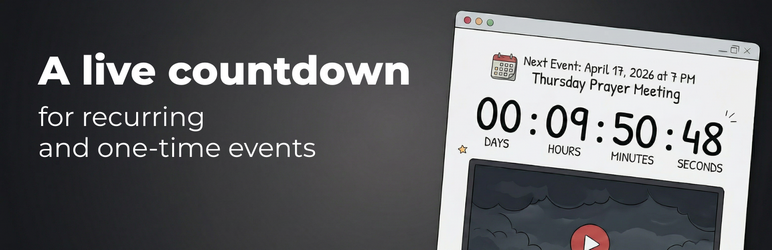
Stop manually updating countdown timers! Next Event Countdown automatically cycles through your events and always displays the one coming up next. Set it once, and it runs forever.
Whether you run a gym, a church, a school, a co-working space, a community center, or a weekly meetup — if you have events that repeat, this plugin keeps your visitors informed without any manual work.
Real-World Examples
- Fitness studios — show the next class: yoga at 6 AM spinning at noon HIIT at 5 PM.
- Churches — Sunday service ends midweek Bible study Friday youth group back to Sunday.
- Schools & universities — next open day, parent-teacher conference, or semester start.
- Restaurants & bars — happy hour countdown, trivia night, live music events.
- Co-working spaces — networking events, workshops, community lunches.
- Online communities — weekly webinars, AMAs, or live streams.
Why Next Event Countdown?
Most countdown plugins make you pick a single date. When the event passes, the timer hits zero and stays there. Next Event Countdown is different — it knows your full schedule and always counts down to whatever’s next.
No manual updates. No expired timers. Just a clean, live countdown that’s always right.
Key Features
- Recurring Events – Define one-time or weekly recurring events. The widget always shows the nearest one.
- Live Ticking – Real-time countdown updates every second.
- Fully Customizable – Colors, labels, fonts, and icons — all configurable from the admin panel.
- Responsive – Looks great on desktop, tablet, and mobile.
- Lightweight – No bloat, no external dependencies. A single optimized bundle that won’t slow your site down.
- Shortcode Embed – Drop
[nxevtcd_countdown name="my-counter"]anywhere.
Free vs Pro
Free version includes:
* 1 counter with unlimited events
* 1 countdown style
* Full color and label customization
* Recurring and one-time events
* Multiple date formats and timezone support
Pro version adds:
* Additional counters for different pages or locations
* 5+ premium countdown styles
* Multiple locations / venues within the same website
* Import events from Google Calendar and Outlook
* Priority support
For a full comparison, visit kindpixels.com/plugins/next-event-countdown.
Additional Information
Using the Shortcode
Each counter has a unique shortcode. Copy it from the admin panel and paste it into any page or post:
[nxevtcd_countdown name="my-counter"]
All display settings are configured in the plugin dashboard — no shortcode parameters needed beyond the name.
Source Code
The full source code is available on GitHub:
https://github.com/boshorog/next-event-countdown
Support
For questions or issues, visit kindpixels.com/support or use the WordPress.org support forum.
Privacy
This plugin does not collect personal data. All event data is stored locally in your WordPress database.
External services
This plugin relies on the following third-party services:
Freemius
Freemius is used for software licensing, checkout, and optional Pro upgrades. When a user initiates a Pro upgrade, the plugin redirects to the Freemius checkout page. The Freemius SDK (bundled with the plugin) may transmit site URL, plugin version, and license status to Freemius servers for license validation and update checks.
- Service provider: Freemius, Inc.
- Terms of Service
- Privacy Policy
WordPress.org Plugins API
The plugin queries the WordPress.org Plugins API to check whether a newer version of the plugin is available. This request is made from the admin dashboard and sends only the plugin slug. No personal or site-specific data is transmitted.
- Service provider: WordPress.org
- API endpoint:
https://api.wordpress.org/plugins/info/1.0/ - Privacy Policy
Screenshots
No screenshots provided