Broadcaster Auto Responder For Gravity Forms Wordpress Plugin - Rating, Reviews, Demo & Download
Plugin Description
This is a connector plugin for Broadcaster, a paid SaaS platform for business WhatsApp management. It is not a free WhatsApp integration; it requires an active Broadcaster account. If you do not have one, this plugin will not do anything useful on its own.
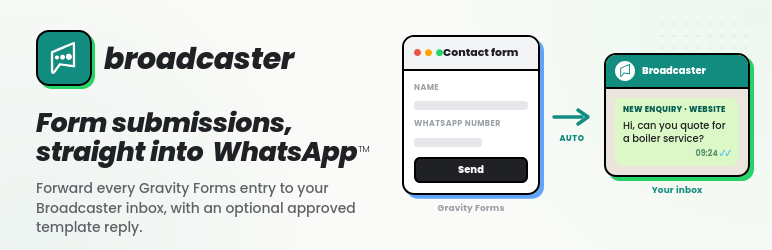
If you are a Broadcaster customer using Gravity Forms on a WordPress site, this plugin forwards each form submission into your Broadcaster inbox as an incoming contact message, and can optionally trigger an approved WhatsApp template reply (in business hours, out of business hours, or both: Broadcaster picks based on your company’s business-hours settings).
Full setup and configuration documentation: getbroadcaster.com/docs/gravity-forms-addon
What it does
- For each form you opt in to, the submission becomes an incoming contact message in Broadcaster, attributed to the form so support staff know where the contact came from.
- Each submission can trigger one optional template auto-response: either a single template that always fires, or two templates (in-hours / out-of-hours), and Broadcaster picks based on your company’s configured business hours.
- A dedicated WhatsApp Recipient custom field (under Advanced Fields in the form editor) captures the contact’s phone number in a single input, validates the format inline before form submission, and prevents the submitter from accidentally collecting a typo’d number that Broadcaster would later silently fail to deliver to. Or use any standard Gravity Forms field as the recipient mapping for backward compatibility.
- Phone or WhatsApp username (or both) are mapped from form fields you nominate.
- Standard Gravity Forms merge tags work in the message body and in template placeholder values.
- Standard Gravity Forms conditional logic decides whether a feed runs for a given submission.
- Failures never block the form: a Broadcaster outage doesn’t stop the user’s submission, the email notification, or the confirmation page. When Broadcaster declines a recipient as undeliverable, the failure is surfaced inline on the Gravity Forms entry detail so site administrators can see what didn’t deliver and why.
What it does *not* do
- It does not give you WhatsApp messaging. It just hands form submissions to your Broadcaster account, which is what actually talks to WhatsApp Business.
- It does not create a Broadcaster account, manage templates, or open the WhatsApp customer-service window. Templates must already exist and be approved on the Broadcaster side.
- It does not do full phone-number validation. The WhatsApp Recipient field does normalise national-format numbers to international format (
+44…,+1…) using the country you configure, and catches obvious typos before submit, but Broadcaster’s own normalization rules remain the source of truth. For other field types, submit numbers in international format where possible.
Ownership and affiliation
This plugin, the Broadcaster service it connects to (getbroadcaster.com), the Fullworks brand (fullworks.net) and Fullworks Plugins (fullworksplugins.com) are all owned and operated by Fullworks Digital Ltd, a company registered in England and Wales, the same company that publishes this plugin on WordPress.org under the account “fullworks”. Broadcaster is our own product, not a third party’s.
“Gravity Forms” is a trademark of Rocketgenius, Inc. and “WhatsApp” is a trademark of Meta Platforms, Inc. This plugin is an independent, unofficial add-on and uses those names only to describe what it is compatible with.
Privacy
This plugin is a connector to Broadcaster (getbroadcaster.com), a third-party WhatsApp business-messaging platform operated by Fullworks Digital Ltd. When you connect a Gravity Form to Broadcaster and a submission is received, the plugin transmits the following personal data from that submission to Broadcaster’s servers:
- The contact’s phone number and/or WhatsApp username (as mapped in the feed).
- The submitter’s name, when a name field is mapped.
- The message text and any form-field values you include in the message body or template placeholders.
- A form identifier and source label used to attribute the message inside Broadcaster.
Data is sent only for forms you have explicitly connected to Broadcaster, and only when a Broadcaster API key is configured. No data is sent before then, and the plugin contacts no other external service. Nothing is collected for the plugin’s own purposes: no telemetry, analytics, or tracking.
Broadcaster processes the data it receives under its own Privacy Policy and Terms of Use. The plugin also registers suggested disclosure text under Settings Privacy in WordPress, so you can fold this data flow into your site’s own privacy policy.
Source Code
This plugin ships its complete, unminified PHP, JavaScript and CSS source inside the distributed package; there is no separate obfuscation or minification build step, so the code you run is exactly the code you can read. For support or to report an issue, use the plugin’s support forum on WordPress.org.
Troubleshooting
“Broadcaster API key is not configured” admin notice
Configure the API key under Forms Settings Broadcaster.
“Gravity Forms is not active” admin notice
Install and activate Gravity Forms. This plugin needs Gravity Forms to do anything; it sits idle until Gravity Forms is present.
“✗ Not connected. Broadcaster rejected the API key (HTTP 401/403).”
The saved key is wrong, has been revoked, or belongs to a different company. Re-issue an API key in Broadcaster under Settings API Keys, paste it on the WP side, save.
“✗ Not connected. Broadcaster URL responded but the messages endpoint was not found (HTTP 404).”
Only relevant on dev/staging/local. The URL points at a host that isn’t a Broadcaster instance, or one that hasn’t been updated to a build that includes the contact-form API. Production sites use https://getbroadcaster.com and won’t see this.
“✗ Not connected. Cannot reach Broadcaster: …”
The site can’t open an HTTPS connection to Broadcaster. Check outbound firewall / proxy / DNS on the WordPress server.
Form submission shows no error but nothing arrives in Broadcaster
Open Forms Settings Logging and enable the Broadcaster Auto Responder for Gravity Forms logger at Log all messages. Submit again, then download the log. Common causes:
- Conditional logic on the feed didn’t match the submission.
- Neither phone nor WhatsApp username was mapped, or the mapped field was empty.
- Template name in feed config doesn’t match an approved Broadcaster template.
- Required template variable missing from placeholder map.
- Phone/username normalization mismatch: contact gets created on the Broadcaster side but template send fails because the recipient can’t be resolved.
“Broadcaster rejected the message (HTTP 422). The form id field must be a string.”
Indicates a plugin/Broadcaster version mismatch. Upgrade this plugin to 1.0.0 or later.
Screenshots
No screenshots provided