
VidFlow AI Wordpress Plugin - Rating, Reviews, Demo & Download
Plugin Description
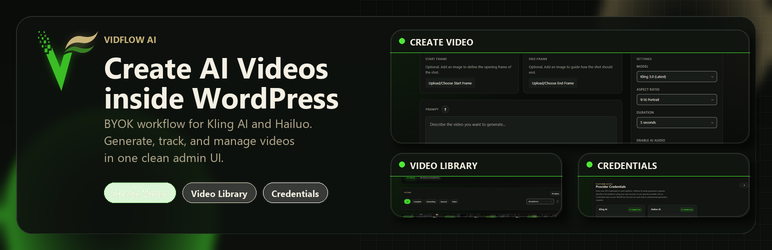
VidFlow AI lets you generate AI-powered videos directly inside WordPress using your own accounts on supported video platforms. You bring the credentials. The provider does the generation. VidFlow gives you the WordPress UI, storage, polling, local media import, protected playback, and embed workflow.
Supported bundled providers in the current release include Kling AI and Hailuo AI / MiniMax.
An optional Pro add-on expands workflow tools such as Projects, reusable project assets, tracked batch runs, and merged video workflows. The bundled provider integrations in the free plugin remain BYOK — no paid VidFlow license is required to use them, but your provider may still charge for API usage.
Features
- Generate videos from text prompts with provider-specific settings
- Add start-frame reference images and compatible end-frame controls
- Bring your own credentials – you pay the provider directly
- Standalone Create Video admin page plus Gutenberg sidebar support
- Gutenberg embed block and shortcode support
- Video Library admin page with filters, preview, shortcode copy, retry, revoke, and delete actions
- Background polling so jobs can finish after you leave the page
- Automatic import of completed videos into protected WordPress uploads when your server allows it
- Short-lived signed playback and download URLs for embeds and admin preview
- Browser-generated thumbnails for locally imported videos
- Plugin-managed settings page for encrypted credentials, connection tests, completion audio, media import readiness, and uninstall cleanup controls
Optional Pro Add-on Features
- Projects for organizing videos by campaign, client, or series
- Project asset library for reusable reference files
- Batch generation with tracked runs and retry controls
- Merged video workflows for sequencing and combining completed clips
VidFlow AI never needs to resell generation credits because the plugin talks to providers using your own credentials.
External Services
VidFlow AI relies on external AI video services only when you configure and use a provider inside the plugin. The bundled provider integrations in the free plugin do not require a VidFlow-hosted license server.
Bundled provider services:
Kling AI (by Kuaishou)
- What it is used for: Kling AI is an AI video generation service. VidFlow AI uses it to test your Kling credentials, submit video generation requests, poll generation status, and retrieve generated media URLs.
- Where requests are sent: API requests are sent to
https://api.klingai.com. The setup UI may also link you to Kling account, API key, documentation, and pricing pages athttps://app.klingai.com/global/dev/api-key,https://app.klingai.com/global/dev/document-api, andhttps://kling.ai/dev/pricing. - What data is sent and when: When you test a connection, VidFlow AI sends the Kling credential fields you saved in WordPress. When you generate a video, it sends your prompt, selected model/settings, reference image URL or encoded reference image data if provided, and your Kling credentials. When polling status, it sends the provider task ID and credentials needed to check that job. Kling may return task IDs, status data, error messages, and hosted generated media URLs.
- Terms and privacy: Terms of Service: https://kling.ai/docs/user-policy | Privacy Policy: https://kling.ai/docs/privacy-policy | API Terms: https://kling.ai/document-api/protocols/paidServiceProtocol | API Privacy Policy: https://kling.ai/document-api/protocols/privacyPolicy
Hailuo AI / MiniMax
- What it is used for: Hailuo AI is an AI video generation service powered by MiniMax. VidFlow AI uses it to test your MiniMax/Hailuo credentials, submit video generation requests, poll generation status, and retrieve generated media URLs.
- Where requests are sent: API requests are sent to
https://api.minimax.io. The setup UI may also link you to MiniMax account, API key, documentation, and pricing pages athttps://platform.minimax.io/user-center/basic-information/interface-key,https://platform.minimax.io/docs/guides/video-generation,https://platform.minimax.io/docs/guides/pricing-paygo#video, and Hailuo service pages athttps://hailuoai.video. - What data is sent and when: When you test a connection, VidFlow AI sends the MiniMax/Hailuo credential fields you saved in WordPress. When you generate a video, it sends your prompt, selected model/settings, reference image URL or encoded reference image data if provided, and your MiniMax/Hailuo credentials. When polling status, it sends the provider task ID and credentials needed to check that job. MiniMax/Hailuo may return task IDs, status data, error messages, and hosted generated media URLs.
- Terms and privacy: MiniMax Terms of Service: https://www.minimax.io/terms-of-service-v2.html | MiniMax Privacy Policy: https://www.minimax.io/privacy-policy-v2.html | Hailuo Terms of Service: https://hailuoai.video/doc/terms-of-service.html | Hailuo Privacy Policy: https://hailuoai.com/doc/privacy-policy.html
Provider-hosted generated media URLs
- What it is used for: Supported providers may return generated video URLs hosted on their own media storage or CDN domains. VidFlow AI uses these URLs to import videos into the WordPress Media Library, proxy a download, display an admin preview, or provide a temporary fallback before a local import is available.
- What data is sent and when: When you import, preview, proxy, or validate provider-hosted media, your WordPress site sends an HTTP HEAD or GET request to the exact media URL returned by the provider. That request can include your site server IP address, normal HTTP request metadata, and the provider-issued media URL or signed URL. VidFlow AI does not add your WordPress user account details or VidFlow settings to these media fetch requests.
- Terms and privacy: Provider-hosted media URLs are governed by the selected provider’s terms and privacy policy listed above. If a provider returns a signed CDN URL on a separate host, the request is still part of retrieving media generated through that provider.
Completed videos may initially be referenced by provider-hosted media URLs returned by the selected provider. VidFlow AI then attempts to import the finished video into protected WordPress uploads and serve it through short-lived signed playback and download URLs. If a local import is not yet available, preview and download actions may continue to rely on the provider-hosted URL until import succeeds or server limits prevent it.
If you choose a remote image URL as a reference image, VidFlow AI fetches that image from your WordPress site with the WordPress HTTP API so it can send the image data to the selected provider.
Each provider has its own usage policies and pricing. VidFlow AI does not intermediate, resell, or cache provider credentials or generated content on any external server. All communication happens directly between your WordPress site and the provider endpoint you configure.
Screenshots

Create Video page with bundled providers, prompt entry, start and end frame controls, and per-platform generation settings.

Video Library with saved generations, status badges, filters, previews, shortcode copy, and retry/revoke/delete actions.

VidFlow Settings for encrypted BYOK credentials, connection tests, completion audio, and Media Library import readiness.

Front-end embed output using the generated video block or shortcode with protected playback.


