
WM Voting Wordpress Plugin - Rating, Reviews, Demo & Download
Plugin Description
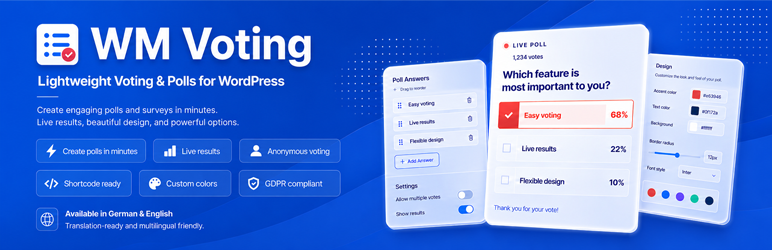
WM Voting lets you create lightweight votings in WordPress and embed them in pages, posts, widgets or custom post types with a shortcode.
Visitors vote anonymously by clicking an answer. The vote is counted immediately and the current result is displayed with clean result bars and percentages.
The first version is intentionally focused: it does not try to replace a full survey suite. It gives you a simple way to publish live-style votings directly inside WordPress.
Core features
- Create unlimited votings in the WordPress dashboard
- Add multiple answer options per voting
- Embed each voting with a shortcode such as
[wmvoting id="123"] - Anonymous one-click voting in the frontend
- AJAX vote saving without page reload
- Result bars and percentages after voting
- One vote per visitor and voting using a technical cookie/browser token
- Admin statistics with total votes and votes per answer
- Option to show or hide results before the visitor votes
- Option to show or hide total vote count
- Global accent color setting
- Dedicated “About us” page with related WM plugin cards
- Small welcome pointer after plugin activation
Privacy-friendly by design
WM Voting stores votes anonymously. To reduce repeated anonymous votes, the plugin uses a technical browser cookie/token and stores a non-reversible hash of that token with the vote. IP addresses are not stored by default.
Depending on your local legal requirements and your website setup, you may need to mention the voting cookie in your privacy policy or cookie information.
Developer-friendly structure
WM Voting is built as a free core plugin. The code structure already leaves room for future premium extensions through a separate add-on plugin.
Future extensions can hook into the free version without replacing the core plugin.
Screenshots

Frontend voting with answer options and result bars.

Voting editor with question title, answer options and shortcode box.

Global settings for accent color and default display options.


