AssistKit – Site Optimizer Toolkit Wordpress Plugin - Rating, Reviews, Demo & Download

Plugin Description
AssistKit – Site Optimizer Toolkit is an all-in-one WordPress optimization toolkit designed to improve website performance, strengthen security, simplify administration, and streamline website maintenance.
Unlike plugins that focus on a single area, AssistKit – Site Optimizer Toolkit combines performance enhancements, security hardening, maintenance tools, and administrative controls into one easy-to-use plugin.
Whether you’re a website owner, freelancer, agency, or WordPress maintenance provider, AssistKit – Site Optimizer Toolkit helps you build faster, cleaner, and more secure WordPress websites.
Performance Optimization
Improve loading speed and Core Web Vitals with tools designed to reduce unnecessary requests and render-blocking resources.
Optimize WooCommerce script loading
Optimize WordPress Heartbeat API
Disable RSS feeds
Disable self pingbacks
Remove unnecessary header bloat
Remove MediaElement
Remove Dashicons stylesheet
Disable WordPress emoji
Disable Gutenberg Scripts
Security Hardening
Reduce attack surface and improve website security with simple one-click controls.
Disable XML-RPC
Hide WordPress version information
Disable author archives
Prevent user enumeration
Hide detailed login errors
Disable application passwords
Disable comments globally
Add common security headers
Restrict public REST API access with compatibility exceptions
Prevent code execution in the public ‘Uploads’ folder
Disable directory browsing
Protect sensitive files
Design Tweaks
Polish small WordPress interface details for cleaner client and business websites.
Hide the login language selector
Enable infinite scrolling in the Media Library
Disable the block-based widget editor
Hide the frontend admin bar for non-admin users
Link the login logo to the site homepage
Replace the login page WordPress logo with a custom Media Library image
Remove the WordPress logo from the admin bar
Clean the default WordPress admin footer text
Administration Tools
Manage WordPress more efficiently with tools designed for website owners and agencies.
Role Access Management
Restrict plugin installation access
Restrict theme appearance access
Hide dashboard widgets
Hide admin notices
Last Login tracking
Last Updated tracking
Maintenance & Cleanup
Keep WordPress running smoothly with built-in maintenance controls.
Configure revision cleanup limits
Control trash cleanup timing
Configure old auto-draft cleanup
Revision cleanup tools
Trash and auto-draft cleanup controls
Database optimization tools
Perfect For
WordPress maintenance providers
Freelance web designers
Digital marketing agencies
WooCommerce stores
Membership websites
Business websites
Bloggers and publishers
Lightweight by Design
AssistKit – Site Optimizer Toolkit focuses on practical performance, security, and maintenance improvements without adding unnecessary complexity or excessive server overhead.
Feedback or Support
Need help configuring AssistKit – Site Optimizer Toolkit?
Documentation:
https://www.wpassist.ca/wordpress-plugins/site-optimizer-security-toolkit/
Support:
https://www.wpassist.ca/contact/
Website:
https://www.wpassist.ca/
Screenshots
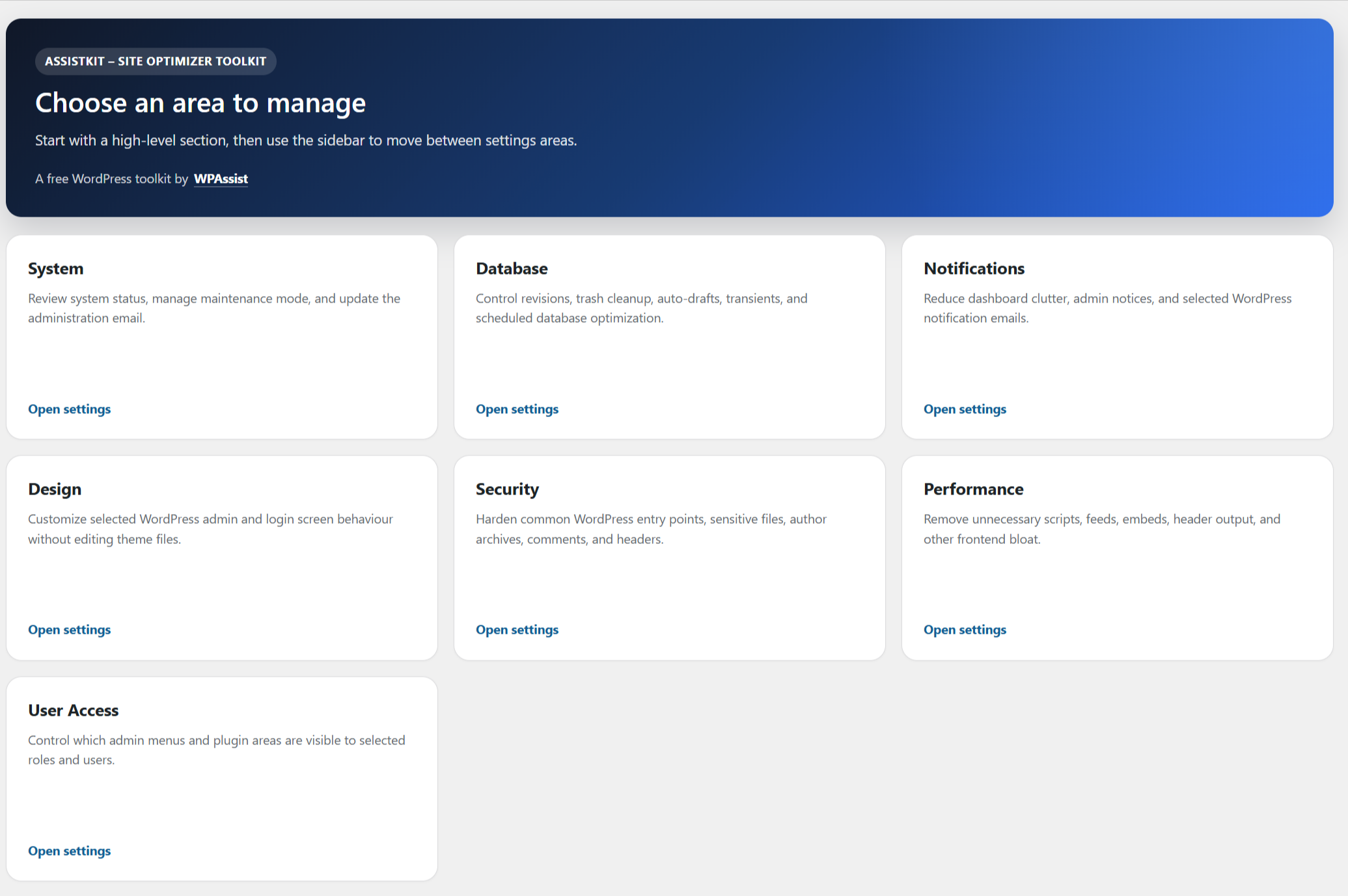
Main dashboard overview
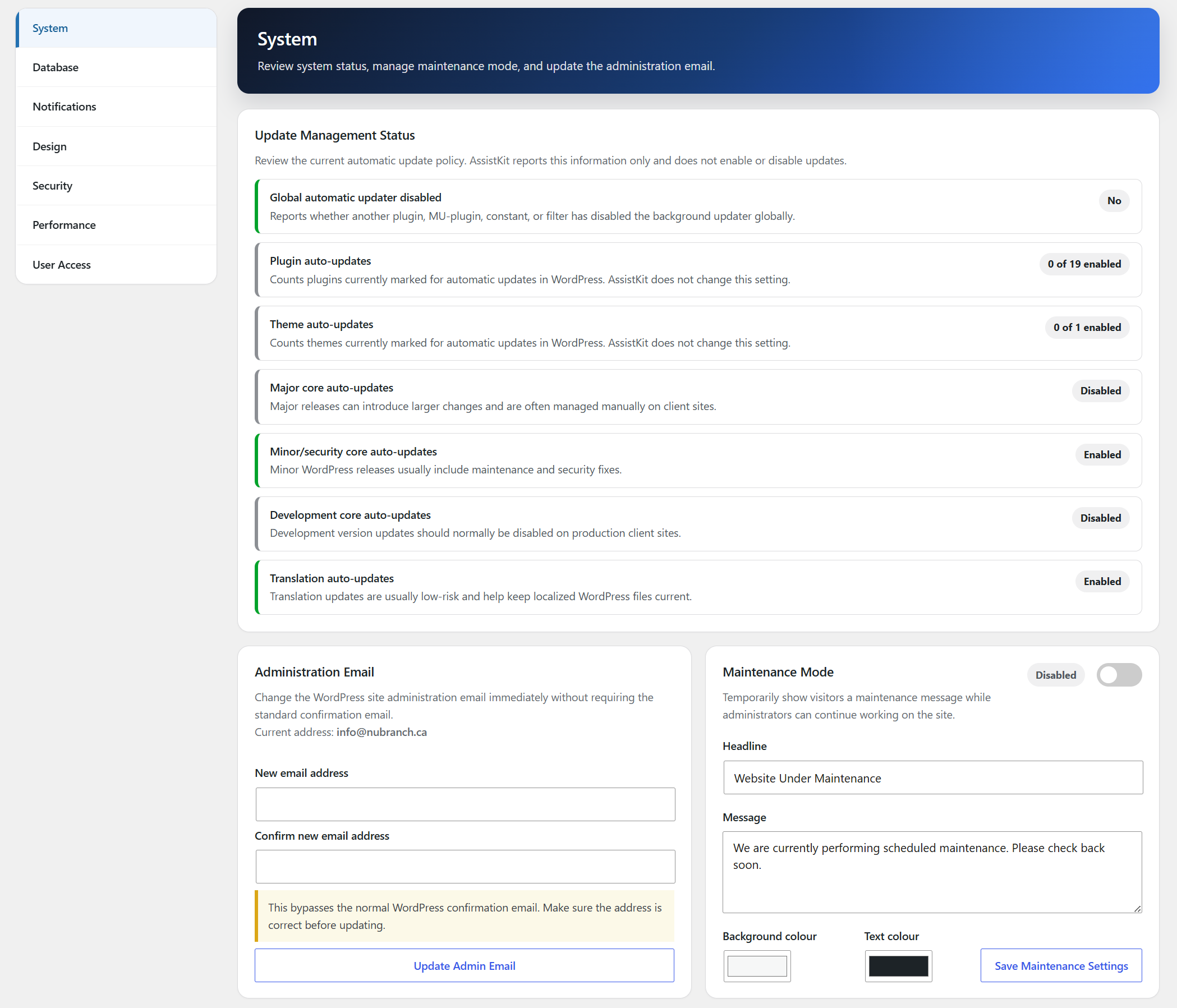
System settings
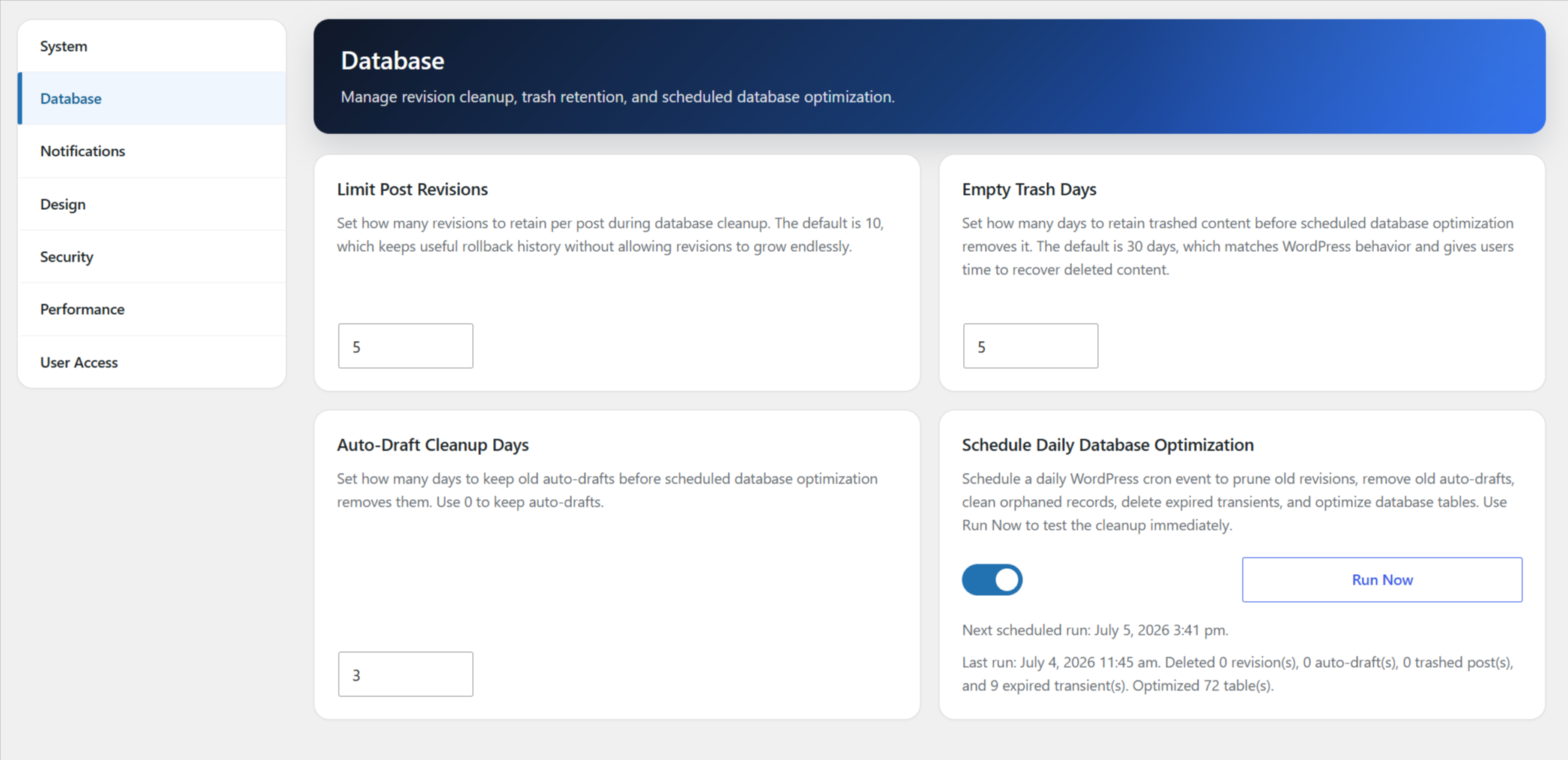
Database settings
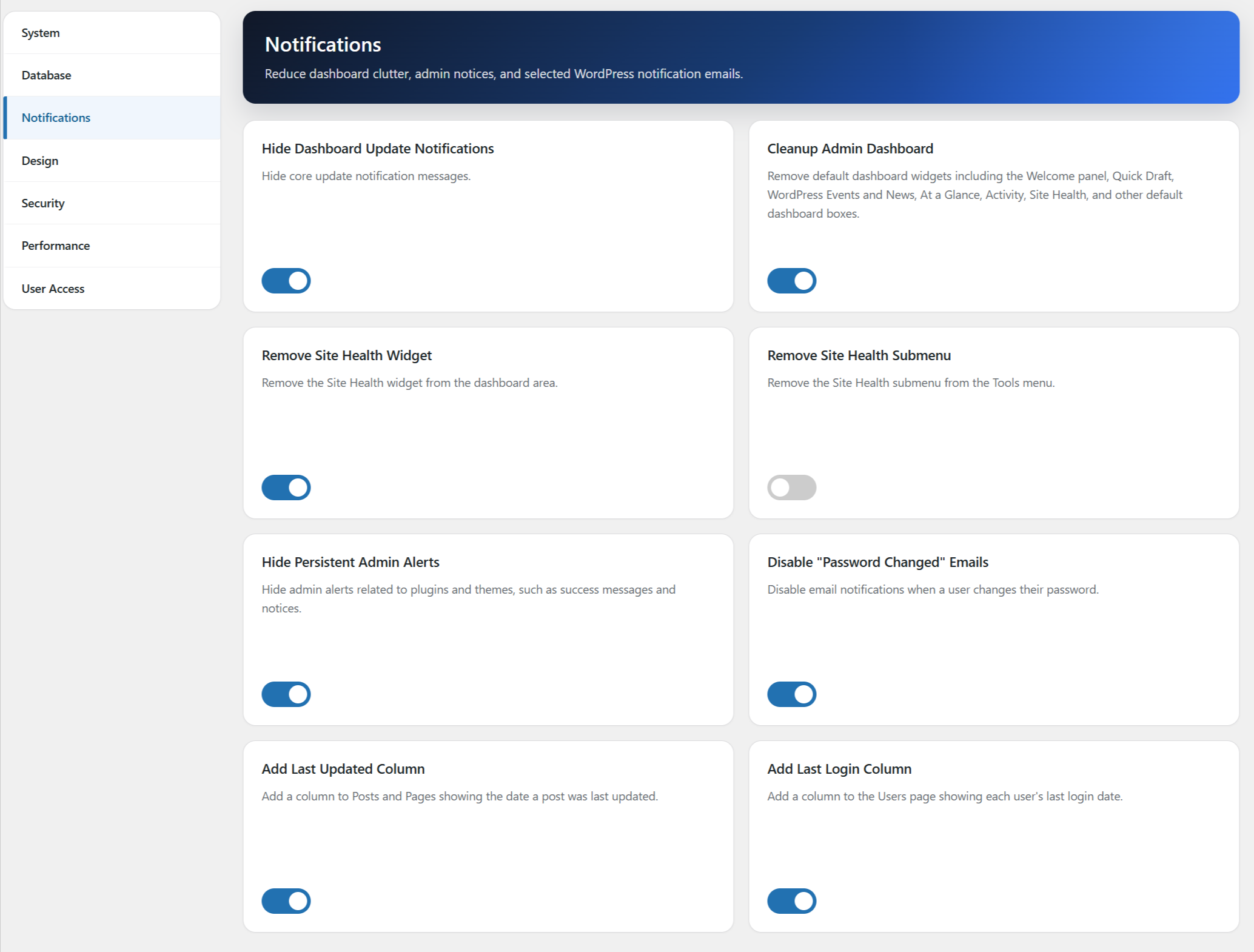
Notification settings
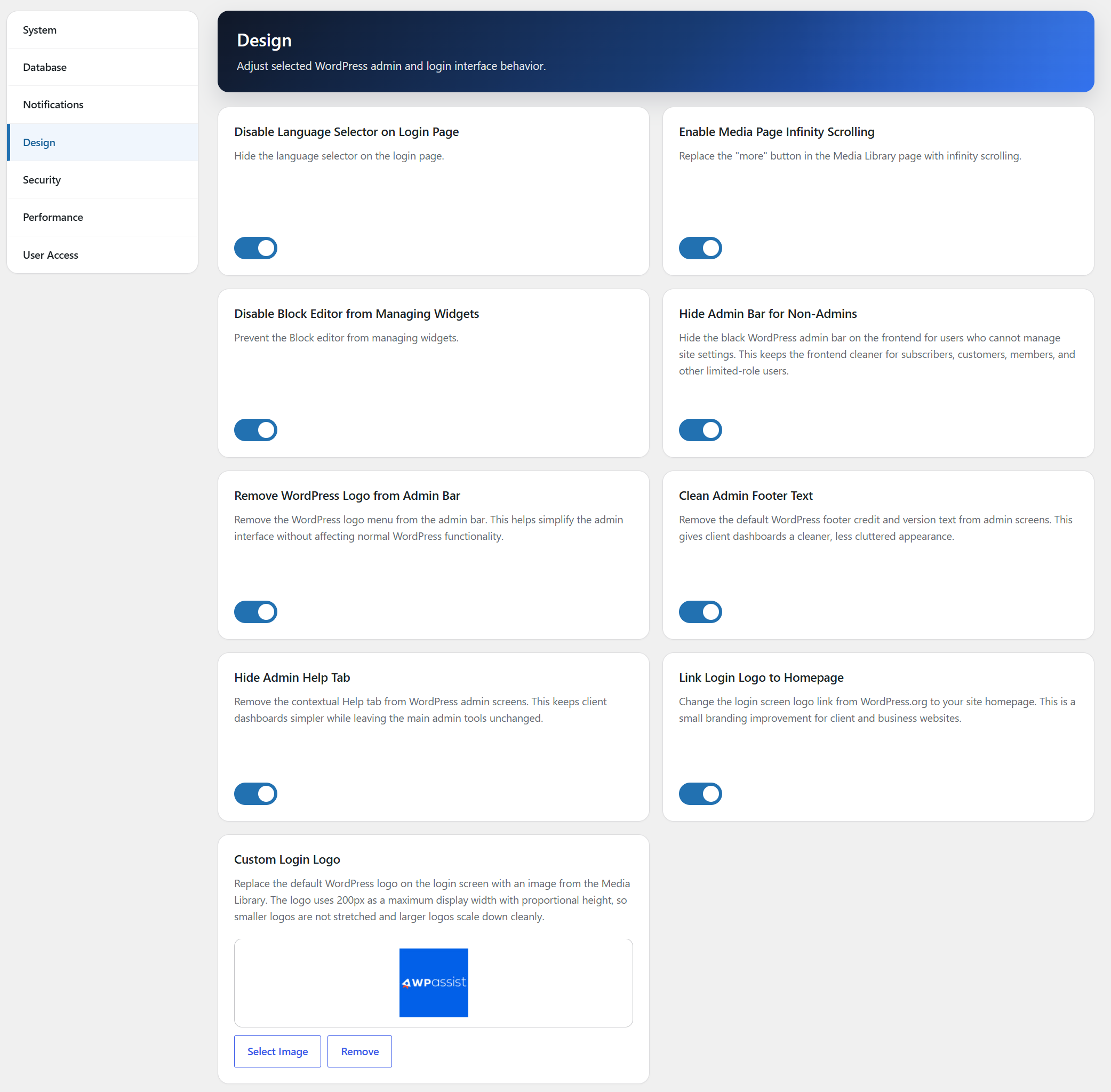
Design settings
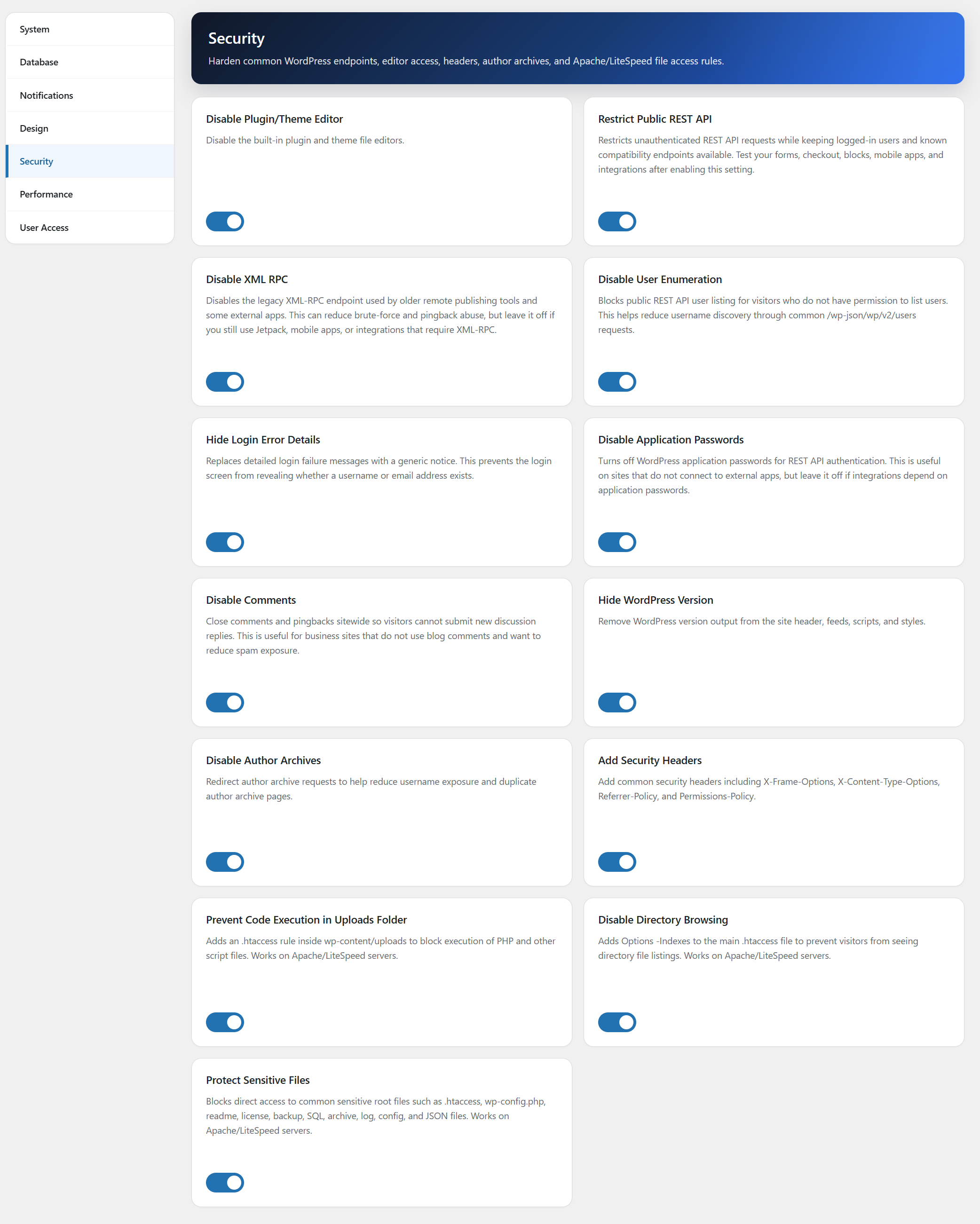
Security Hardening settings
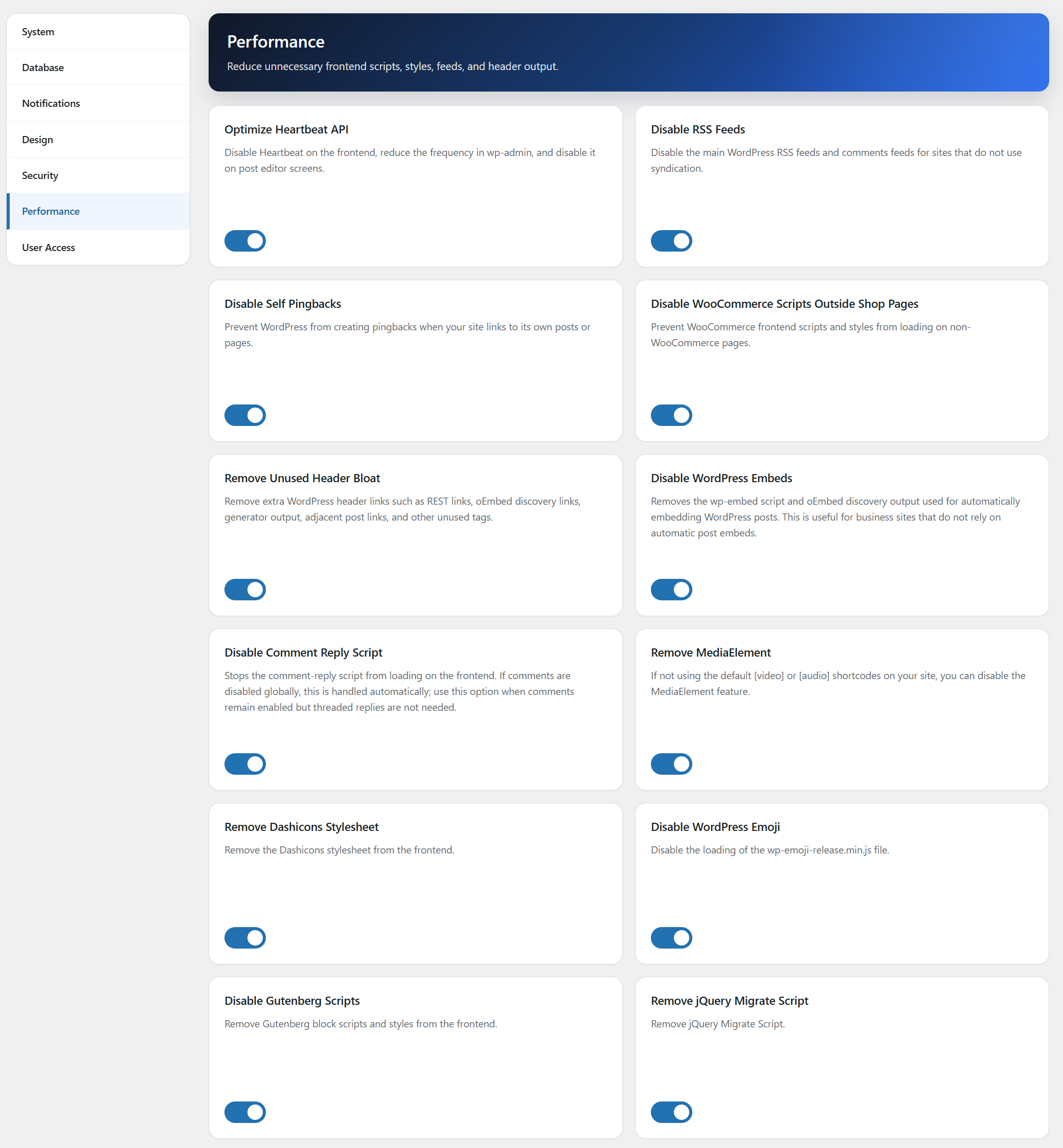
Performance Optimization settings
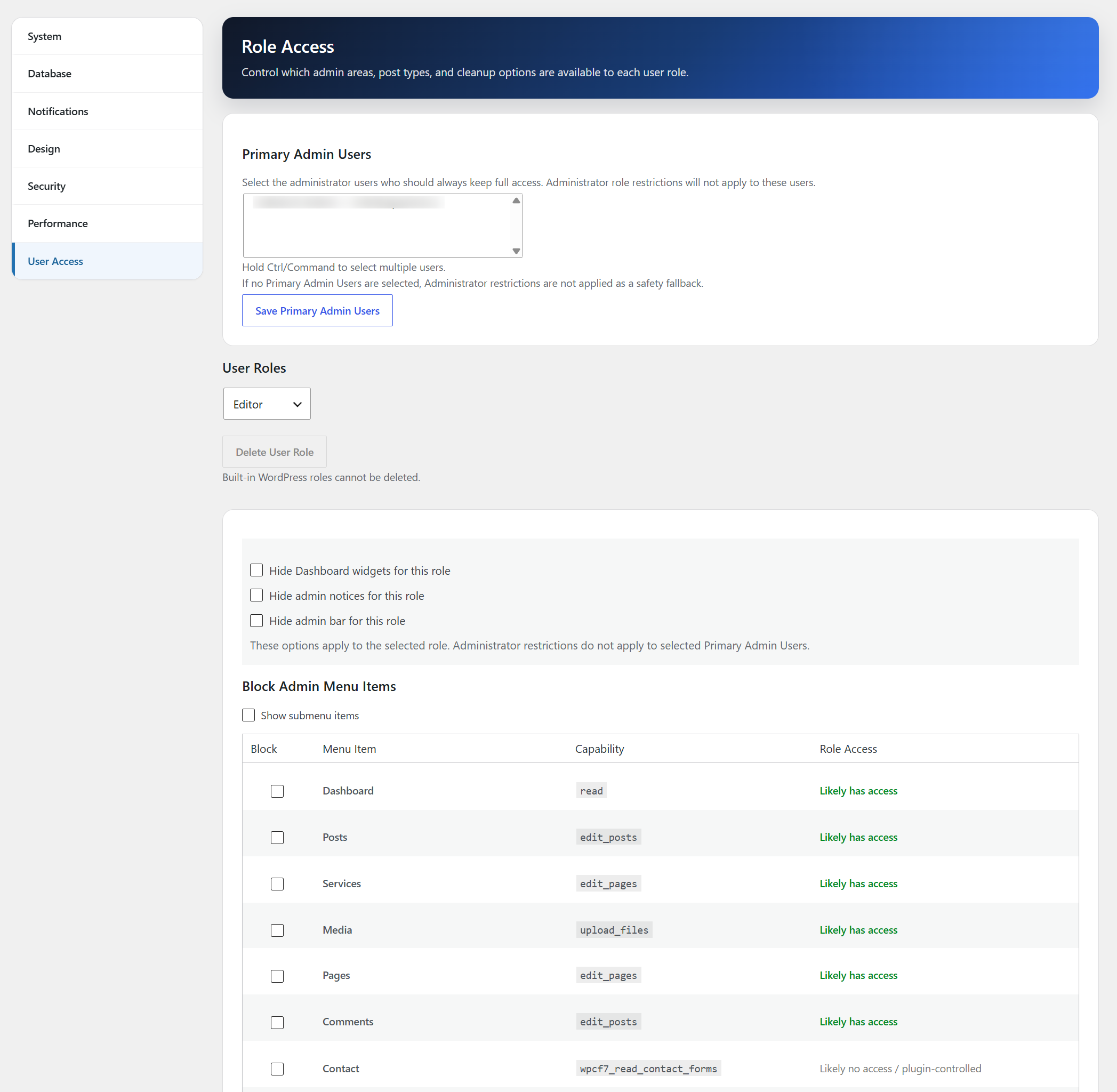
Role access management