ContWiz Content Expiration Manager Wordpress Plugin - Rating, Reviews, Demo & Download
Plugin Description
ContWiz Content Expiration Manager enables you to automatically expire WordPress posts and pages on a schedule. Set an expiry date and time on any post or page, choose what happens when it expires, and let the plugin handle the rest — no manual cleanup needed.
Whether you manage a news site, a promotional landing page, a job board, or a blog, outdated content hurts your credibility and SEO. ContWiz Content Expiration Manager keeps your WordPress site fresh and accurate, automatically.
How It Works
- Edit any post or page and set an expiry date and time.
- Choose an expiry action: Move to Draft, Move to Trash, or Keep Published with a notification.
- The plugin automatically processes expired content on your configured schedule.
- You receive email reminders before content expires so you can review or update it.
Key Features
Flexible Content Expiration
- Set a precise expiry date and time on any post or page
- Choose what happens on expiration: Move to Draft, Move to Trash, or Notify Only
- “Expire Now” button for immediate manual content expiration
- Block Editor (Gutenberg) sidebar panel for seamless post expiration management
- Classic Editor meta box — works with the Classic Editor plugin
Automated Expiry Processing
- WordPress Cron-powered automatic expiration — runs hourly, twice daily, or daily
- Processes all expired posts and pages without manual intervention
- Configurable processing frequency from the Settings page
Content Management & Visibility
- Expiry status column on the Posts and Pages list screens — see every post’s expiration status at a glance
- Status badges: Never Expires, Expiring Soon (within 7 days), Expired
- Sortable expiry column — quickly find the posts expiring soonest
- Quick Edit support — update expiry dates without opening each post
- Bulk Edit support — set or update expiry dates on multiple posts at once
Dashboard Overview
- WordPress Dashboard widget showing:
- Posts and pages expiring today
- Posts and pages expiring this week
- Total already-expired content count
Perfect For
- News & Media — automatically remove or draft time-sensitive articles and breaking news
- Marketing & Promotions — expire sale pages, coupon posts, and limited-time offers automatically
- Job Boards & Events — auto-remove job listings and event pages after the deadline
- Legal & Compliance — ensure outdated policy pages, terms, or regulatory content doesn’t remain published
- Blogs & Editorial — keep your content library fresh and accurate with scheduled content reviews
- Agencies — manage content expiration across client websites efficiently
Works With
- Block Editor (Gutenberg) ✓
- Classic Editor plugin ✓
- WP Mail SMTP ✓
- FluentSMTP ✓
- Easy WP SMTP ✓
- Post SMTP ✓
- All major WordPress themes ✓
Screenshots
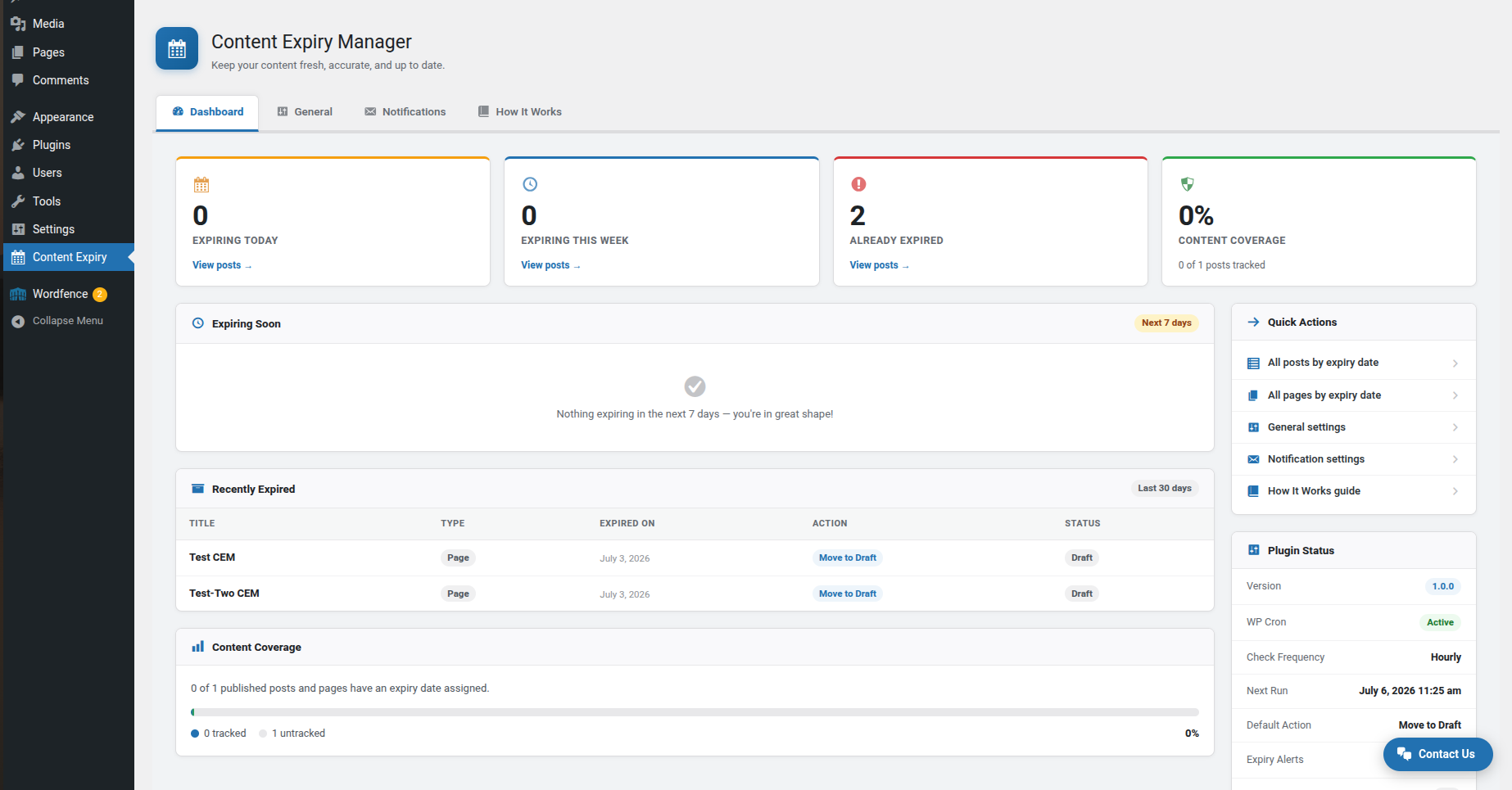
Dashboard tab — expiry stats, expiring-soon list, and content coverage overview
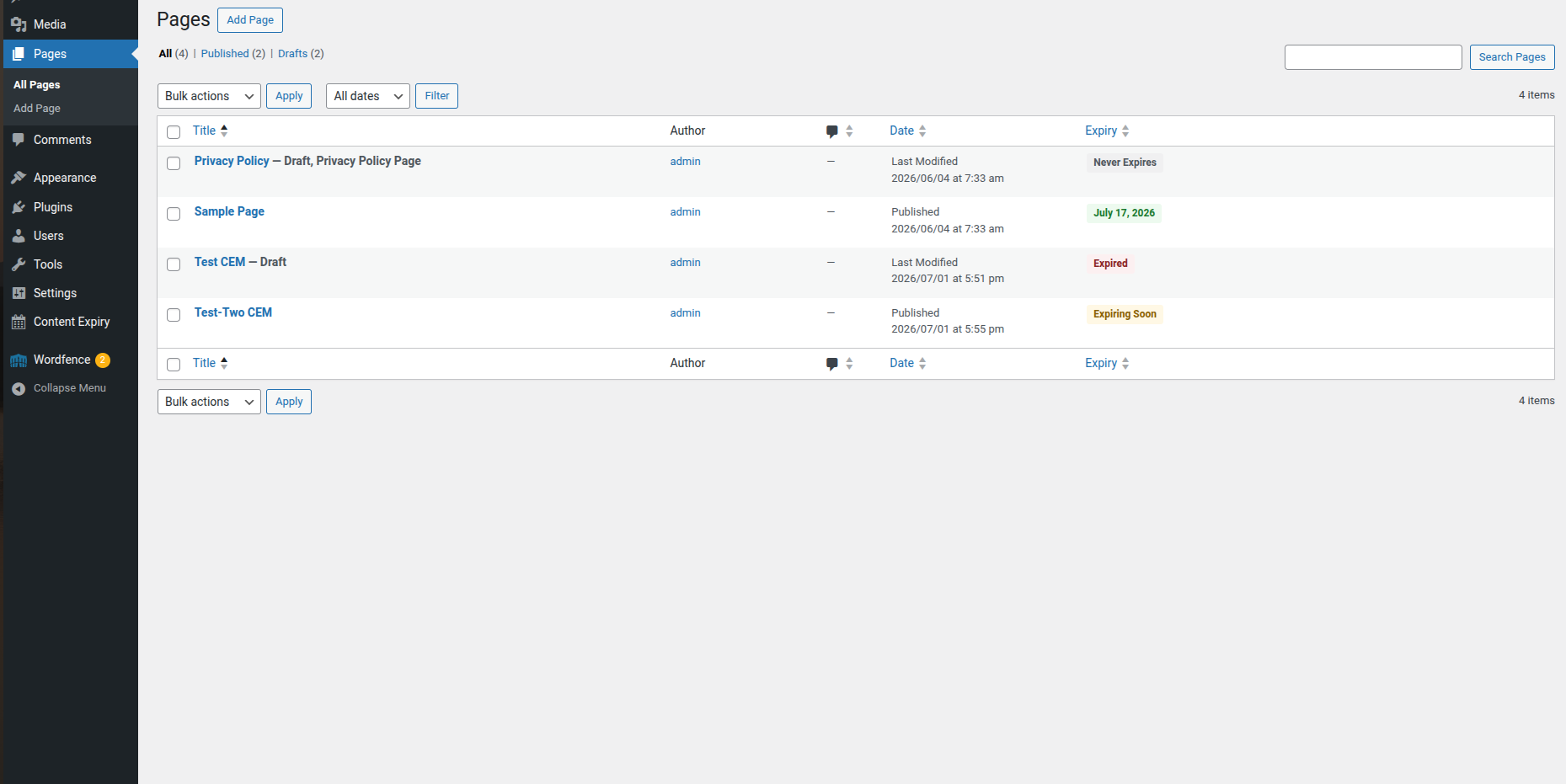
Expiry status column on the Posts list screen with sortable badges
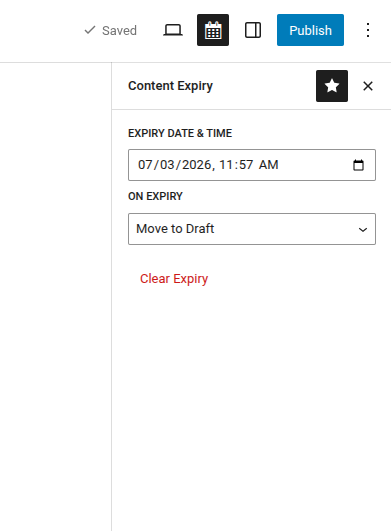
Classic Editor meta box — set expiry date, action, and Clear Expiry button
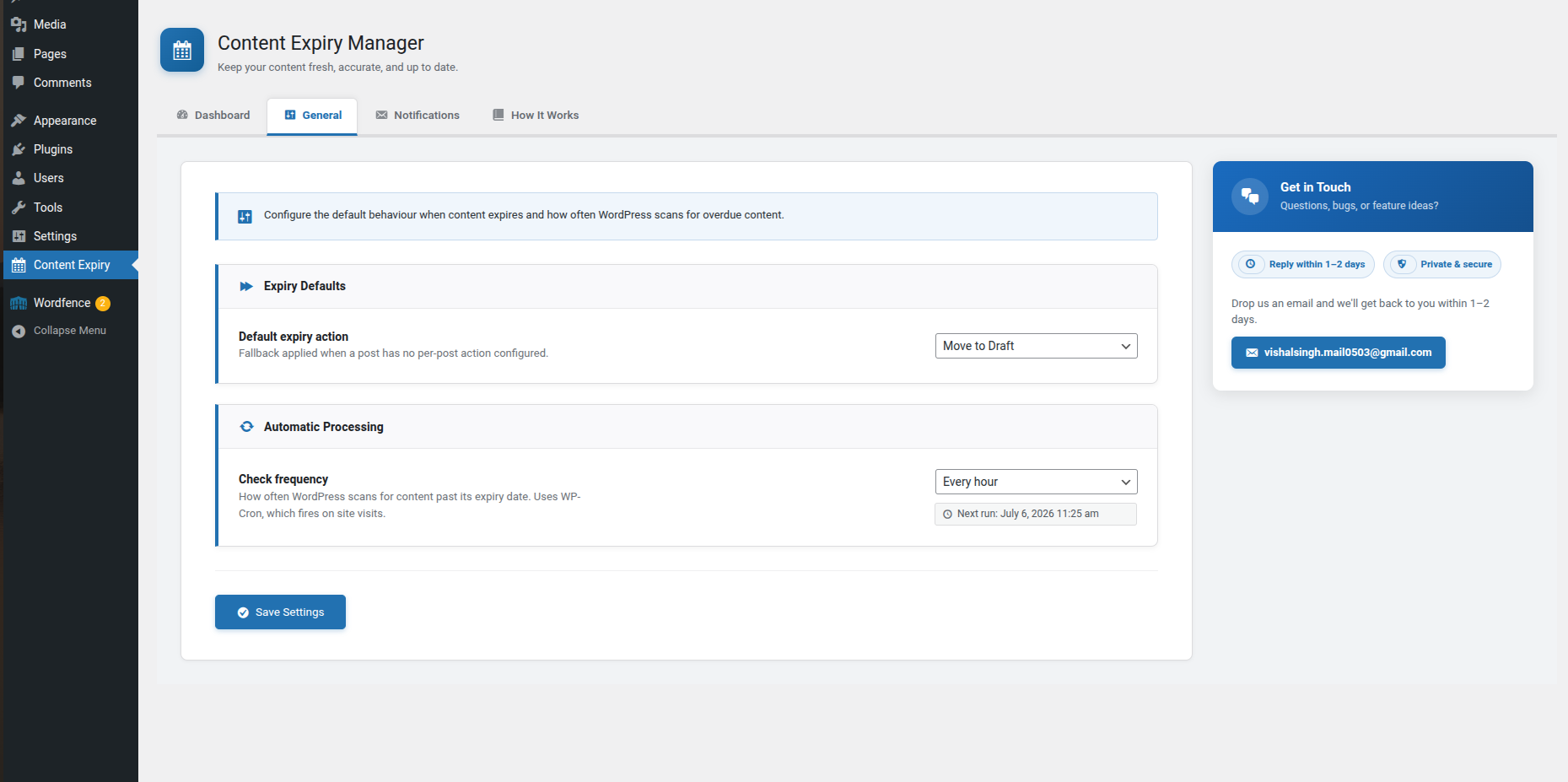
General settings tab — default action and cron frequency
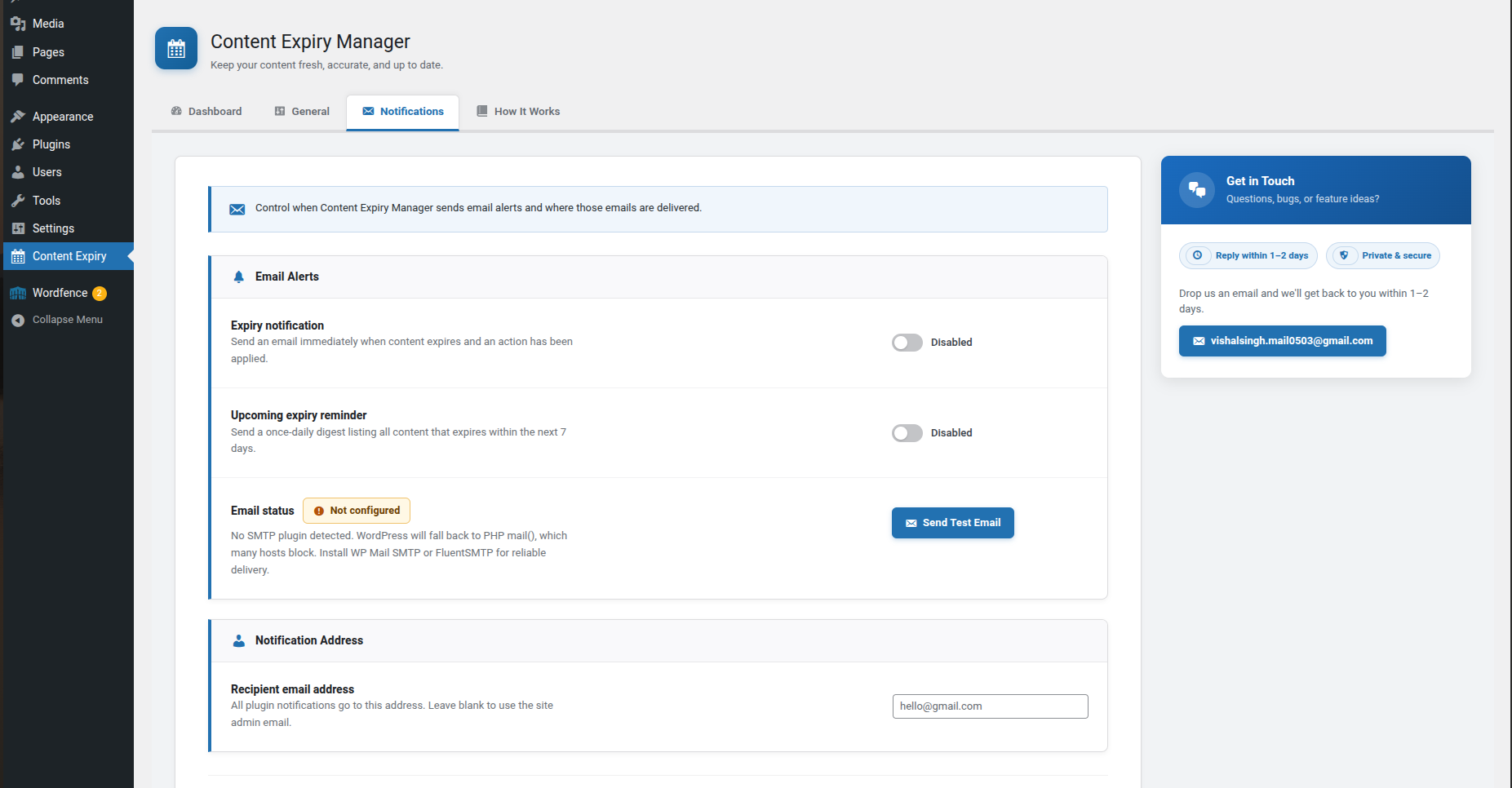
Notifications settings tab — email alerts, SMTP status, and test email button
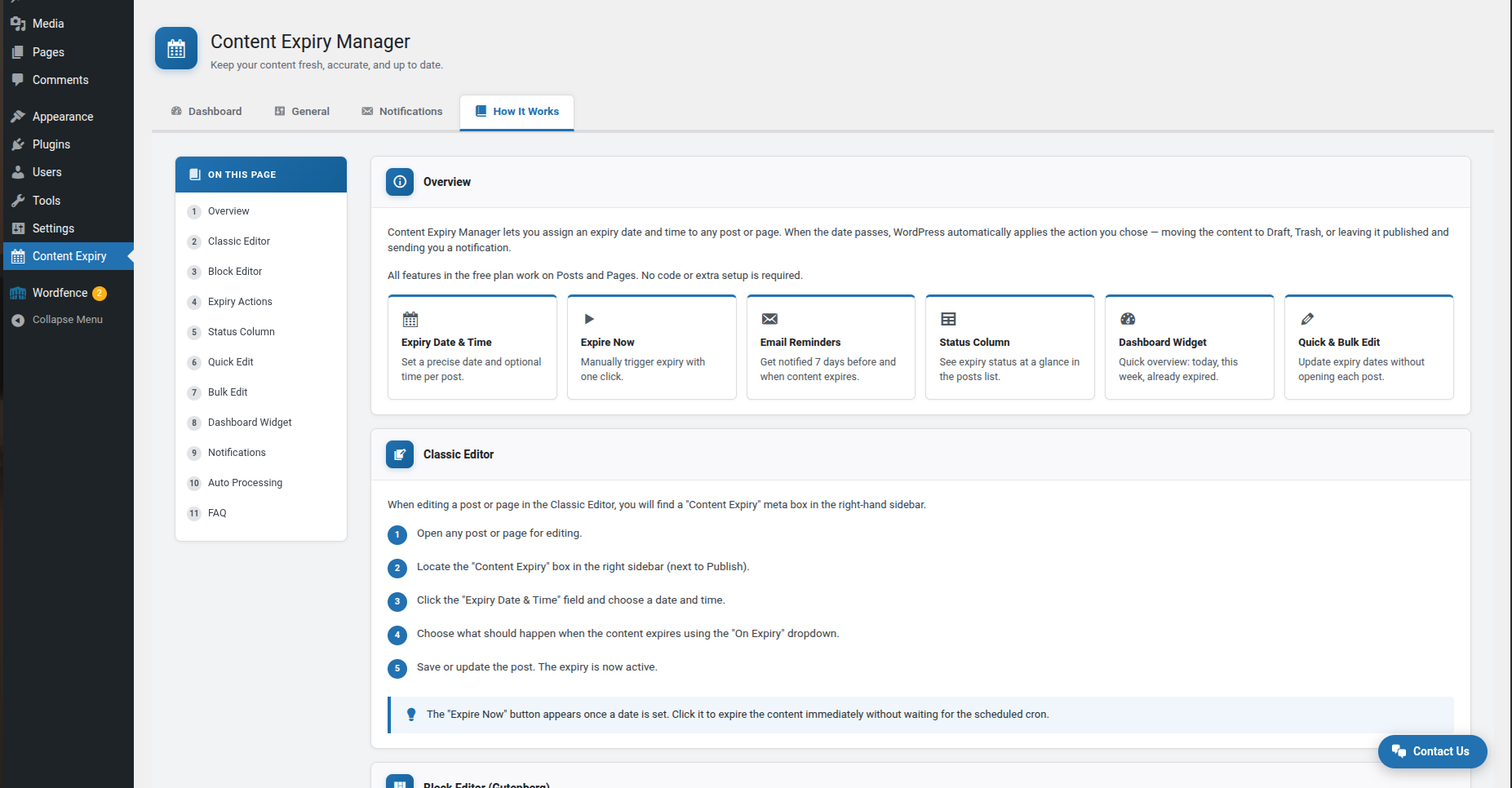
How It Works tab — brief content expiration plugin guide