
FlowSync Wordpress Plugin - Rating, Reviews, Demo & Download
Plugin Description
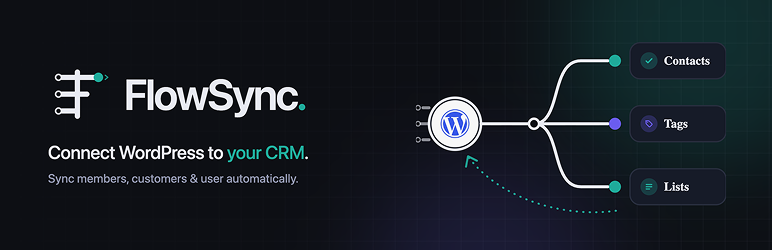
FlowSync is a WordPress CRM and email automation plugin. It helps you sync members, customers, users, and form leads to Brevo, Mailchimp, HubSpot, Klaviyo, and more based on real activity on your site.
Build contact sync workflows from three parts:
- Trigger – an event happens, such as a user registration, subscription change, order update, or form submission. (Page visit tracking is part of FlowSync Pro.)
- Conditions – choose who or what the workflow should apply to.
- Actions – send email, assign roles, update user meta, delay work, sync contacts, add contacts to CRM targets, remove contacts from CRM targets, or send an outgoing webhook.
Workflow data, run logs, settings, and tracking events are stored on your own WordPress site. External CRM services are contacted only when you configure that integration and a workflow action needs to use it.
Website | Documentation | Support
Built-in integrations
Sources
- WordPress user events.
- Contact Form 7.
- Elementor Forms.
- Fluent Forms.
- Formidable Forms.
- Forminator.
- GiveWP.
- Gravity Forms.
- LearnDash.
- Ninja Forms.
- Paid Memberships Pro.
- ProfilePress.
- SureForms.
- WooCommerce.
- WooCommerce Memberships.
- WooCommerce Subscriptions.
- WPForms.
- MemberPress.
- Tutor LMS.
CRM and email services
- ActiveCampaign.
- AWeber.
- Beehiiv.
- Birdsend.
- Brevo.
- Campaign Monitor.
- Constant Contact.
- EmailOctopus.
- Flodesk.
- FluentCRM.
- GoHighLevel.
- Google Sheets.
- HubSpot.
- Kit (ConvertKit).
- Klaviyo.
- listmonk.
- Mailchimp.
- MailerLite.
- MailPoet.
- Pipedrive.
- Sendy.
- SuiteCRM.
- Zoho Campaigns.
- Zoho CRM.
Key features
- Trigger-based workflow builder.
- AND/OR condition groups.
- Source-aware condition fields.
- Per-action field mapping.
- Action Scheduler or WP-Cron backed queues.
- Manual workflow runs.
- Run logs and integration sync logs.
- Optional local page-visit tracking.
- External webhook action for workflow delivery to administrator-configured URLs.
Third-Party Services
FlowSync connects to third-party services only when an administrator configures the related integration or action.
- AWeber API: used for OAuth account validation, lists, subscribers, and list membership actions. Service:
https://api.aweber.com/. Terms:https://www.aweber.com/legal.htm. Privacy:https://www.aweber.com/privacy.htm. - Brevo API: used for contact syncing, lists, attributes, Double Opt-In templates, and webhook verification. Service:
https://api.brevo.com/. Terms:https://www.brevo.com/legal/termsofuse/. Privacy:https://www.brevo.com/legal/privacypolicy/. - Beehiiv API: used for publication validation, tiers, custom fields, and subscription tier actions. Service:
https://api.beehiiv.com/. Terms:https://www.beehiiv.com/tou. Privacy:https://www.beehiiv.com/privacy. - Birdsend API: used for OAuth account validation, tags, contacts, custom fields, and tag membership actions. Service:
https://api.birdsend.co/. Terms:https://birdsend.co/legal/legal-policy/. Privacy:https://birdsend.co/legal/privacy-policy/. - Campaign Monitor API: used for clients, lists, subscribers, and list membership actions. Service:
https://api.createsend.com/. Terms:https://www.campaignmonitor.com/policies/#terms-of-use. Privacy:https://www.campaignmonitor.com/policies/#privacy-policy. - Constant Contact API: used for OAuth account validation, contact lists, contacts, and list membership actions. Service:
https://api.cc.email/. Terms:https://www.constantcontact.com/legal/terms. Privacy:https://www.constantcontact.com/legal/privacy-notice. - EmailOctopus API: used for lists, custom fields, contacts, tags, and list/tag membership actions. Service:
https://api.emailoctopus.com/. Terms:https://emailoctopus.com/legal/terms. Privacy:https://emailoctopus.com/legal/privacy. - Flodesk API: used for subscribers, segments, and segment membership actions. Service:
https://api.flodesk.com/. Terms:https://flodesk.com/terms-of-service. Privacy:https://flodesk.com/privacy-policy. - FluentCRM: used locally through the FluentCRM WordPress plugin API when FluentCRM is installed and active.
- GoHighLevel API: used for contacts, workflows, tags, and custom fields via the LeadConnector v2 API. Service:
https://services.leadconnectorhq.com/. Terms:https://www.gohighlevel.com/terms-of-service. Privacy:https://www.gohighlevel.com/privacy-policy. - Google Drive and Google Sheets APIs: used for OAuth account validation, spreadsheet listing, sheet/tab listing, header-row reading, row appending, and configured row clearing. Services:
https://www.googleapis.com/andhttps://sheets.googleapis.com/. Terms:https://policies.google.com/terms. Privacy:https://policies.google.com/privacy. - HubSpot API: used for OAuth account validation, lists, contacts, and list membership actions. Service:
https://api.hubapi.com/. Terms:https://legal.hubspot.com/terms-of-service. Privacy:https://legal.hubspot.com/privacy-policy. - Kit API: used for forms, subscribers, and unsubscribe actions. Service:
https://api.convertkit.com/. Terms:https://kit.com/terms. Privacy:https://kit.com/privacy. - Mailchimp API: used for audiences, merge fields, tags, contacts, and webhook validation. Service:
https://*.api.mailchimp.com/. Terms:https://mailchimp.com/legal/terms/. Privacy:https://mailchimp.com/legal/privacy/. - MailerLite API: used for groups, subscribers, fields, and group membership actions. Service:
https://connect.mailerlite.com/. Terms:https://www.mailerlite.com/legal/terms-of-service. Privacy:https://www.mailerlite.com/legal/privacy-policy. - ActiveCampaign API: used for lists, contacts, custom fields, and list membership actions. The host is your account-specific API URL entered in the integration settings (for example
https://youraccount.api-us1.com). Terms:https://www.activecampaign.com/legal/terms. Privacy:https://www.activecampaign.com/legal/privacy-policy. - Klaviyo API: used for lists, profiles, and list membership actions. Service:
https://a.klaviyo.com/. Terms:https://www.klaviyo.com/legal/terms-of-service. Privacy:https://www.klaviyo.com/legal/privacy-policy. - Pipedrive API: used for persons (contacts) create, update, search, and list/deal lookups. The host uses your company subdomain entered in the integration settings (for example
https://yourcompany.pipedrive.com/api/). Terms:https://www.pipedrive.com/en/terms-of-service. Privacy:https://www.pipedrive.com/en/privacy. - Zoho Campaigns API: used for mailing lists, contacts, and list membership actions. The host is your account’s Zoho data-center domain entered in the integration settings (for example
https://campaigns.zoho.com/orhttps://campaigns.zoho.eu/). Terms:https://www.zoho.com/terms.html. Privacy:https://www.zoho.com/privacy.html. - Zoho CRM API: used for contacts/leads create, update, search, and list membership actions. The host is your account’s Zoho data-center domain entered in the integration settings (for example
https://www.zohoapis.com/orhttps://www.zohoapis.eu/). Terms:https://www.zoho.com/terms.html. Privacy:https://www.zoho.com/privacy.html. - Sendy: Sendy is self-hosted software. FlowSync sends list and subscriber requests to the Sendy installation URL you enter in the integration settings; there is no central FlowSync or Sendy service involved. Software:
https://sendy.co/. - listmonk: listmonk is self-hosted, open-source software. FlowSync sends list and subscriber requests to the listmonk installation URL you enter in the integration settings; there is no central service involved. Software:
https://listmonk.app/. - SuiteCRM: SuiteCRM is self-hosted, open-source software. FlowSync sends contact/lead requests to the SuiteCRM instance URL you enter in the integration settings; there is no central service involved. Software:
https://suitecrm.com/. - MailPoet: used locally through the MailPoet WordPress plugin API when MailPoet is installed and active. No external service is contacted.
- FlowSync OAuth broker: used only for OAuth integrations to start, complete, and refresh OAuth credentials. Service:
https://oauth.flowsync.site/. Data may include provider slug, return URL, nonce, access token, refresh token, expiry values, account identifiers, and OAuth scope. Privacy:https://flowsync.site/privacy-policy/. Terms:https://flowsync.site/terms/.
Screenshots
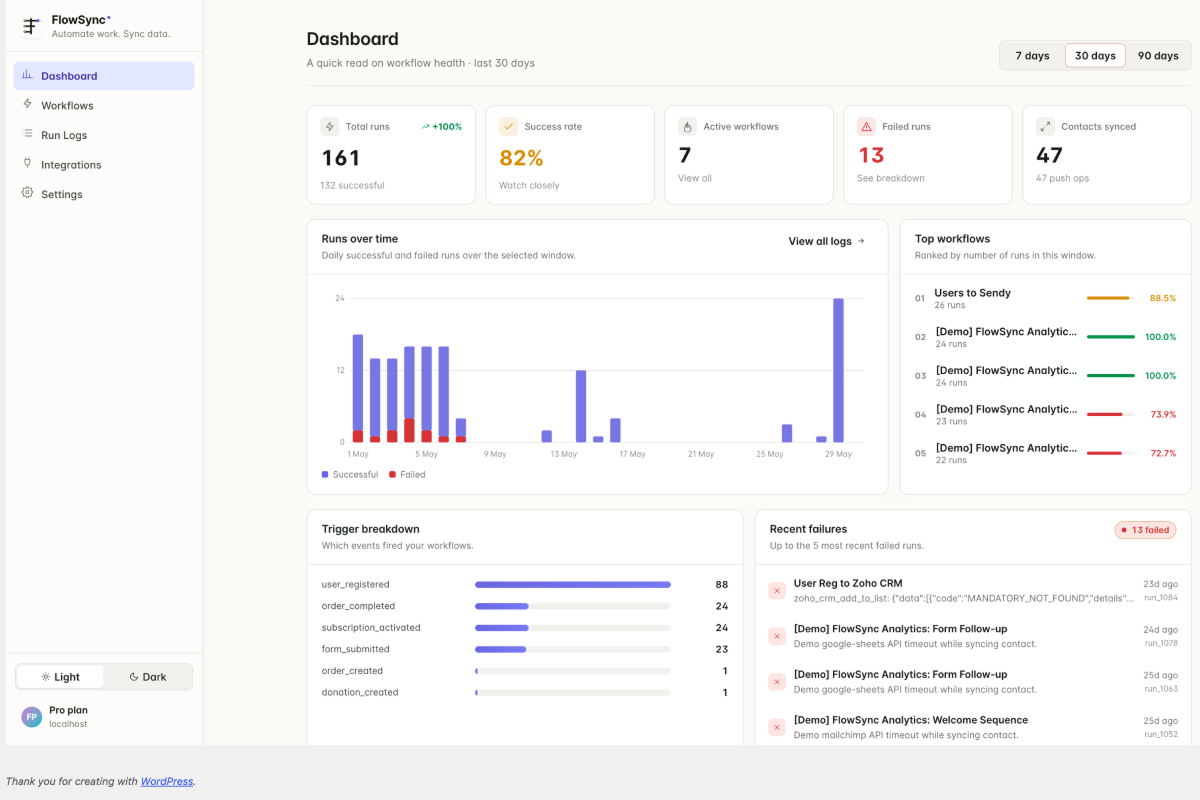
Workflow builder.
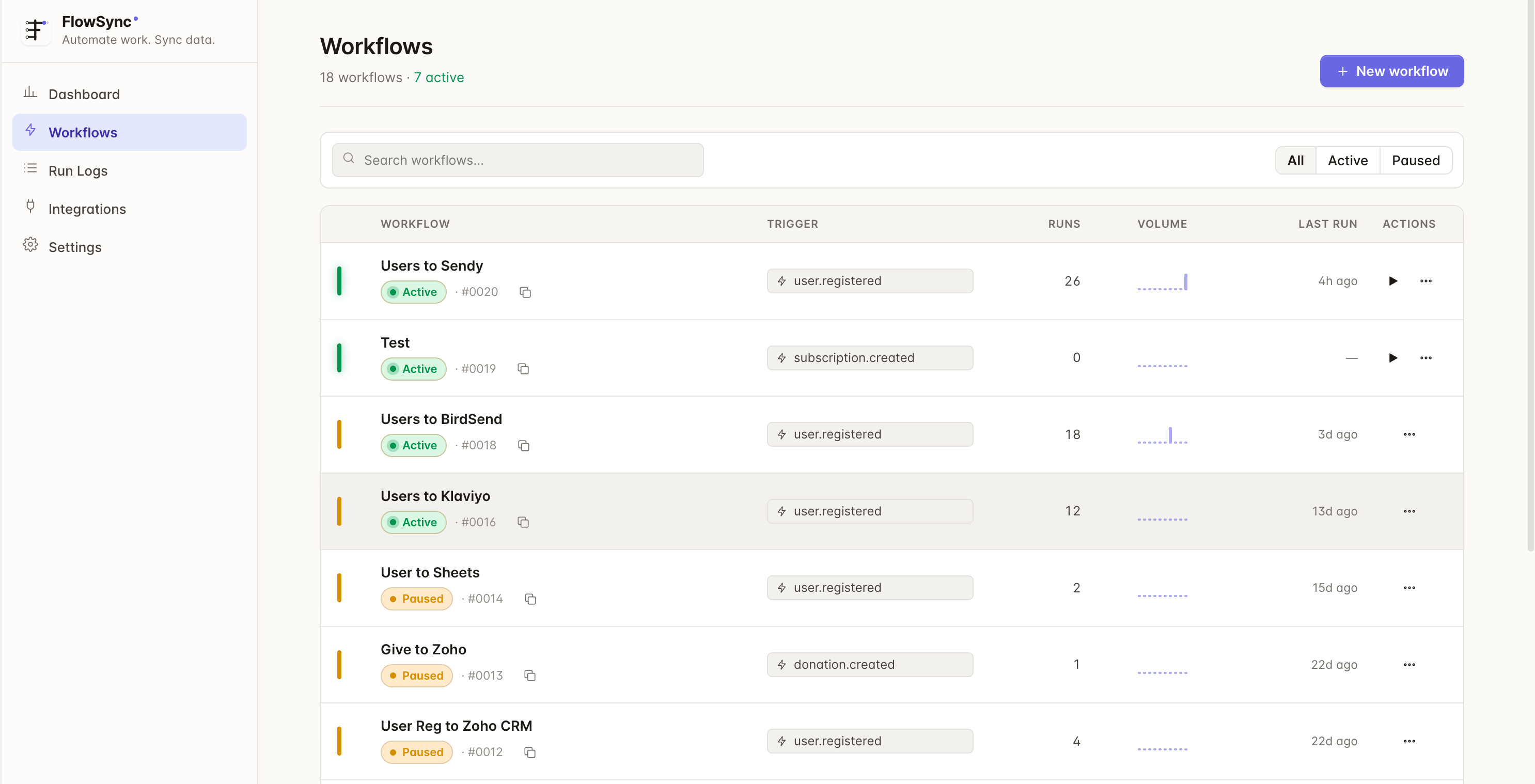
Integration cards and connection settings.
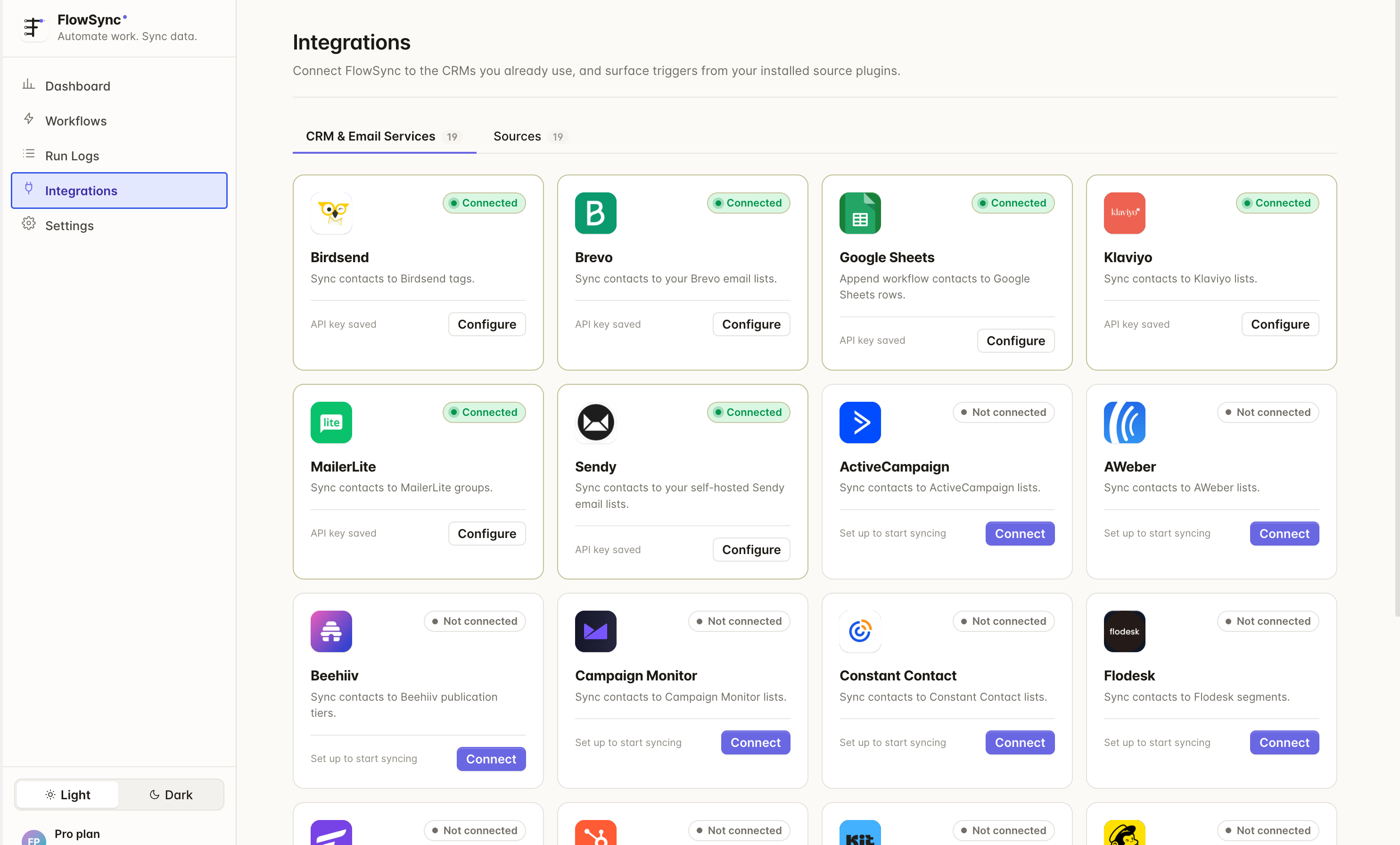
Runs log.


