
Scrollytelling Wordpress Plugin - Rating, Reviews, Demo & Download

Plugin Description
Scrollytelling turns an idea into a single, scroll-driven web page — animated, cinematic, and fully editable. This plugin lets you drop your published stories into WordPress.
- Block — add the “Scrollytelling Story” block, paste a story URL, and choose how it appears.
- Shortcode —
[scrollytelling url="https://my-story.scrollytelling.ai"]. - Auto-embed (oEmbed) — paste a story URL on its own line and it embeds automatically.
- Two display modes — inline (the story embeds in the page, with a fullscreen button) or a card (a poster that opens the full immersive story).
- Connect your account (optional) — add an API key to browse your own stories and insert them with a click, no copy-pasting URLs.
You create and publish stories at scrollytelling.ai; this plugin only displays already-published, public stories.
External services
This plugin connects to the Scrollytelling API (https://api.scrollytelling.ai):
- oEmbed — when a story is embedded, WordPress requests
https://api.scrollytelling.ai/published/oembed?url=<your story URL>to get the embed markup. Only the story URL is sent. - Account connection (optional) — if you save an API key, the plugin requests
https://api.scrollytelling.ai/wp/storiesand/wp/pingserver-side, sending your API key, to list your own published stories in the editor.
Embedded stories load from your story’s public address (e.g. https://your-story.scrollytelling.ai).
Terms: https://scrollytelling.ai/terms-of-service/ — Privacy: https://scrollytelling.ai/privacy-policy/
Screenshots
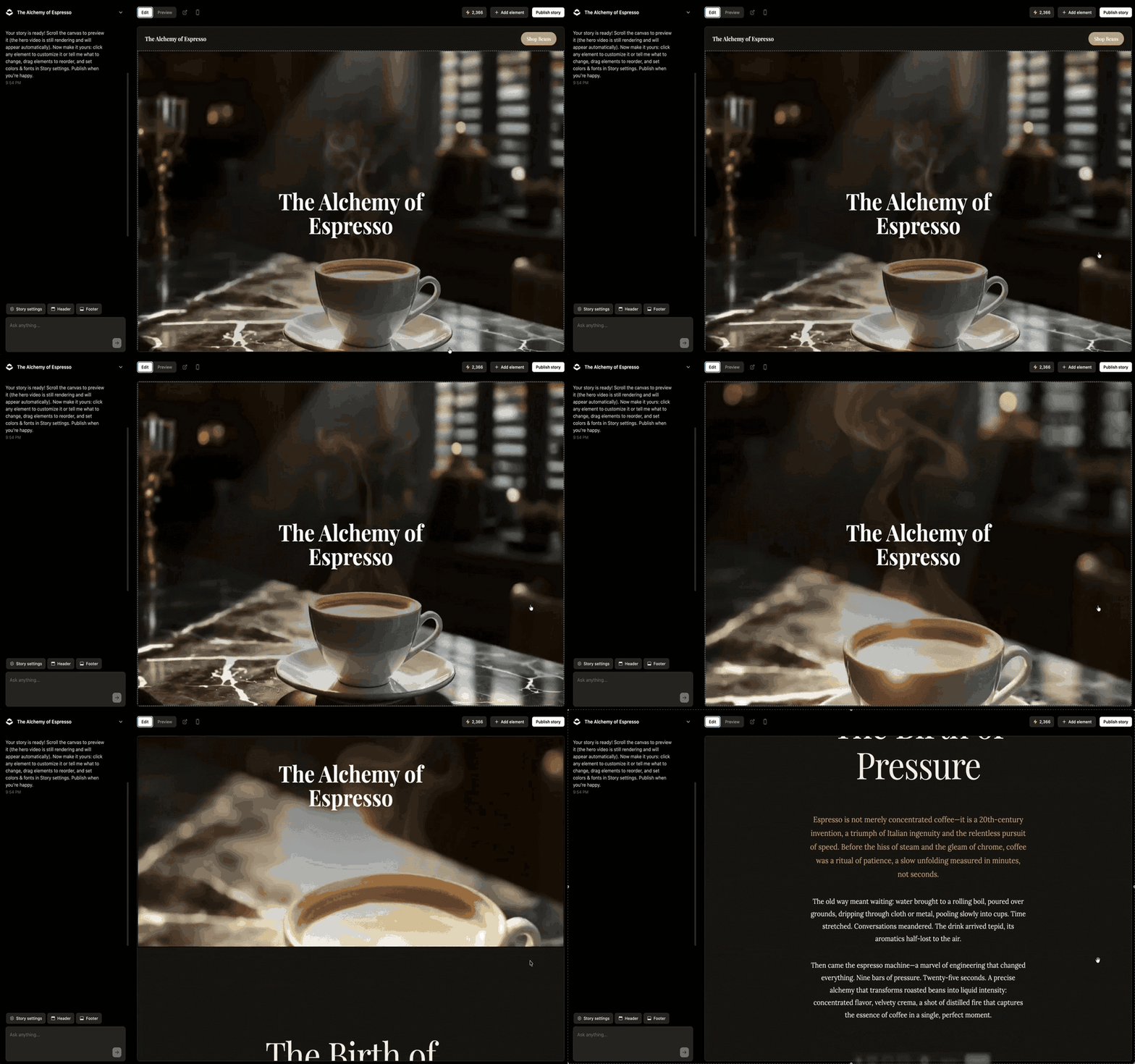
Creating a story in the Scrollytelling editor at scrollytelling.ai.

A published scroll-driven story — the experience your visitors get.

Scenes animate cinematically as the reader scrolls.

Every story is a scroll-driven web page you can embed with a URL, the block, or the shortcode.


