
Harbor Checkout Fields For WooCommerce Wordpress Plugin - Rating, Reviews, Demo & Download

Plugin Description
Harbor Checkout Fields for WooCommerce lets you add custom fields to WooCommerce’s block-based checkout without writing code.
Fields are collected at checkout, saved to order metadata using WooCommerce’s HPOS-safe order API, and automatically appear in the admin order detail screen and in customer confirmation emails.
Real-world use cases
- Gift message – let customers include a message for the recipient
- Delivery instructions – collect access codes, gate instructions, or preferred drop-off spots
- B2B purchase order number – required for invoice reconciliation
- How did you hear about us? – a select dropdown for attribution tracking
- Age confirmation checkbox – required for alcohol, tobacco, or age-gated products
- Special requests or dietary notes – for food, events, or personalised items
Free Features
- Add text, email, phone, checkbox, and select (dropdown) fields to the block checkout
- Choose field location: Contact section, Address block, or Order section
- Mark fields as required or optional
- Add a placeholder prompt to select fields
- Drag-to-reorder fields in the admin settings page
- Field values saved to order metadata (HPOS-compatible)
- Values displayed in the admin order detail view (after billing address)
- Values displayed in customer and admin order confirmation emails
- No coding required – works out of the box
How it works
Fields are registered with WooCommerce’s official block checkout additional-fields API (available in WooCommerce 8.9 and later). Values are stored on the order with the HPOS-safe order API and read back with $order->get_meta(), so no direct database queries are made against order tables.
Requirements
- WordPress 6.4 or later
- WooCommerce 8.9 or later (block checkout additional fields API)
- PHP 8.2 or later
- WooCommerce block checkout (not the legacy shortcode checkout)
- HPOS (High Performance Order Storage) compatible
Support
For help with the plugin, post in the WordPress.org support forum or email support@harborplugins.com.
Screenshots
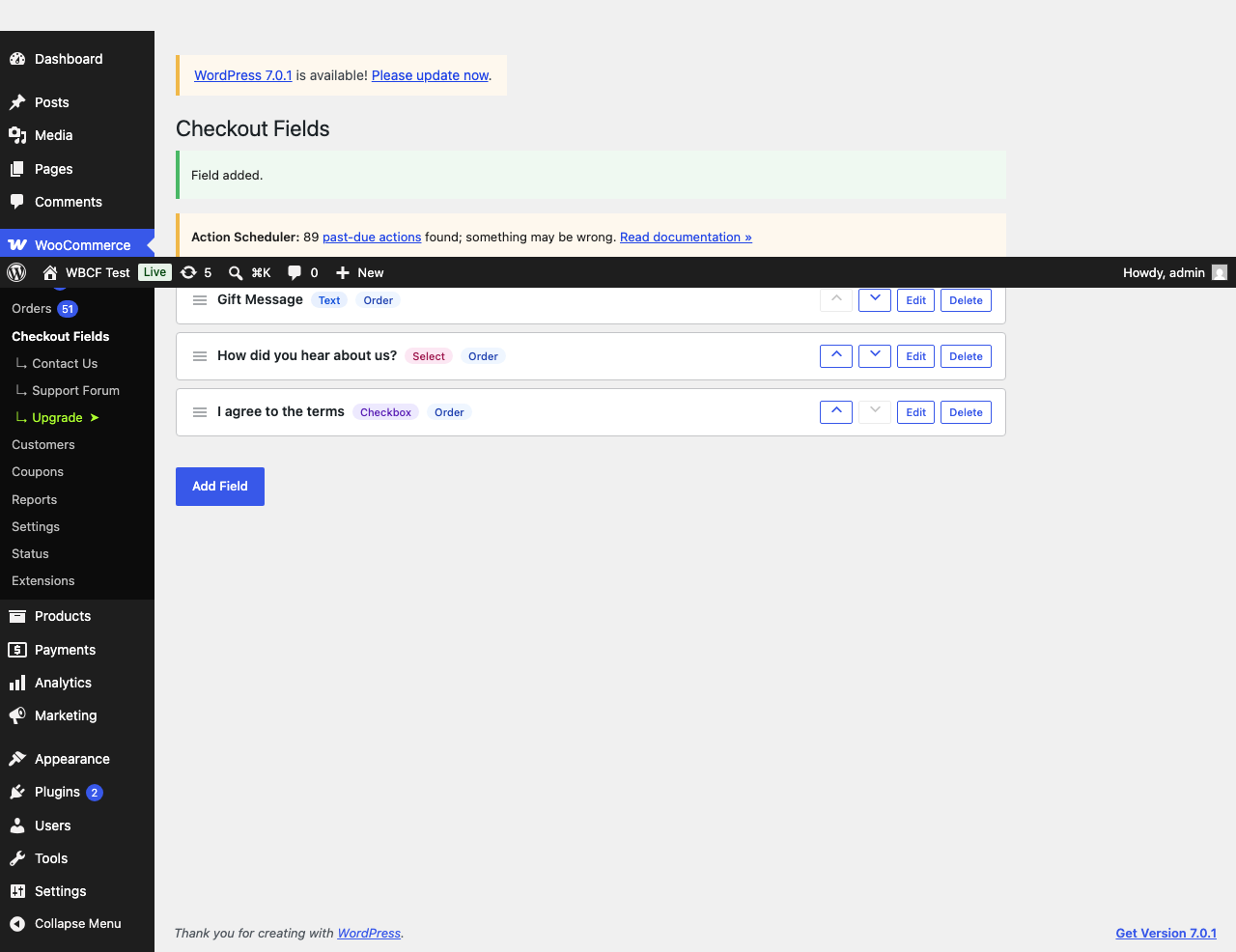
Admin settings page with field list and drag-to-reorder
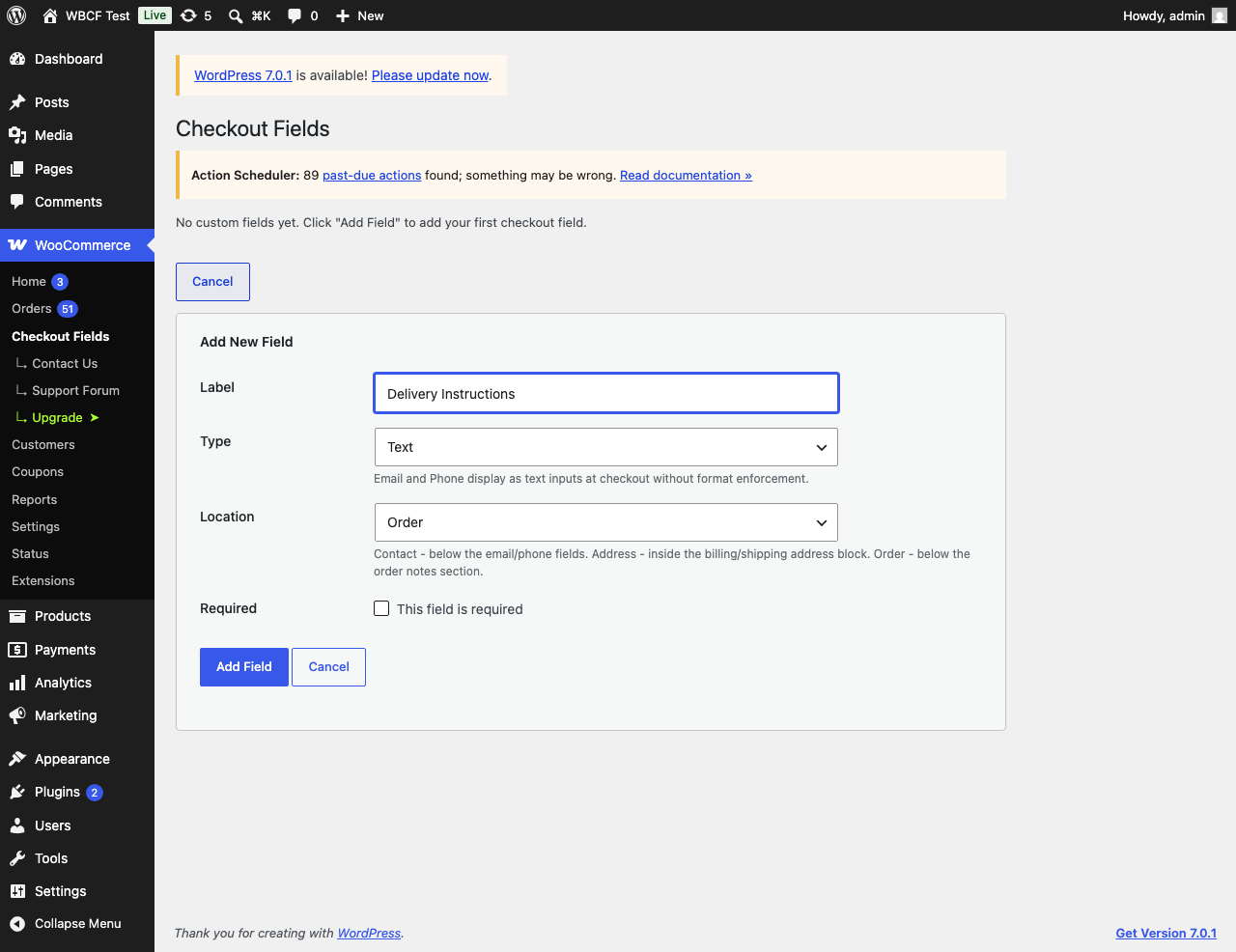
Add Field form with type and location options
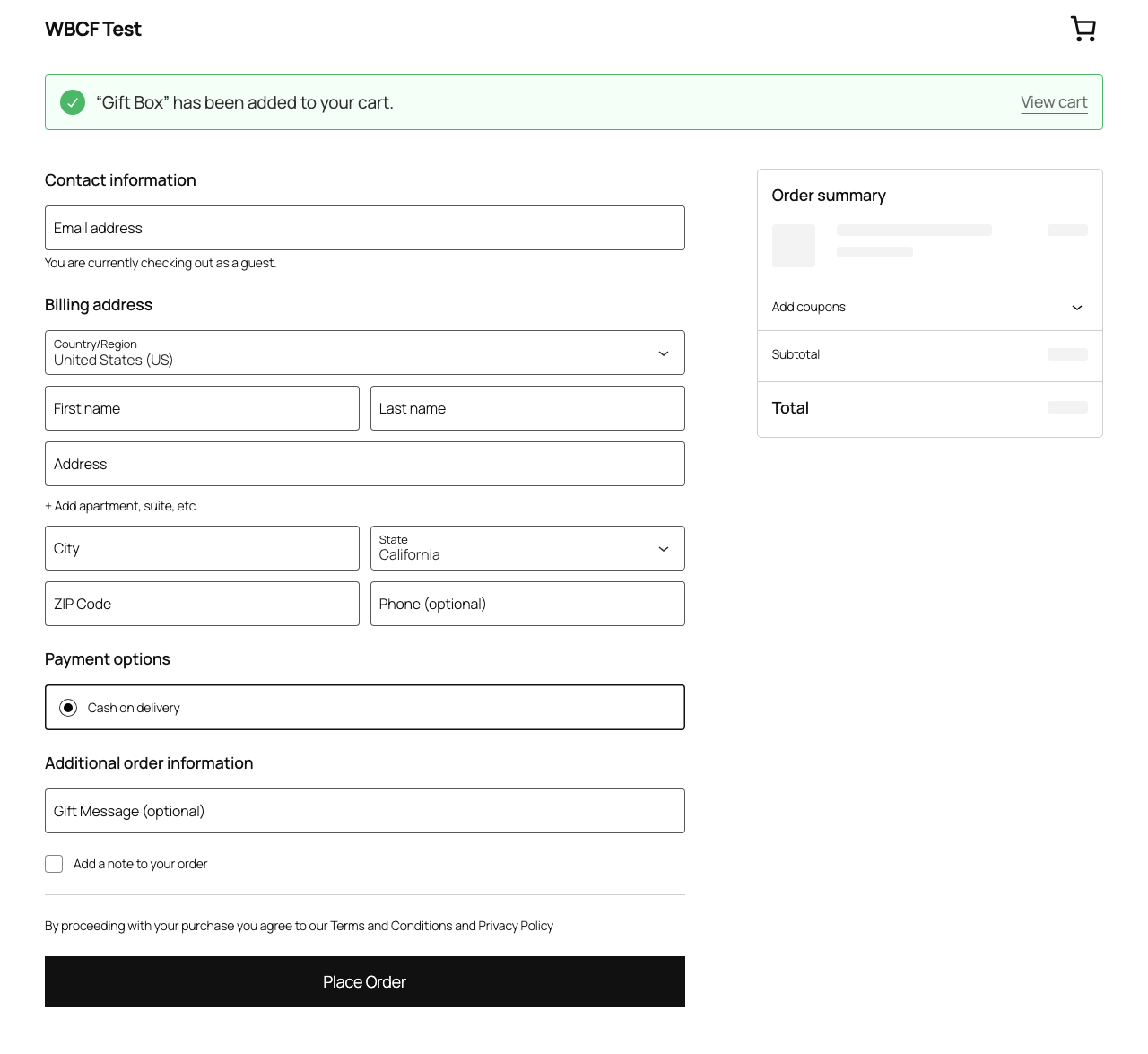
Custom field displayed in the block checkout
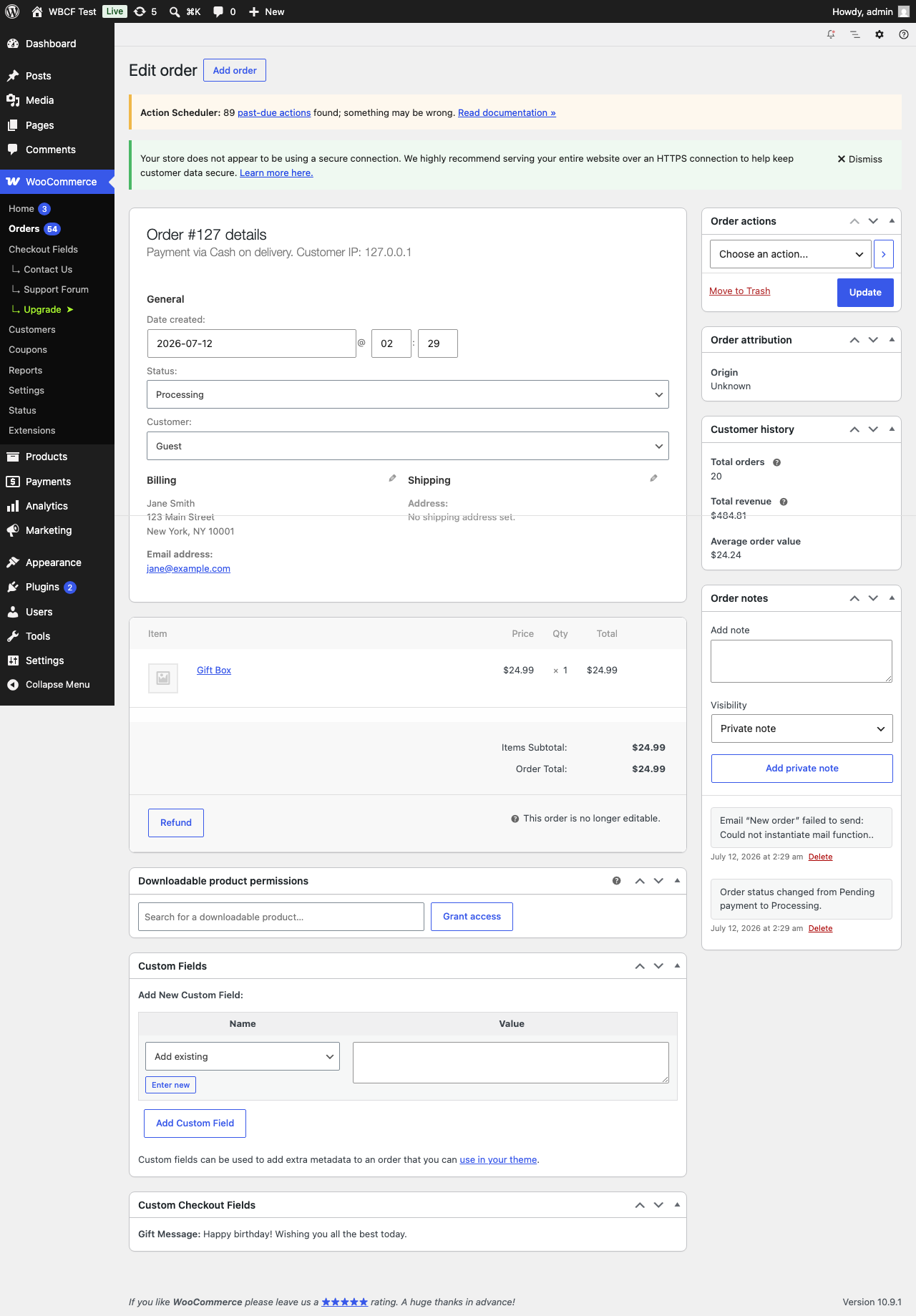
Field value shown in the admin order view
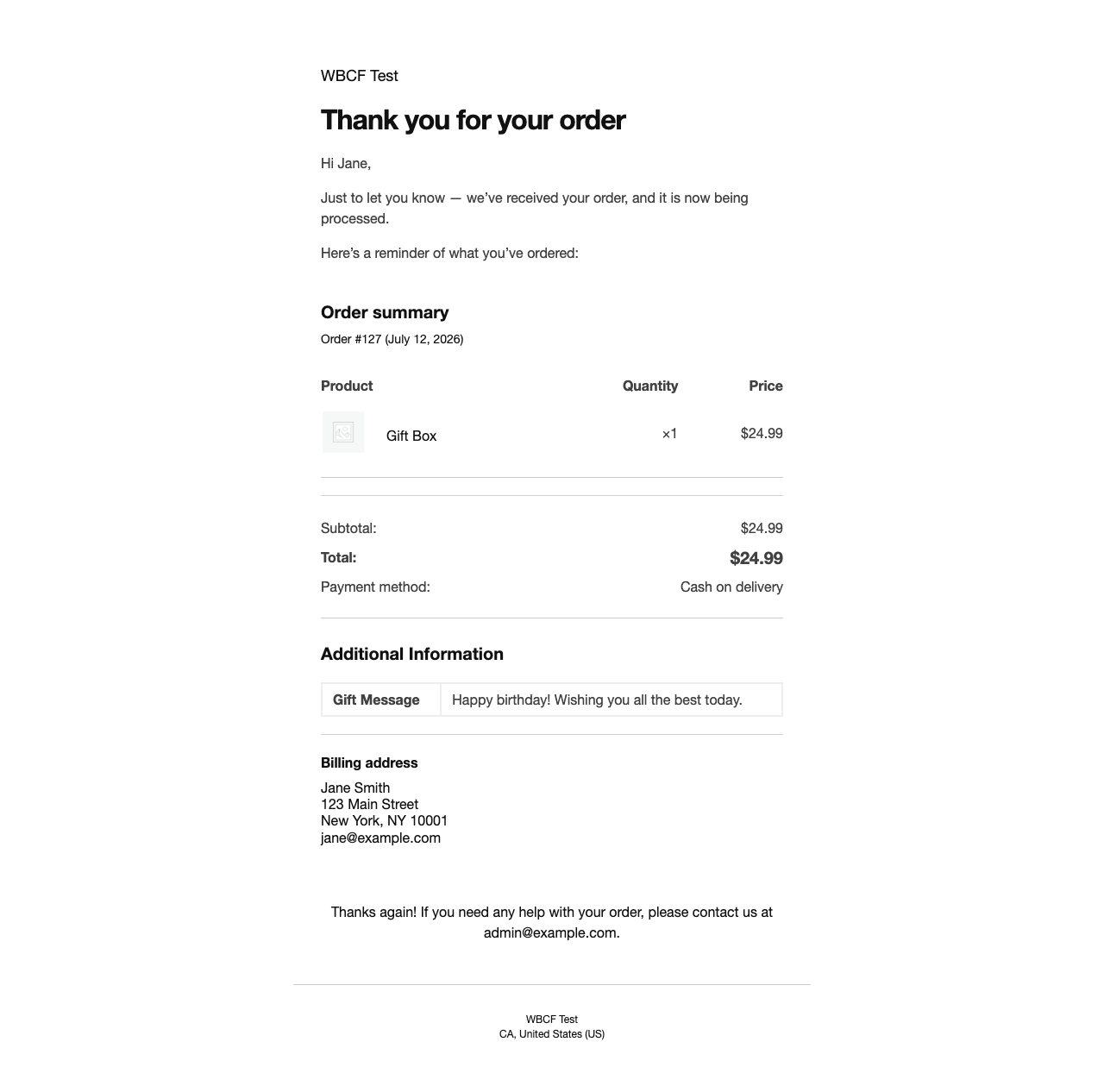
Field value shown in the order confirmation email


