Own Your Memories Wordpress Plugin - Rating, Reviews, Demo & Download
Plugin Description
Own Your Memories turns an Instagram data export (JSON format) into native WordPress posts. Before the import runs, you choose exactly how your content lands:
- Post type — import as Posts, Pages, or any custom post type registered on your site.
- Status — Published, Private, or Draft.
- Tag / term — optionally assign every imported post to an existing or new taxonomy term.
Once you confirm those settings and upload your ZIP, the importer gets to work:
- One WordPress post is created per source Instagram post.
- Carousels become Gutenberg gallery blocks; single photos and videos are embedded individually.
- The caption becomes the post title (truncated) and the excerpt (full).
- The post content contains the media and the caption is added underneath.
- Hashtags are converted into WordPress tags.
- Original creation dates are preserved and adjusted to your site’s timezone.
- The first image in each post is set as the featured image.
- All media is stored in your site’s media library.
What is not imported:
- Stories
- Reels
- Profile photos
- Saved items
How to get your export
- Open Instagram Settings Accounts Center Your information and permissions Download your information.
- Choose JSON format (this importer does not read HTML exports).
- Select Posts (other items are ignored by the importer).
- Select the desired date range.
- Wait for the email, download the ZIP, and upload it via Tools Import Own Your Memories in your WordPress admin.
Screenshots

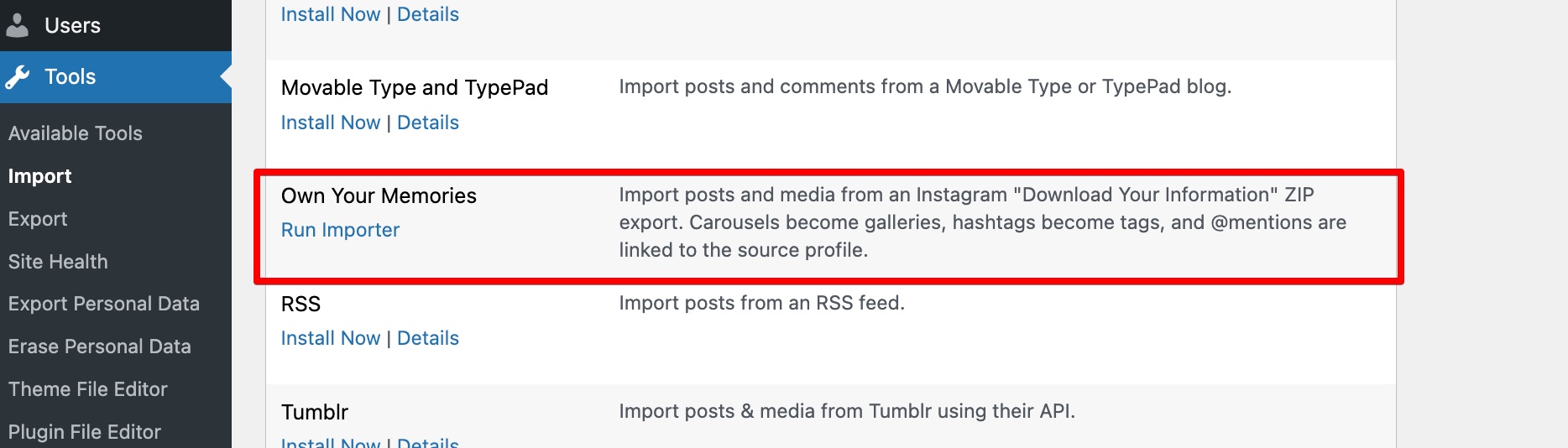
The plugin registers itself in Tools → Import alongside WordPress’s built-in importers. Click Run Importer to start.

Upload your Instagram export ZIP file via the importer interface. The plugin will process all posts, media, and comments automatically.