Naqil Backup & Migrate Wordpress Plugin - Rating, Reviews, Demo & Download
Plugin Description
Naqil Backup & Migrate creates a single, standard .zip archive of your WordPress site — the database plus the wp-content folder — that you can keep as a backup or move to another site.
No proprietary formats, no external services, no obfuscated code. Everything is processed on your own server in small chunks so it works on large sites without timing out.
Features
- One‑click backup of database +
wp-contentto a standard ZIP. - Chunked, resumable engine (AJAX) — handles large sites.
- Restore from the backup list, or upload a ZIP from another site.
- Migrate over a link: issue a secret, expiring link on the source site and the destination pulls the backup directly — no manual download, no upload limits.
- Migration-safe URL replacement that understands PHP-serialized data — moving to a new domain won’t corrupt widget, theme, or plugin settings.
- Download backups securely from the admin (capability + nonce protected).
- Backups stored in a protected
naqil-backupfolder inside your uploads directory. - Fully translatable — ships with Arabic, RTL-ready admin screens.
- Built-in Help screen documenting every feature and how to use it.
Screenshots
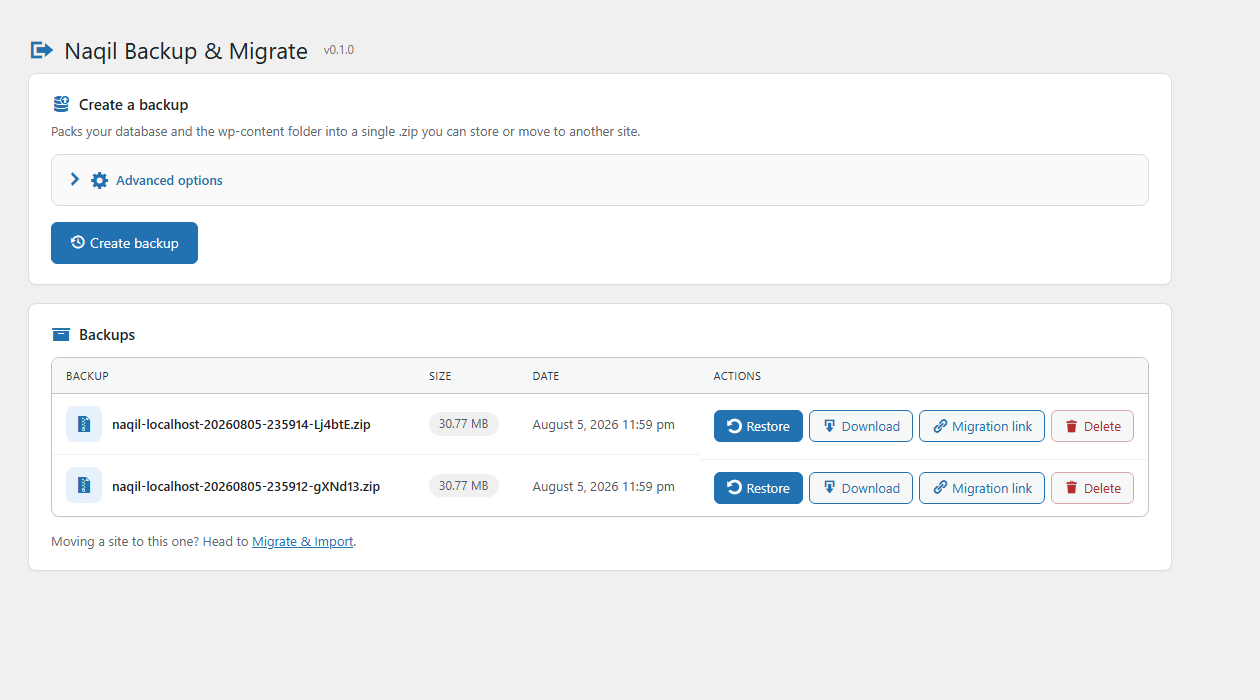
The Backups screen: create a backup, then restore, download, share, or delete it.
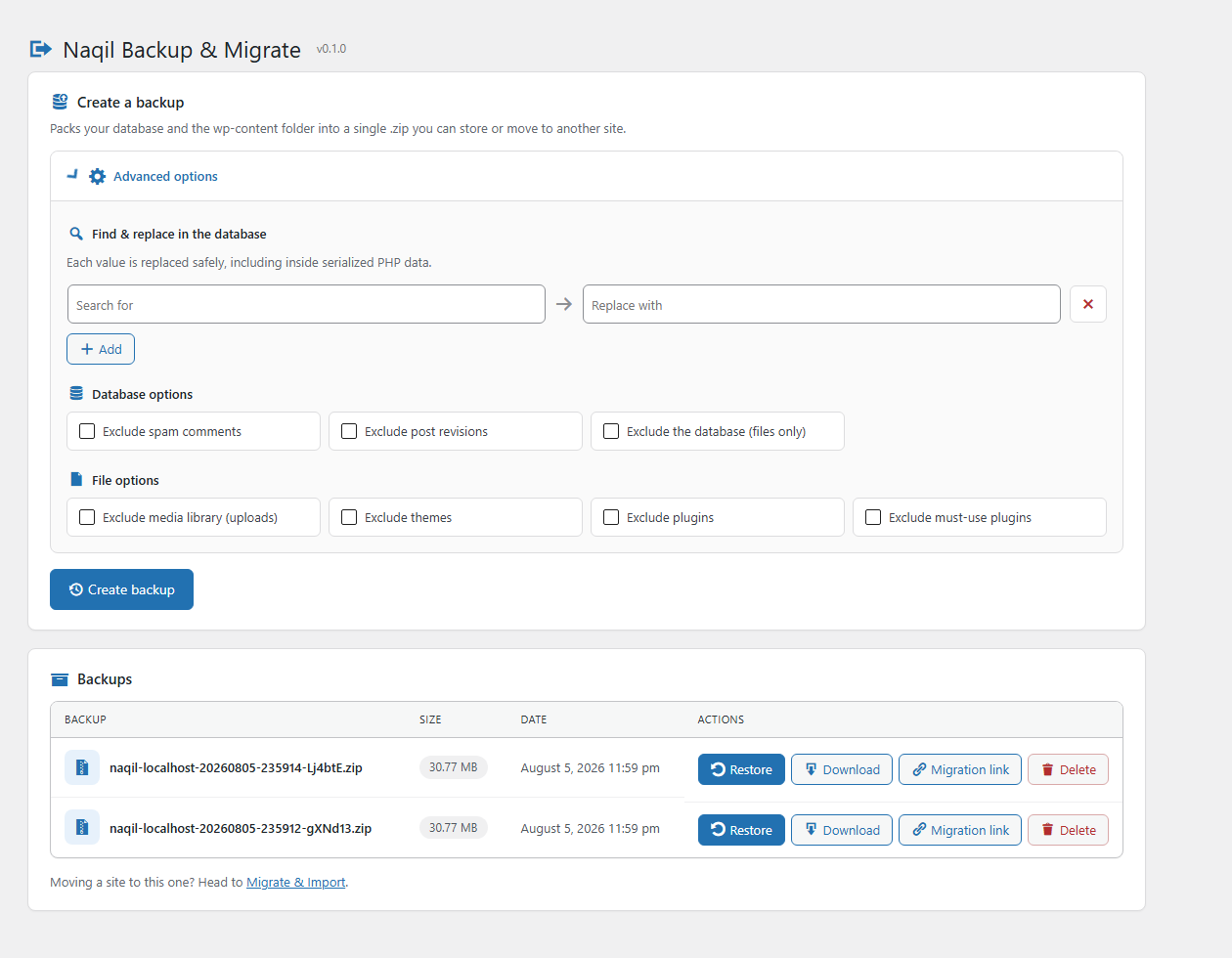
Advanced options: serialization-safe find & replace, plus database and file excludes.
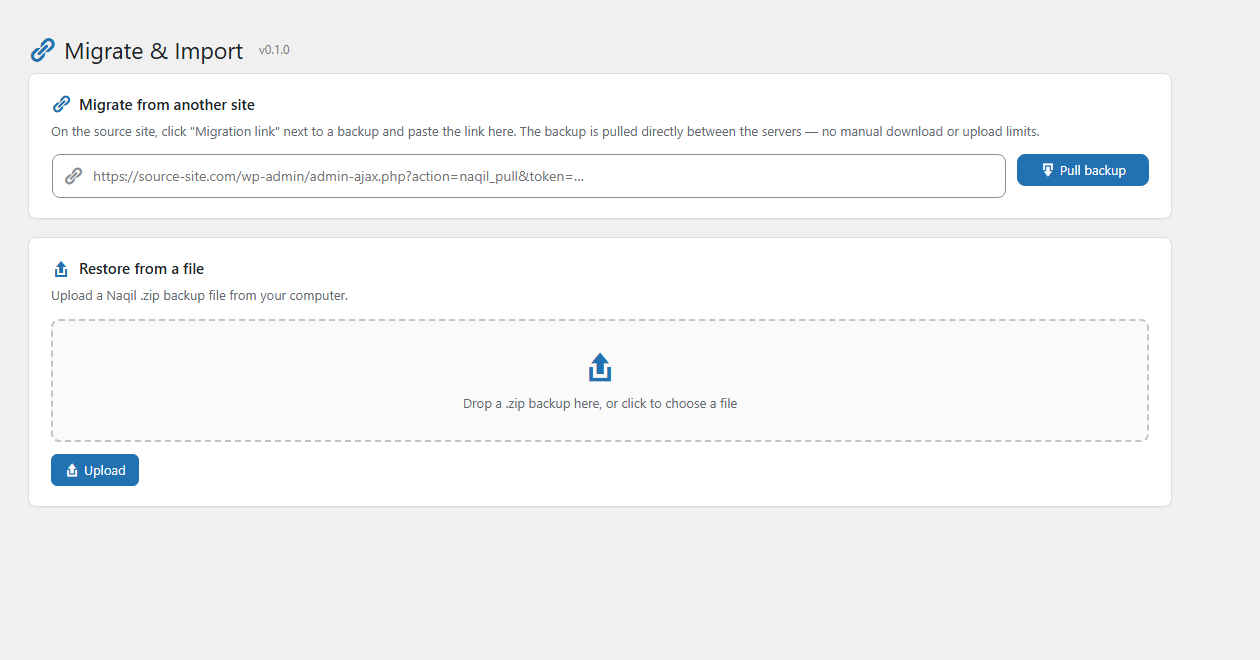
Migrate & Import: pull a backup straight from another site over a link, or drop in a .zip.
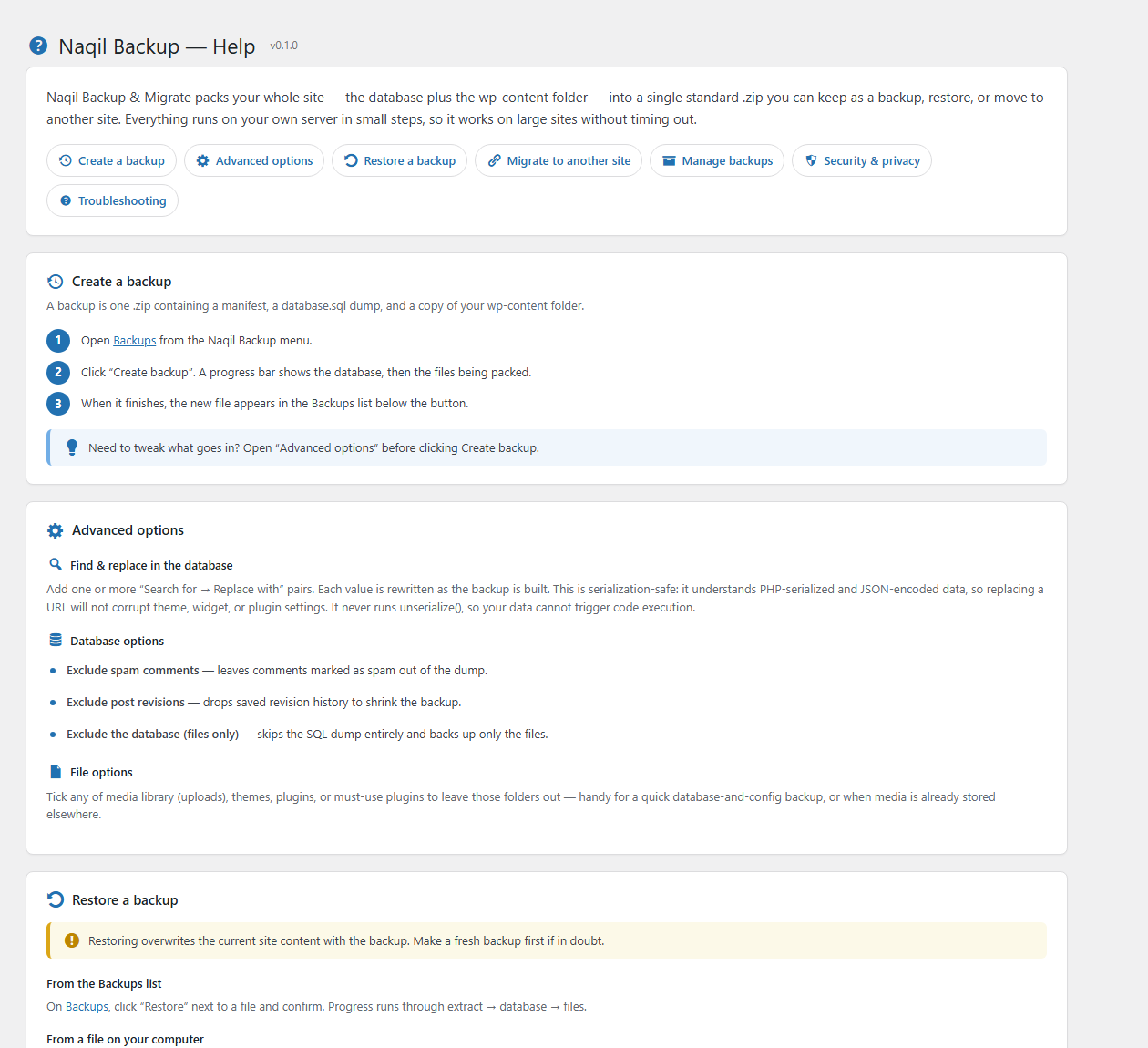
The built-in Help screen documents every feature and how to use it.