
1Gbits Site Move Inspector Wordpress Plugin - Rating, Reviews, Demo & Download

Plugin Description
1Gbits Site Move Inspector helps administrators identify hosting migration risks before moving a WordPress installation.
The plugin performs a manual, metadata-only inspection and reports:
- WordPress, PHP, database, and web server details.
- Declared PHP requirements for active plugins, must-use plugins, active themes, and parent themes.
- PHP extensions and runtime limits commonly needed during migration.
- HTTPS, URL alignment, multisite, cron, drop-in, and path-layout considerations.
- Database size, table count, and table-engine metadata when the database server provides it.
- Bounded file counts and sizes without reading file contents or following symbolic links.
- Optional comparisons with a destination PHP version, database version, disk capacity, and multisite support.
- Privacy-safe TXT and JSON exports for sharing with a hosting team.
Results are planning guidance, not a guarantee that a migration will succeed.
Privacy and data handling
The plugin has no telemetry, advertising, account requirement, 1Gbits API request, or third-party data transfer.
An inspection does not modify site files, posts, media, configuration, cron events, or existing caches. It stores only plugin-owned operational state:
- An active scan cursor in a WordPress transient for up to 30 minutes.
- The active job reference in the administrator’s user metadata.
- A completed report in a WordPress transient for up to 60 minutes.
- The latest report reference in the administrator’s user metadata.
Canceling or uninstalling removes the applicable temporary references. Export files are generated on demand and are not saved on the server by this plugin.
The optional self-connection test requests only this site’s own public home URL and WordPress REST URL. It does not follow redirects and never contacts a submitted or third-party URL.
Exports are rebuilt from an allowlist. They mask individual file paths and table names and remove domains, URLs, email addresses, IP addresses, credentials, content, option values, cookies, request headers, logs, and stack traces.
Screenshots
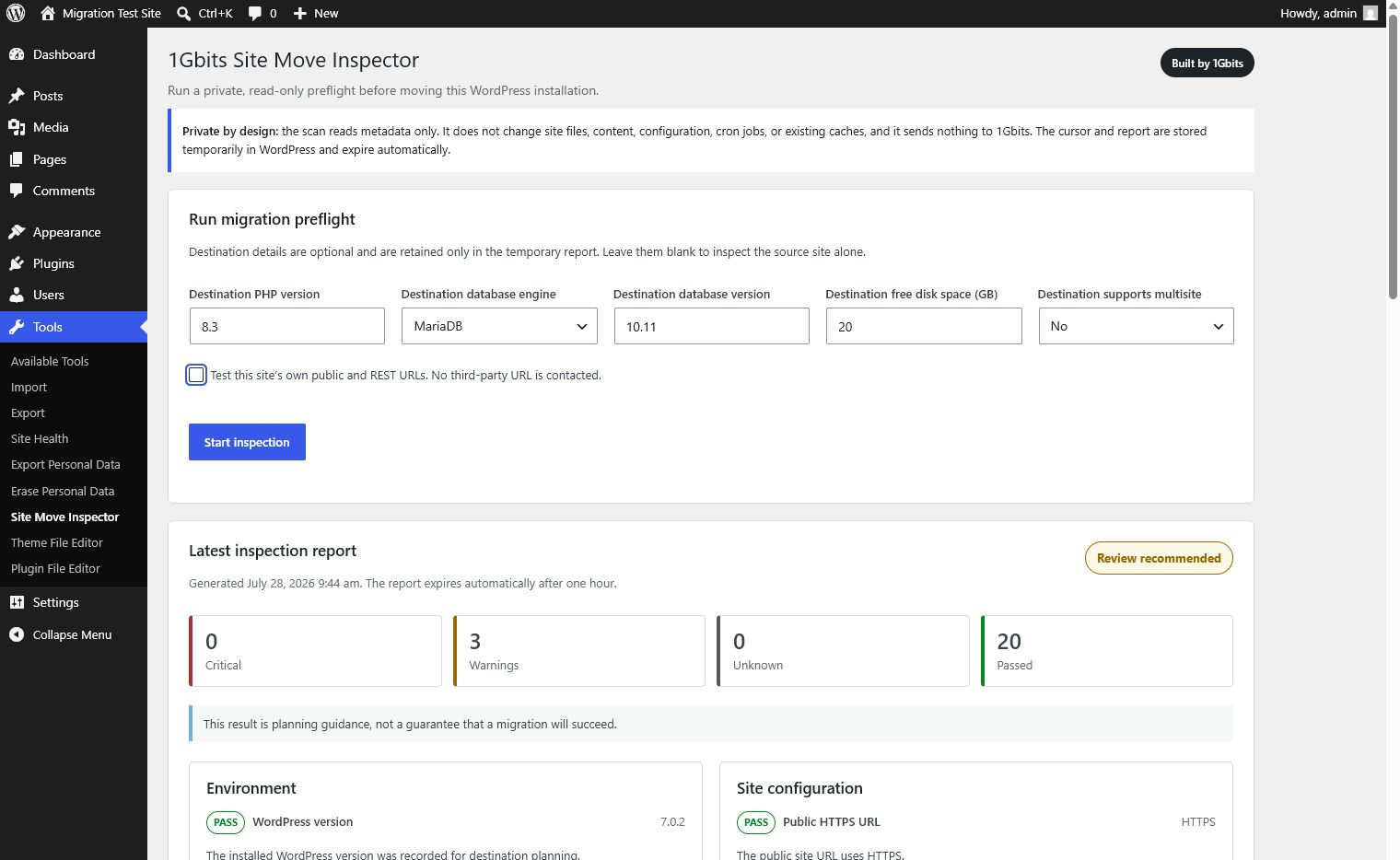
Set an optional destination profile and start a private, metadata-only migration preflight.
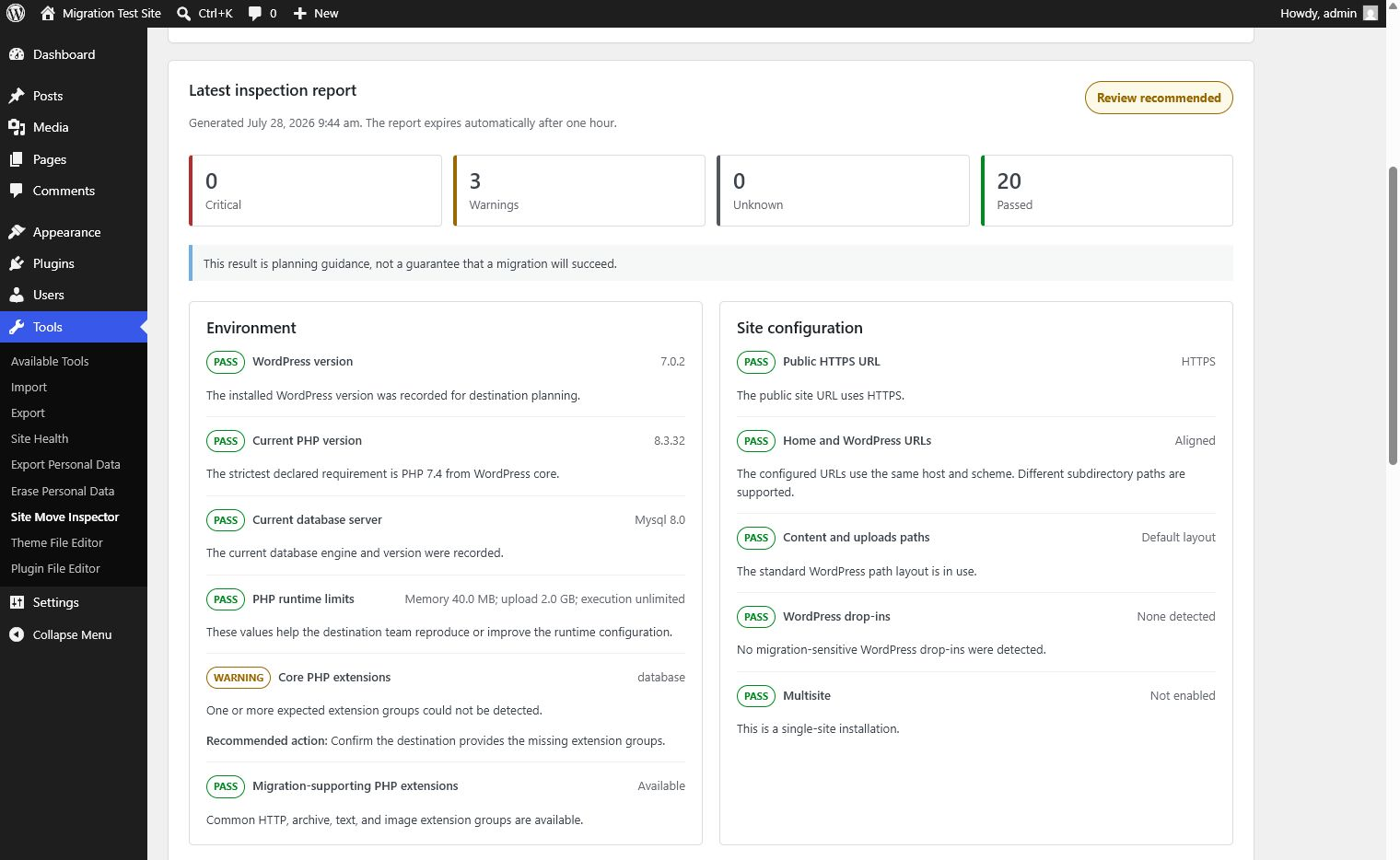
See the overall migration-readiness result, severity totals, and actionable checks at a glance.
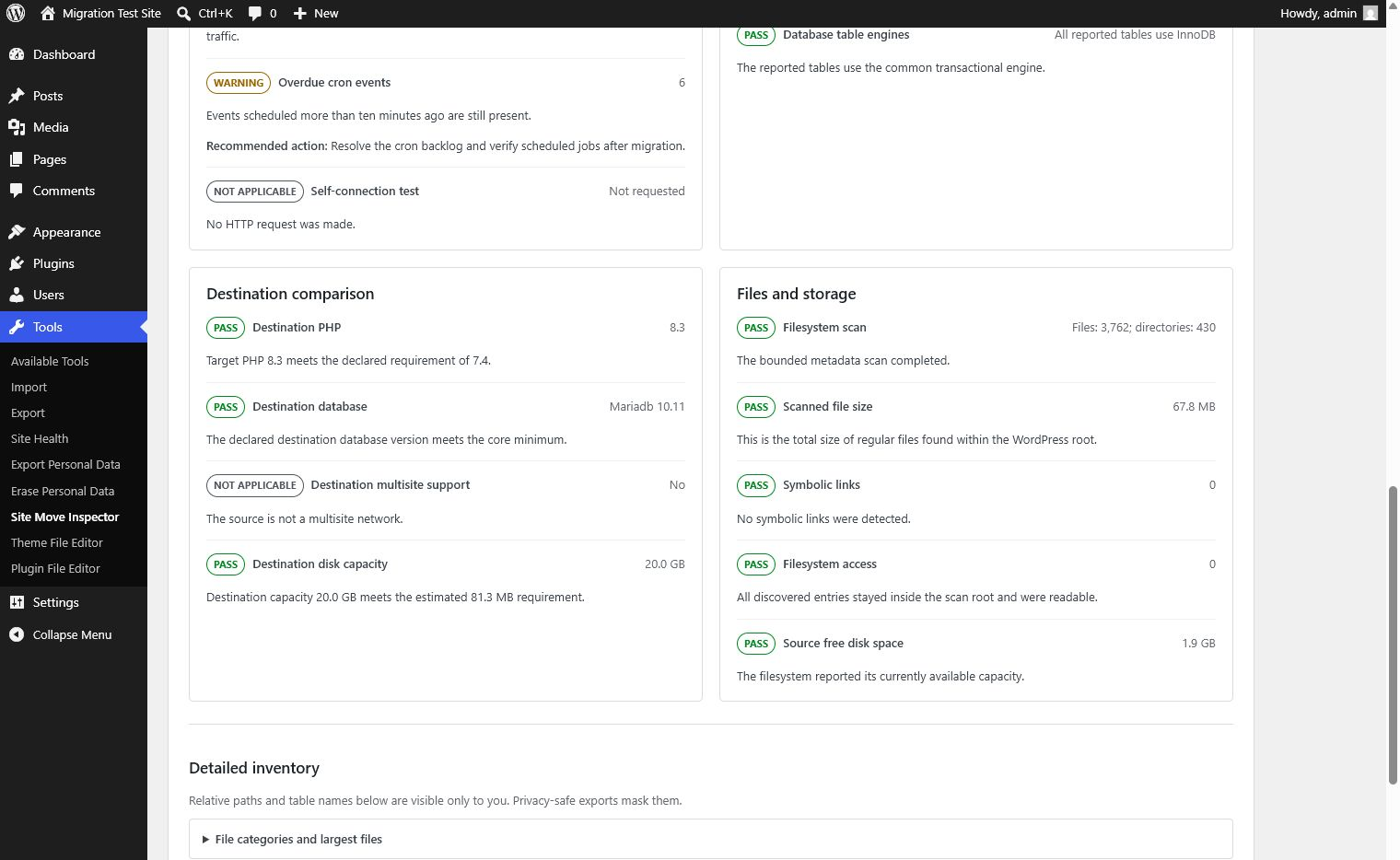
Compare destination PHP, database, disk capacity, and multisite support with the source site.
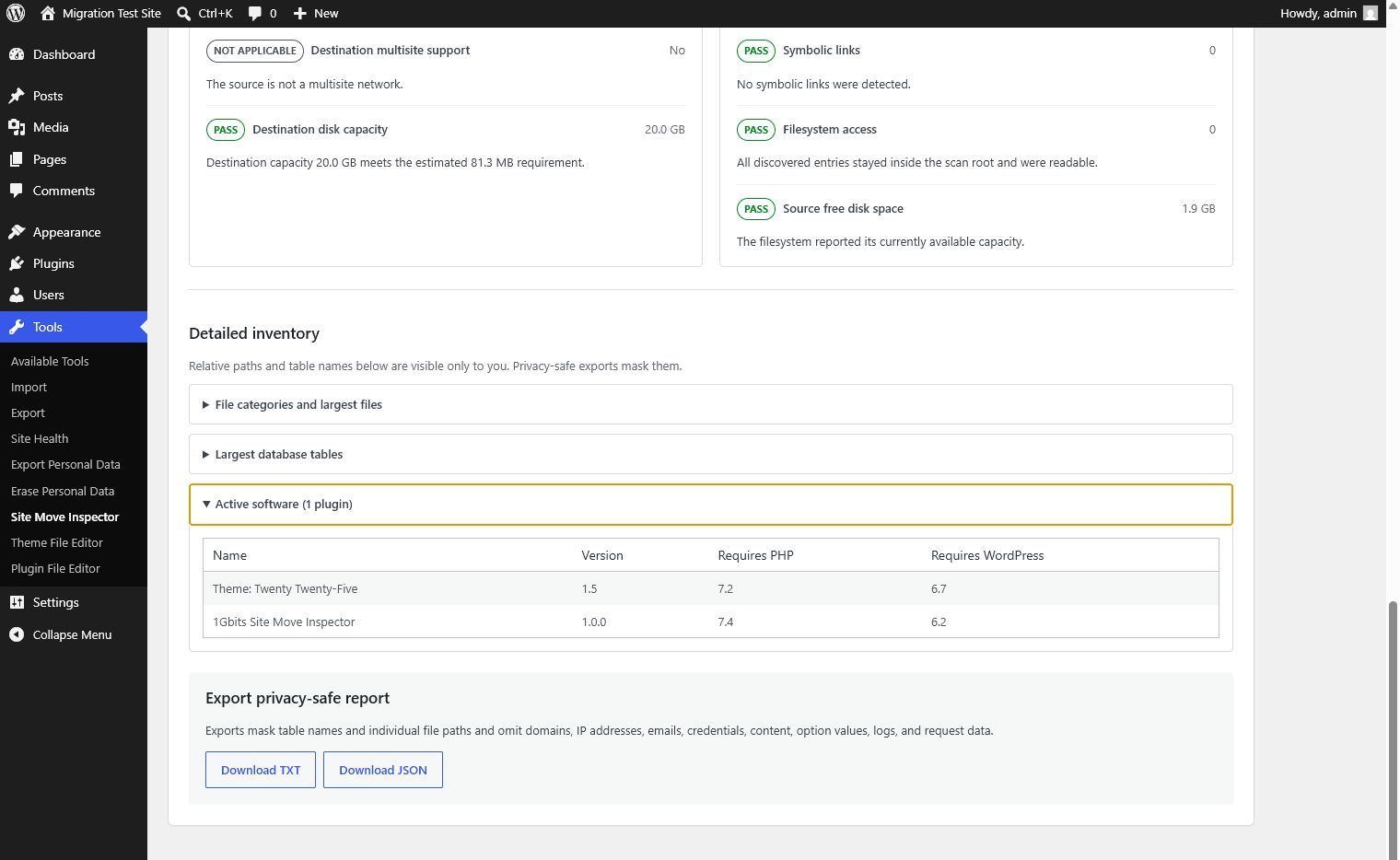
Review admin-only software inventory, then download a privacy-safe TXT or JSON report.


