
FacturAgil Wordpress Plugin - Rating, Reviews, Demo & Download
Plugin Description
FacturAgil connects your WooCommerce store to AFIP/ARCA (Argentina’s tax authority). When an order is paid, the electronic invoice is issued automatically, with a real CAE (AFIP/ARCA authorization code), and the buyer receives it by email and can download it from “My account > Orders”.
What it does:
- Automatically issues Invoice A/B/C when an order moves to “Processing” (payment confirmed) or “Completed”, your choice.
- Adds the checkout fields required to invoice (document type and number, VAT status) — WooCommerce doesn’t include these by default. If your store already had its own fields (from another plugin or your theme), FacturAgil can reuse them instead of duplicating them (see FAQ).
- Automatic Credit Note if an already-invoiced order is refunded (full or partial).
- The buyer downloads their invoice PDF from “My account > Orders”, without leaving your store.
- Never blocks an order if invoicing fails — the error is logged as an order note and can be retried with one click.
What you need before installing it:
A FacturAgil account (free to try). If you don’t have one yet, the plugin walks you through creating one in 2 minutes from the same settings screen.
External services
This plugin connects to the FacturAgil API (facturagil.com.ar) to issue AFIP/ARCA (Argentina’s tax authority) electronic invoices for your WooCommerce orders. FacturAgil is the service this plugin is built for — your store needs a FacturAgil account to use it (see Installation).
It sends data to this API in these situations:
- When an order is invoiced (automatically when it moves to “Processing”/”Completed”, or manually retried from wp-admin): the buyer’s document type and number, name, VAT status, email, and the order’s line items (description, quantity, unit price, VAT rate) are sent to generate the AFIP/ARCA invoice.
- When a Credit Note is issued (on a WooCommerce refund, or manually from wp-admin): the same order/item data above is sent for the items being credited.
- When downloading an invoice or Credit Note as a PDF (from “My account > Orders”, or from wp-admin): only the invoice’s internal ID is sent, to retrieve the PDF.
- When testing the connection or listing your Points of Sale on the settings screen (WooCommerce > FacturAgil): only your store’s API key is sent, to authenticate the request.
Every request above is authenticated with the API key you generate from your own FacturAgil account (WooCommerce > FacturAgil settings).
This service is provided by Patagonia IT. Terms of Service: https://facturagil.com.ar/terminos — Privacy Policy: https://facturagil.com.ar/privacidad
Screenshots
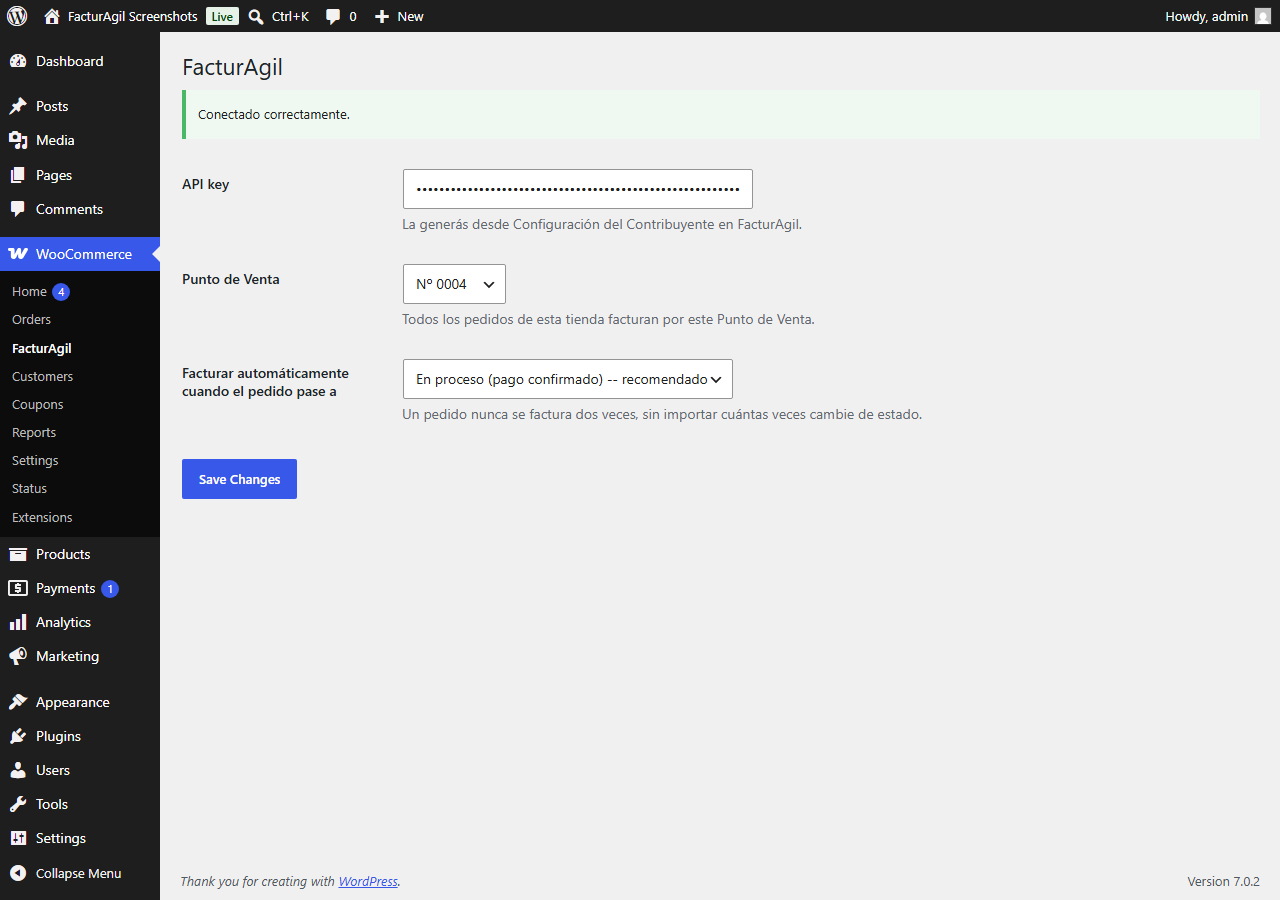
Settings screen (WooCommerce > FacturAgil) — API key, Point of Sale, and when to trigger invoicing.
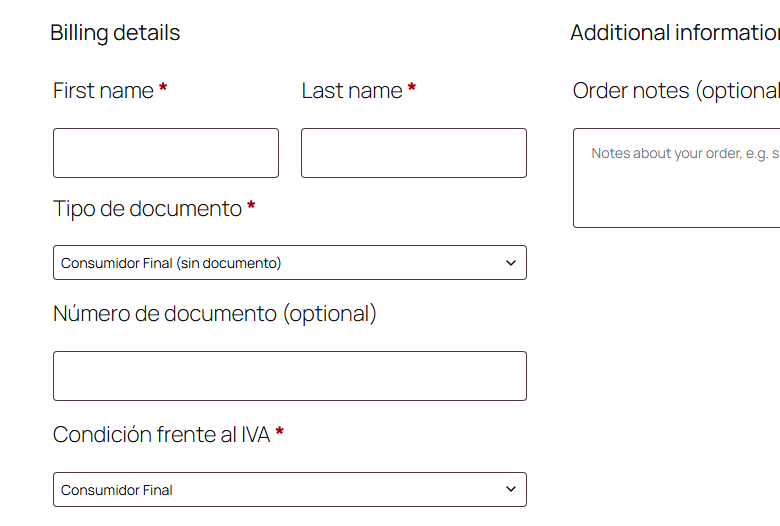
New fields on the classic checkout — document type and number, VAT status.
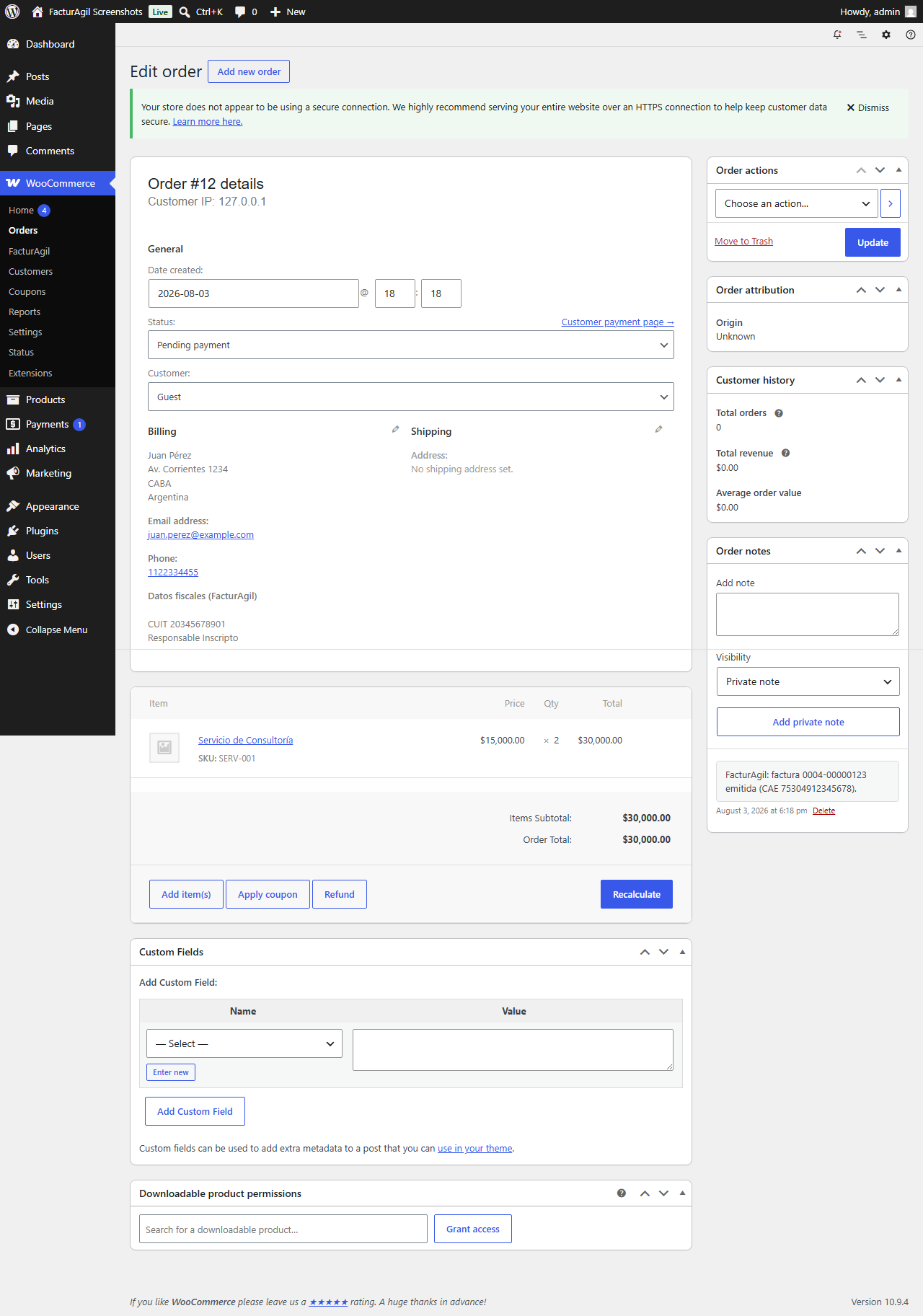
The order in the WooCommerce admin, with the buyer’s tax data and the “invoice issued (CAE …)” note.
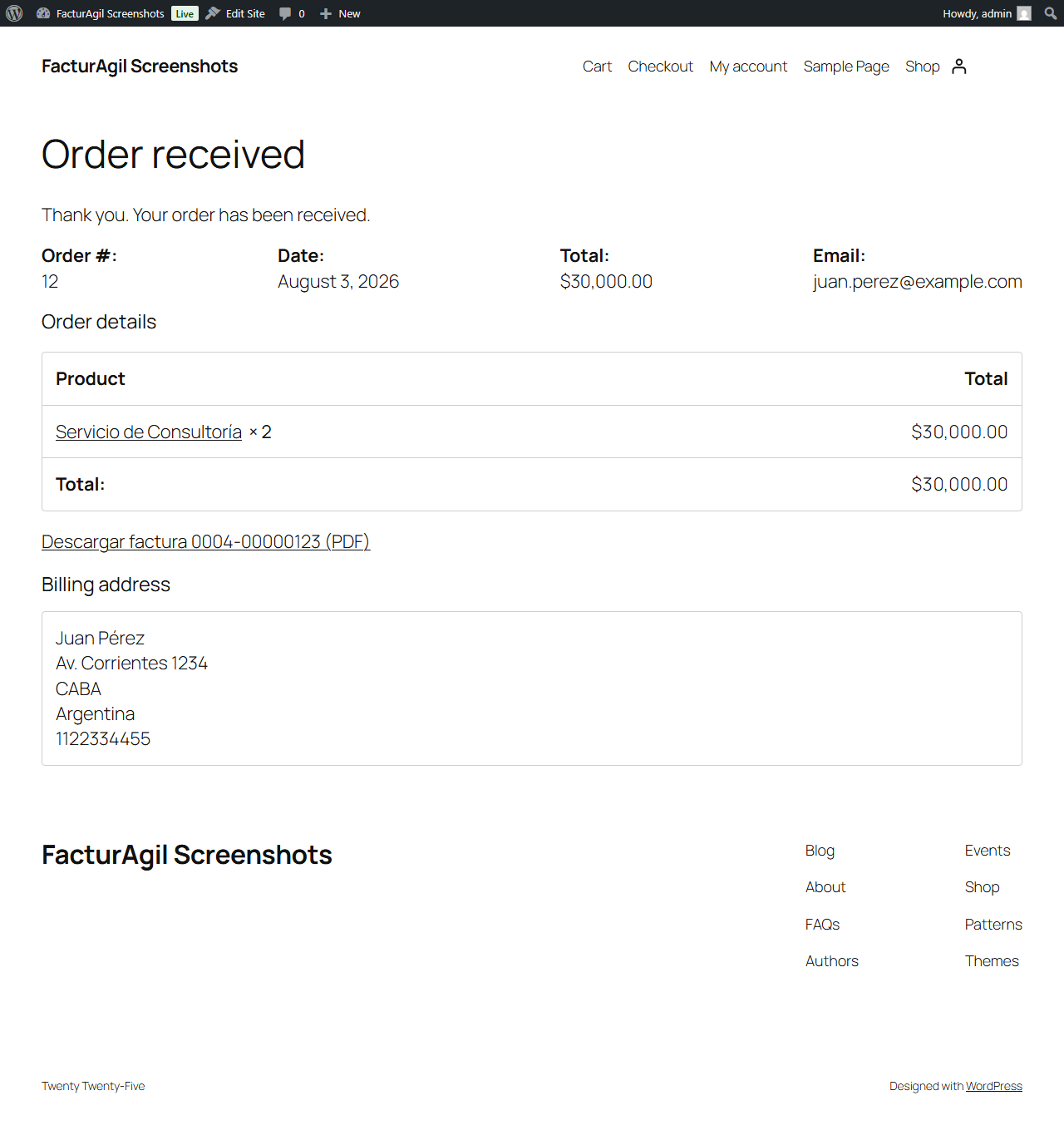
The buyer downloads their invoice as a PDF straight from the “order received” / “My account > Orders” screen.


