
SB Replayborg Wordpress Plugin - Rating, Reviews, Demo & Download
Plugin Description
SB Replayborg records what visitors do on your site and lets you play it back — the pages they moved through, where they clicked, how long they stayed. Everything is captured by your own site and stored in your own database. No third-party service is involved at any point, and nothing is sent anywhere.
Listed here as SB Replayborg — SB for Stackborg, who publish it. In your admin menu and on its screens it is simply Replayborg.
What this version does
- Session recording — visits are captured with rrweb and stored, GZIP compressed, in your database
- Session replay — watch a visit back in a player with play, pause, ten-second jumps, speed control and a scrubber marked with each page the visitor opened
- Pages visited — every page in the visit with time on page, clicks, and its share of the session; click any row to jump the player there
- Signed-in visitors — a session made by a logged-in user is attributed to them, with a link to their WordPress profile
- Filtering and sorting — by device, by signed-in status, by date range, or by the page they landed on or left from
- Traffic source — referrer and UTM parameters, recorded with the session
- Retention — recordings older than your retention window are removed automatically by WP-Cron
Documentation and support
The plugin has its own Help & Support screen: the documentation, the privacy policy, the support address, and the setup details a support email needs, in one place. Every screen links to it from the header.
The full documentation is at https://replayborg-wp-plugin.stackborg.com/ — installation, reading a session, the privacy controls, the hooks, troubleshooting, and the privacy policy.
Built as modules
The plugin is organised so that features arrive as modules that can be switched on without disturbing what is already installed. This first release ships one — sessions. Anything added later slots in beside it, and turning a module off never destroys the data it collected.
Privacy
- No external services. Recording, storage and playback all happen on your own server.
- Inputs are masked by default. What visitors type is not recorded unless you turn masking off.
- Elements can be blocked from recording by CSS selector.
- Sample rate lets you record a percentage of visits rather than all of them.
- No cookies. An anonymous visitor id is kept in localStorage.
- Consent aware. Recording can be held until a consent tool signals agreement.
Session recordings are still personal data in most jurisdictions. Tell your visitors you collect them, in your privacy policy — the plugin adds a suggested passage to WordPress’s own privacy policy guide to help. The full policy, including wording you can adapt, is at https://replayborg-wp-plugin.stackborg.com/privacy
Third-Party Services
SB Replayborg does not connect to any third-party service. All recording, storage and playback happens on your own server, in your own database. No data is transmitted anywhere.
Screenshots
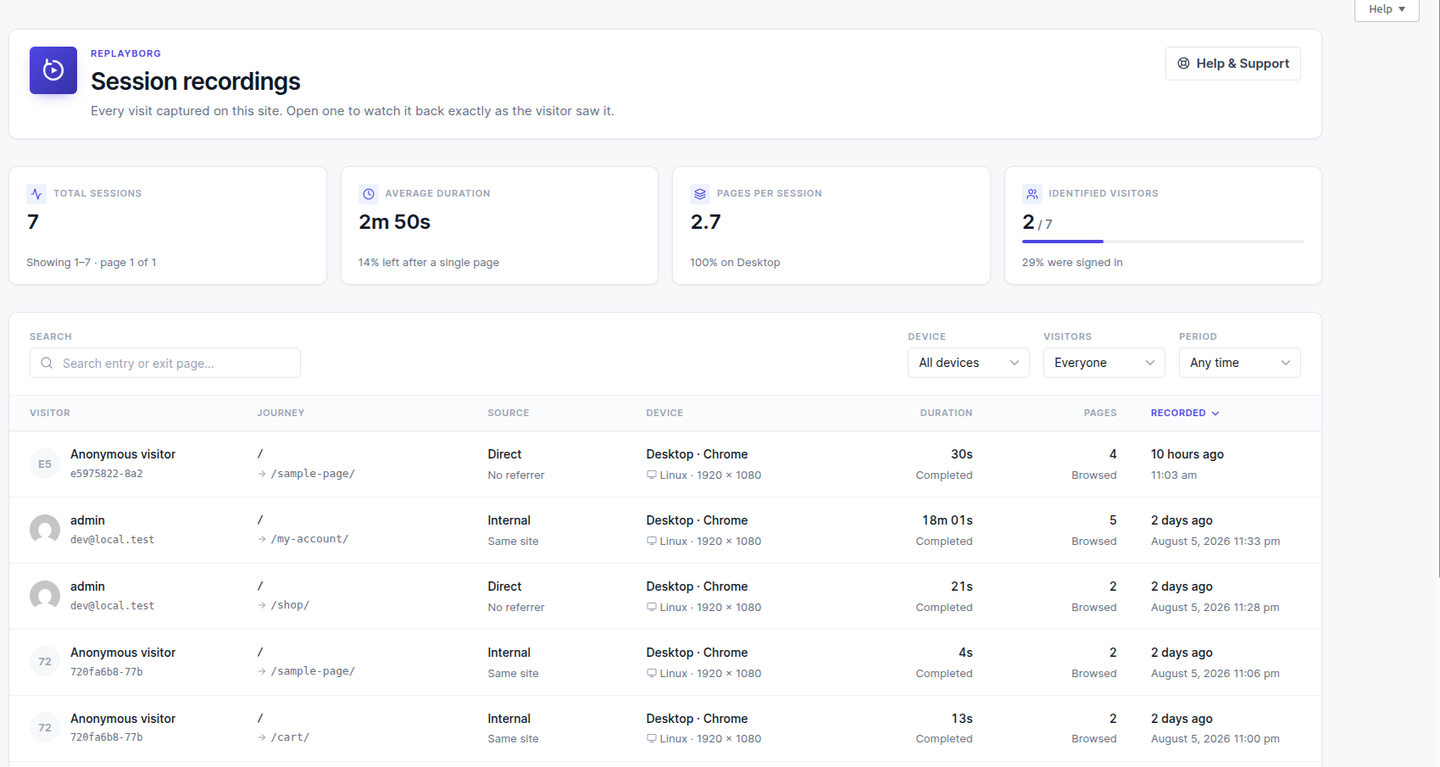
The session list — every recorded visit with its visitor, journey, source, device, duration and pages, above four figures for the page in view.
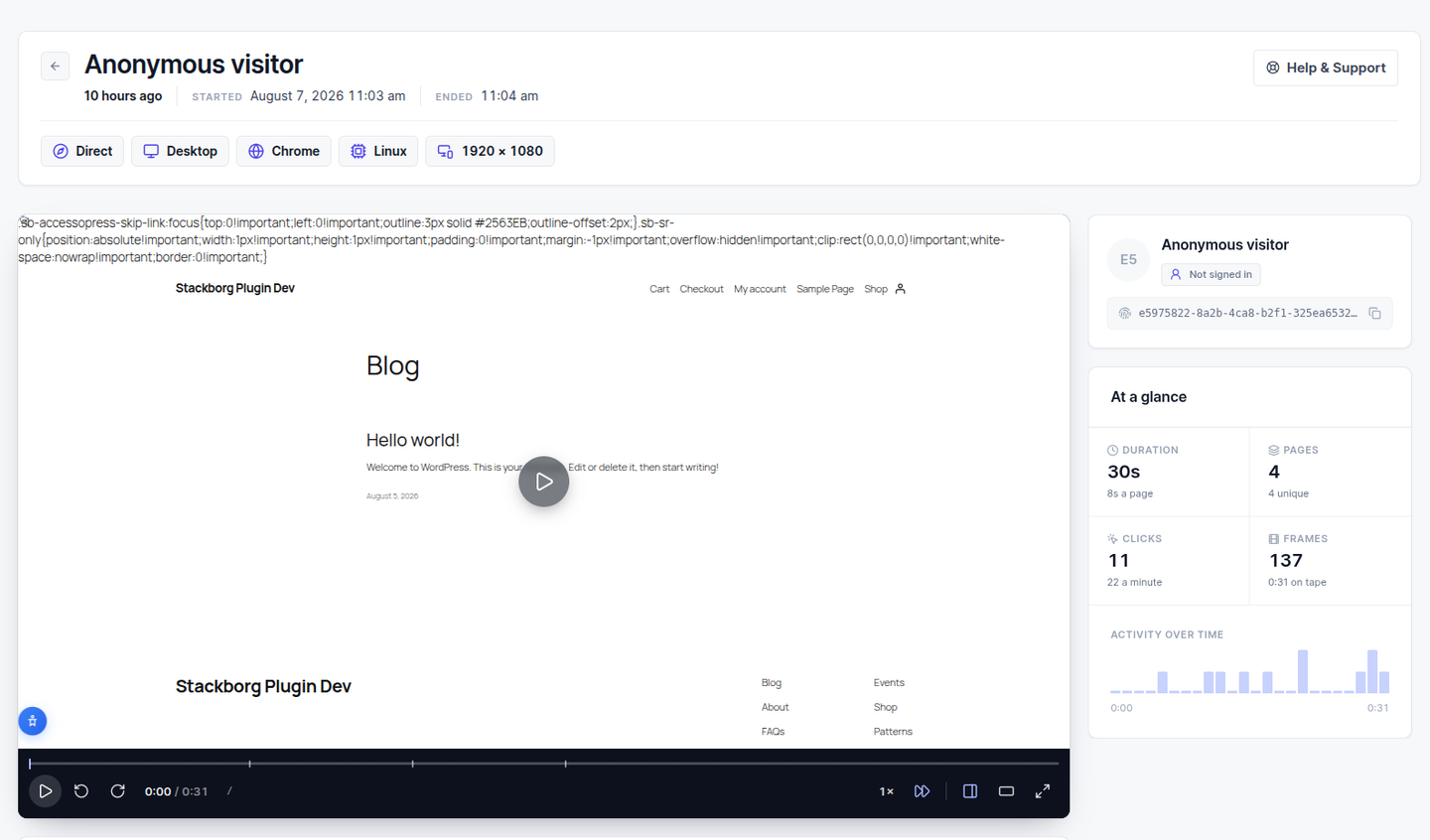
A session played back, with the transport bar, the page markers on the scrubber, and the visitor and the visit at a glance beside it.
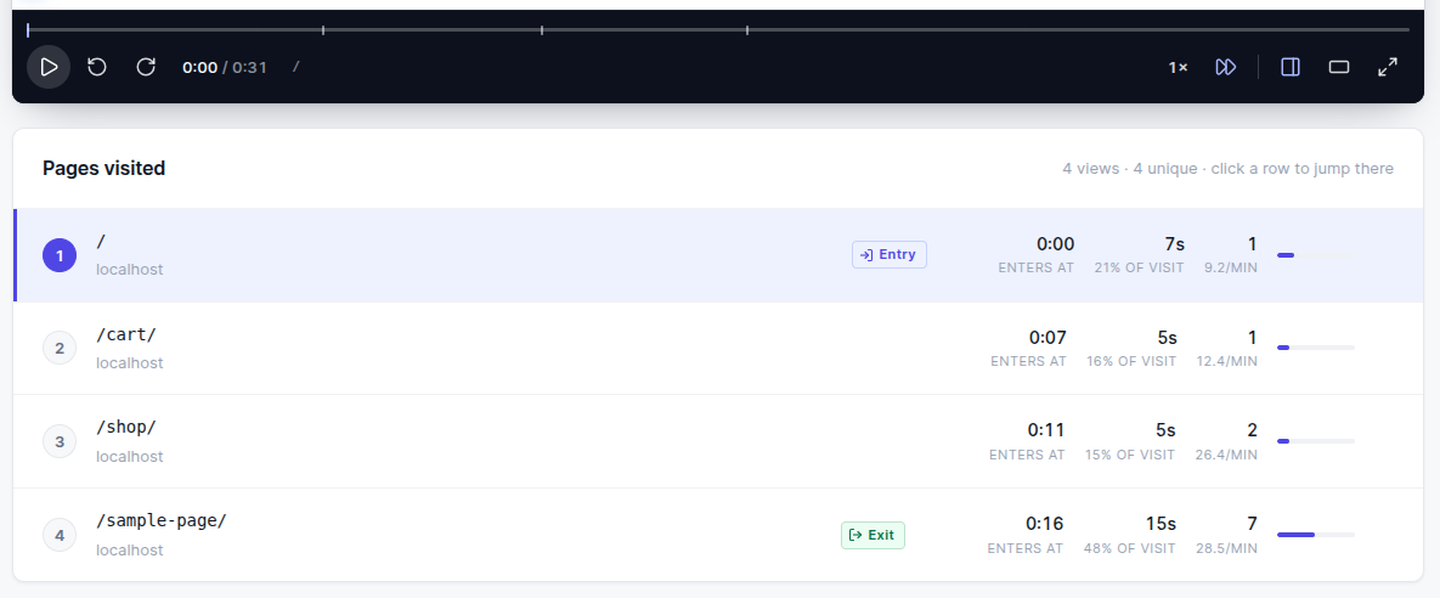
Pages visited — time on page, clicks, clicks per minute and each page’s share of the visit, with entry and exit marked. Clicking a row jumps the player there.
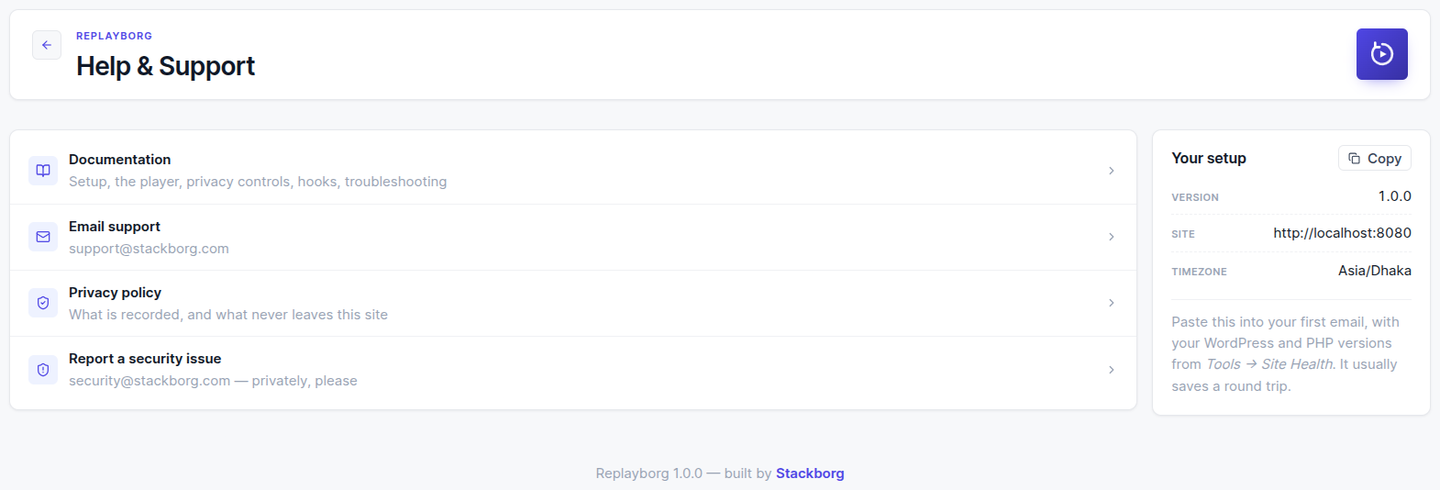
Help & Support — the documentation, the privacy policy and where to write, with the setup details a support email needs.


