Atelier – Automatic Product Sorting For WooCommerce Wordpress Plugin - Rating, Reviews, Demo & Download

Plugin Description
Automatic product sorting ranks category archives using observed net units
sold, catalog availability, and which products are new arrivals.
Before the first change, the plugin shows what would move. The first Apply for
a category approves the formula and policy and publishes the reviewed order.
Later candidates may publish automatically when only data changes under that
approval. A formula or policy change returns to Preview. Pause stops
publications; Restore returns to the native order; Rollback serves a selected
earlier order until you publish again. The dashboard attributes and timestamps
each change.
What it measures exactly
- Observed net units over 30 days, adjusted for refunds with an
attributable quantity. It counts every order that WooCommerce exposes as
paid and in an eligible status and does not automatically exclude test
orders. Each run takes a complete U30 snapshot, and the population, coverage,
and cutoff are visible. - Catalog availability observed during the latest calculation. This is
what the catalog reported at that moment, not a checkout reservation or a
real-time promise. - New arrivals, with a window configurable per category.
What it does not do
- It does not promise to increase sales or improve conversion. It sorts by an
observed signal; what happens afterwards depends on your store. - There is no “smart score,” AI, per-visitor personalization, or random
exploration. - It does not know real-time stock or the units actually free at checkout.
- It does not collect impressions, clicks, or sessions.
Privacy
All calculations run on your server. The plugin sends no telemetry or store
data, depends on no external service, and makes no network request to sort
products. WordPress itself may still check WordPress.org for updates.
Where it sorts and where it does not
The plugin sorts only when it can identify one category unambiguously.
It serves the ranking in:
- The main category archive of a classic theme when WooCommerce uses its
default or manual order. - The Product Collection block in Default/inherit mode inside the category
template. - The Product Collection block in Custom+Manual mode when the category is
unambiguous and no other ordering criterion exists, including editor preview.
It keeps the native order for: an explicit order selected by the visitor,
search, the main shop archive, queries spanning several categories, the Store
API, external search engines, and custom SQL queries from other plugins.
Not claimed as supported: shortcodes, page builders, headless setups,
WPML/Polylang, and page or CDN caches. The dashboard is ready for translation
and supports RTL; multilingual catalog sorting has not been verified.
WordPress Multisite is not supported. The plugin detects it, explains the
limitation, and does nothing else: no tables, no scheduled work, and no
storefront intervention on any site in the network.
Development
Human-readable admin source is included in admin-ui/src/; WordPress runs the
compiled files in assets/admin/. With Node 20+ and npm 10+, rebuild them with
npm ci && npm run build:assets. package-lock.json pins the JavaScript
toolchain. composer install --no-dev --classmap-authoritative rebuilds a
functional PHP autoloader from composer.lock. The plugin already includes its
production assets and autoloader, so merchants do not run either build tool.
Screenshots
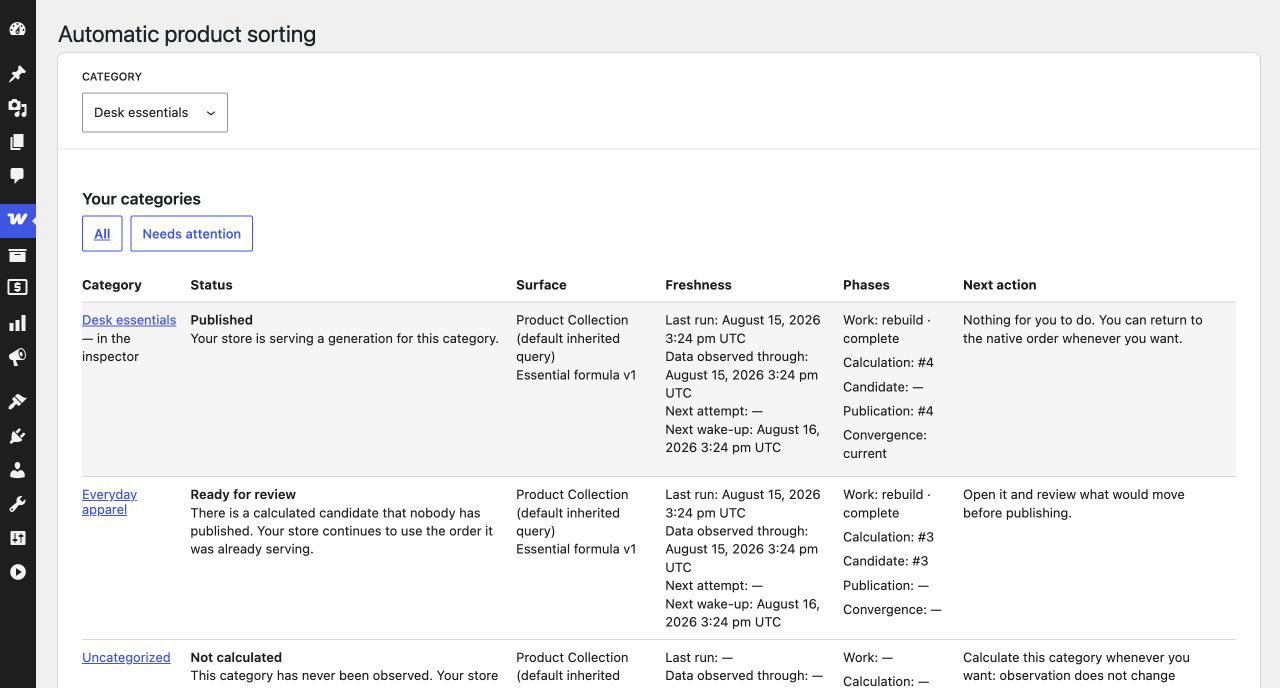
The Fleetboard shows every category’s sorting status and its next action.
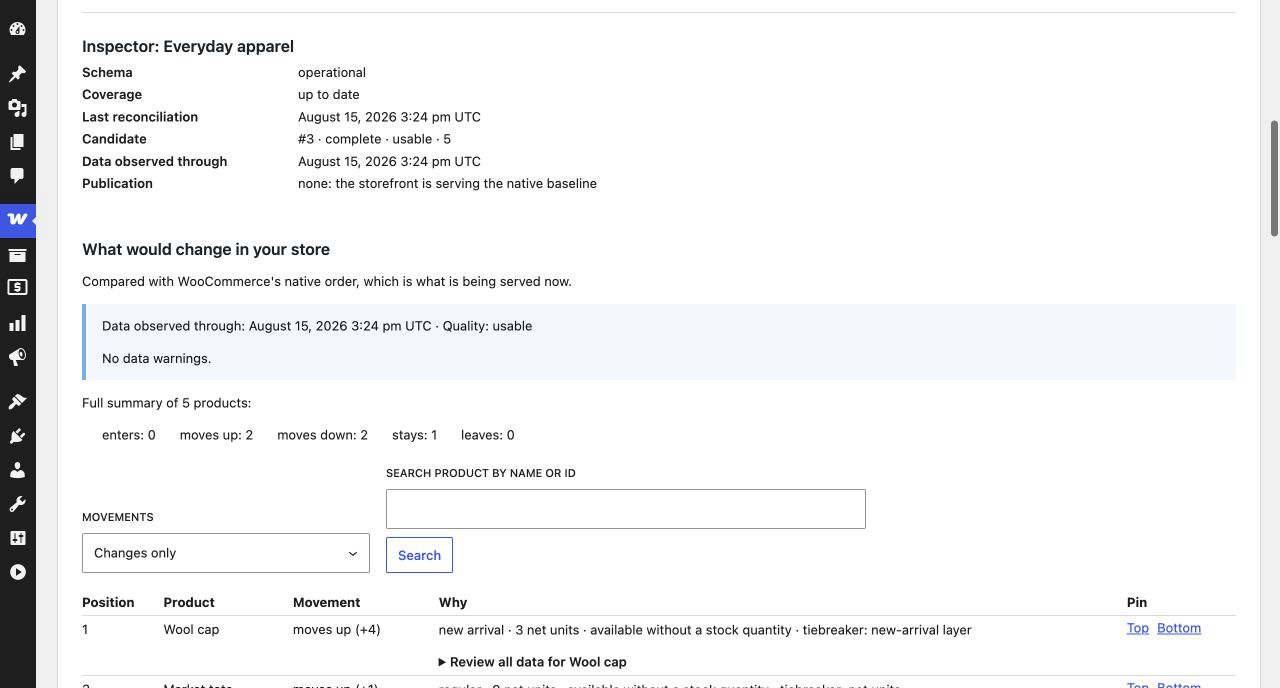
Preview explains the proposed order and every movement before the first Apply.
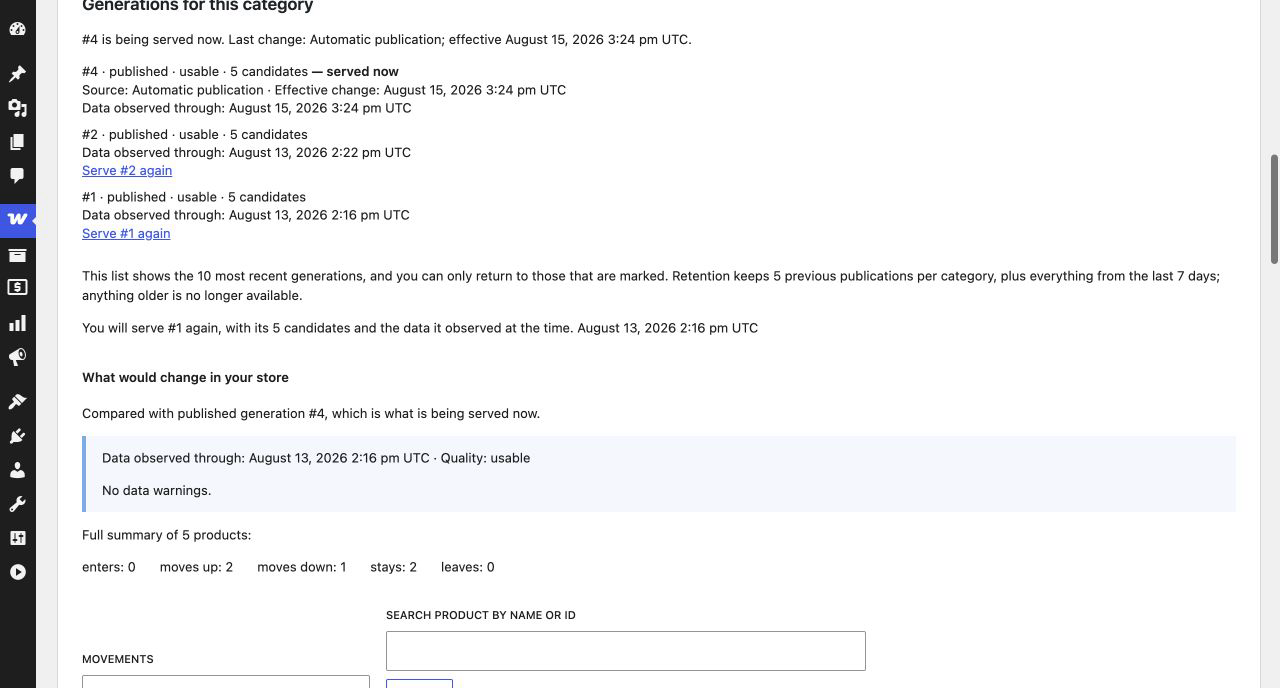
History previews a safe Rollback before serving a previous published order again.