
320apps Lead Connector Wordpress Plugin - Rating, Reviews, Demo & Download
Plugin Description
320apps Lead Connector sends successful form submissions to the site owner’s
320apps workspace. 320apps can then create an application and notify selected
responsible users through MAX, Telegram, or email.
The plugin does not receive or store MAX and Telegram bot tokens. Connection to
320apps uses a site-bound credential issued through an authorization flow.
Version 0.2.0 changes the visible product identity to 320apps while preserving
the existing plugin update channel and encrypted connection compatibility. It
is available to registered 320apps users on the Start plan and above when a bot
is connected. Contact Form 7 and WPForms have passed live browser and delivery
acceptance. Elementor Pro Forms is included as an experimental feature until
licensed live-site acceptance is complete. Start with a non-critical form and
synthetic data.
External services
The plugin connects only to the 320apps service at my.320apps.ru. Existing
pre-release connections retain their exact encrypted compatibility endpoint and
are never moved automatically during delivery or retry. The plugin sends a site
identifier, site URL and name during connection. For enabled forms it sends the
submitted fields selected by the site administrator, form/page identifiers,
consent indicators and attribution labels. This data is required to create the
application and deliver the owner’s selected notifications.
The plugin never receives or stores MAX or Telegram bot tokens. A site-bound
320apps credential is stored encrypted using the WordPress installation salts.
Requests use HTTPS with certificate verification and are not sent from the form
callback; a durable background queue performs delivery.
320apps terms: https://my.320apps.ru/legal/public-offer
320apps personal data policy:
https://my.320apps.ru/legal/personal-data-policy
Privacy
The site owner remains responsible for selecting an appropriate legal basis,
configuring form consent and updating the site’s privacy notice. The plugin adds
suggested disclosure text to the WordPress privacy-policy helper. Pending form
submissions are encrypted locally; delivered records are removed after 7 days
and records requiring manual retry after 30 days. Administrators can opt into
complete plugin-data removal during uninstall.
Screenshots
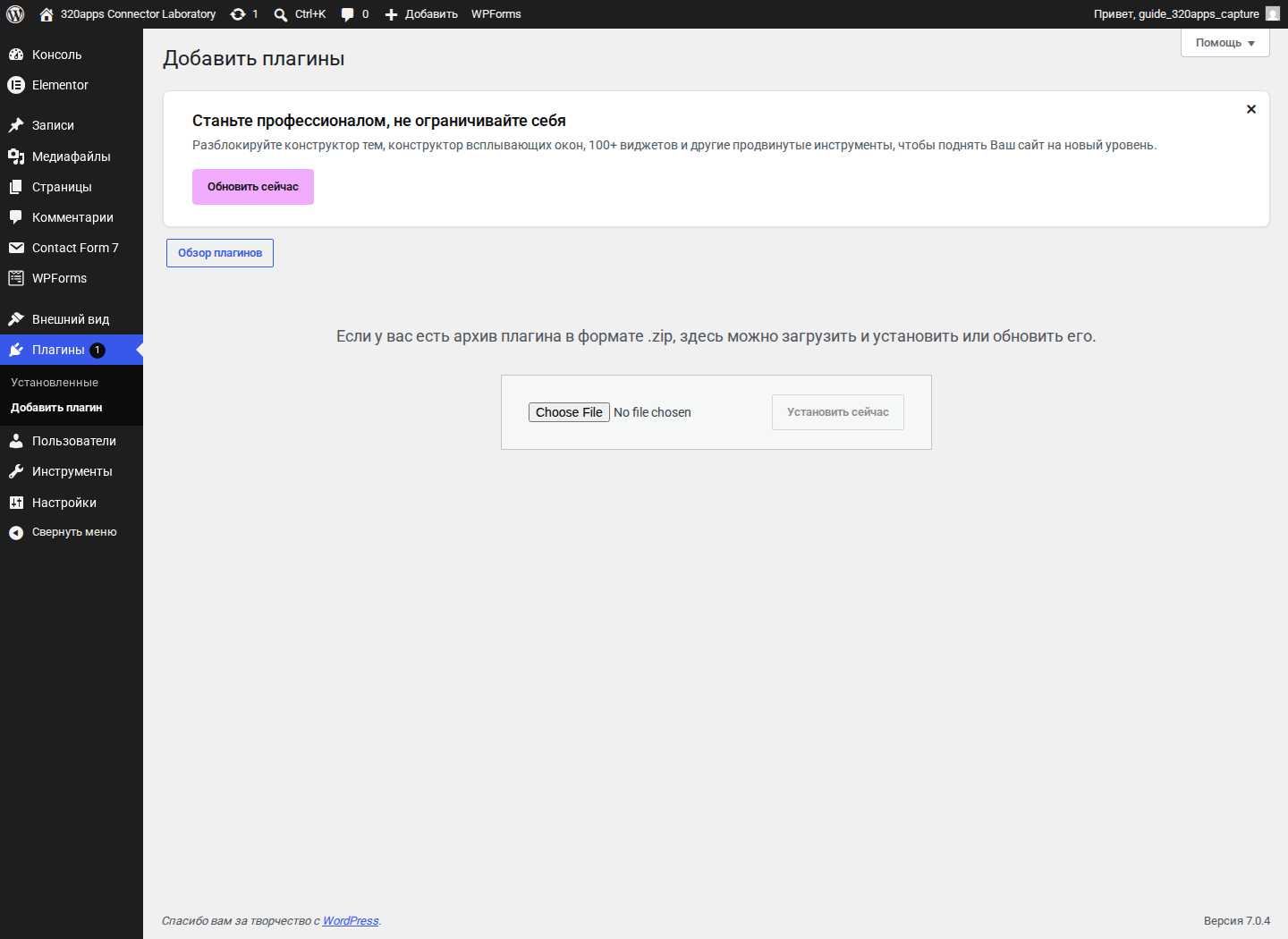
Install the plugin ZIP from the standard WordPress plugin screen.
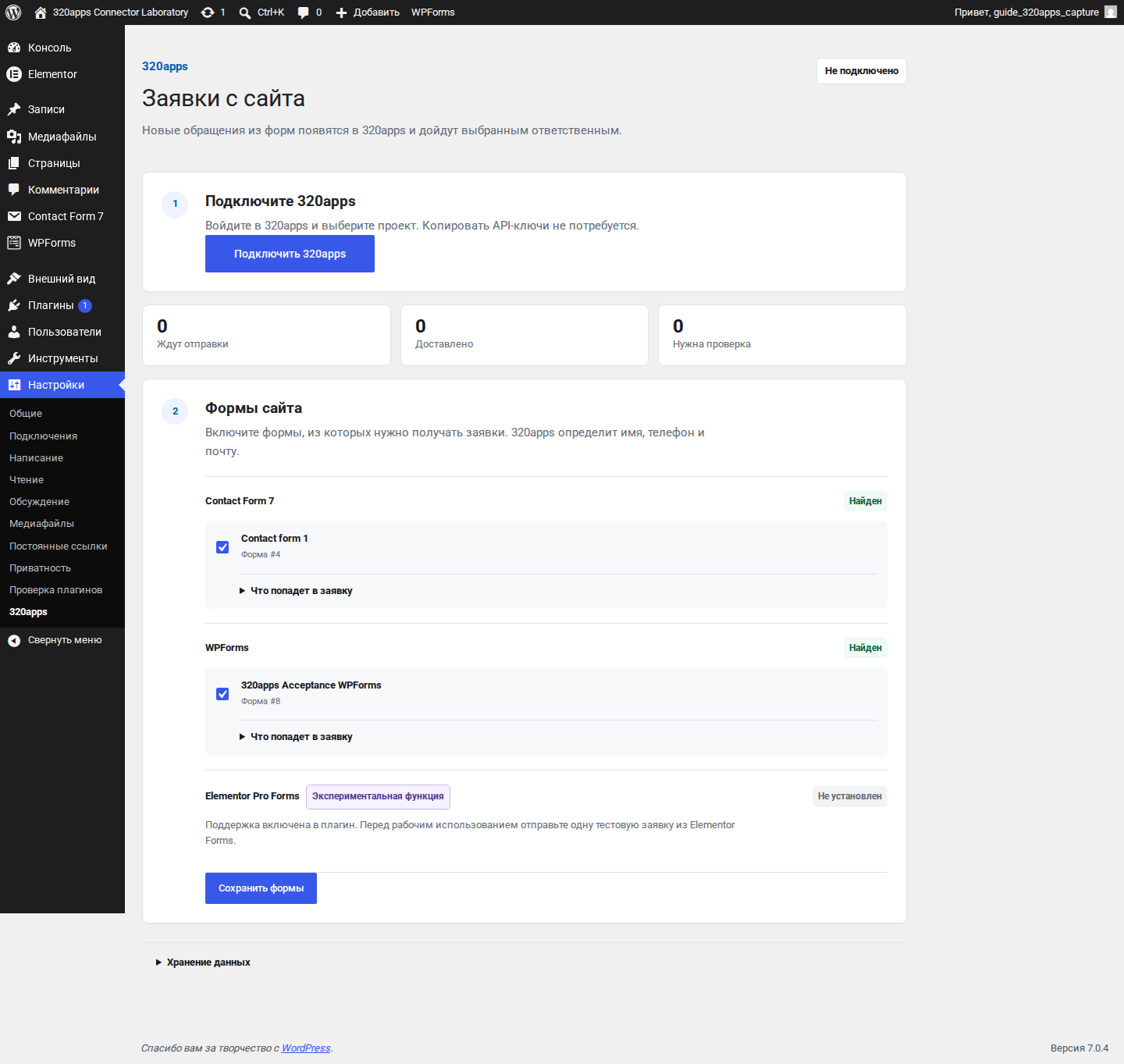
Open Settings, then 320apps, and start the protected connection flow.
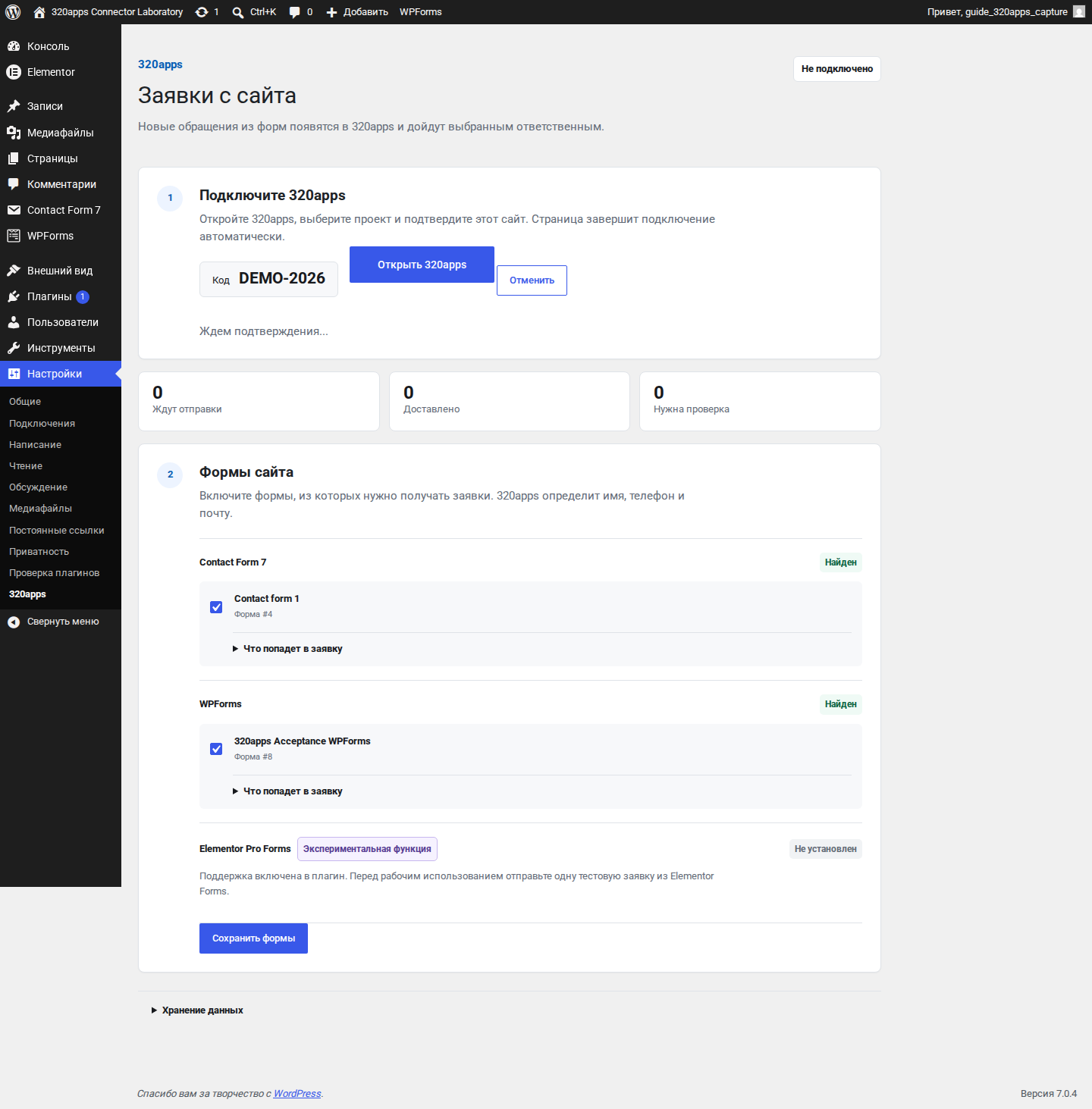
Confirm the one-time code in the exact 320apps workspace opened by the plugin.
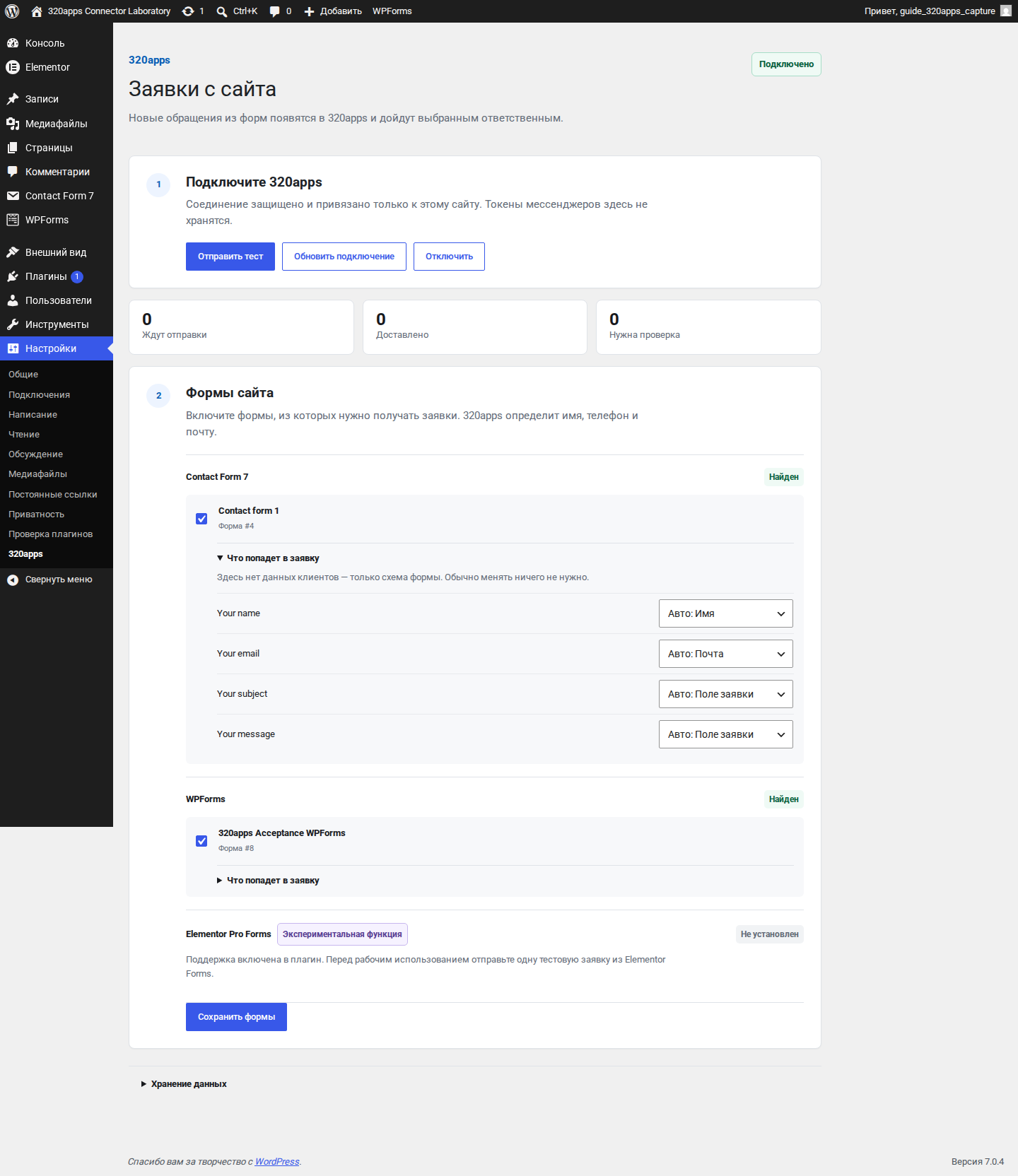
Select which detected forms should create applications and review field mapping only when needed.

Use the same focused connection and form controls on a mobile screen.


