Submittal & Spec Sheet Builder Wordpress Plugin - Rating, Reviews, Demo & Download

Plugin Description
Submittal & Spec Sheet Builder helps manufacturers, suppliers, contractors, and distributors create professional submittal packets and product spec sheets in minutes — right inside WordPress.
Whether you’re creating construction submittals or managing a complex product catalog with thousands of SKUs (landscape supplies, industrial fasteners, equipment, flooring, etc.), this plugin lets customers browse your catalog and build their own spec sheets.
Forget clunky spreadsheets and manual formatting. With this plugin you can:
- Organize products into categories, types, and models (handle hundreds or thousands of SKUs)
- Let visitors select items and instantly generate polished PDF packets
- Add your company logo, brand colors, and contact info automatically
- Have visitors name their project on the review screen and see it on the packet cover page
- Get an optional branded cover page, plus a spec sheet for each selected product
Key Features
- 🧩 Visual Builder: Browse by category product type model, with inline specifications.
- 🧾 PDF Generation: An optional branded cover page followed by one spec sheet per selected product.
- 🎨 Branding Tools: Add your logo, company details, accent color, PDF theme, and cover page for consistent presentation.
- 📦 Product Catalog Manager: Manage all product data inside WordPress — no developer needed.
Fast, flexible, and built for the real world — ideal for construction professionals creating submittals, distributors with complex catalogs (landscape supplies, industrial parts, equipment), and any B2B business with hundreds of products that need professional spec sheets.
Privacy
This plugin stores all data locally in your WordPress database. Product catalog entries, branding settings, and generated PDFs all stay on your site: none of it is sent to the plugin author, to an analytics or telemetry service, or to any outside processing service. The one outbound request the plugin can make is described at the end of this section — while a PDF renders, an image you configured (such as your Media Library logo) is fetched by URL from your own site or uploads location.
Visitor selections are held in the browser while the visitor browses and reviews. Submittal Builder > Settings has a “Enable local autosave” switch: when it is on, a visitor’s selections are kept in their own browser’s local storage so a reload does not lose their work; when it is off, the plugin writes nothing to local storage and selections last only for the current visit. Browsing and reviewing alone create no draft, record, or database entry on the server.
Generating a PDF is different, because a file has to be produced. When a visitor clicks Generate, the project name, the products they selected, and the specification values and per-item notes attached to those products are rendered into the PDF, and that PDF is saved on your server under your WordPress uploads folder (wp-content/uploads/sssb/). It stays there until you delete it. The selections are still not written to the database as a separate record — the generated PDF is the copy that persists.
Each generated PDF is given a randomized, unpredictable filename, so its URL cannot be guessed or arrived at by trying likely project names and dates. It is still an ordinary file in your uploads folder, served like any other upload: anyone holding the link can open it, and no login is required to do so. Treat the link as the credential, and delete old packets you no longer want available.
The same Settings page has a “Remove all plugin data when uninstalling” switch. It is off by default, so deleting the plugin leaves your branding settings, catalog tables, and generated PDFs in place. Turn it on if you want deleting the plugin to remove them.
IP addresses are never stored in plain text. Where an IP address is needed for request rate limiting, only a hashed value is kept.
The plugin does not include any analytics or telemetry, sends nothing to the plugin author, performs no remote license validation, and never transmits your catalog, branding, or a visitor’s selections to any outside service. PDF generation runs entirely on your own server using a bundled, GPL-compatible PDF library (Dompdf, LGPL). The one outbound request the plugin can make is while building a PDF: images you configured, such as the company logo you picked from your Media Library, are fetched by URL. Those requests are restricted to your own site’s address and your WordPress uploads location, so if a plugin or CDN serves your media from another host, that host is included; no other destination is permitted, and nothing a site visitor submits can add one.
Project-level notes are a separate case worth stating plainly: the review screen offers a project notes field, and the free plugin does not render it into the generated PDF. It is held in the visitor’s browser alongside their selections and is not saved to your database.
Screenshots
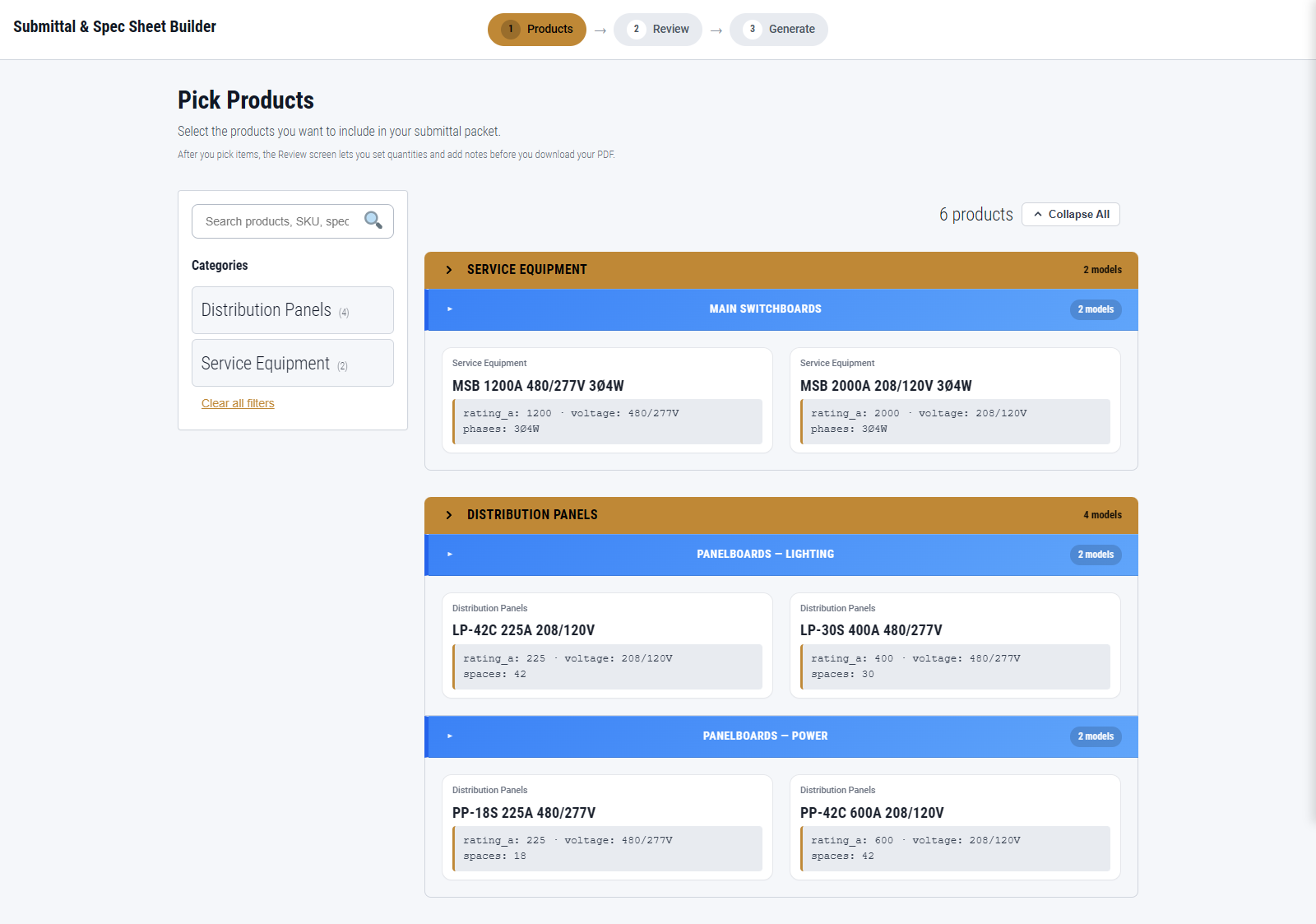
Product browser – browse catalog by category and specification.
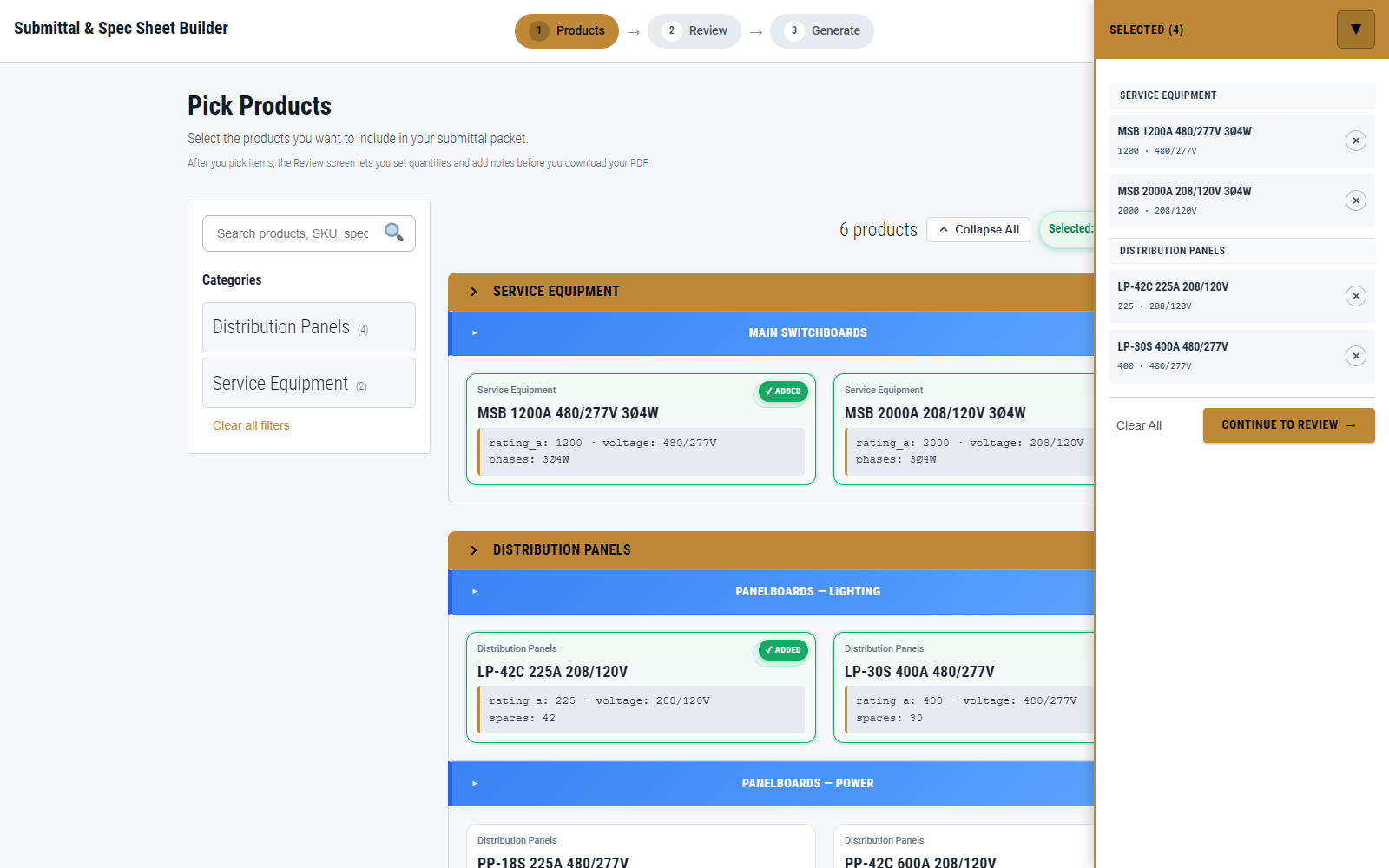
Selection step – add items to submittal with live count and visual feedback.
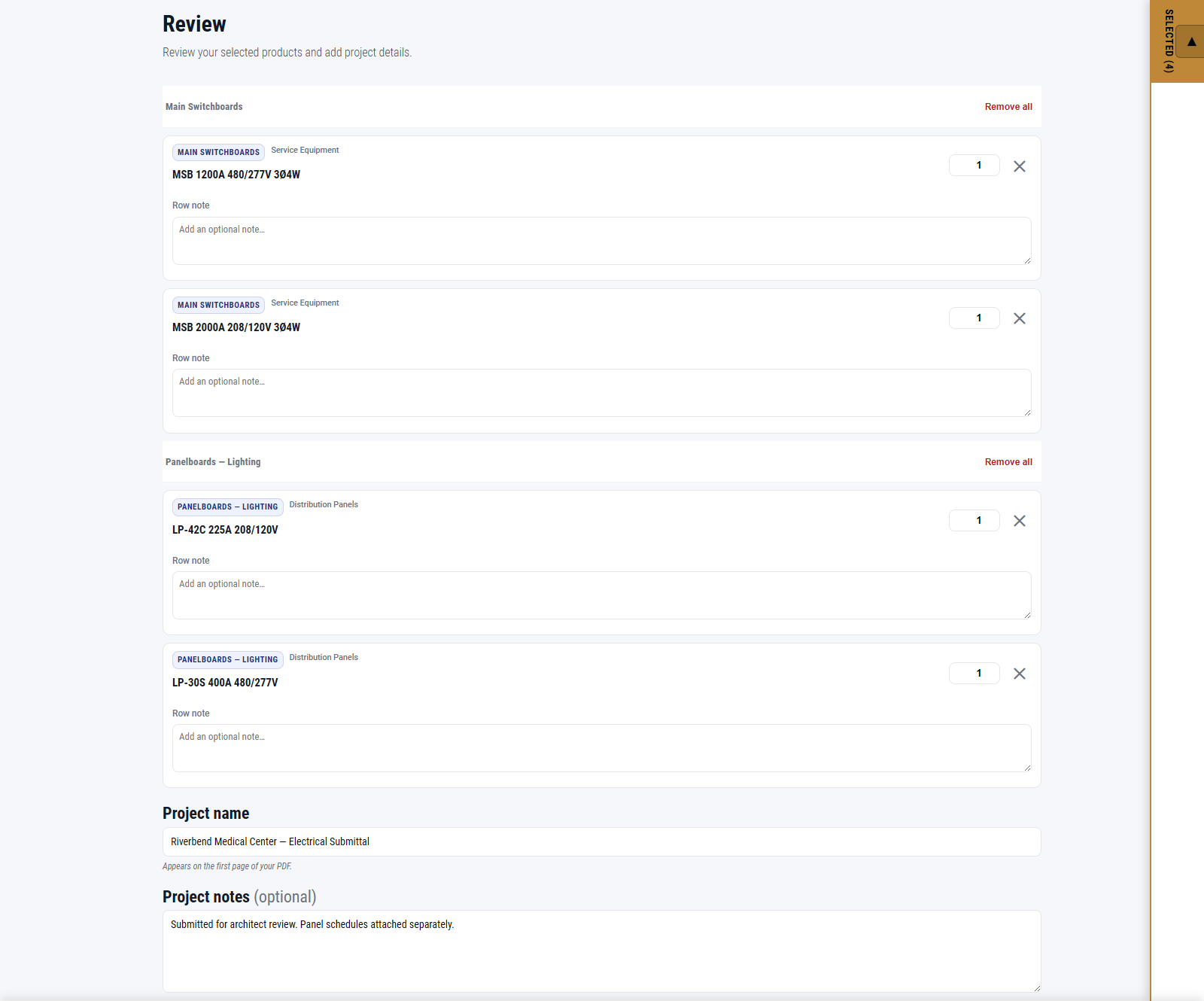
Review screen – confirm selections, set quantities, and add project details before generating.
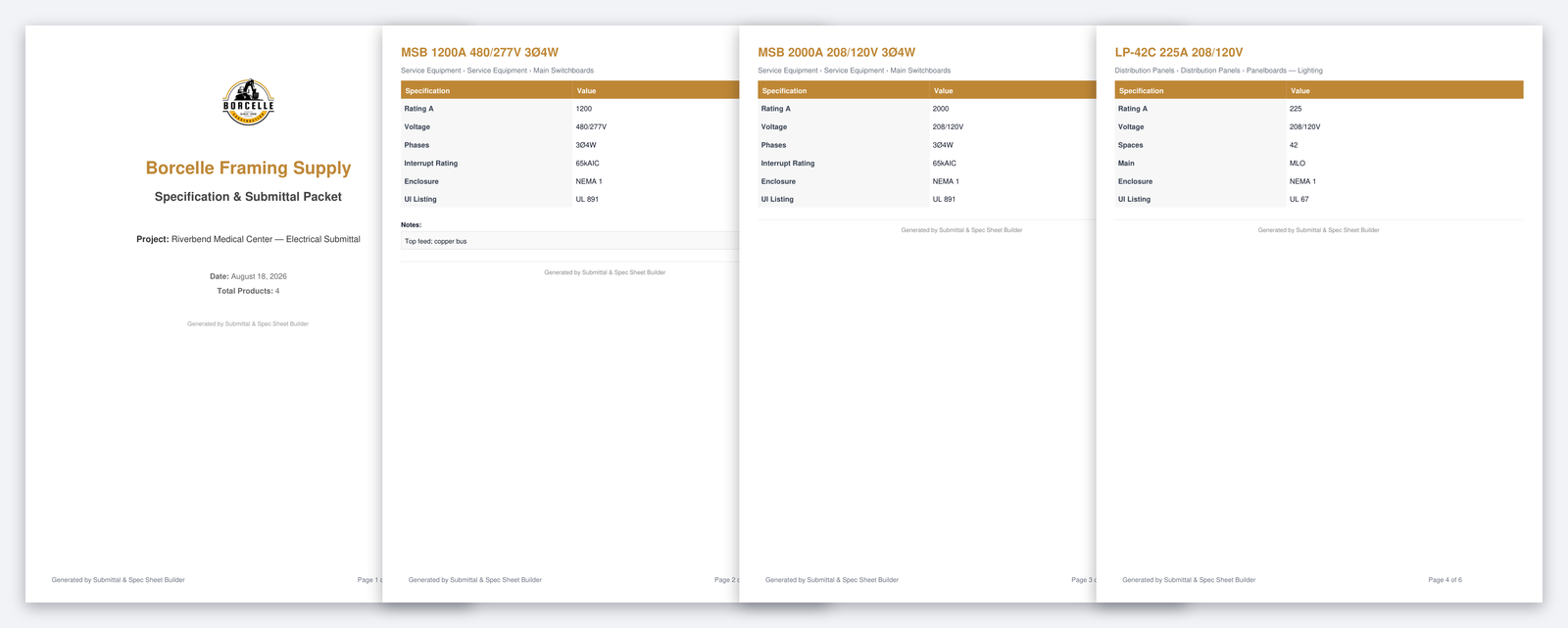
Generated PDF – cover page followed by a spec sheet for each selected product.
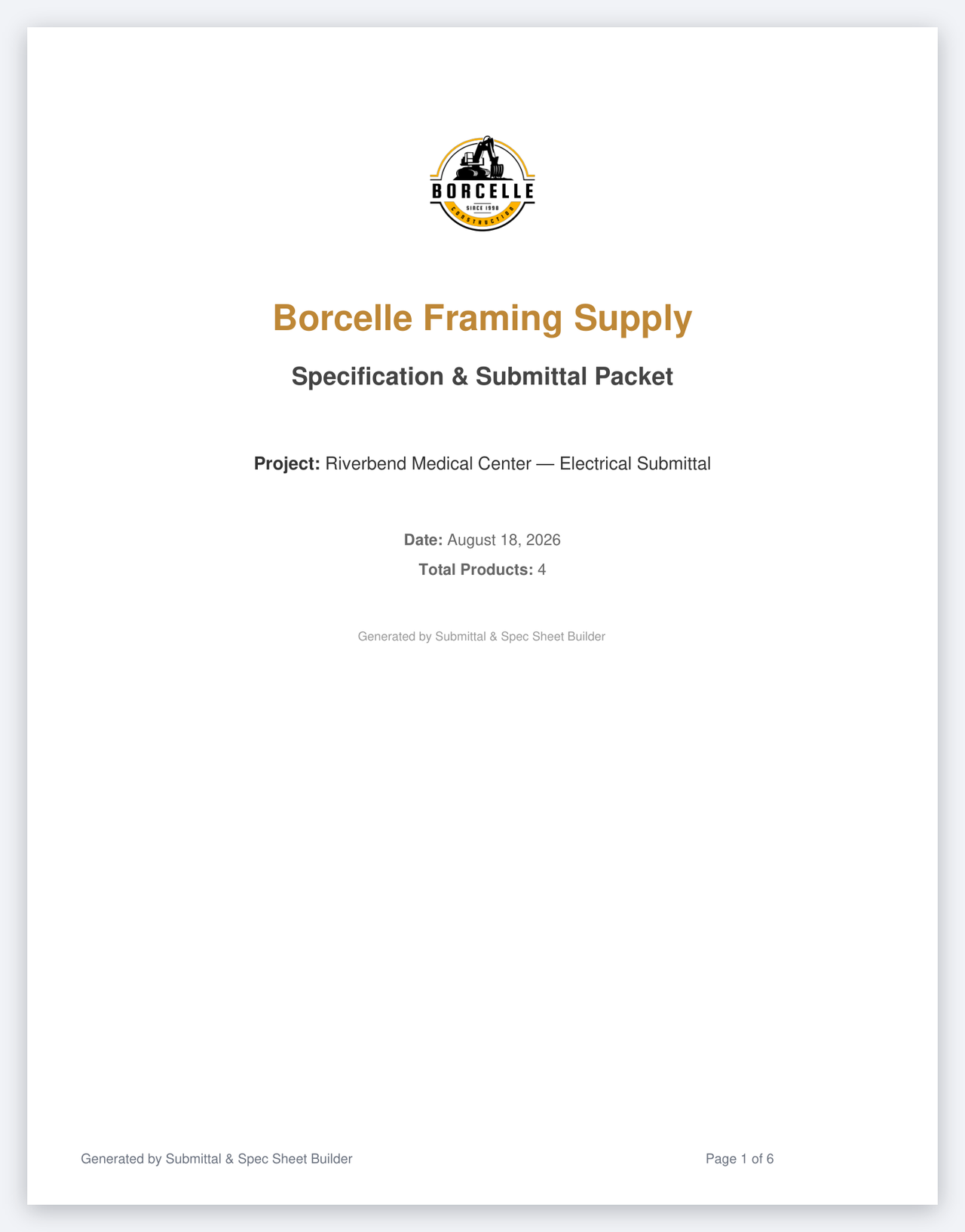
Branded cover – automatically styled with your logo and company details.
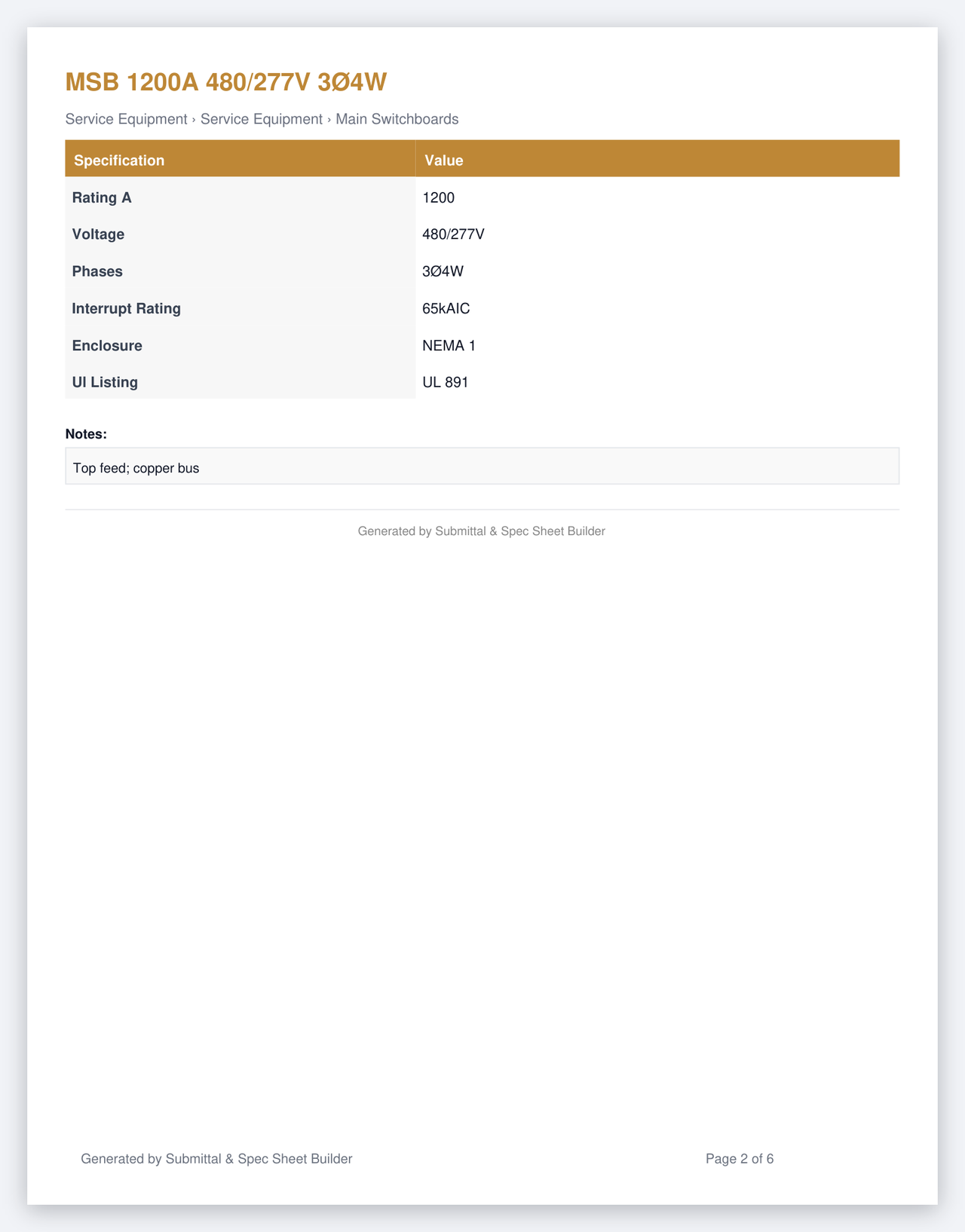
Product sheet – includes detailed specification fields for compliance.
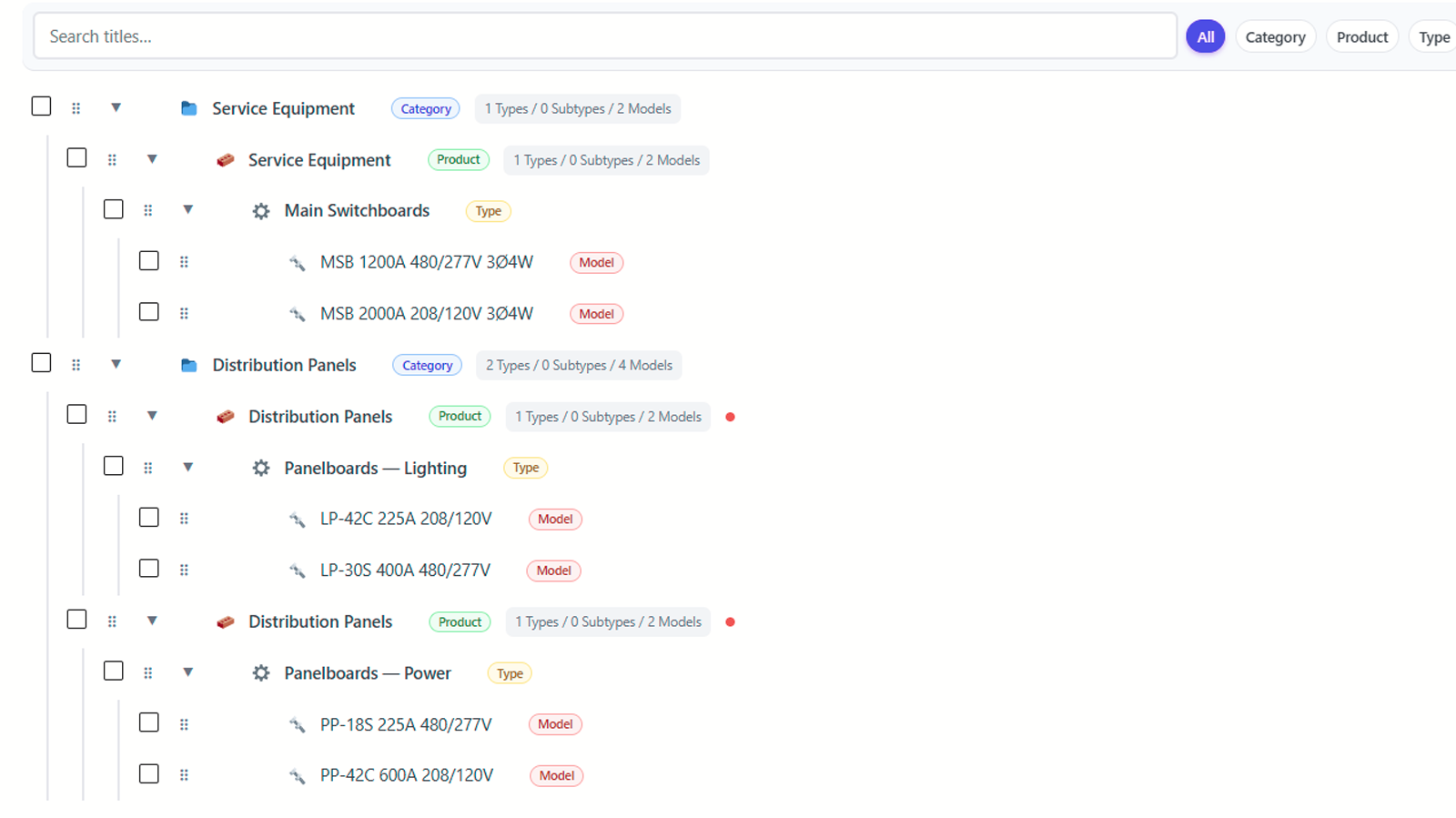
Catalog builder – manage product hierarchy inside WordPress.
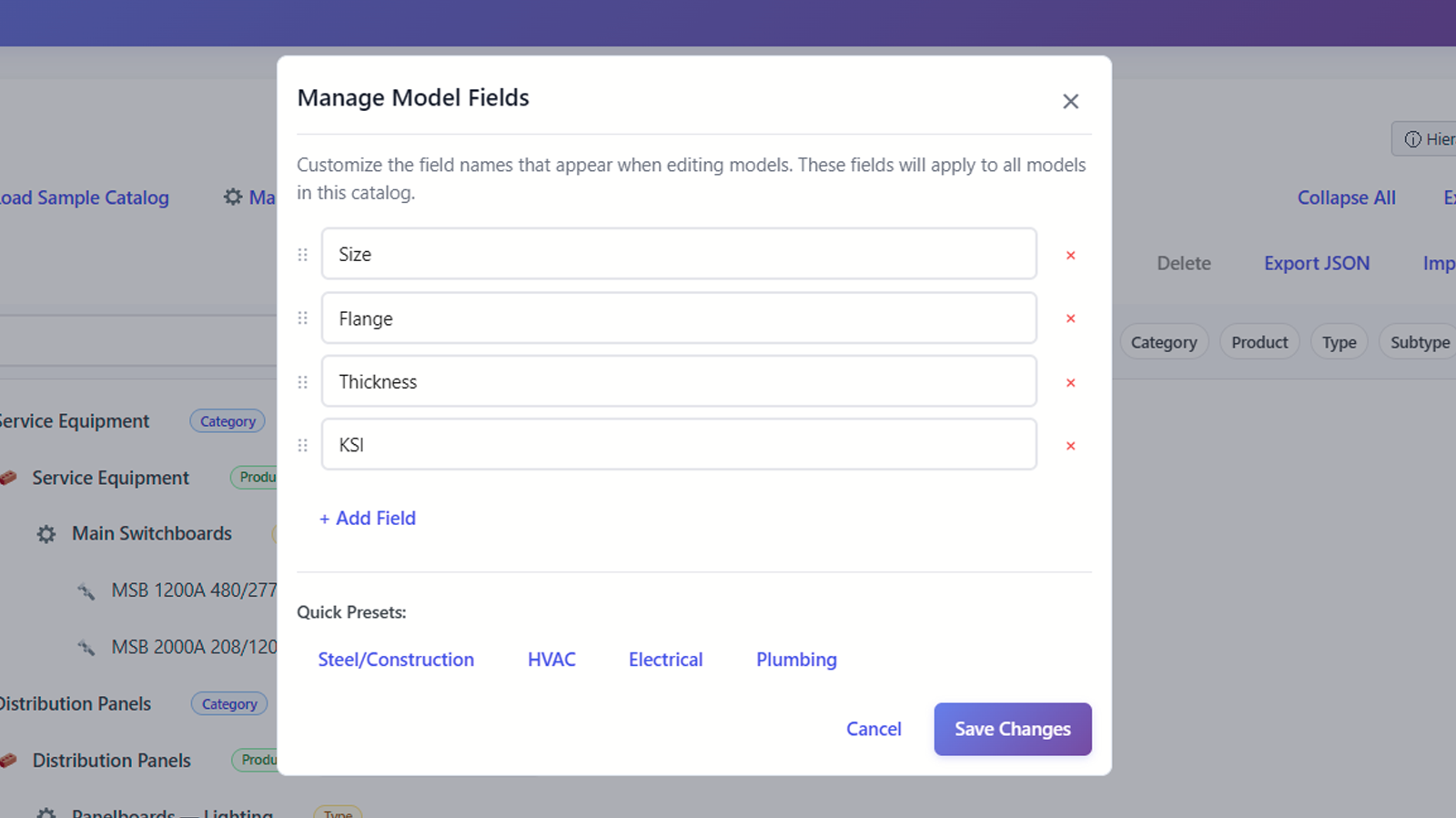
Custom fields – define the specification fields your models use, with presets for HVAC, Electrical, Plumbing, and Steel.
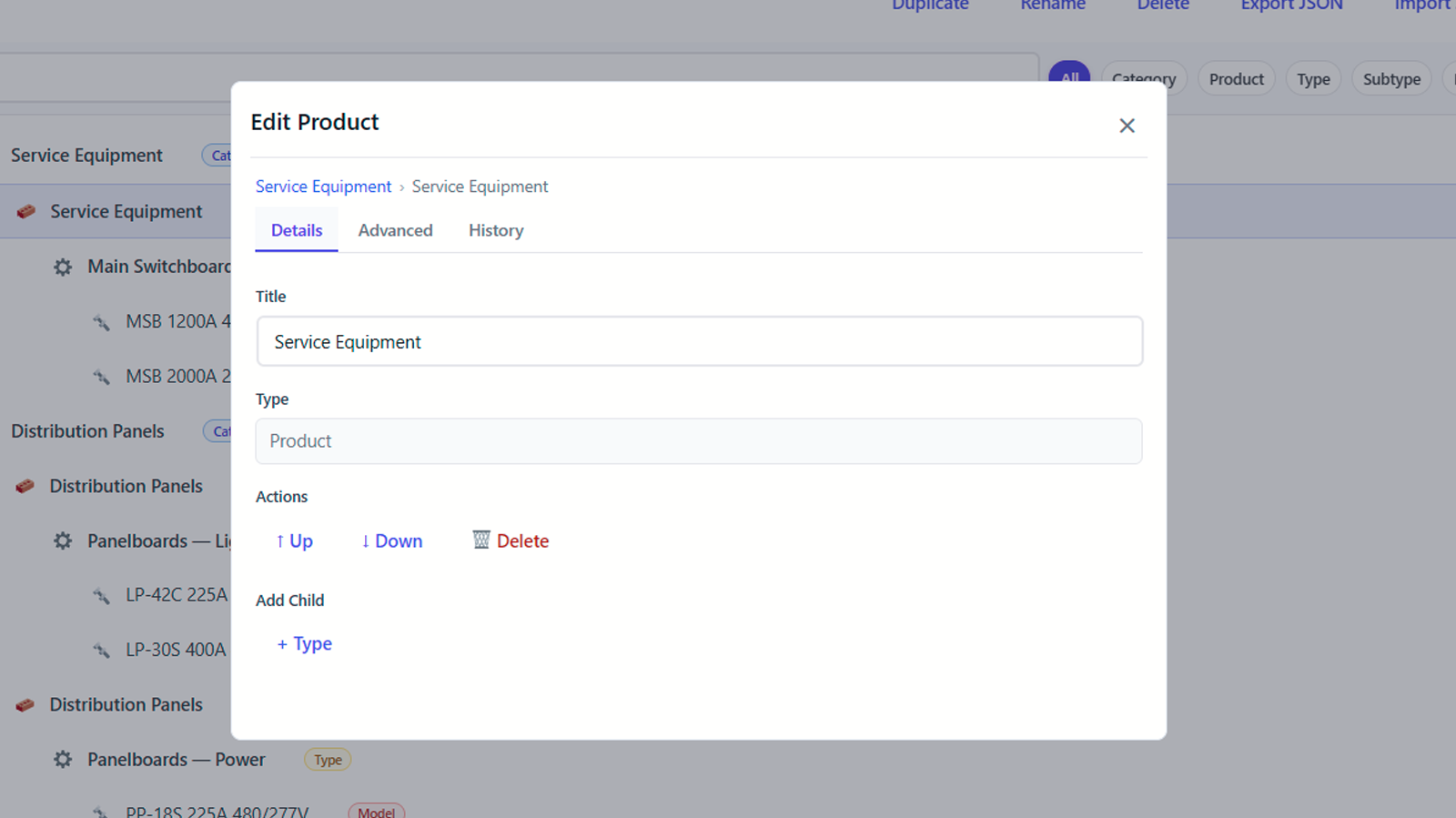
Add categories, types, and models inline while building out the catalog.