Notificator – Alerts & Notifications Wordpress Plugin - Rating, Reviews, Demo & Download

Plugin Description
Notificator is the official WordPress plugin of the Notificator Project. It helps site administrators notice important WordPress events without watching logs or writing a complete monitoring integration.
Discover events exposed by WordPress and installed plugins, choose the events that matter, and decide how each notification should be delivered. Dashboard notifications work entirely inside WordPress and do not require an account or API key.
For remote delivery, connect an optional Notificator API key. The Notificator mobile app can then receive push alerts and display notification details on your phone, while MQTT can deliver events to connected devices through your own HiveMQ Cloud cluster.
What you can do
- Discover actions and filters in WordPress Core and installed plugins.
- Review likely events in a ranked inbox with source, confidence, and noise information.
- Start from ready-made templates or create a notification from scratch.
- Deliver each event to the WordPress dashboard, mobile push, MQTT, or a combination.
- Add conditions so a notification is sent only when its event data matches your rules.
- Add placeholders, priority, and throttling to make alerts more useful and less noisy.
- Export notification configurations as JSON and reuse them across WordPress sites.
- Manage notifications and review delivery status from one activity workspace.
- Register well-described events and templates from another plugin or theme.
Events, templates, and notifications
These three terms describe different stages:
- An event is something that can happen in WordPress, such as a user signing in or an order changing status. Discovering or registering an event does not start monitoring it.
- A template is a ready-made starting configuration for an event. Applying a template opens a draft that you can review and change.
- A notification is the saved rule that listens for an event. Only enabled notifications can create alerts.
Safer hook discovery
Scanning runs locally in resumable background batches, processes one plugin at a time, limits per-plugin file and execution work, reuses unchanged results, and prevents overlapping jobs. Existing discoveries remain available until a new scan finishes. Discovery separates likely events from registrations and dynamic patterns. Optional observation samples traffic and batches database writes; it records approximate counts, argument types, and execution context, but not argument values.
Support Development
If Notificator is useful to you, you can support its continued development through Buy Me a Coffee or GitHub Sponsors. Donations are optional and do not unlock features or priority access.
For other ways to contribute or support the platform, get in touch.
External Services
Notificator can connect to the Notificator service, operated by Notificator Project, to deliver notifications outside WordPress. This connection is optional. Dashboard-only notifications do not use the service.
The plugin connects to the Notificator API at https://wpnotif.notificator-project.com only when an administrator tests an API key, an enabled notification requests Mobile push or MQTT delivery, or a previously configured website monitor is sent to the service. The plugin does not load executable code, fonts, stylesheets, images, or other assets from this or any other remote service.
Data sent to the service
For authentication and request security, the request includes the enabled API key, site origin, timestamp, nonce, and HMAC signature.
For a triggered notification, the request can include:
- Notification title, body, priority, source, rendered notes, hook name, and notification name.
- Mobile push and MQTT delivery choices.
- Site URL and name, WordPress and plugin versions, and event timestamp.
- Administrator-configured placeholder values.
- For a configured website monitor, its name, URL, HTTP method, and enabled state.
- If a HiveMQ Cloud connection is enabled, its hostname, WSS port and path, publisher username and password, and topic prefix. These values are sent only for MQTT-enabled requests so the API can connect to that broker.
Raw hook arguments, WordPress database contents, and user exports are not sent wholesale.
How the service uses the data
The service validates the API key and allowed domains. Notification content may be encrypted with the account’s public key and stored in Supabase for the Notificator app. Depending on account settings, it can use Expo for push, the administrator’s HiveMQ cluster for MQTT, and Resend for email. Push previews may be generic while full content remains encrypted. HiveMQ credentials are used for the current request and are not stored in the Notificator account database.
Use of the remote service is subject to the information published by Notificator Project, its documentation, and its privacy policy.
HiveMQ Cloud is an independent third-party service. Its plans, limits, terms, and availability are controlled by HiveMQ. See https://www.hivemq.com/products/mqtt-cloud-broker/ and https://docs.hivemq.com/hivemq-cloud/quick-start-guide.html.
Privacy
Notificator does not add analytics or advertising tracking.
The plugin stores configuration, discovery metadata, activity, dashboard-toast data, and temporary delivery jobs in the WordPress database. A custom MQTT password is encrypted in a separate, non-autoloaded option. Scan caches may be stored in uploads. Observation stores counts and type metadata, not argument values.
Remote delivery is opt-in per notification and requires an enabled API key. Administrators control the notification text and placeholders and are responsible for avoiding unnecessary personal or sensitive information.
Deleting the plugin through WordPress removes plugin data as described in the FAQ.
Development
Human-readable TypeScript, SCSS, and PHP source code, along with build scripts and development instructions, is available in the Notificator GitHub repository.
The minified files in assets/dist are generated from assets/js and assets/src. Run npm ci followed by npm run build to reproduce them.
Screenshots
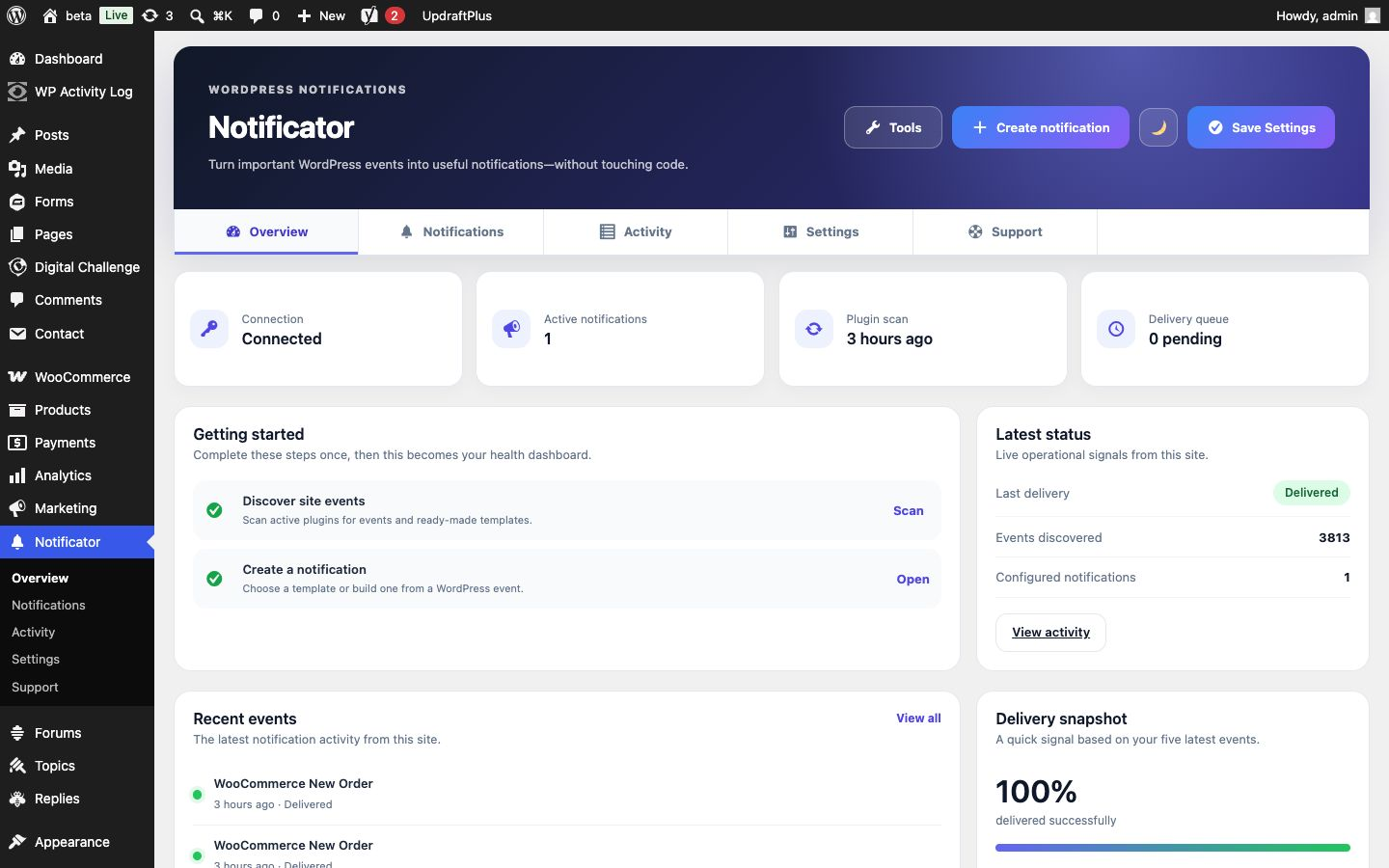
Overview with setup progress, delivery health, and recent events.
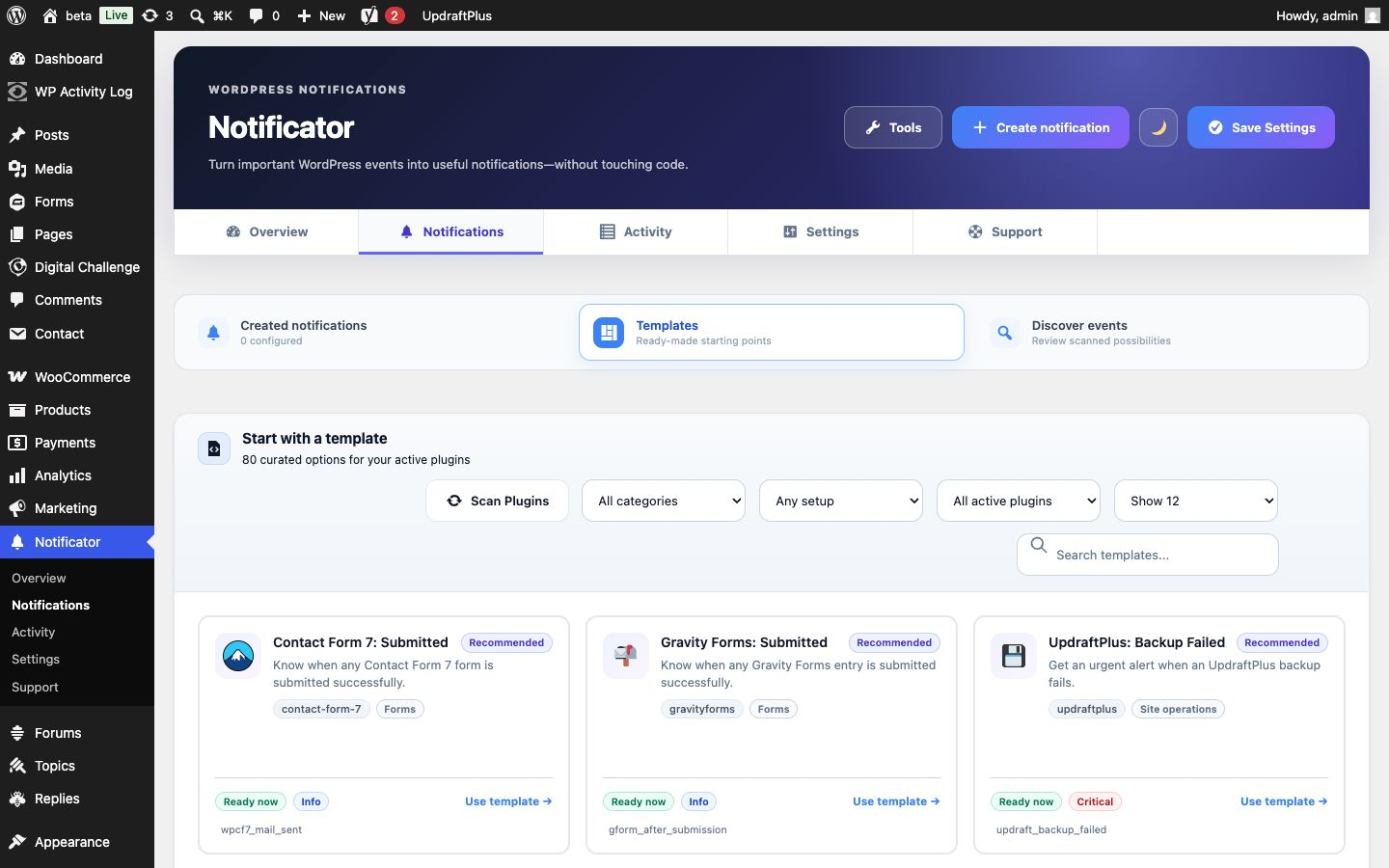
Ready-made templates for popular WordPress plugins and common events.
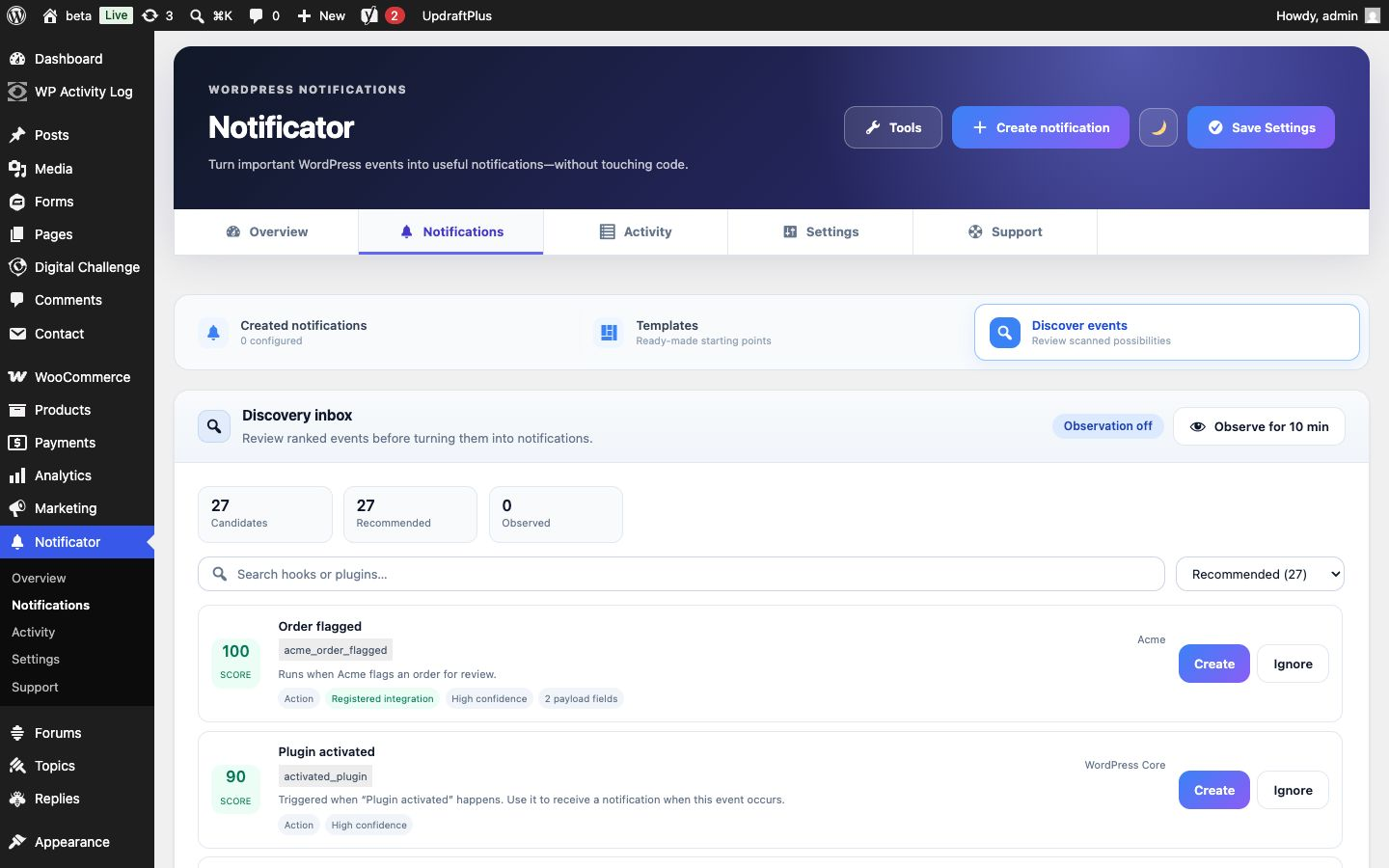
Discovery inbox with ranked events, plain-language descriptions, and quick creation.
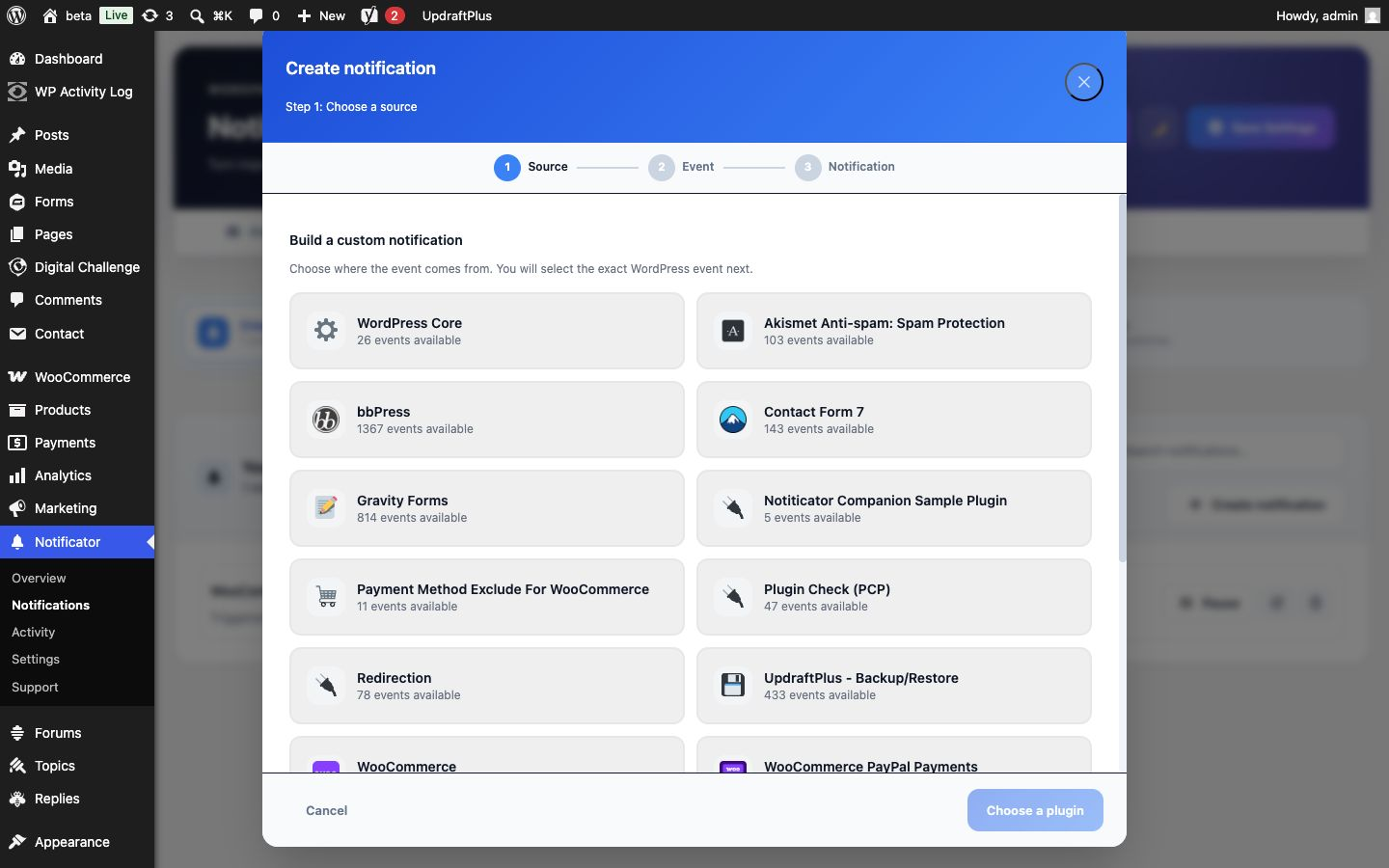
Guided notification editor for choosing a source, event, message, and delivery channels.