
LangAddon Multilingual Translation Wordpress Plugin - Rating, Reviews, Demo & Download
Plugin Description
LangAddon makes any WordPress site multilingual for free. It machine-translates your pages using free backends (MyMemory or a self-hosted LibreTranslate) or your own Google/DeepL key, caches every translation in your own database (so repeat views are instant and each string is translated only once), and lets you edit translations. Includes a language switcher, right-to-left support and hreflang tags.
You can also keep chosen words untranslated everywhere: brand names, product names, domain extensions, code, and optionally anything that contains a price. See the “Never translate” question below.
No subscription. No third-party lock-in. Your translations stay in your database. Free for anyone to use, fork, and build on.
Highlights
- 40+ languages including RTL (Arabic, Farsi, Hebrew)
- Free backends (MyMemory, LibreTranslate) or your own Google/DeepL key
- Self-hosted, cached, editable translations
- Never-translate list for brand and product names, domains, and code, plus an optional price guard
- Language switcher shortcode
[langaddon_switcher], floating widget, or theme slot - hreflang tags + translated title/meta description
External services
To translate text, LangAddon sends the strings on the page being viewed to the translation backend you select in Settings LangAddon. Nothing is sent until you choose a backend and a target language, and results are cached in your own database so each string is sent only once. No data is sent to HostAddon.
Depending on your choice, text is sent to one of these services:
- MyMemory (default): sends the text to be translated, plus your email only if you add one to raise the free limit. Service by Translated. Terms and privacy: https://mymemory.translated.net/terms-and-conditions
- LibreTranslate (optional): sends the text to the LibreTranslate server URL you configure, which may be your own self-hosted server or a public one. Project: https://libretranslate.com/ . Terms and privacy depend on the server you point to; self-hosting keeps all text on your own infrastructure.
- Google Cloud Translation (optional): sends the text and your API key to Google. Terms: https://cloud.google.com/terms/ , privacy: https://policies.google.com/privacy
- DeepL (optional): sends the text and your API key to DeepL. Terms: https://www.deepl.com/pro-license , privacy: https://www.deepl.com/privacy
Screenshots
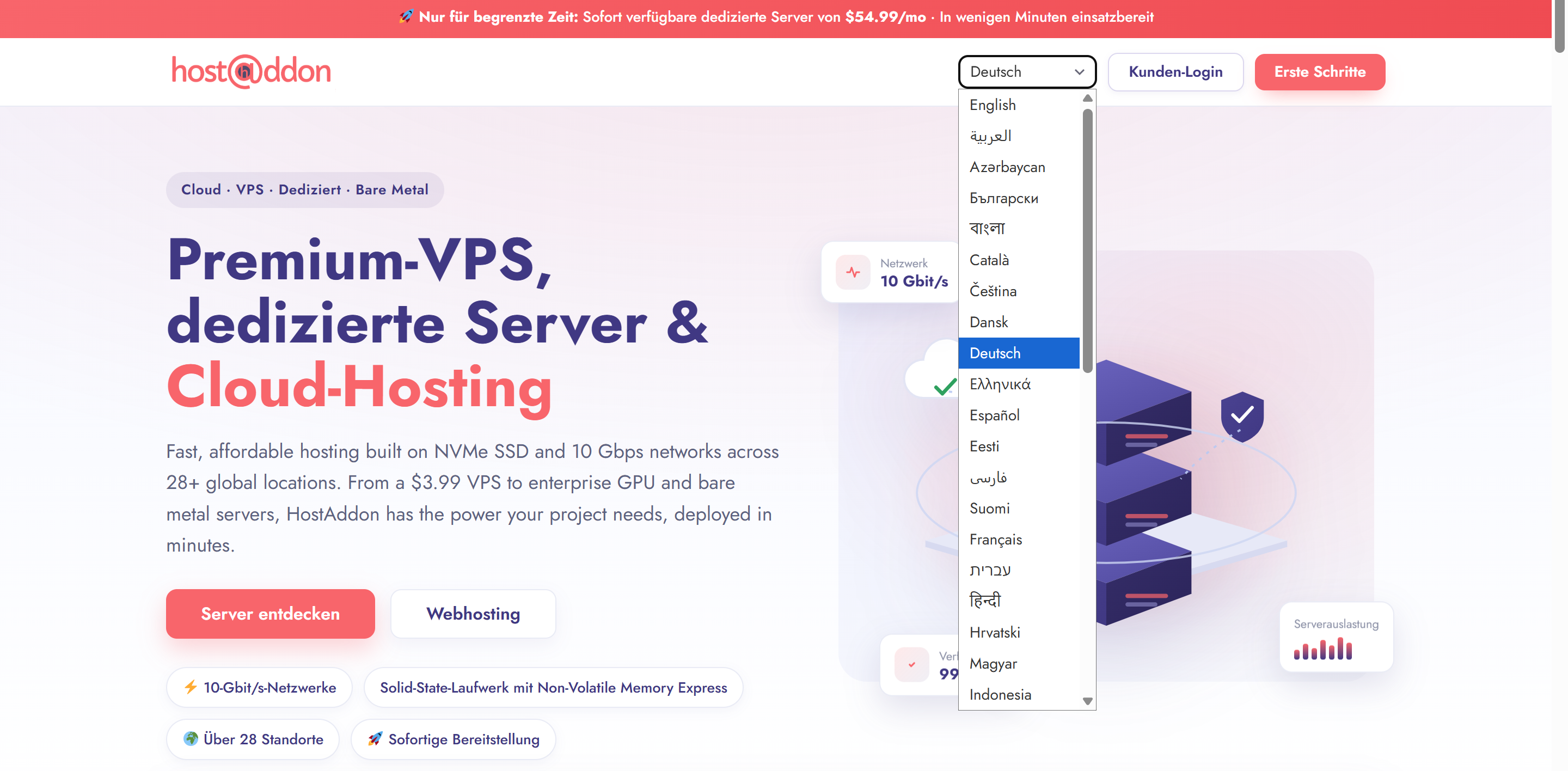
The language switcher on the front end. Pages are served fully translated (shown here in German), with brand names, domains, and prices left exactly as written.
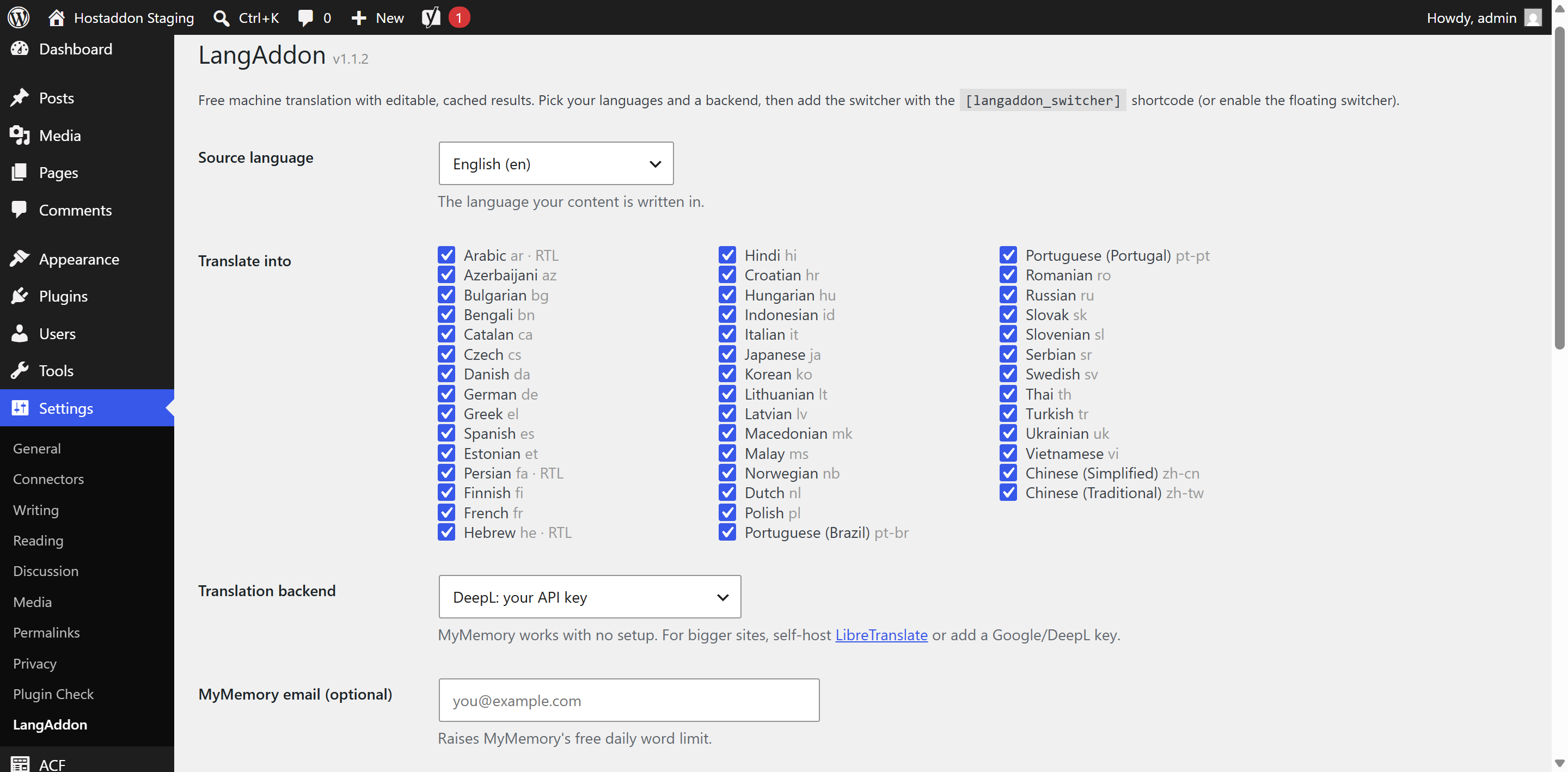
Settings: pick your source language, the languages to translate into, and a translation backend (MyMemory, LibreTranslate, Google, or DeepL).
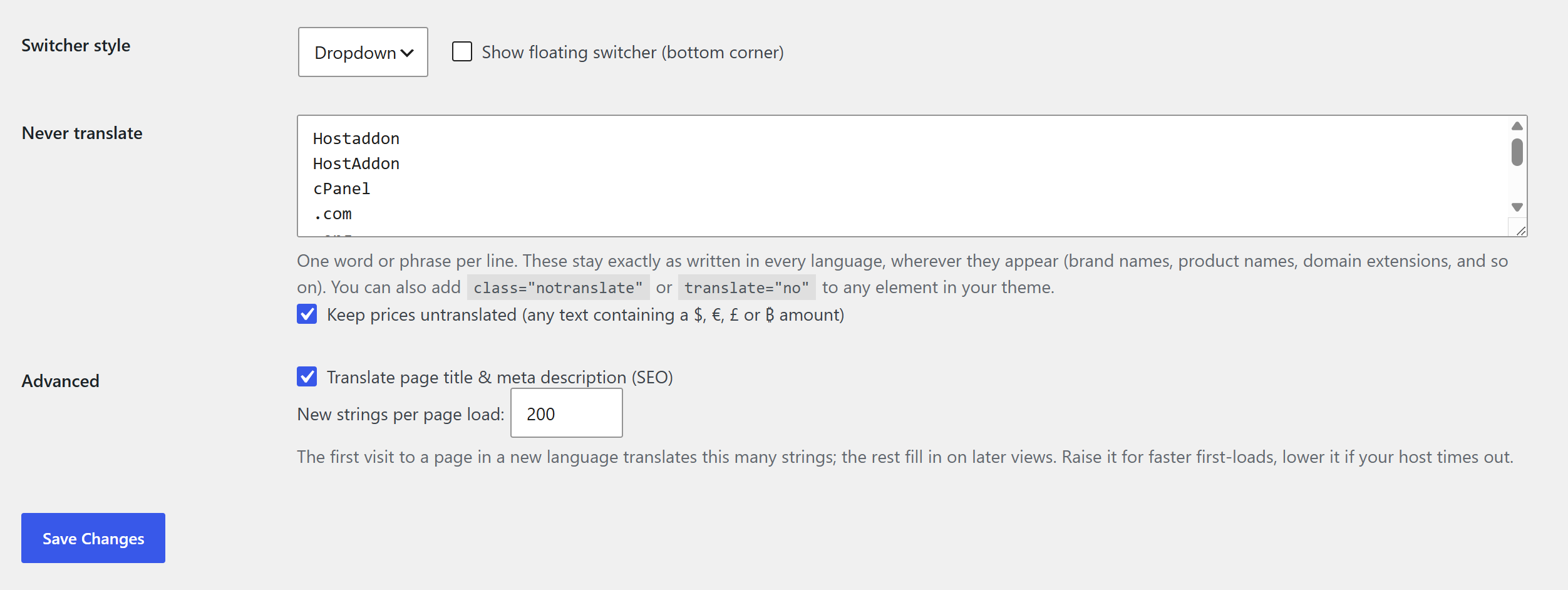
The Never-translate list and the price guard, plus the per-page translation control.

