WPTypia Email Service Provider Connector For Newspack Newsletters With Listmonk Wordpress Plugin - Rating, Reviews, Demo & Download

Plugin Description
WPTypia Email Service Provider Connector for Newspack Newsletters with Listmonk is a companion plugin for Newspack Newsletters that adds a Listmonk ESP provider.
It turns Newspack newsletter editor output into raw HTML Listmonk campaigns, then
supports draft sync, test sends, immediate sends, and scheduled sends.
Subscriber sync and campaign analytics are included. The connector does not
expose a WordPress webhook receiver; configure bounce and complaint processing
in Listmonk.
This plugin requires a Listmonk server configured by the site administrator. It
sends newsletter HTML, campaign metadata, subscriber email addresses, list
membership changes, subscriber attributes, and analytics lookup requests to the
configured Listmonk API URL. Listmonk may be self-hosted or operated by another
party depending on the URL you configure. Review your Listmonk deployment’s own
privacy policy, terms, and data retention settings before connecting it.
Listmonk project documentation is available at https://listmonk.app/docs/.
Built with WPTypia
This plugin was scaffolded as a WPTypia workspace and continues to use
WPTypia packages and synchronization tooling for typed REST contracts,
generated schemas, and build consistency. WPTypia is maintained by this
plugin’s author at https://github.com/imjlk/wp-typia.
The plugin also builds on the WordPress Block Editor and Interactivity API,
Newspack Newsletters provider APIs, and the Listmonk REST API.
Newspack and Listmonk are trademarks or project names of their respective
owners. This plugin is not affiliated with or endorsed by Newspack, Automattic,
or the Listmonk project.
Requirements
- WordPress 6.7 or later.
- PHP 8.0 or later.
- Newspack Newsletters installed and active.
- Newspack platform plugin is optional; Newspack Newsletters is the required dependency for this connector.
- A reachable Listmonk server over HTTPS. Plain HTTP is allowed only when WordPress runs in a local or development environment.
- A Listmonk API user with
lists:get_all,campaigns:manage,campaigns:send,campaigns:get_analytics,subscribers:get,subscribers:manage, andbounces:get.
Privacy and Uninstall
The Listmonk API URL, API user, API token, default From email, template ID, and
default list IDs are stored in the WordPress options table. When the plugin is
uninstalled, those local settings and connector sync-error transients are
deleted.
Uninstalling this plugin does not delete remote Listmonk campaigns,
subscribers, lists, bounces, or analytics data. It also preserves connector post
meta on newsletter posts so campaign history remains auditable if the plugin is
reinstalled. Remove remote data from the Listmonk admin if your retention policy
requires it.
Suggested privacy-policy text is available at
https://github.com/imjlk/wp-typia-newsletter-connector/blob/main/docs/PRIVACY.md.
Screenshots
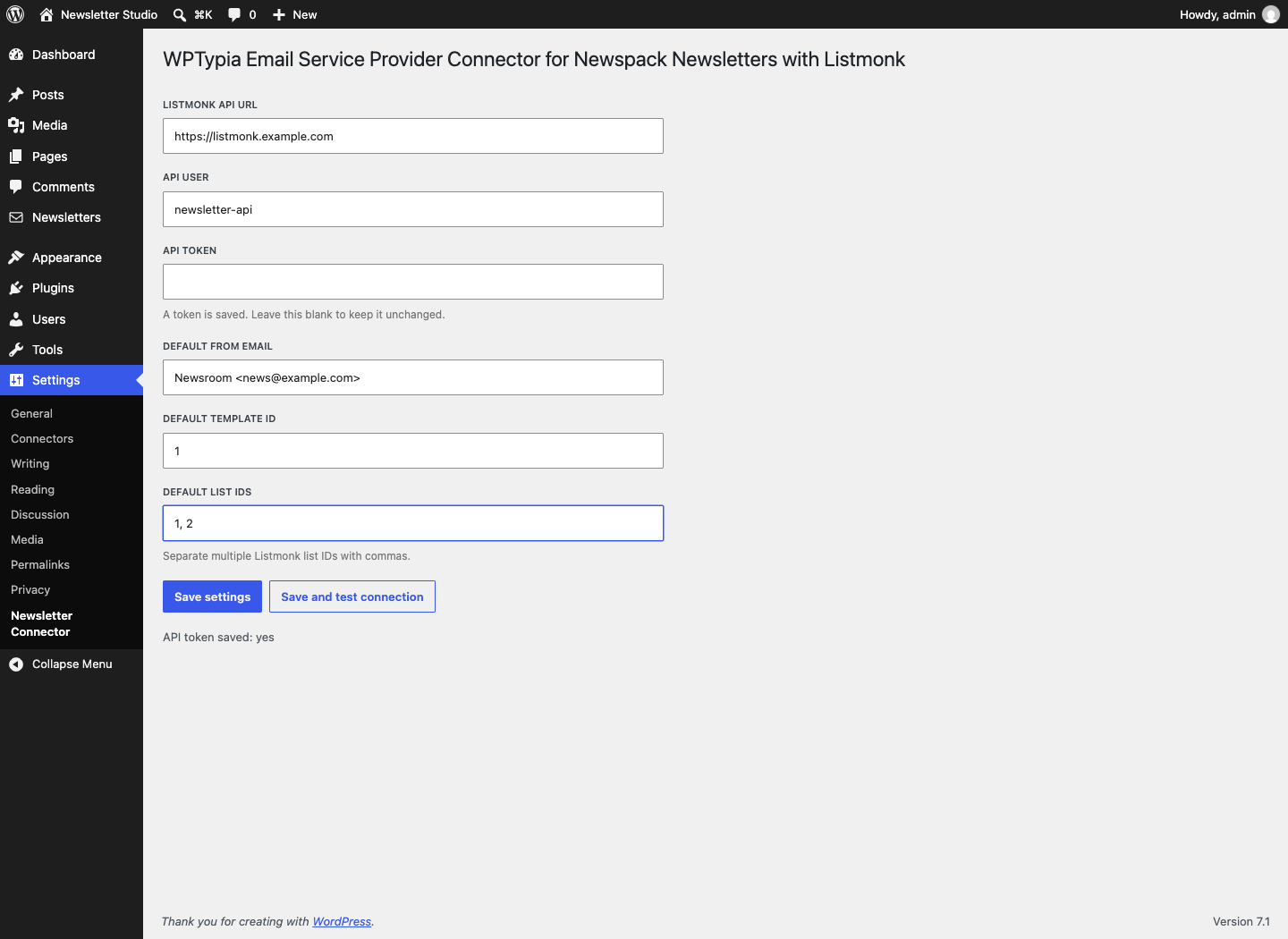
Configure the Listmonk API connection, sender defaults, template, and target list IDs from the WordPress settings screen.
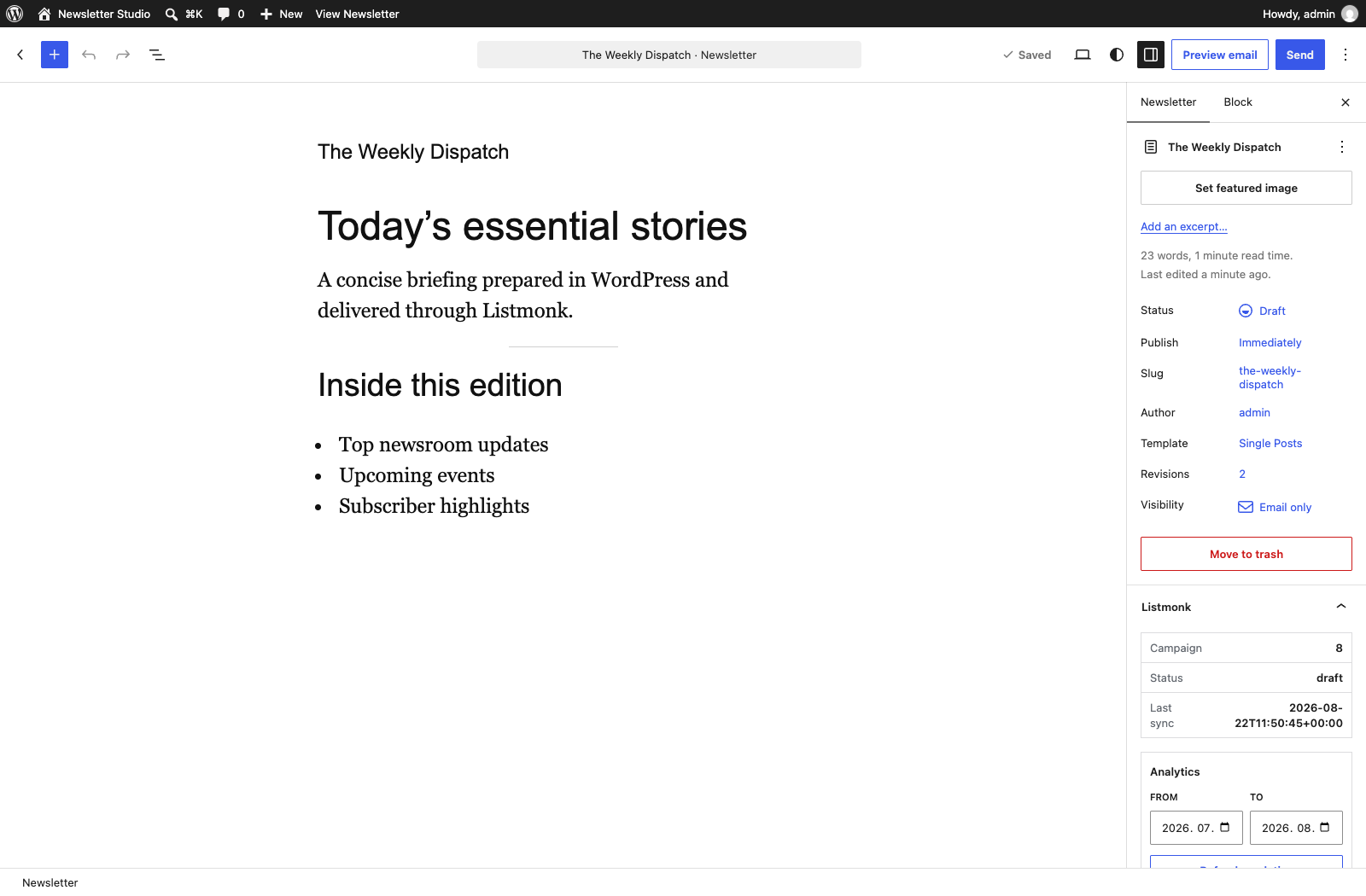
Compose a newsletter in the WordPress 7.1 iframed editor while reviewing the connected Listmonk campaign status and analytics.
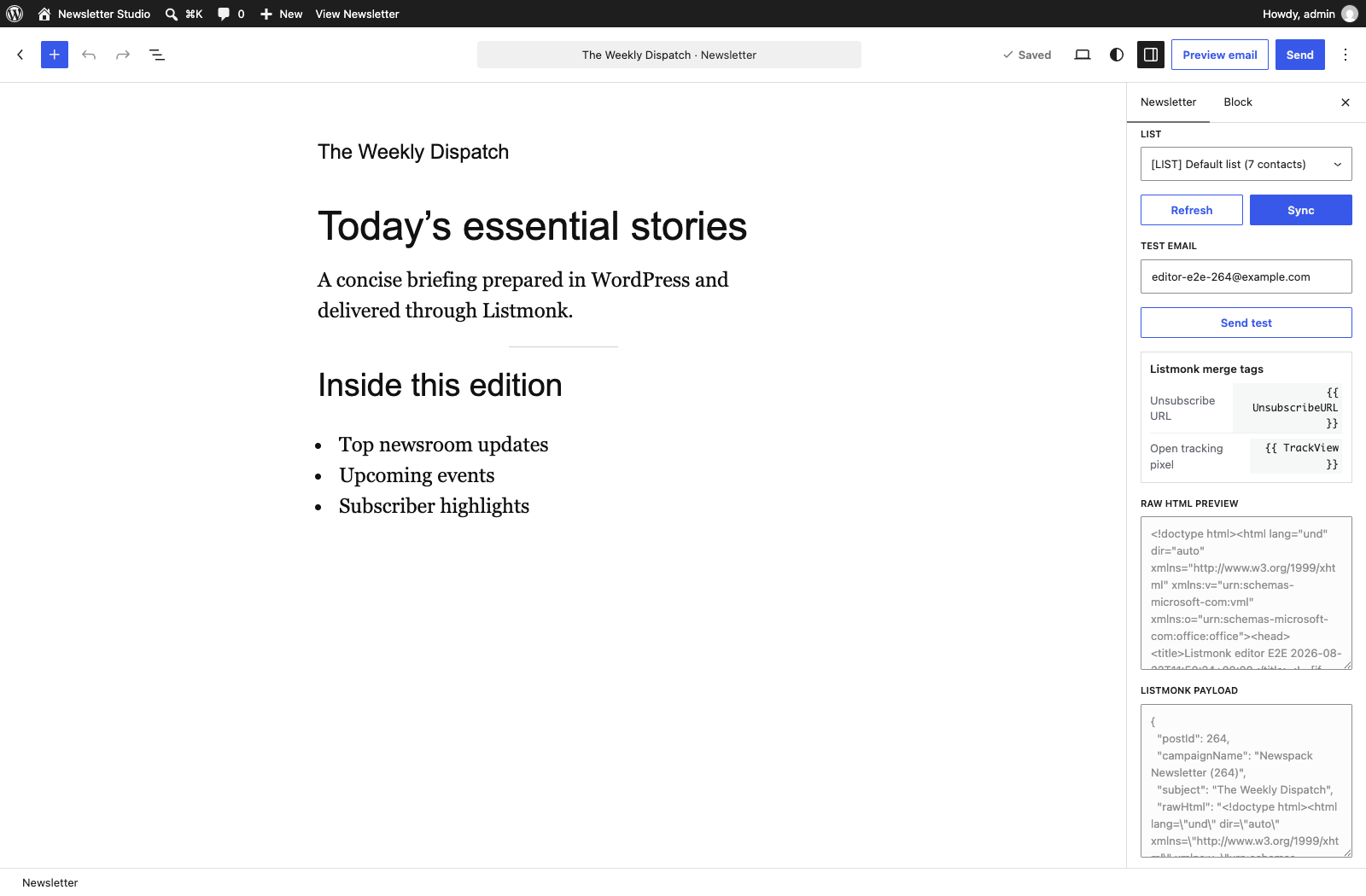
Select a Listmonk audience, sync the campaign, send a test email, and inspect the generated HTML and payload without leaving the editor.