
Plugixa FAQ Wordpress Plugin - Rating, Reviews, Demo & Download

Plugin Description
Plugixa FAQ is a powerful and user-friendly FAQ plugin for WordPress. It features a modern React-based admin panel, beautiful accordion displays, and built-in SEO optimization with FAQ Schema markup.
Source code: the human-readable source for the frontend and block bundles ships inside this plugin, under assets/frontend/app/ and assets/blocks/, together with the build configuration and pinned dependencies. See the “Source Code” section below for the file-by-file mapping and build instructions.
Key Features
- Modern Admin Interface – React-powered admin panel with Material UI
- Accordion Display – Beautiful, animated accordion with multiple styles
- Categories – Organize FAQs into categories
- Schema Markup – Automatic FAQ Schema (JSON-LD) for Google rich results
- Shortcode – Flexible
[plugixa_faq]shortcode with many options - Widget – Display FAQs in sidebars and footers
- Search – Live search functionality
- Fully Responsive – Works great on all devices
- Accessible – WCAG 2.1 compliant
Shortcode Usage
Basic usage:
[plugixa_faq]
With options:
[plugixa_faq category=”general” limit=”5″ style=”accordion”]
Shortcode Parameters
category– Filter by category slugids– Show specific FAQ IDs (comma-separated)limit– Number of FAQs to show (-1 for all)style– Display style: accordion, list, or toggleorderby– Sort by: menu_order, date, title, or randorder– Sort order: ASC or DESCschema– Enable FAQ schema: true or falsesearch– Show search box: true or falsegroup_by_category– Group FAQs by category: true or false
External services
The free version of this plugin connects to exactly one external service: Freemius,
which handles licensing and plugin updates. Every other service listed below belongs
to a premium feature. Each stays dormant until an administrator turns it on and enters
their own credentials, and each is reached only by a feature the free download does not
include – so on a free install none of them is ever contacted.
Two things this plugin deliberately does NOT do:
- It does not load web fonts from a CDN. The font files are bundled with the plugin
and served from your own site (assets/fonts/), so no request is ever made to
fonts.googleapis.com or fonts.gstatic.com. - It does not phone home to plugixa.com. Our own site appears only in the plugin
header and in copyright notices; no code contacts it.
The plugin is published by Plugixa. Our own policies, which cover the plugin and our
store, are here:
Terms of Service: https://www.plugixa.com/terms-of-service
Privacy Policy: https://www.plugixa.com/privacy-policy
Freemius (free and premium)
What it is and why it is used: Freemius, Inc. provides the licensing, software update
and checkout layer for this plugin, plus — only if you opt in — anonymous usage
diagnostics.
What is sent and when: on activation you are shown an opt-in screen. If you skip it,
no identifiable data is sent. If you opt in, or when you activate or manage a license
or make a purchase, data such as your site URL, WordPress and PHP versions, active
theme and plugins, and the email address used at opt-in may be transmitted. This
happens on activation, on plugin update checks, and on license actions.
Terms of Service: https://freemius.com/terms/
Privacy Policy: https://freemius.com/privacy/
OpenAI (premium only)
What it is and why it is used: OpenAI, L.L.C. powers the optional AI FAQ generator,
which drafts questions and answers for you.
What is sent and when: nothing is sent until an administrator saves their own OpenAI
API key and clicks a generate button. A request is then made per generation and
contains the generation prompt, the topic or keywords you entered, and any source text
you supplied — pasted text, the text extracted from a document you uploaded, or the
text scraped from a URL you provided. No visitor data and no site content is sent
unless you put it into the generator yourself.
Terms of Service: https://openai.com/policies/row-terms-of-use/
Privacy Policy: https://openai.com/policies/privacy-policy/
Google Gemini (premium only)
What it is and why it is used: Google’s Gemini API is the alternative provider for the
same optional AI FAQ generator. You choose one provider or the other; only the one you
configure is ever contacted.
What is sent and when: identical to OpenAI above — nothing until an administrator
saves their own Gemini API key and starts a generation, then the prompt, your topic or
keywords, and any source text you supplied.
Terms of Service: https://policies.google.com/terms
Privacy Policy: https://policies.google.com/privacy
Cloudflare Turnstile
What it is and why it is used: Cloudflare Turnstile is an optional, privacy-focused
alternative to a CAPTCHA. It protects the two forms a visitor can post to – the FAQ
feedback vote and the visitor FAQ submission form – from automated spam. It replaced
Google reCAPTCHA in version 1.0.4.
The integration itself is part of the plugin’s core and is not a paid add-on, but the
two forms it protects are premium features. On a free install there is therefore no
form for it to guard, and the plugin does not load Turnstile’s script or contact
Cloudflare at all, regardless of settings.
What is sent and when: nothing unless an administrator enables Turnstile and enters
their own site and secret keys. Once enabled, a visitor’s browser loads Turnstile’s
widget script from Cloudflare, which performs its own checks in the browser. When that
visitor then submits feedback or a suggested FAQ, your server sends Cloudflare the
one-time token the widget produced, your secret key, and the visitor’s IP address, in
order to confirm the submission is not automated. No FAQ content and no other personal
data is transmitted. Turnstile returns only a pass or fail result.
Terms of Service: https://www.cloudflare.com/website-terms/
Privacy Policy: https://www.cloudflare.com/privacypolicy/
Website import (premium only)
What it is and why it is used: the AI generator can build FAQs from an existing web
page. This is not a third-party service; the plugin fetches the exact URL an
administrator types into the import field.
What is sent and when: a single HTTP GET request to that URL, made only when an
administrator submits the form. No data about your site or your visitors is included.
The resulting page text is then treated as source text for whichever AI provider you
configured above, so that provider’s terms apply to it.
Source Code
The human-readable source for the frontend and block bundles ships inside this plugin,
together with its build configuration and a lockfile pinning every dependency to an
exact version, so those builds are reproducible.
Compiled output -> source it is built from:
-
assets/frontend/build/css/frontend.css and assets/frontend/build/js/main.js
<- assets/frontend/app/src/ (Tailwind CSS 4)
build config: assets/frontend/app/vite.config.js, tailwind.config.js
dependencies: assets/frontend/app/package.json + package-lock.json -
assets/build/blocks/faq-block/*
<- assets/blocks/faq-block/ (Gutenberg block, @wordpress/scripts)
dependencies: assets/blocks/package.json + package-lock.json
To rebuild either of them, with Node.js 20 or newer, run in each of
assets/frontend/app and assets/blocks:
npm install
npm run build
The admin interface under assets/backend/build/ is a React 19 and Material UI
application bundled with Vite. Files there named after third-party packages come from
those packages as published on npm, unmodified. Module Federation shared singletons in
the admin app: react, react-dom, react-router-dom, @tanstack/react-query,
@emotion/react, @emotion/styled.
The PHP dependencies are managed with Composer; composer.json and composer.lock ship
at the plugin root alongside vendor/.
Screenshots
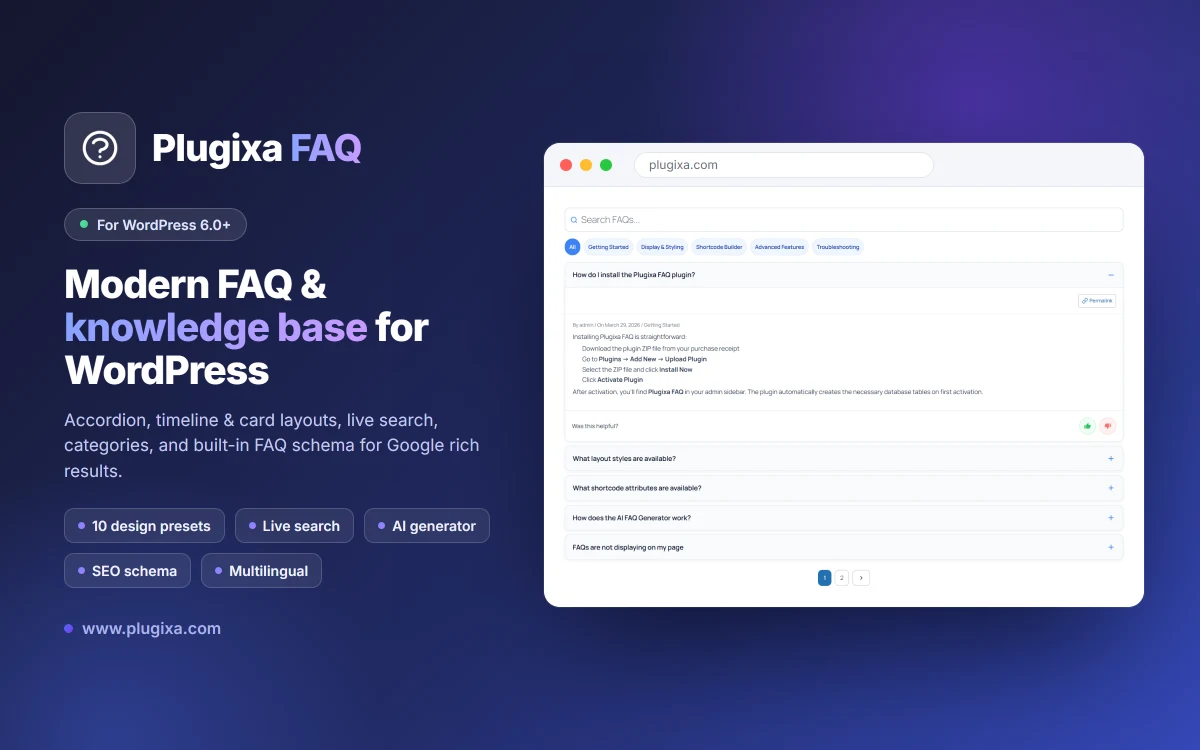
Plugixa FAQ – a modern FAQ and knowledge base for WordPress
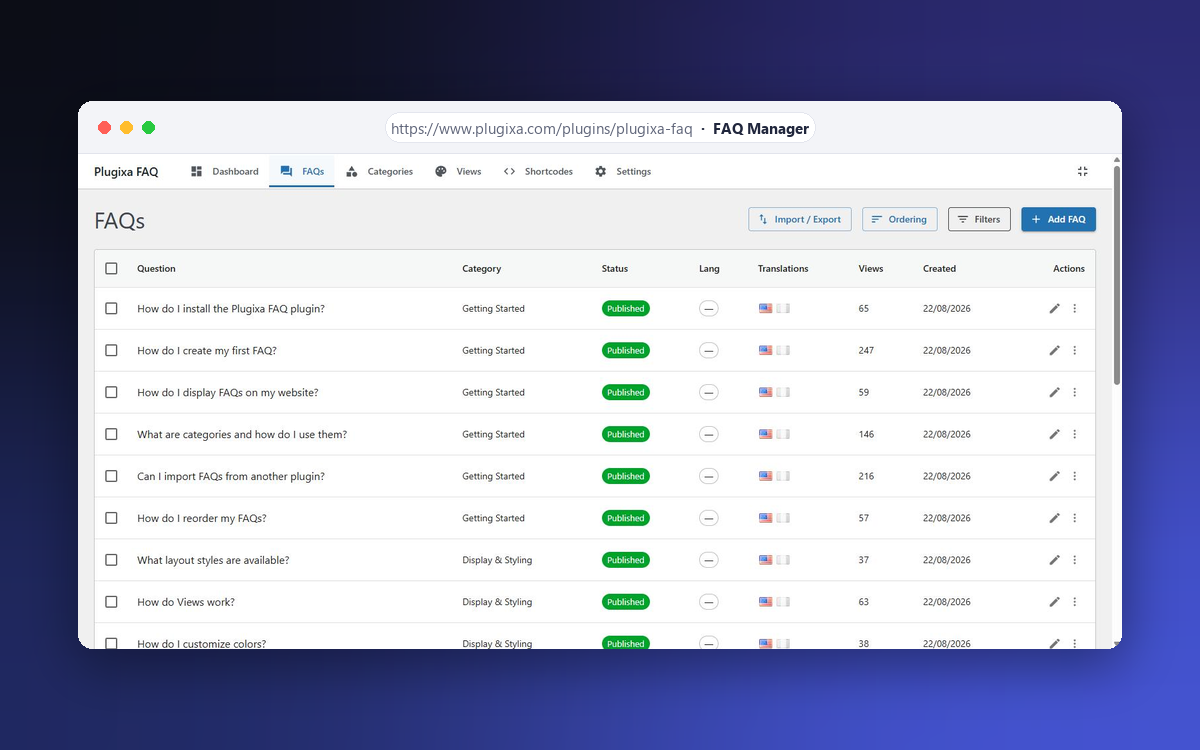
FAQ Manager – list every FAQ with its category, status and view count
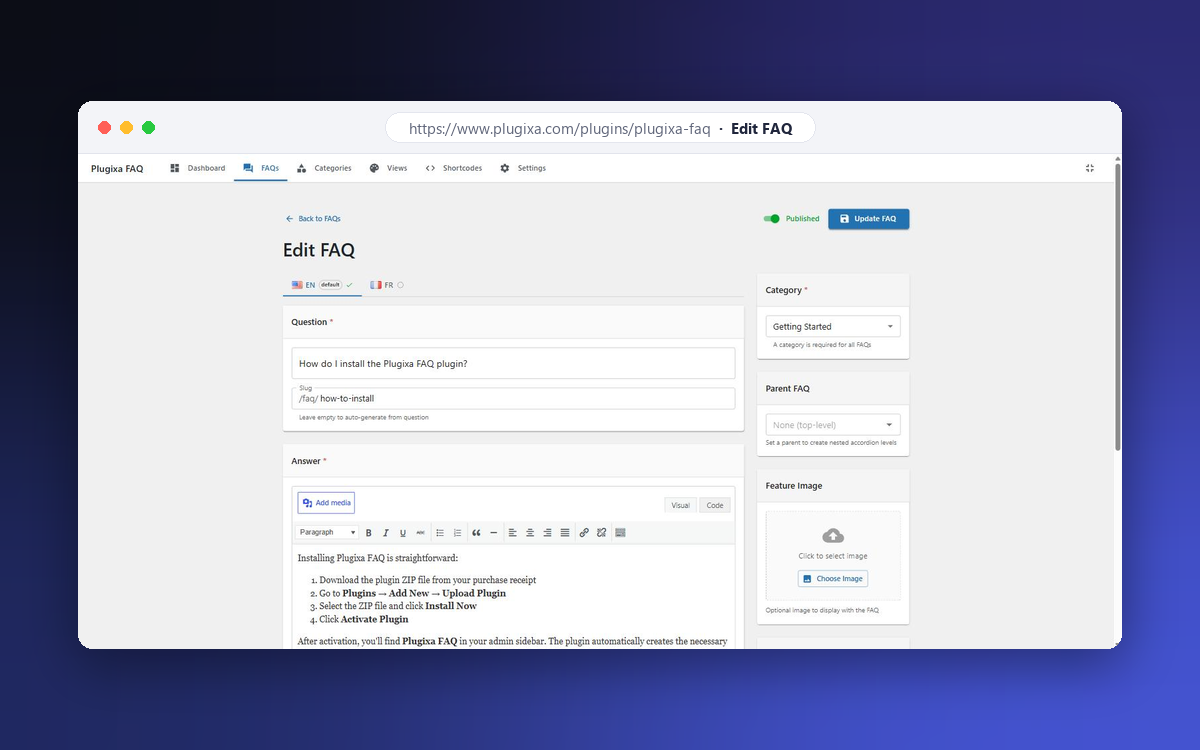
FAQ editor – rich text answers, slug, category and featured image
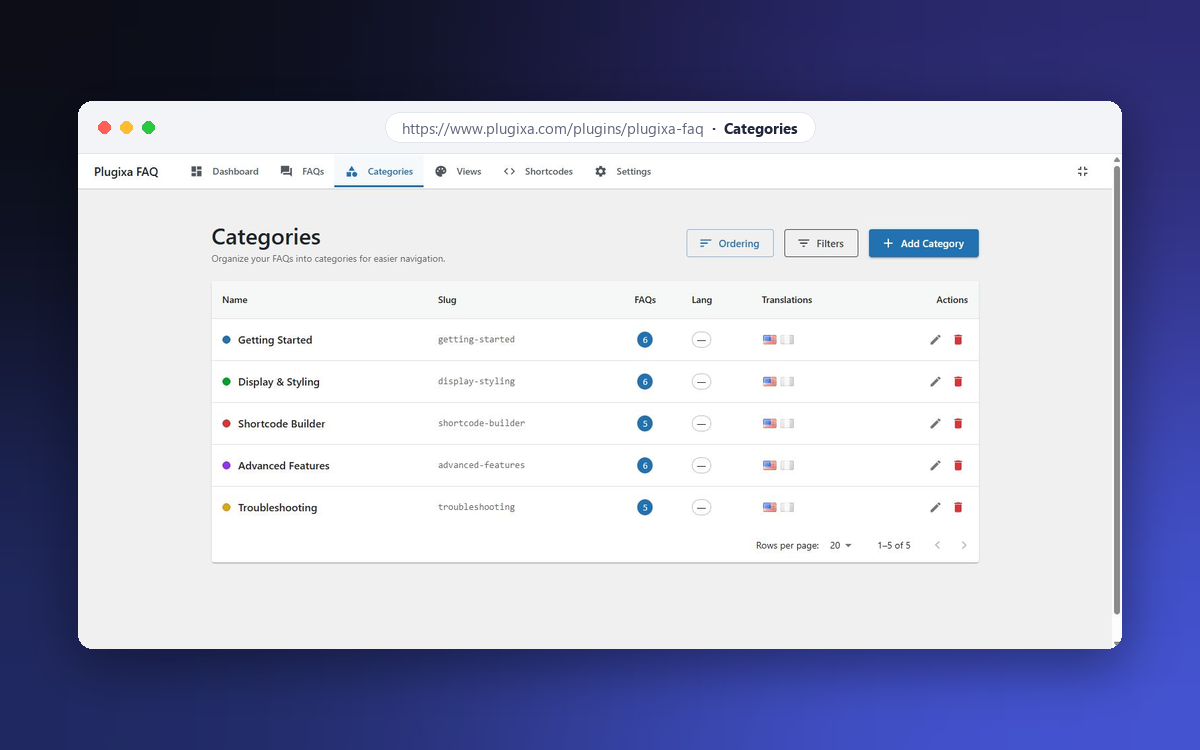
Category management – colours, slugs and per-category FAQ counts
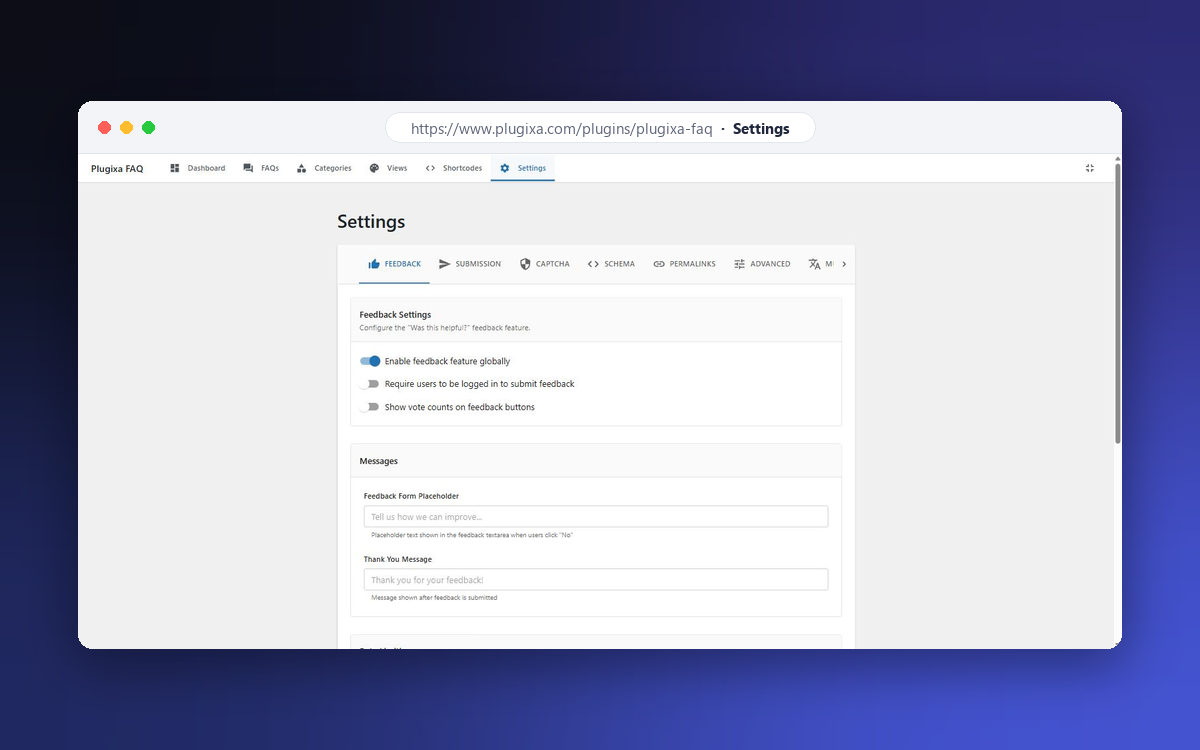
Settings – feedback, submission, captcha, schema and permalinks
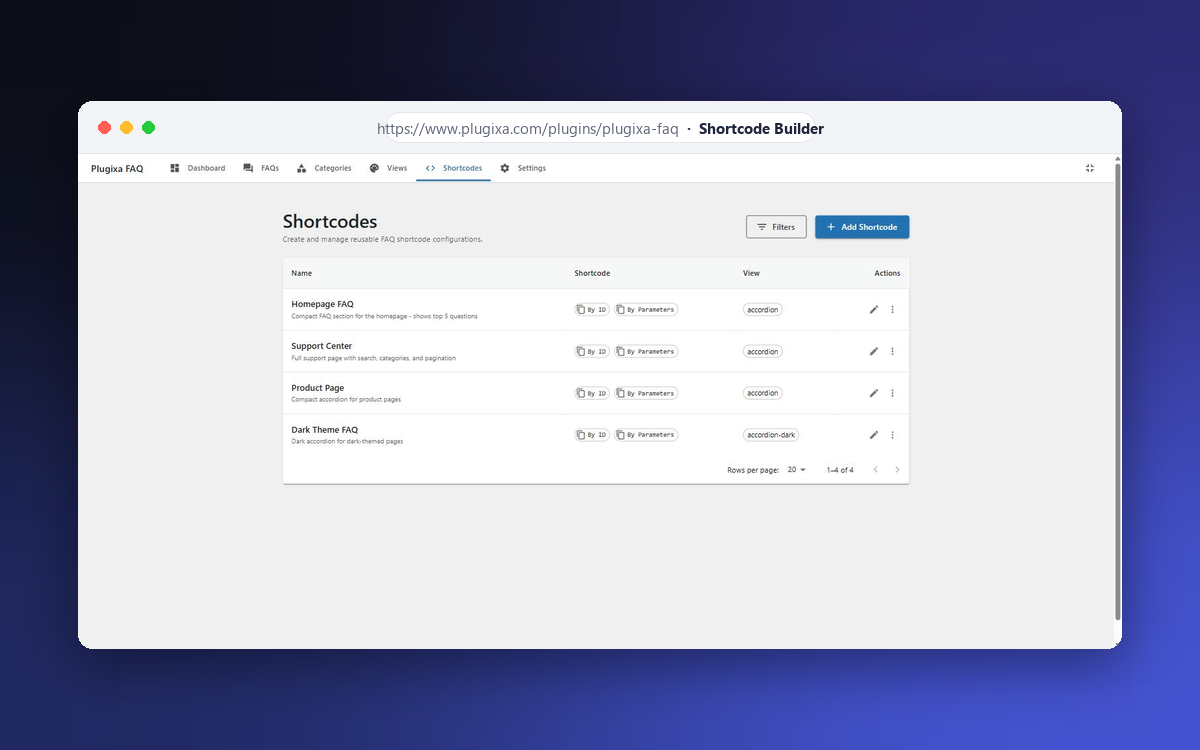
Shortcode Builder – reusable shortcode configurations
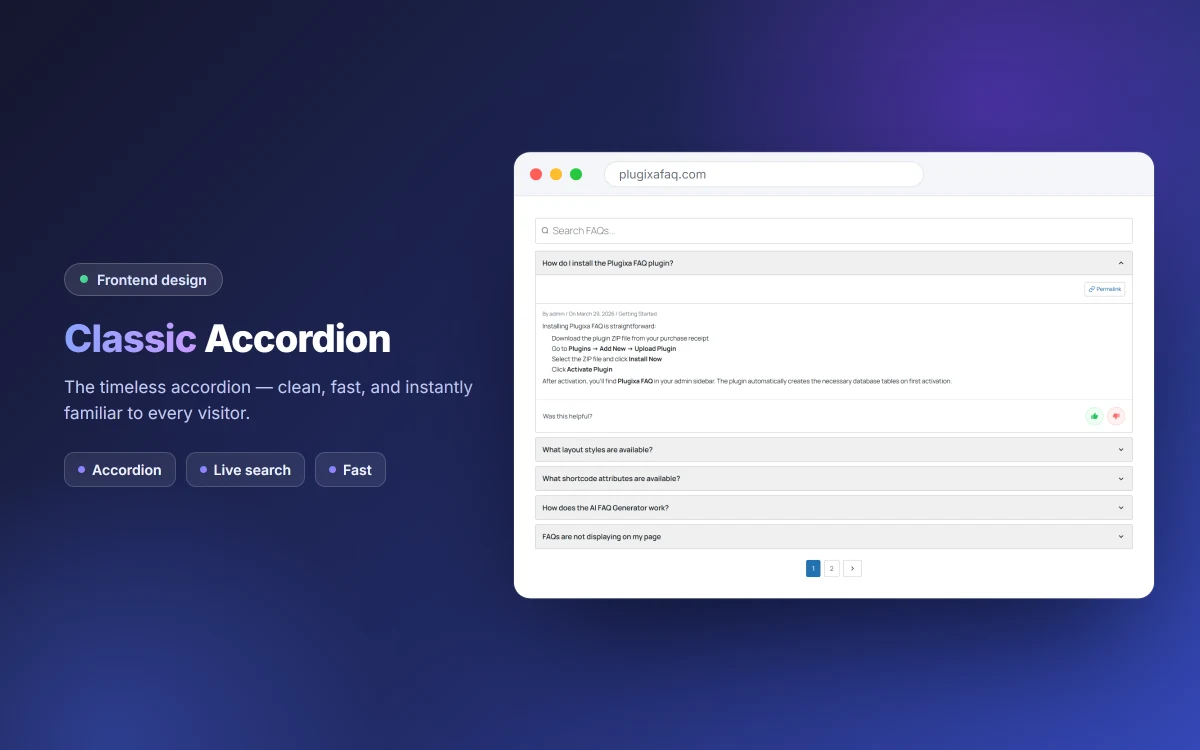
Classic Accordion layout with live search
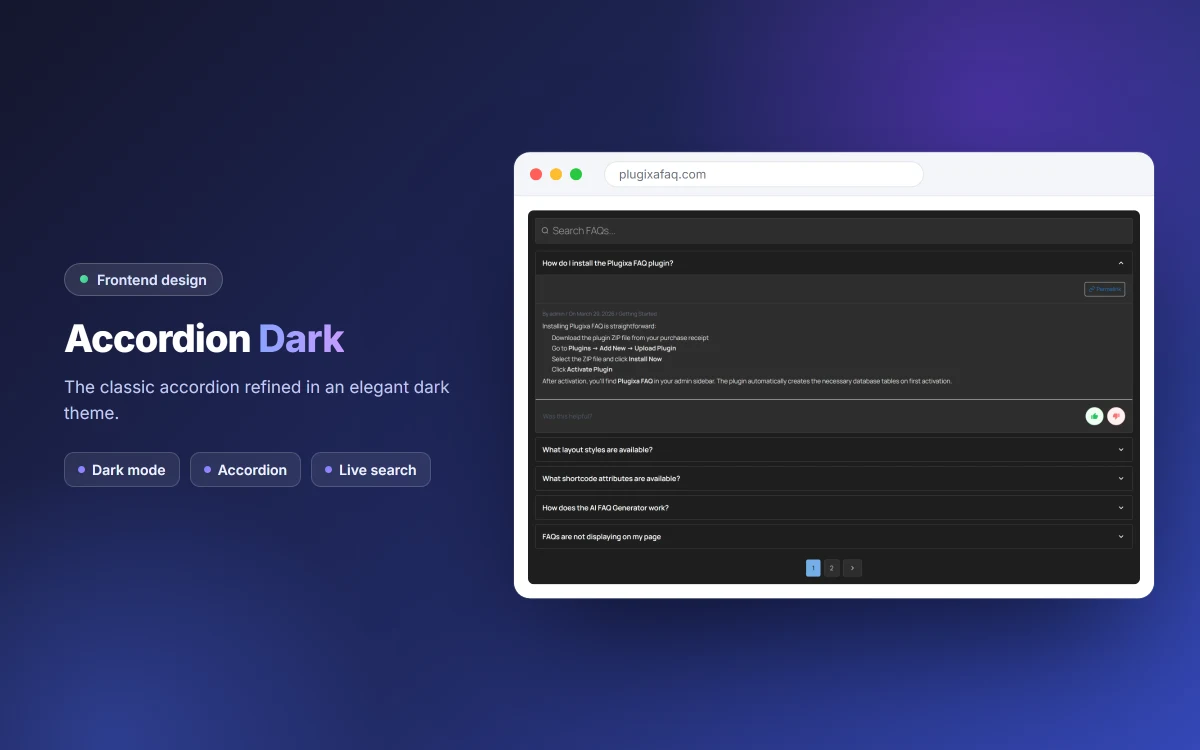
Accordion Dark layout for dark-themed sites
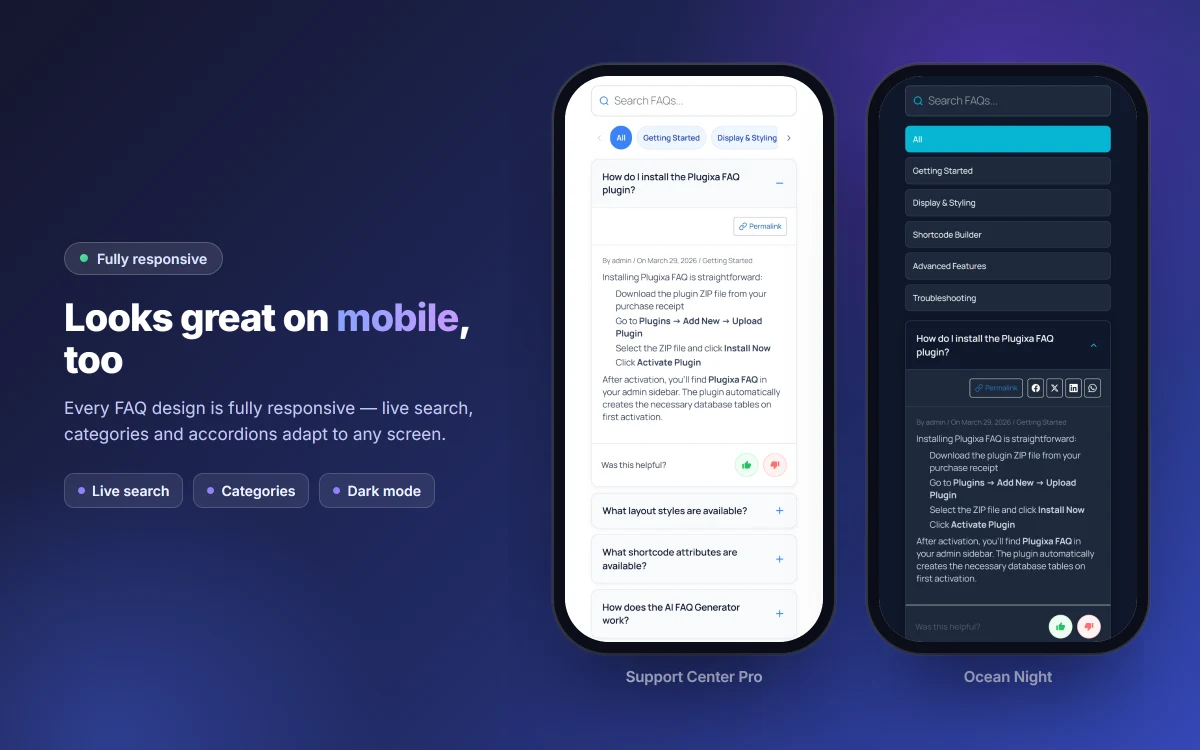
Responsive layouts on mobile
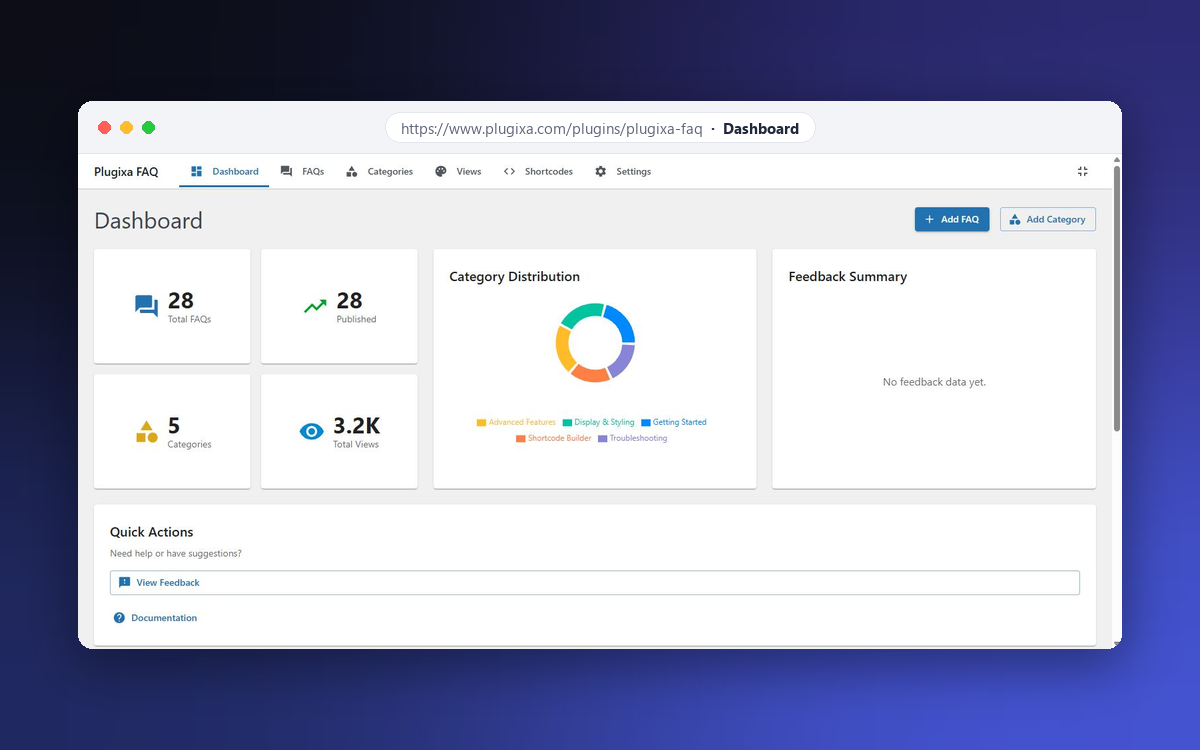
Dashboard with statistics and category distribution


