Astricode Ops Wordpress Plugin - Rating, Reviews, Demo & Download
Plugin Description
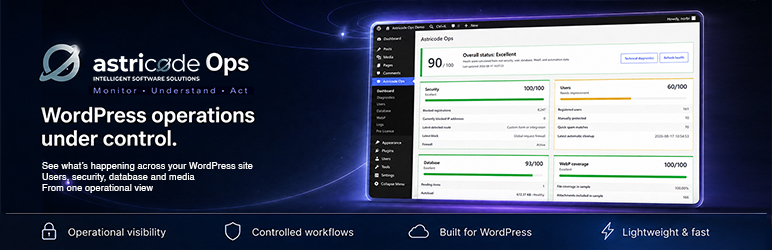
Astricode Ops brings essential WordPress operations together in one clear administrative workspace.
Its workflow is built around five principles:
- Analyze what is happening.
- Explain the findings.
- Protect critical data.
- Act through controlled operations.
- Verify the result.
Astricode Ops prioritizes explicit actions, technical evidence, safeguards, and reversible workflows wherever the operation supports them.
Site health and diagnostics
- Unified operational dashboard.
- WordPress and PHP requirement checks.
- Database, cron, filesystem, locking, and WebP diagnostics.
- Clear health scores based on real installation data.
- Detection of technical conditions that require attention.
Registration protection and user intelligence
- Registration firewall for native and third-party registration routes.
- Risk scoring based on structural and behavioural signals.
- Repeated-offender detection and IP blocking.
- User audits with reasons and risk distribution.
- Manual protection for legitimate accounts.
- Safeguards for administrators, privileged roles, active users, authors, and users connected to site content.
- Controlled manual and automatic cleanup workflows.
Database operations
- Database size and health analysis.
- Table optimization with measured results.
- Inspection of WordPress options and autoloaded data.
- Inspection of post metadata and plugin tables.
- Protected previews and controlled exports.
- Manual protection of critical records.
- Reversible quarantine for supported option, metadata, and table operations.
- Integrity verification before restoration.
- Explicit restoration and permanent purge workflows.
WebP automation
- Incremental JPG and PNG conversion.
- Automatic background batches.
- Configurable quality, frequency, and batch size.
- Preservation of every original image.
- Conversion of WordPress-generated image sizes.
- Coverage, activity, savings, skipped-file, and failure metrics.
- Manual execution and pause controls.
Activity logs
- Registration blocking records.
- User cleanup activity.
- WebP conversion results.
- Database operation records.
- Limited log retention to avoid uncontrolled growth.
Important safety notes
- Create and verify a full backup before performing database or user cleanup operations.
- Database quarantine is an additional recovery mechanism, not a replacement for backups.
- Original JPG and PNG files are preserved during WebP conversion.
- User cleanup includes safeguards, but every site has a different data model and should be reviewed before automation is enabled.
- Deactivation removes scheduled tasks and execution locks while preserving configuration, statistics, quarantine records, and logs.
- Removing the plugin files does not automatically delete persisted data.
- When WP-Cron is disabled, the server must execute
wp-cron.phpthrough a real scheduled task.
Screenshots
No screenshots provided