
Editant Maintenance Wordpress Plugin - Rating, Reviews, Demo & Download

Plugin Description
editant Maintenance shows a clean, self-contained holding page to your visitors while you work on the site. Administrators – and any other roles you choose – keep seeing the real site, so you can make and check changes while everyone else sees the maintenance page.
The holding page is styled with the editant brand out of the box and needs nothing from your active theme. You can set the heading, the message, the text colours, and a full-screen background image, replace the header with your own logo and name, and optionally show a contact email.
Front-end requests return an HTTP 503 (Service Unavailable) with a Retry-After header, which is the correct signal to send search engines during planned downtime, and the page is marked noindex so it is not cached in results.
What’s included
- One-click enable and disable from Settings -> Maintenance Mode.
- Configurable title and subtitle.
- Colour pickers for the title and subtitle text.
- Optional full-screen background image from the media library, with a navy overlay for readability.
- Header you control: the editant logo and name by default, your own logo and/or name, or no header at all.
- Choose which roles bypass maintenance mode; administrators always bypass so you can never lock yourself out.
- Optional contact email shown as a mailto link, obfuscated against scrapers.
- Correct 503 status with Retry-After, and a noindex holding page.
- Automatic cache clearing for common caching plugins when you toggle maintenance mode (host, server, and CDN caches still need a manual purge).
- Self-contained, brand-styled page with bundled IBM Plex fonts – no dependency on the active theme.
- Translation-ready.
Privacy
editant Maintenance stores its settings in your own WordPress database and sends no data to any external service. The bundled fonts are served from your own site, not from a third-party font CDN.
Screenshots
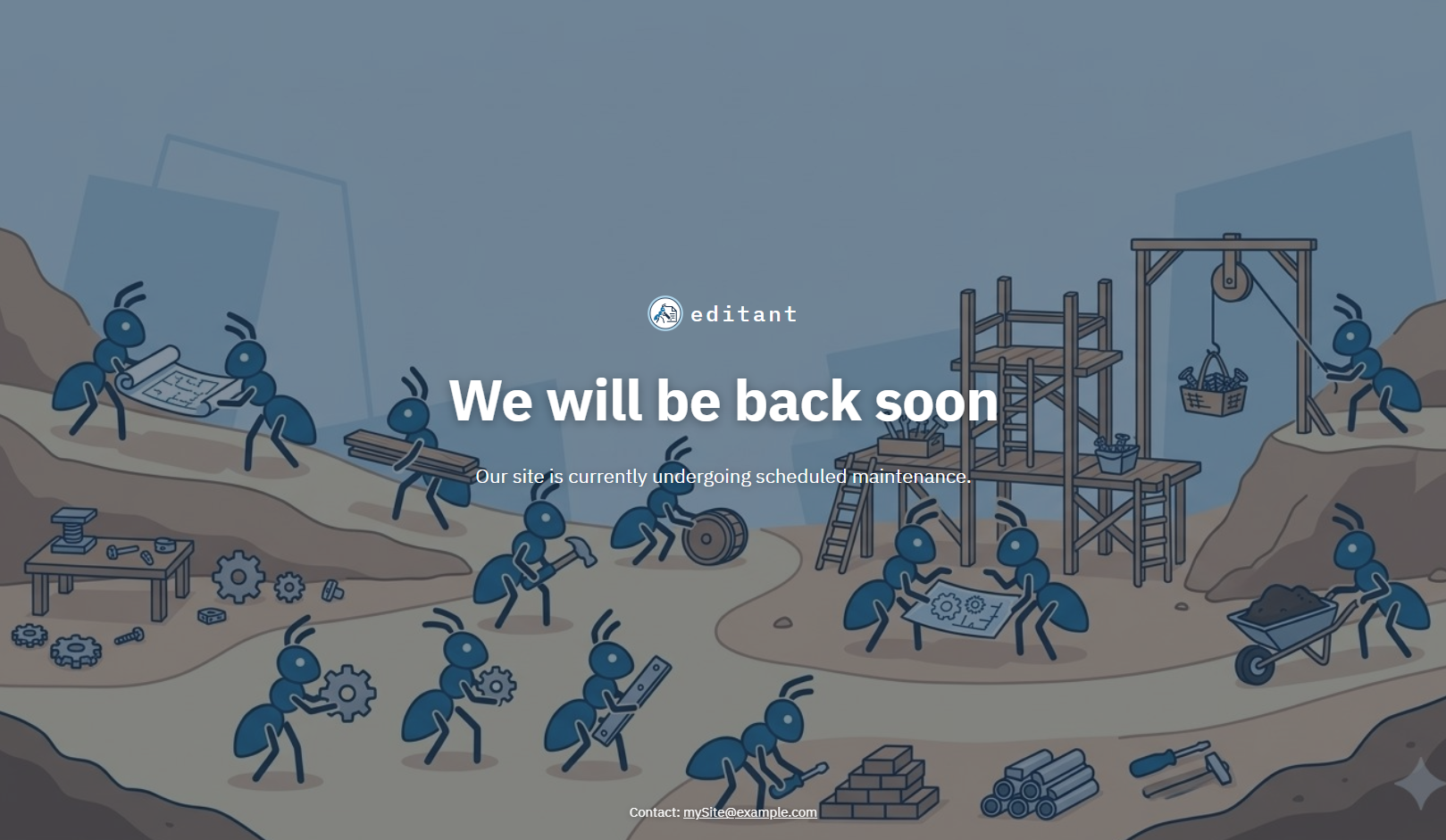
The maintenance page shown to visitors, with the editant logo and name, title, and subtitle over the built-in background.
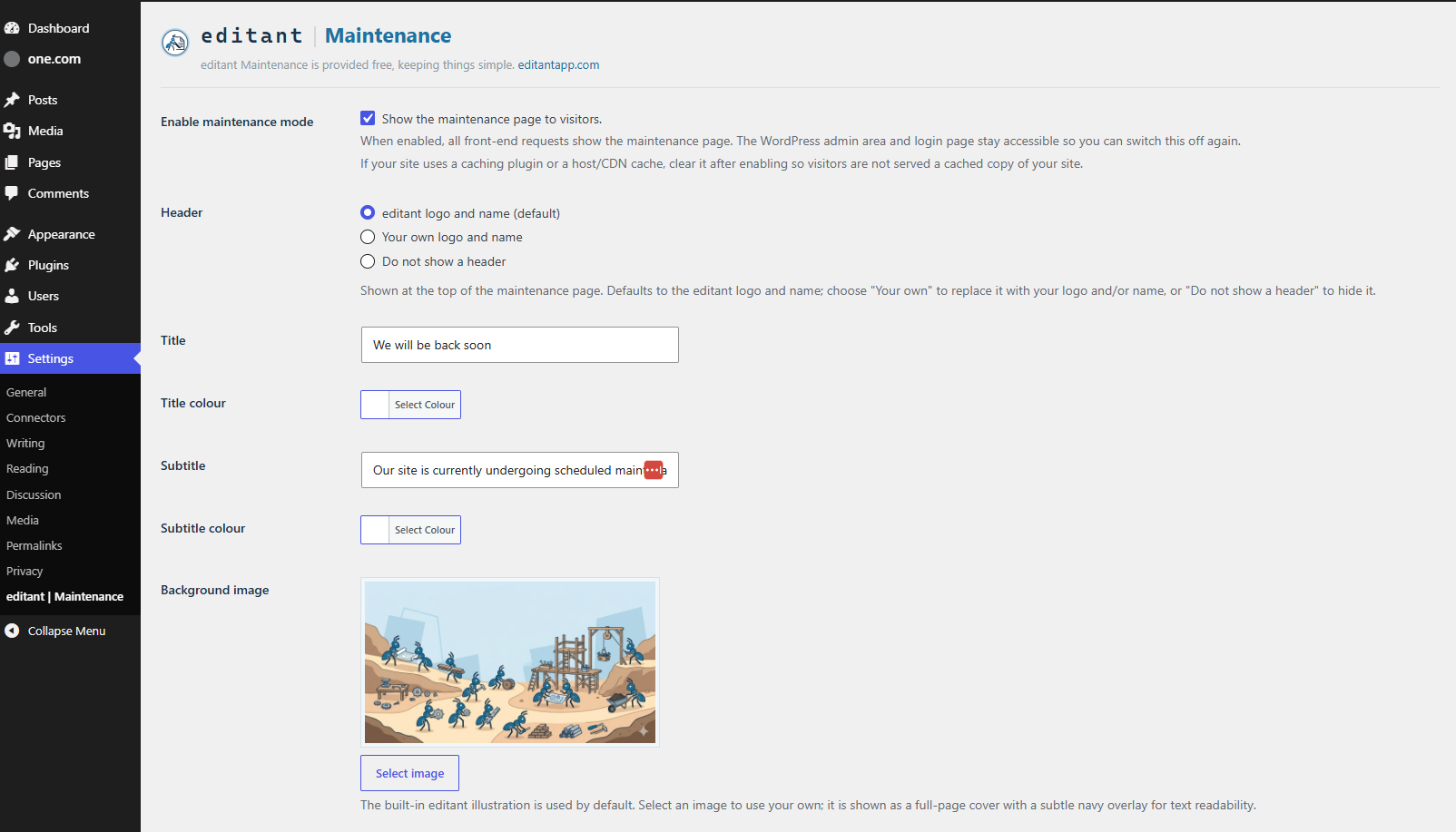
The Settings -> Maintenance Mode admin page: enable toggle, header choice, title and subtitle, colour pickers, background image, bypass roles, and contact email.

