
CraftPost Site Connector Wordpress Plugin - Rating, Reviews, Demo & Download
Plugin Description
CraftPost Site Connector connects your WordPress website to the CraftPost content automation service through authenticated REST API webhooks.
The plugin can:
- Create and update posts and pages.
- Assign authors, categories, tags, publication status, and templates.
- Download featured and section images to the WordPress Media Library.
- Write supported metadata for Yoast SEO, Rank Math, and All in One SEO.
- Store and display FAQ content with optional FAQPage structured data.
- Create and update multilingual content when Polylang is active.
- Refresh existing articles through approved CraftPost operations.
Incoming CraftPost requests are authenticated, signed, and protected against replay attacks.
An account on CraftPost and a site connection key are required to use the service. The plugin does not create content by itself and does not connect to CraftPost until an administrator configures a site key.
External service
This plugin connects to the external CraftPost service at craftpost.net. The service is required to generate, manage, translate, and deliver content to WordPress.
After an administrator creates a connection and configures the site key, authenticated CraftPost requests may retrieve:
- The site URL, name, language, timezone, and WordPress version.
- WordPress author IDs, usernames, display names, and roles.
- Public post types, categories, templates, and image sizes.
- Existing post titles, content, excerpts, status, author, categories, language, translations, and featured-image status when requested from the CraftPost dashboard.
- Information about supported SEO and multilingual plugins.
CraftPost may send generated or updated article content, metadata, translations, FAQ items, and remote image URLs to the website. Remote images are downloaded from the supplied image host into the WordPress Media Library. That image host receives a request from the website server during the download.
The service is used only after the website administrator configures a CraftPost site key. For information about data handling and retention, review the CraftPost Privacy Policy and CraftPost Terms of Service.
Instruction video
Watch the CraftPost setup and usage guide:
https://kinescope.io/embed/9z1h5x44N1cnxRaYmfW7rR
Screenshots
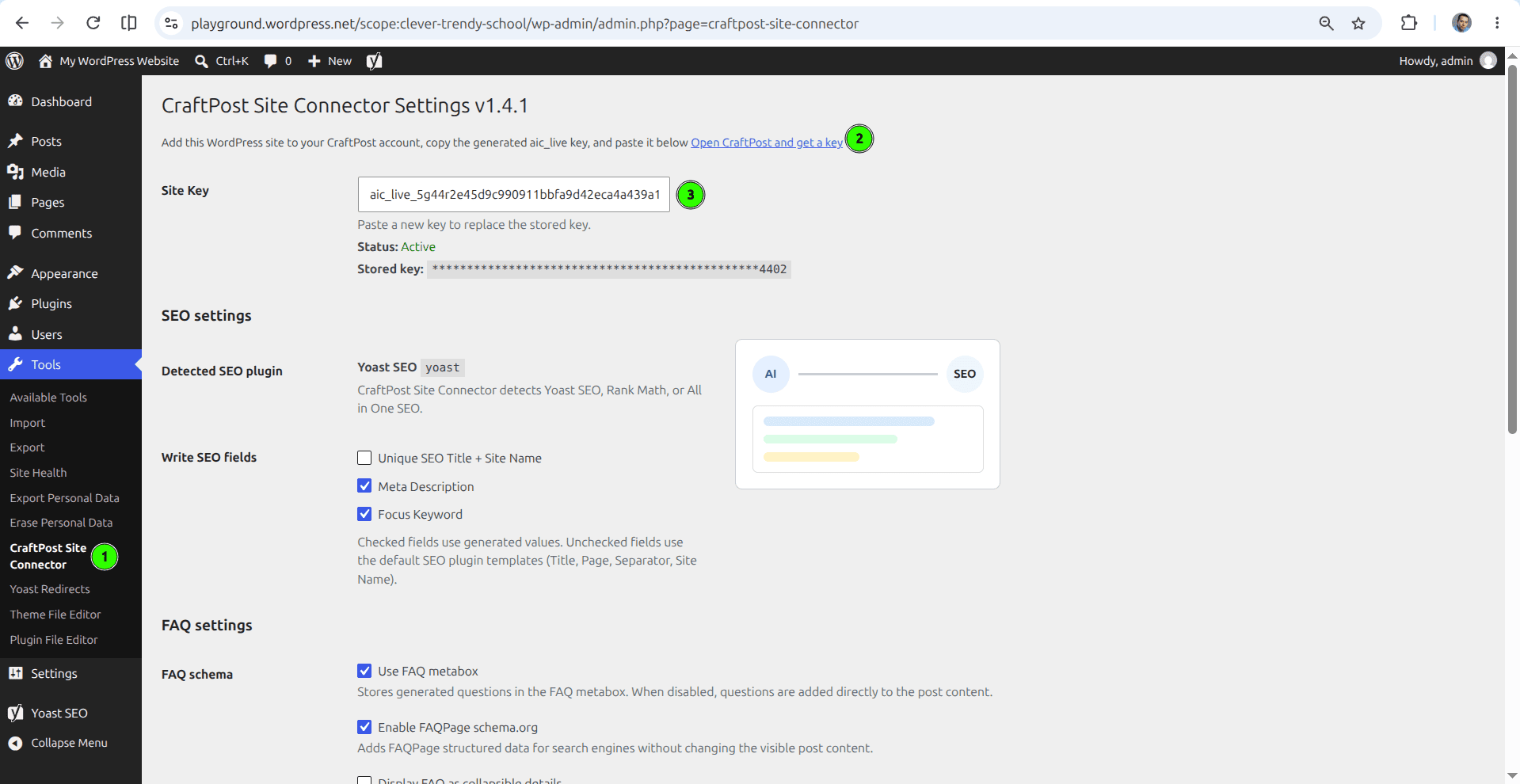
Configure the CraftPost site key, SEO integration, and FAQ settings in WordPress.
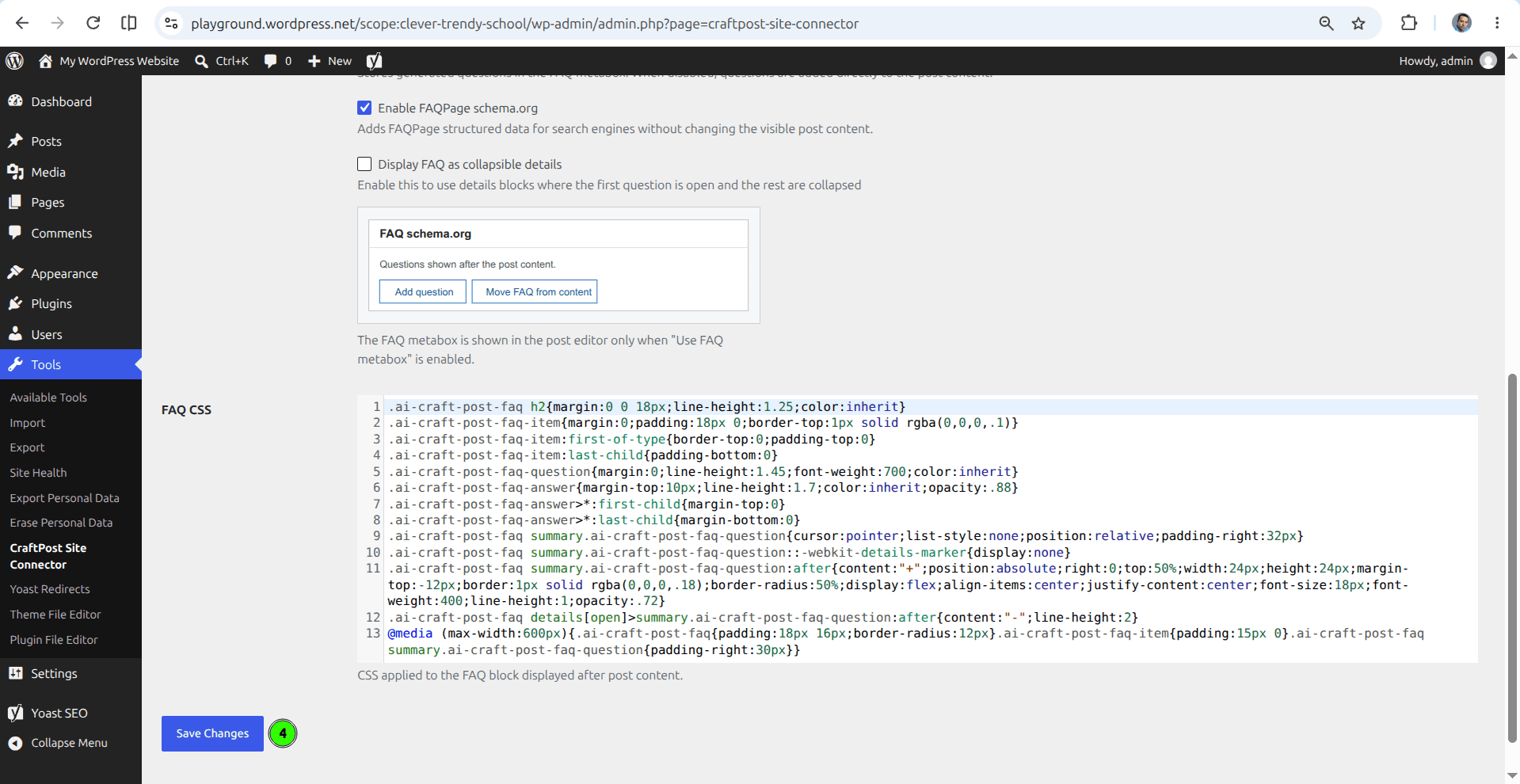
Customize FAQ display options and CSS, then save the connector settings.
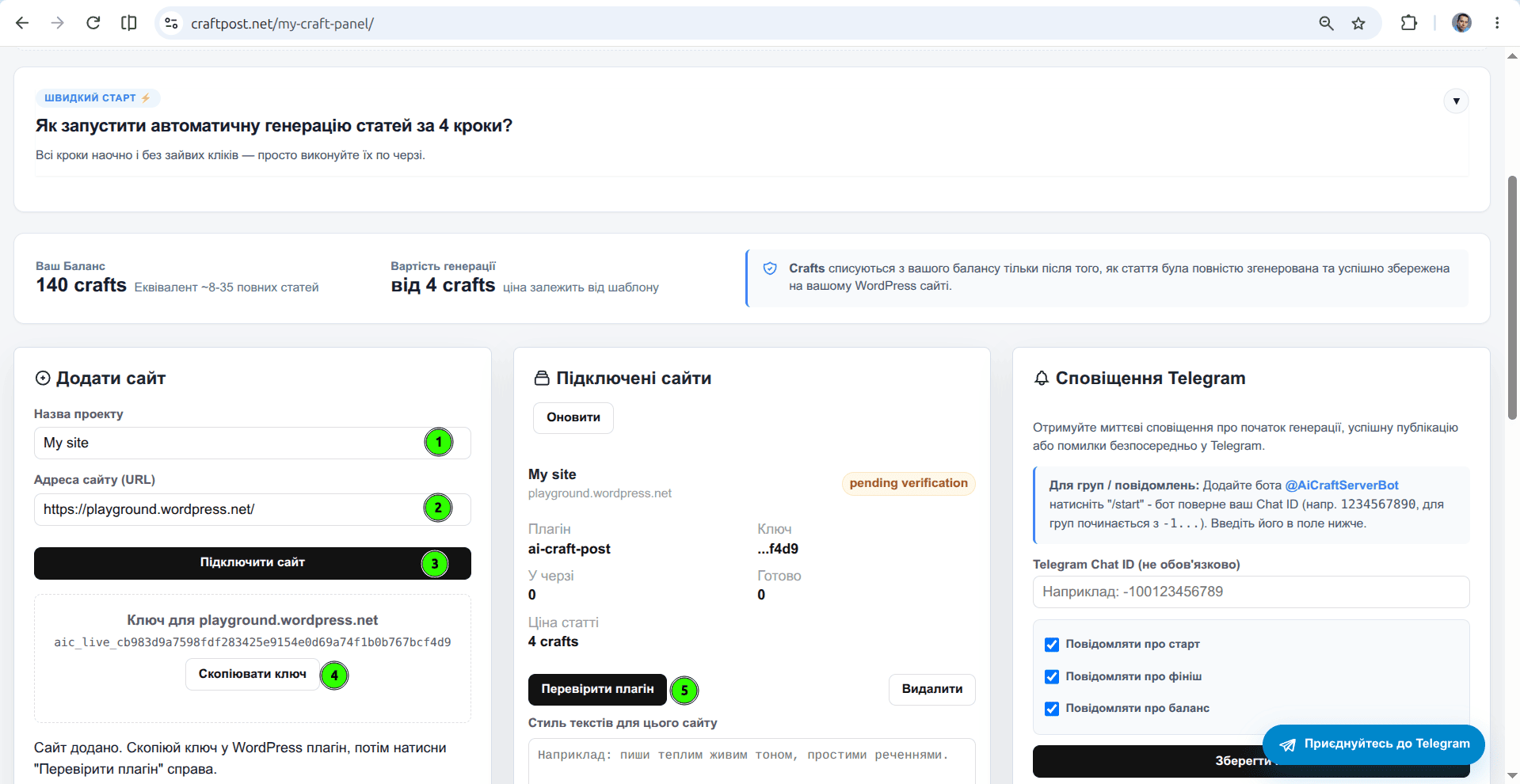
Add a WordPress website in the CraftPost dashboard and verify the connection.
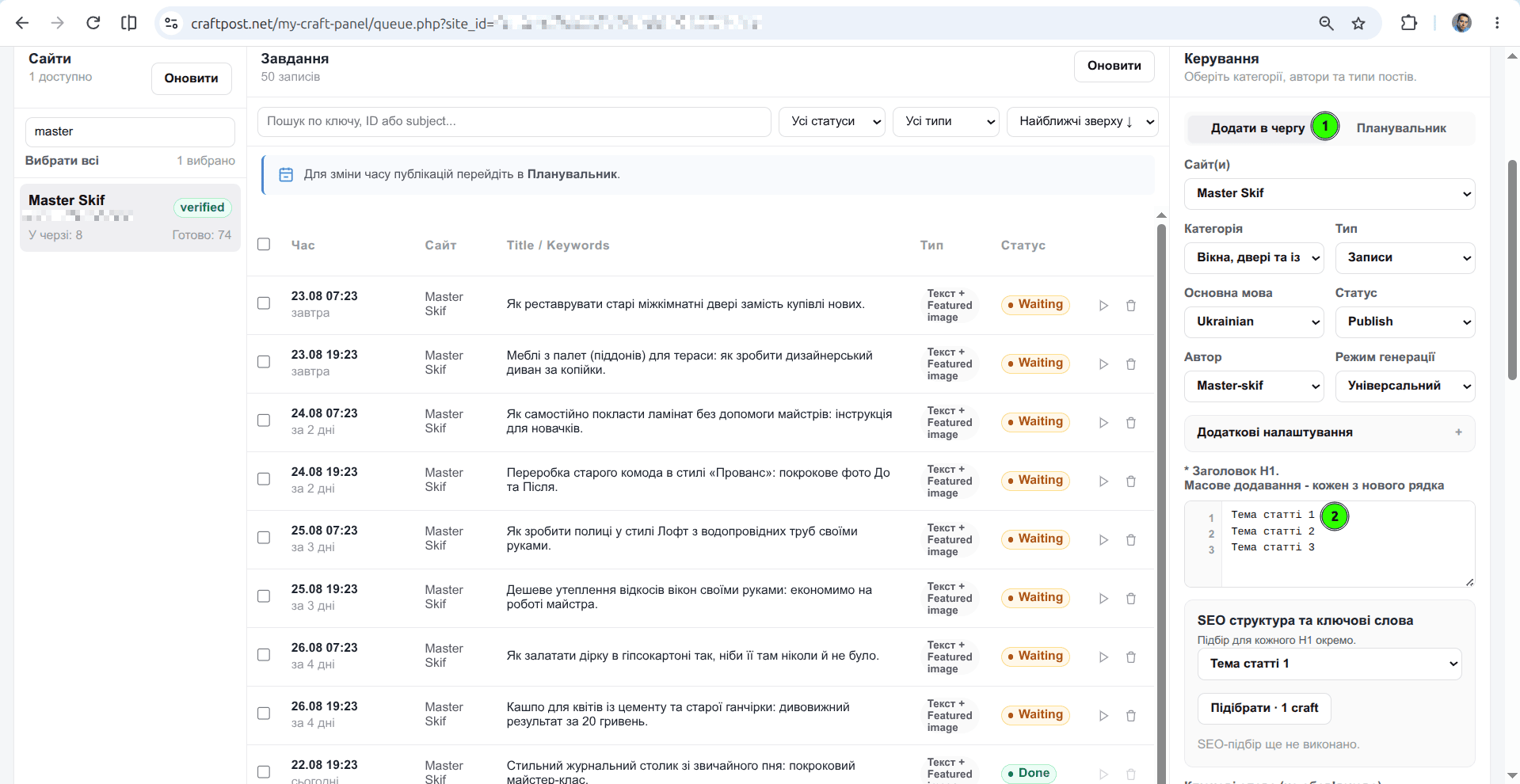
Add multiple article topics to the generation queue and configure their publishing settings.
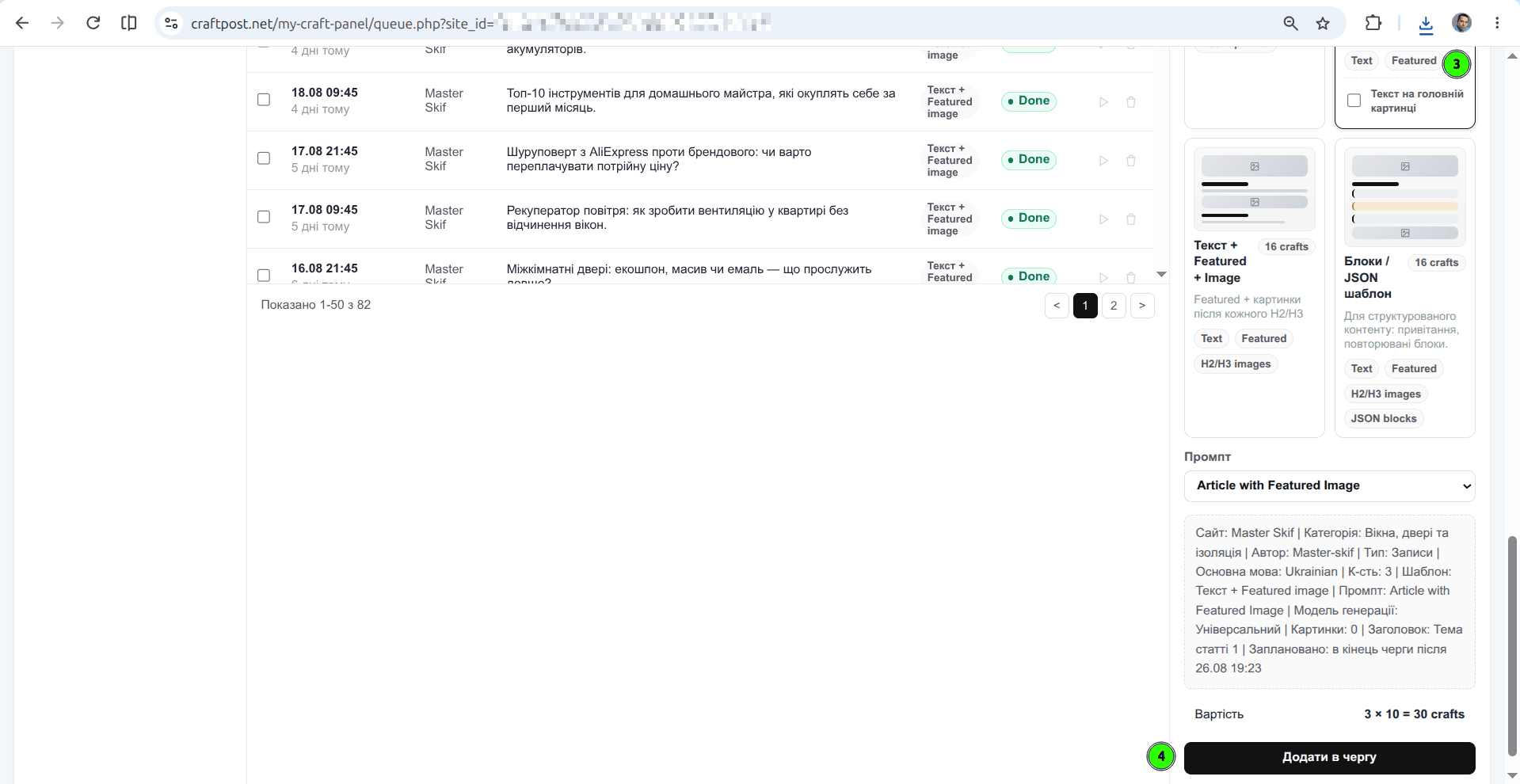
Choose an article template, review the generation settings and cost, and add the articles to the queue.


