Plogins Withdraw – Right Of Withdrawal Button For WooCommerce Wordpress Plugin - Rating, Reviews, Demo & Download
Plugin Description
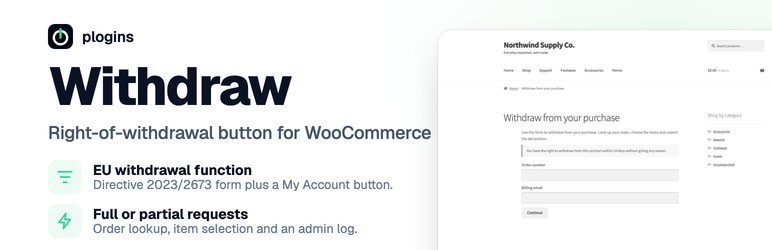
Plogins Withdraw adds an easy withdrawal function to WooCommerce, aligned with EU Directive 2023/2673 (the “withdrawal button”, Art. 11a): a clear way for customers to declare that they withdraw from a distance contract, in full or per item, within the statutory withdrawal period.
It is a request-and-log plugin: it records the customer’s withdrawal declaration, emails a confirmation to the customer and a notification to the shop, and tracks the request status in the admin. It never moves money on its own, you process any refund in the normal WooCommerce order screen, matching the legal model where the customer declares and the trader acts.
What it does
- Withdrawal form: the
[withdraw_form]shortcode renders a two-step form: look up an order by number and billing email (works for guests too), then select items and quantities and submit the withdrawal declaration. - Full or partial withdrawal: the customer chooses how many of each item to withdraw from.
- Withdrawal button in My Account: a “Withdraw from this order” button appears under the order details and links to your withdrawal page with the order pre-filled.
- Withdrawal-period check: configurable period (statutory minimum 14 days), measured from delivery (order completion) or, if never completed, from the order date.
- Admin log: a WooCommerce Withdrawal Requests screen lists every request with its items, customer and status (pending, accepted, rejected, processed), filterable by status.
- Emails: automatic confirmation to the customer and notification to the shop.
- Model withdrawal text: an editable block on the form for the statutory model withdrawal form (Annex I.B).
- Guest friendly: no account needed; the order-number + billing-email lookup works for guest orders.
- HPOS + Blocks compatible: reads orders through the WooCommerce order API.
Requirements
- WordPress 6.5 or later
- PHP 8.1 or later
- WooCommerce 8.0 or later
Translations
Plogins Withdraw is fully translatable and ships the plogins-withdraw.pot template. Translations are delivered by WordPress.org language packs from translate.wordpress.org, which is where Polish, German and Spanish are being contributed; the package itself carries no compiled translation files.
Screenshots

The withdrawal request form: order lookup by number and billing email (guest-friendly), with the 14-day right-of-withdrawal notice.

Item selection: full or partial withdrawal with per-item quantities, the model withdrawal text and the declaration.

Settings (WooCommerce → Withdrawal): withdrawal period, form page, eligible statuses, notification email and legal texts, with the request log.