EXA11Y – Expo Accessibility Kit Wordpress Plugin - Rating, Reviews, Demo & Download
Plugin Description
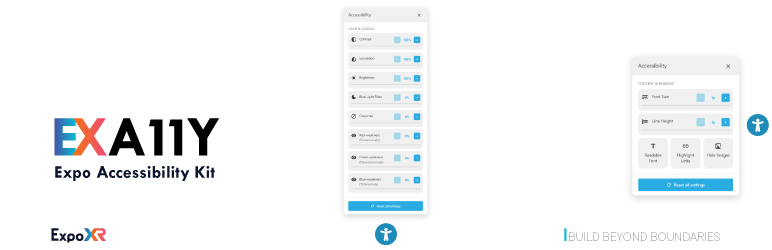
EXA11Y adds a floating accessibility widget to your site so visitors can adjust font size, contrast, color themes, and more to suit their needs — no configuration required to get useful defaults, but everything is adjustable from the WordPress admin.
EXA11Y is completely free, with every feature unlocked — no license key, no locked settings, no upgrade nags and nothing to buy inside the plugin.
Key Features
- Font Scaling: Adjustable font size, line height, and a readable-font toggle for easier reading
- Color Adjustments: Contrast, saturation, brightness, blue-light filter, gray mode, color-vision-deficiency support, and light/dark/high-contrast themes
- Link & Image Helpers: Highlight all links or hide images/videos for distraction-free reading
- Accessibility Statement: An auto-generated, fully editable accessibility statement page that reflects your enabled features
- Appearance Controls: Icon position, menu font size, hover text, and button colors
Installation
- Upload the plugin files to the
/wp-content/plugins/exa11y-expo-accessibility-kitdirectory, or install the plugin through the WordPress plugins screen directly. - Activate the plugin through the ‘Plugins’ screen in WordPress.
- Use the EXA11Y menu in your WordPress admin to configure the plugin.
- Customize accessibility features from the admin dashboard.
Support
For support, please visit our website at https://www.expoxr.com or contact us through the plugin support forum.
Source Code
This plugin does not use a build step or minification — every JavaScript and CSS file it enqueues ships exactly as authored, in human-readable form (see assets/js/components/, assets/css/components/, admin/js/, and admin/css/ in this package).
Privacy Policy
This plugin does not collect, store, or transmit any usage statistics or personal data.
Screenshots

Main accessibility controls panel

Font scaling and color adjustment options

Admin dashboard and settings