
Jalandhar Table Of Contents Wordpress Plugin - Rating, Reviews, Demo & Download
Plugin Description
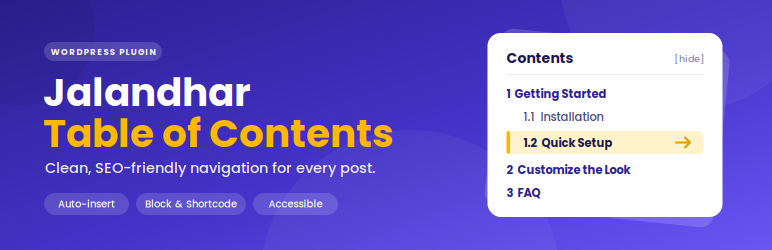
Jalandhar Table of Contents generates a table of contents from the headings in your post or page, so readers can jump straight to the section they came for instead of scrolling through the whole article. It works automatically once activated, or you can place it exactly where you want with a shortcode, a Gutenberg block, or a widget.
Every link points to a real, semantic anchor on the heading itself, and the whole table is wrapped in a proper <nav> landmark – so it is just as useful to search engines and screen readers as it is to a human reader scanning the page. Long-form content, guides, FAQs, and recipe or review posts all tend to rank and read better with a well-structured table of contents.
Features
- Automatic insertion into posts, pages, or any custom post type – choose the position and which content types qualify.
- Semantic, search-engine-friendly markup: real
<ul>/<li>(or<ol>/<li>) lists inside a<nav>landmark, with anchor links that Google can use for jump-to-section sitelinks in search results. - Insert manually with the
[jptoc]shortcode, the Gutenberg “Table of Contents” block, a widget, or the classic editor toolbar button. - Set a minimum number of headings before the table of contents appears, so it never shows up on short posts.
- Control which heading levels are included, and skip individual headings by level or by matching their text.
- Hierarchical (nested) or flat list view.
- Numbered lists with decimal or Roman numerals, in sequence or nested by level.
- Full appearance control: width, float/alignment, title and item font size and weight, and colors.
- Built-in color schemes (dark, light, white, transparent, or inherit from your theme), with the option to override individual colors.
- Optional show/hide toggle with customizable labels.
- Optional smooth scrolling to a section, with a configurable top offset (useful with sticky headers).
- Clean, readable anchor links in the URL (e.g.
example.com/faq/#how-do-this) instead of random IDs. - Accessible by default:
aria-expandedon the show/hide toggle and anaria-labelon the<nav>landmark. - RTL language support.
- Override the global settings on a per-post basis when you need an exception.
- Tested for compatibility with popular page builders, caching, and SEO plugins (see below).
Auto Insert
To automatically insert a table of contents into your posts, enable “Auto Insert Table of Contents” under the plugin’s “Auto Insert” settings tab, then choose which post types should get one.
Supported positions:
- before the first heading;
- after the first heading;
- after the first block (paragraph or heading);
- top of the post content;
- bottom of the post content.
Manual Insert
If you would rather place the table of contents yourself, use any of the following:
- the “Table of Contents” button in the classic editor toolbar;
- the “Table of Contents” block in the Gutenberg editor;
- the
[jptoc]shortcode, anywhere in your content.
Clean, Readable Anchor Links
By default, each heading’s anchor is generated from its text (for example, #How_Do_This), so links are readable instead of arbitrary. You can change the anchor format under the plugin’s “Misc.” settings tab.
For non-English websites, enabling the Intl PHP extension is recommended so anchors transliterate correctly.
Compatibility
Jalandhar Table of Contents has been tested for compatibility with:
- Elementor Page Builder
- Beaver Builder and the Beaver Builder Themer Add-On
- WPBakery Page Builder
- Oxygen
- WPML (WordPress Multilingual Plugin)
- Rank Math
- WP Rocket
- Toolset Views and Toolset Access
Hooks for Developers
Filters jptoc_before and jptoc_after
Add custom HTML immediately before or after the table of contents.
Example:
add_filter('jptoc_before', function ($before) {
    return '<p>Example text before TOC.</p>' . $before;
});
Filter jptoc_shortcode_tag
Change the shortcode tag from the default [jptoc].
Example:
add_filter('jptoc_shortcode_tag', function ($tag) {
    return 'toc';
});
Filter jptoc_heading_id
Customize the anchor ID generated for each heading.
Example:
add_filter('jptoc_heading_id', function ($id, $label) {
    return $id;
}, 10, 2);
Screenshots

The “Table of Contents” block in the Gutenberg editor.

The “Table of Contents” button in the classic editor toolbar.

The appearance customizer, with a live preview.

General settings: minimum headings, depth, hierarchy, and numbering.

Appearance settings: width, alignment, fonts, and colors.

Auto Insert settings: post types and position.

Processing Headings settings: skipping levels and heading text.

Miscellaneous settings: list markup tags and anchor format.


