
SeatCal – Calendar Sync Add-on For Seat & Space Reservation Map Wordpress Plugin - Rating, Reviews, Demo & Download

Plugin Description
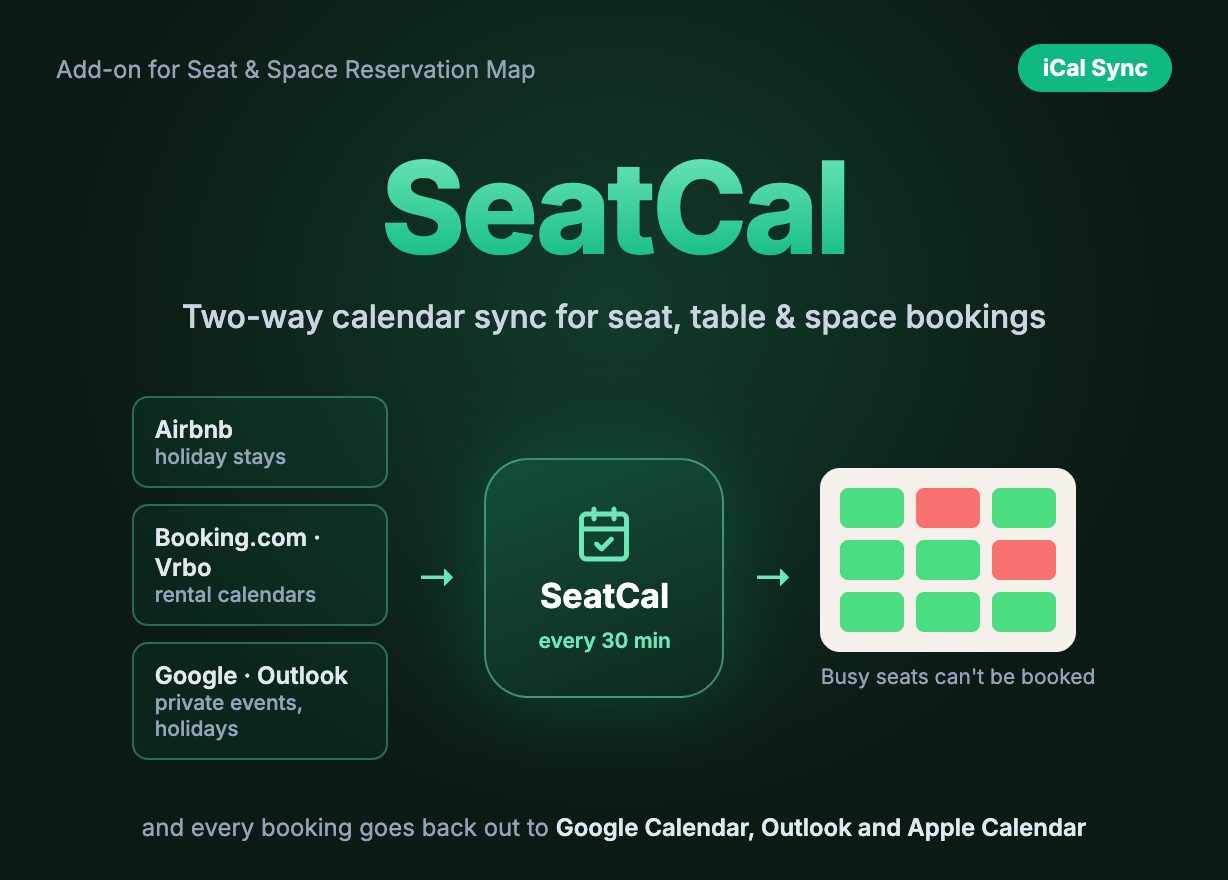
Keep your seat map and your other calendars in step
SeatCal is a calendar-sync add-on for Seat & Space Reservation Map. It works in both directions. Every booking made on your map is published as a private iCal feed you can subscribe to in Google Calendar, Outlook or Apple Calendar. And any iCal calendar you already use — Airbnb, Booking.com, Vrbo, Google Calendar, a public holiday calendar — can block chosen seats, tables or spaces, so nobody books them while they are taken somewhere else.
It is built for the places Seat & Space Reservation Map already runs: restaurants that also host private events, beach clubs and cabins that are also listed on rental platforms, desks and meeting rooms that live in a shared Outlook calendar.
Live demo (visitor view): seatmap.webkodingtheme.com/wp/demo-restaurant — pick tomorrow at 19:00: tables A2 and VIP 1 are held by an imported private-events calendar.
Admin demo (Calendar Sync screen): SeatMap → Calendar Sync
Demo login: demo / SeatMapDemo! (view-only)
Requires Seat & Space Reservation Map version 2.3.0 or newer. SeatCal is an add-on and does not work on its own.
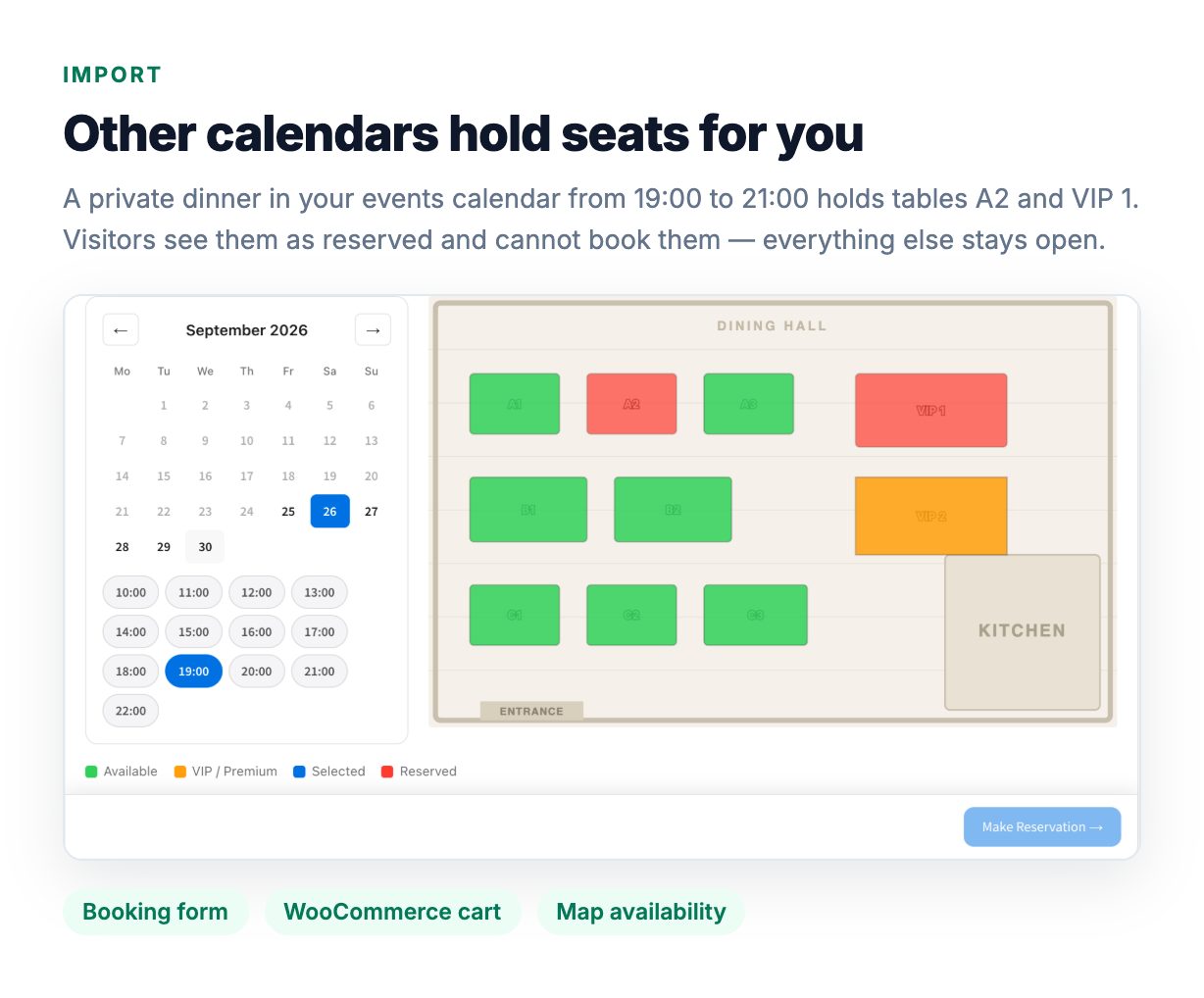
Block seats from Airbnb, Booking.com, Google Calendar and any iCal feed
Paste an export link, pick the seats — Add the iCal address of a calendar and tick the seats, tables or spaces it controls, or none to block the whole map (a venue hire, a closed day).
Blocked everywhere a booking can happen — Held seats show as reserved on the map, are refused by the booking form and cannot be added to the WooCommerce cart.
Automatic re-sync every 30 minutes — plus a Sync now button per calendar, and the result of the last sync shown next to each one.
A failed sync never frees a seat — If a platform is unreachable or returns an error, the busy periods from the last good sync stay in force.
Public holiday calendars — Google marks every holiday as “free”; one tick tells SeatCal to block those days anyway.
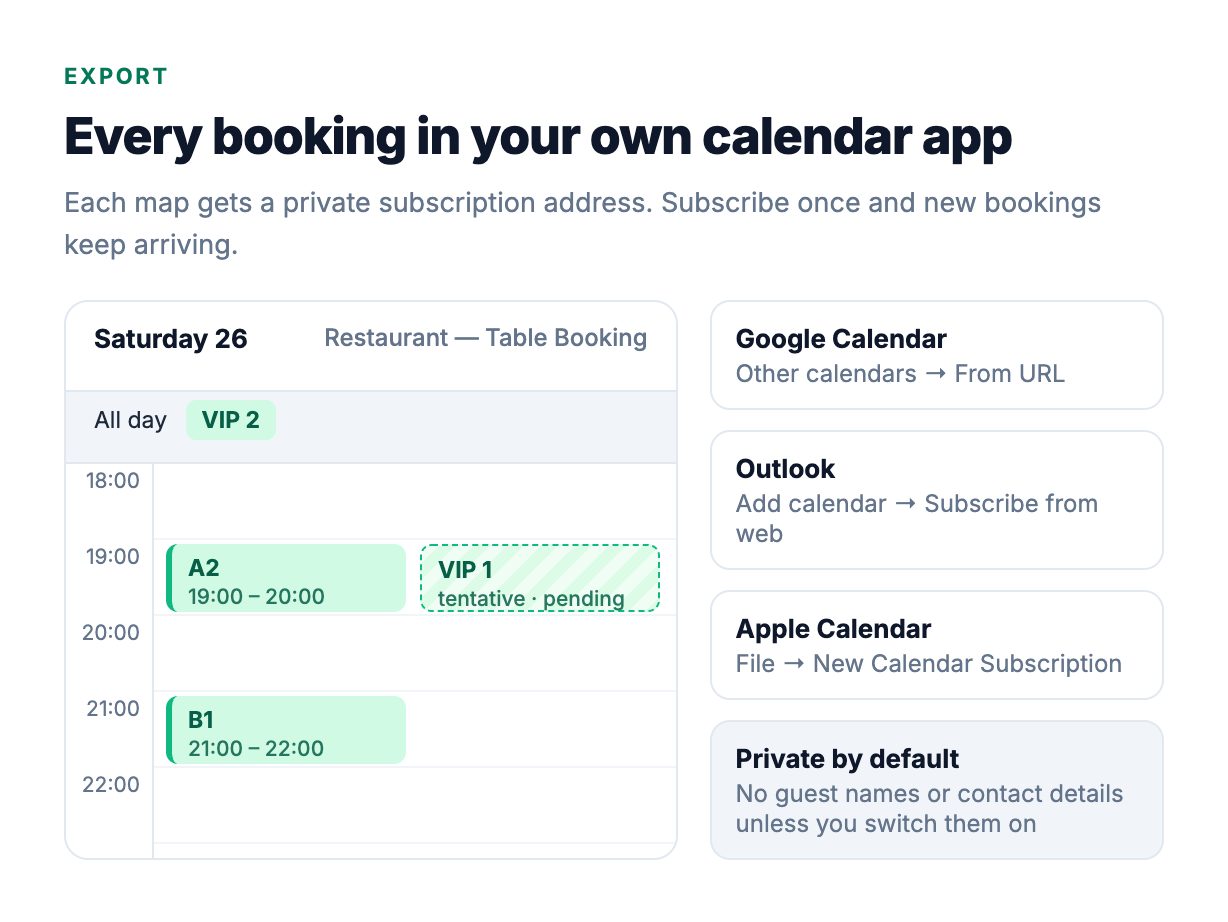
Publish bookings to Google Calendar, Outlook and Apple Calendar
One private feed per map — A standard iCalendar (.ics) subscription address protected by a random token. It works with any permalink setting; a wrong token returns “not found”.
Bookings look the way they should — Time-slot bookings become timed events one slot long; whole-day and multi-day bookings become all-day events. Pending bookings appear as tentative (optional); cancelled ones are left out.
Personal data stays off by default — Guest name, email and phone are only included if you turn that on for a map. “Create a new address” revokes an old feed instantly.
Honest about refresh times — SeatCal always serves the latest bookings; how often your calendar app asks for them is up to the app. Google Calendar refreshes subscribed calendars every few hours, Outlook and Apple Calendar usually sooner.
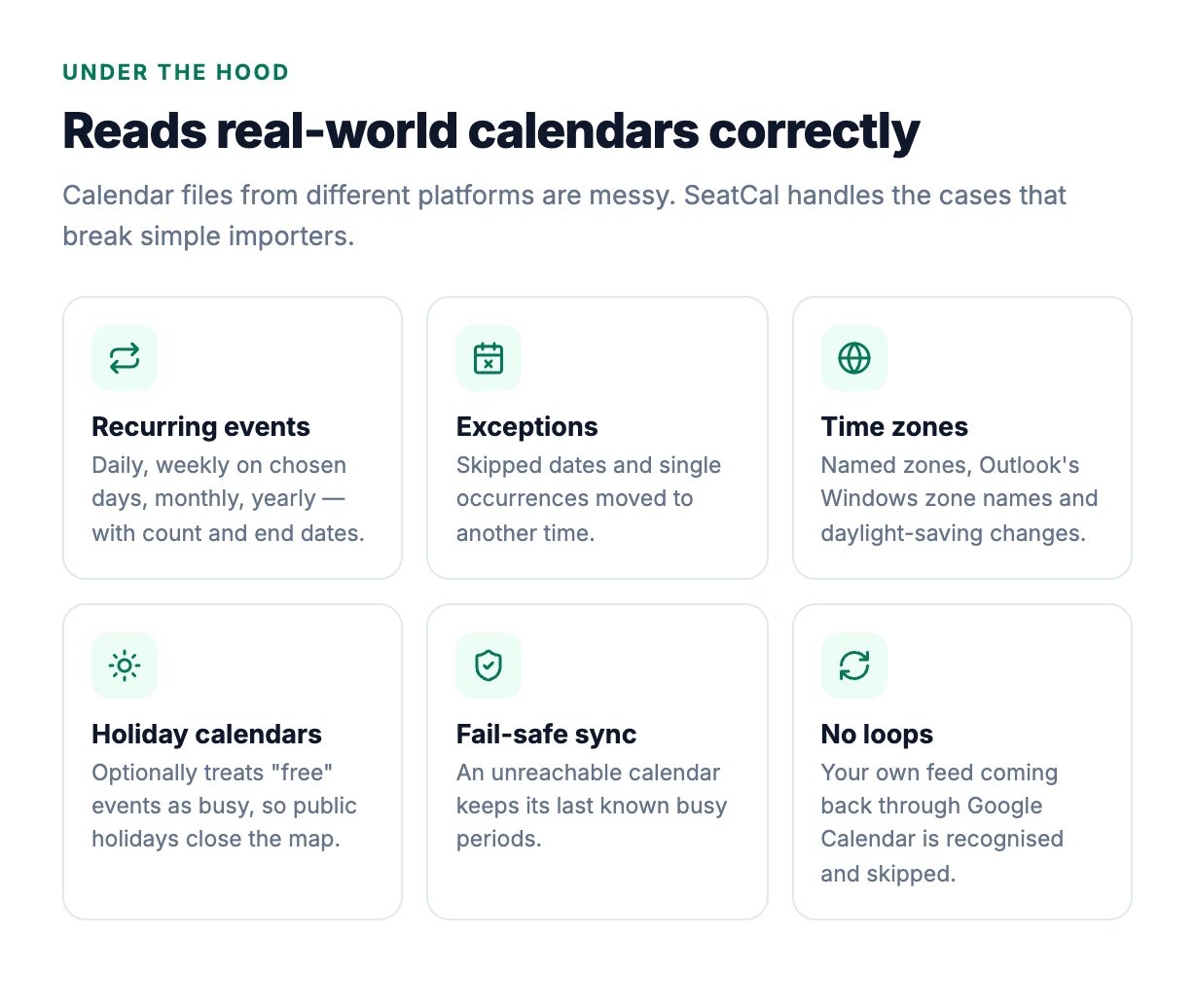
A calendar engine that handles the messy cases
Recurring events — Daily, weekly (on chosen weekdays), monthly and yearly rules with interval, count and end date are expanded up to 18 months ahead. A monthly event on the 31st correctly skips shorter months.
Exceptions and moved occurrences — Skipped dates (EXDATE) are left free, and a single occurrence moved to another time blocks the new time, not the old one.
Time zones and daylight saving — Events written in any named time zone, Outlook’s Windows zone names and floating times are placed correctly; a weekly 10:00 event stays at 10:00 after the clocks change.
Cancelled and free events — Cancelled events never block. Events marked “free” are ignored unless you ask SeatCal to count them (holiday calendars).
Tested — The reader and writer are covered by unit tests built from Airbnb, Google Calendar and Outlook calendar shapes, and the package passes WordPress Plugin Check with no errors.
How blocking is timed
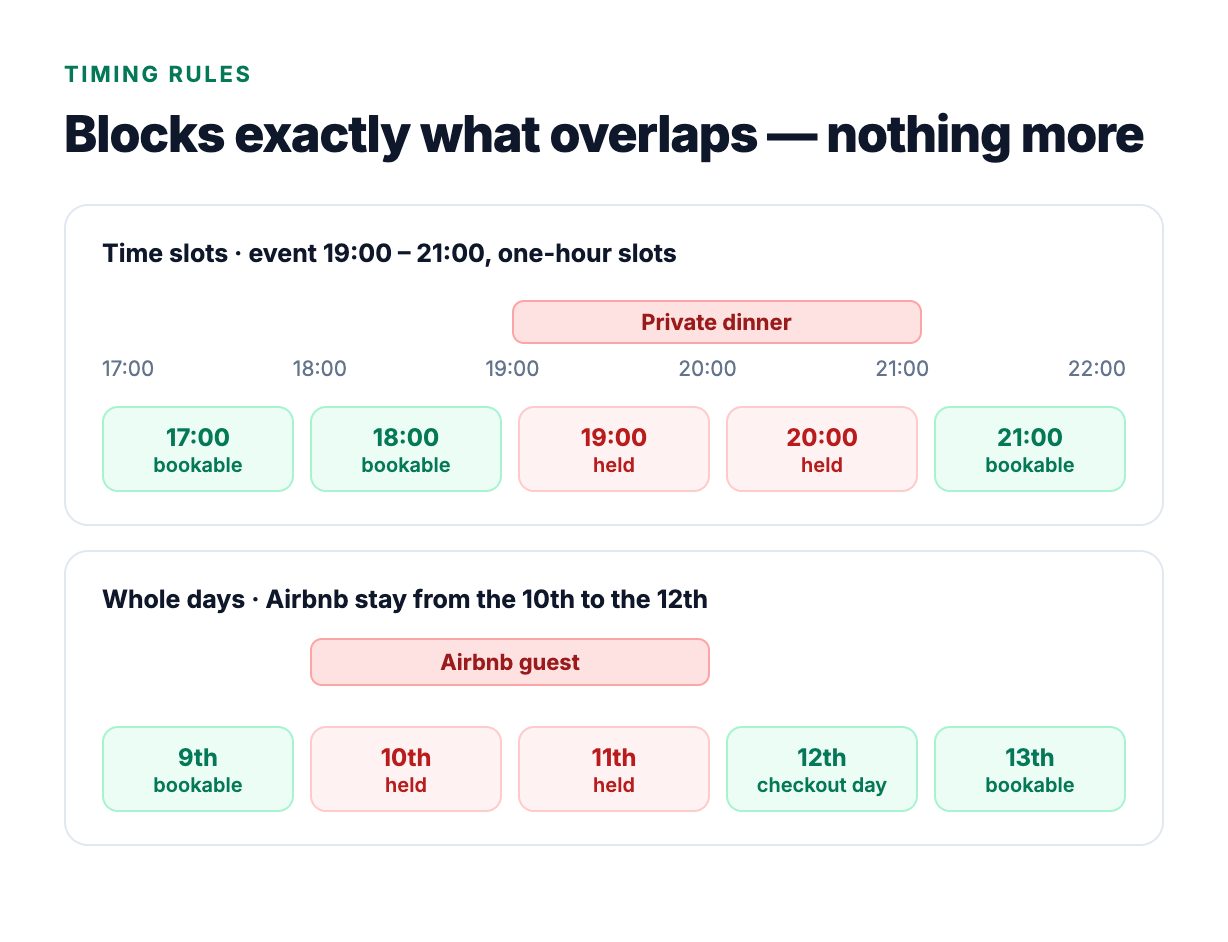
Time-slot maps — A slot is held when an imported event overlaps it. The slot length is the map’s own time interval, so a 19:00–21:00 event holds the 19:00 and 20:00 slots and leaves 18:00 and 21:00 bookable.
Whole-day and multi-day maps — Any busy period on a day holds that day. All-day events end on the morning of their last date, exactly as in every calendar app, so an Airbnb checkout day stays bookable.
Your time zone — All-day events are read as dates in the map’s time zone; timed events are compared as exact moments, so an event written in another zone blocks the right local slot.
Simple to run
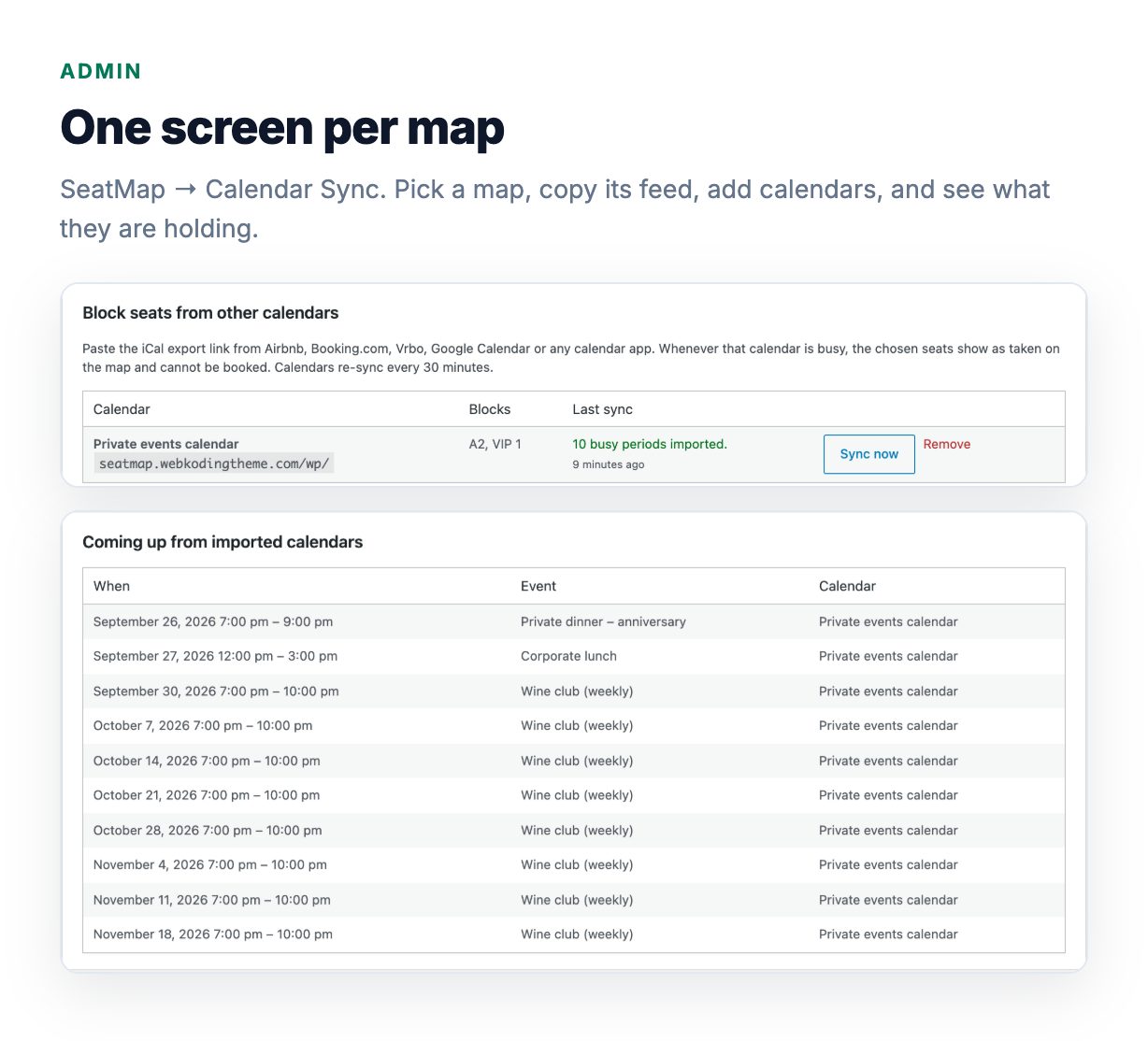
Everything on one screen — Feed address with a copy button, feed privacy options, the list of imported calendars with their last sync result, and an “add calendar” form with a seat picker.
See what is being held — “Coming up from imported calendars” lists the next busy periods with their source, in your date and time format.
Secure by design — Calendars are fetched with WordPress’s safe HTTP client (private and local addresses are refused, downloads capped at 5 MB). Export links are shown shortened because they work like passwords. Every change is nonce- and capability-checked.
Developer hooks — seatcal_capability sets who can open the screen and seatcal_read_only makes it view-only for chosen users — handy for staff accounts.
Requirements
- Seat & Space Reservation Map 2.3.0 or newer (required)
- WordPress 6.0 or newer (tested up to 7.1)
- PHP 7.4 or newer (tested on 8.4)
- WooCommerce is optional — blocking works with the built-in booking form and with the WooCommerce cart
- Your server must be able to make outgoing HTTPS requests to the calendars you import
What is included
- Installable WordPress plugin (seatcal.zip)
- HTML documentation, including where to find the iCal link on each platform
- Translation template (.pot)
Support
Support is provided through the Support tab of this item. Please include your WordPress, PHP, Seat & Space Reservation Map and SeatCal versions. Never post a calendar export link publicly — it works like a password.
License
Regular License — Use in a single end product which end users are not charged for.
Extended License — Use in a single end product which end users can be charged for.
For full license terms, see Envato Standard Licenses.
Changelog
v1.0.0 (2026-09-25)
– Initial release


