
ErrorWatcher Wordpress Plugin - Rating, Reviews, Demo & Download
Plugin Description
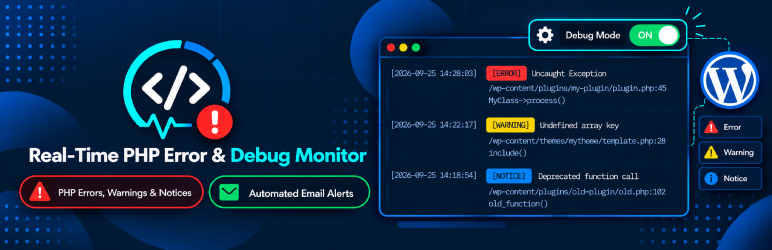
ErrorWatcher provides real-time monitoring of PHP errors, warnings, notices, and deprecated function calls with a clean, native dashboard to inspect and troubleshoot them without creating database bloat.
Unlike manually inspecting large debug.log files on your server or modifying wp-config.php, ErrorWatcher captures runtime errors safely, stores them in a lightweight runtime file, and sends twice-daily summary email digests with .txt log attachments.
Key Features
- WordPress-Native Admin Interface: View summary metric cards (Total, Fatal, Errors, Warnings, Notices, Deprecated) and real-time logs table.
- Granular Error Capturing: Captures PHP Fatal Errors, Catchable Errors, Warnings, Notices, Deprecated warnings, User Errors, and Uncaught Exceptions.
- Detailed Diagnostics Drawer: Inspect full error messages, stack traces, HTTP request method/URL, user account context, client IP, and grouped sibling issues.
- Smart File Clustering: Automatically groups multiple issues originating from the same file to prevent table clutter and streamline debugging.
- Advanced Filtering & Search: Filter by error severity/type, search messages/files/URLs, or filter by custom date ranges (Today, 7 days, 30 days, or custom calendar dates).
- Twice-Daily Email Reports: Automatically dispatches scheduled digests at custom morning and evening hours using WP-Cron with formatted HTML summary and attached
.txtlog file. - Automated Retention & Pruning: Automatically prunes resolved errors when source files are modified and clears inactive logs older than 30 days via daily WP-Cron.
- Export Capability: Export filtered error logs directly to CSV or formatted Text (.txt) files.
- Minimal Overhead & Performance-First: Uses server-side pagination, request-level error deduplication to prevent floods in loops, and zero frontend performance penalty.
- Safe & Non-Intrusive: Does not modify
wp-config.phpand does not turn on frontend error display.
Technical & PHP Limitations Notice
- Runtime Error Handling: Captures runtime errors, warnings, notices, deprecations, and fatal shutdown errors during WordPress request execution.
- Pre-Boot Compile/Parse Errors: Fatal compile-time or syntax errors that occur before WordPress or the plugin loads (such as syntax errors inside
wp-config.phpor earlymu-plugins) cannot be intercepted by PHP runtime error handlers. - Memory Limits: An emergency memory buffer is pre-allocated and released on shutdown to capture Out-of-Memory fatals when possible.
Screenshots

General Monitoring Settings: Toggle backend PHP error monitoring and customize granular error levels to capture (Fatal, Recoverable, Warnings, Notices, Deprecated).

Automated Email Digests: Schedule twice-daily automated error summary emails with attached log files and custom morning/evening delivery hours.

ErrorWatcher Dashboard: Real-time overview featuring summary metric cards (Total, Fatal Errors, Exceptions, Warnings, Notices, Deprecated) and filtered logs table.

Error Diagnostics Drawer: Comprehensive error details with exact file location, line number, HTTP request context, interactive stack trace, and grouped sibling issues per file.


