StoreCanary Order Monitor For WooCommerce Wordpress Plugin - Rating, Reviews, Demo & Download
Plugin Description
Store Canary watches two things that quietly cost WooCommerce stores money, and tells you what to check next.
1. Failed or past-due scheduled actions
WooCommerce runs a lot of background work through Action Scheduler: subscription renewals, emails, webhooks, stock syncs, analytics imports. When that queue breaks, WooCommerce may show a notice like “Action Scheduler: 848 past-due actions found; something may be wrong.” Store Canary finds failed scheduled actions and pending actions that are past due, groups them by hook and status, and links straight to the matching Scheduled Actions screen so you can see which task is stuck.
2. Paid orders stuck in Processing
An order that is paid but still Processing days later usually means a fulfilment step, an integration or a workflow has stopped. Store Canary lists orders stuck in Processing longer than your threshold (48 hours by default), shows how long each one has waited, and adds up the money at risk per currency.
What you get, free:
- An Overview with the last scan, the next background scan, open findings per check and money at risk.
- A Findings list with open, dismissed and resolved findings. Dismiss what you have handled, restore it if you change your mind.
- Run scan now, plus an hourly background scan through Action Scheduler.
- Settings for both checks: turn each one on or off and set its threshold.
- A Diagnostics tab with versions, order storage mode and the last scan’s result.
- An open-findings count badge on the admin menu.
- WP-CLI:
wp storecanary last-scanandwp storecanary check-health. - Works with High-Performance Order Storage (HPOS) and with legacy posts storage.
What it does not do: Store Canary reports and explains. It never changes orders, retries actions or edits your store.
Private by design: there is no account, no sign-up, no licence key and no tracking. Store Canary makes no external HTTP requests and loads no remote files. Everything runs inside your WordPress admin and your data stays in your database.
Store Canary Pro
Store Canary Pro is a standalone plugin, sold as WooCommerce Daily Ops at storecanary.app. It includes both checks in this plugin and adds recent failed payments, newly observed stockouts and an email digest of findings (daily, weekdays or weekly, sent only when there are findings). Pro connects to your Store Canary account to confirm your trial or subscription. Run one or the other: while Pro is active, this plugin pauses its checks and you can deactivate it.
Privacy
Store Canary makes no external requests. It does not collect, send or share any data, and it sets no cookies. It stores findings, scan history and its settings in your WordPress database only.
Screenshots

Overview: last scan, open findings per check and money at risk.

Findings: failed or past-due scheduled actions and paid orders stuck in Processing, with what to check next.
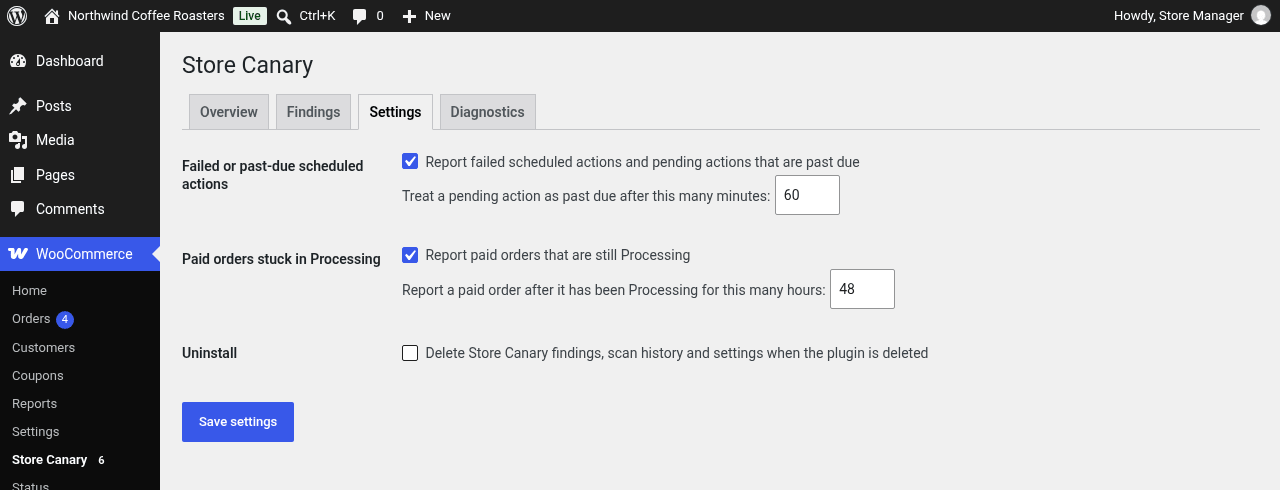
Settings: turn each check on or off and set its threshold.
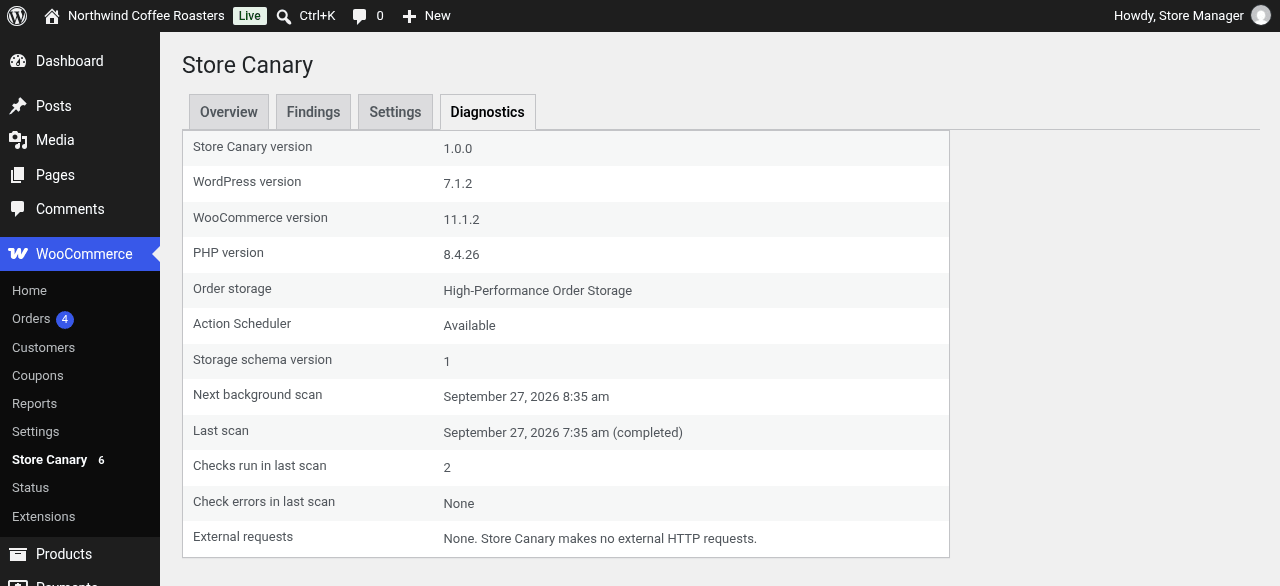
Diagnostics: versions, order storage mode and the last scan’s result.