Plugixa Inventory Wordpress Plugin - Rating, Reviews, Demo & Download
Plugin Description
📦 Turn WordPress into a working stock system with Plugixa Inventory – items, warehouses, stock movements and an append-only ledger, in a fast React admin that also runs on the front end of your site.
📚 Read the Documentation
🌐 Visit the official website Plugixa
✉️ Questions or support requests: Contact us
Documentation | Contact | Support Forum | Upgrade to Pro!
Start counting stock in 3 simple steps:
- Add your warehouses and items – with SKUs, barcodes, cost and sale prices
- Raise a stock movement – add, remove, check in or check out – and finalize it
- Watch the dashboard and the ledger update, per warehouse
Records live in the plugin’s own database tables, not in posts and post meta, so lists, filters and the dashboard stay fast as your history grows.
Stock That Is Actually Per Warehouse
Every quantity is held against a specific item and warehouse, so “how much is in the west depot” is a question the dashboard can answer.
✅ Items – assets, consumables and sellable goods, with SKUs, barcodes and reorder levels
✅ Warehouses – each with its own stock levels, low-stock list and valuation
✅ Stock movements – add, remove, check in and check out, drafted then finalized
✅ Stock ledger – every change ever made, which nothing can edit or delete
Key Features of Plugixa Inventory
- Fast, Material UI-based admin application
- Unlimited items, categories, warehouses and recipients
- Three item types – assets, consumables and sellables – with SKUs, barcodes and serial numbers
- Stock held per item and per warehouse
- Stock movements: add stock, remove stock, check in and check out
- Documents are drafted, then finalized – a finalized document cannot be edited or deleted
- Append-only stock ledger that on-hand quantities are derived from
- Stock health check that proves the quantities still follow from the ledger
- Dashboard with stock value, movement trend, low stock and top movers
- Warehouse overview with stock, low-stock and activity for one location
- Stock valued at cost, with average costing
- CSV import with column matching, opening stock and one-click revert
- CSV export from every list, filters included
- Low-stock notifications in the app and by email
- Scanner and quick search across items and screens
[plugixa_inventory_app]shortcode – the whole app on a page of your site- App manager to switch features on and off without losing their data
- Six inventory capabilities and a ready-made Inventory Manager role
- REST API (
plugixa-inventory/v1), action and filter hooks, and WP-CLI commands - No CDN, no Google Fonts – fonts and icons are served from your own site
Plugixa Inventory Pro Features
- Warehouse transfers – move stock between locations with both ledger legs
- Inventory adjustments – addition, damage and subtraction, with a reason
- FIFO and LIFO costing, with a cost layer per receipt
- Reports – turnover, cost of goods sold, trends and stock ageing, with exports
- Custom fields – twelve field types on items, warehouses and recipients
- Units of measurement, with conversions
- Roles screen – build and assign inventory roles from the app
- Permissions – decide who can see and change which records
- Dark mode
- Installable on a phone or desktop like a native app, with desktop notifications
- Priority support
Upgrade to Plugixa Inventory Pro
📒 An Append-Only Stock Ledger
Every change to every quantity is written to a stock ledger that nothing can edit or delete: no REST route, no admin screen, and a veto in the data layer. On-hand quantities are derived from it, and a built-in reconcile proves they still are – on demand from the admin, daily in the background, or from WP-CLI with wp plugixa-inventory stock reconcile.
🔒 Built to Stay Correct
Concurrent finalizes cannot oversell. The check that there is enough stock is part of the same SQL statement that removes it, so there is no window between deciding and writing. The daily check reports anything that disagrees with the ledger; it never silently corrects it.
💰 Stock Valued at What It Cost You
Stock on hand is valued at the item’s cost price, falling back to its sale price only for an item with no cost recorded. Valuing inventory at what it sells for would overstate it by your whole margin. Stock leaving is costed on the ledger row that records the removal, so what a movement cost and what the remaining stock is worth are two separate answers.
📥 Import and Export From a Spreadsheet
Bring items, categories, warehouses and recipients in from a CSV, with a column-matching step before anything is written. Categories and warehouses are found by name or code, and a line naming something that does not exist is reported by line number instead of being invented for you. Opening stock comes in as a real, finalized stock movement, so the ledger agrees with it from the first day. An import can be reverted. Every list has an Export button that writes what you are looking at to a CSV.
🖥️ On the Front End, Not Only in wp-admin
Add [plugixa_inventory_app] to a page and the whole application runs there, inside your theme, with a full-screen button in its toolbar. It is the same application and the same API, so access rules are identical – staff who should not be in wp-admin never have to go there.
👨💻 Author
Plugixa Inventory is developed by Plugixa, building focused, well-documented WordPress plugins with an emphasis on performance, clean code and correct data.
🛟 Documentation & Support
Plugixa Inventory is built to be usable without a manual, but it is documented in full.
👉 Read the Documentation – getting started, stock movements, the ledger, import, the shortcode, REST API, hooks and WP-CLI
👉 Ask on the WordPress.org support forum
👉 Or contact us directly
👉 Browse more plugins at plugixa.com
Shortcode Usage
Put the application on a page:
[plugixa_inventory_app]
With options:
[plugixa_inventory_app width=”full” height=”800″]
External services
This plugin connects to one third-party service, and only for licensing and updates. No inventory data – no item, warehouse, document, quantity, cost or ledger row – is sent to it or to anywhere else, ever.
Freemius
Used for licence activation, plugin updates, and an optional opt-in. On activation you are shown an opt-in screen; if you skip it, no identifiable data is sent. When you activate a licence or check for an update, your site URL, the plugin and SDK versions and your licence key are sent to https://api.freemius.com. If you opt in, the data that screen lists is sent to the same address: your WordPress user’s first and last name and email address; your site’s homepage URL and title, WordPress and PHP versions and site language; the plugin’s version and whether it is active or uninstalled; and, unless you switch that item off on the opt-in screen, the names, slugs and versions of your installed plugins and themes and whether each is active.
Provided by Freemius, Inc. – Terms: https://freemius.com/terms/ – Privacy: https://freemius.com/privacy/
There is no other outbound request. The Freemius SDK in vendor/freemius/ is the only code in the plugin that performs one. Fonts and icons are served from your own site; nothing is loaded from a CDN or from Google Fonts.
Screenshots

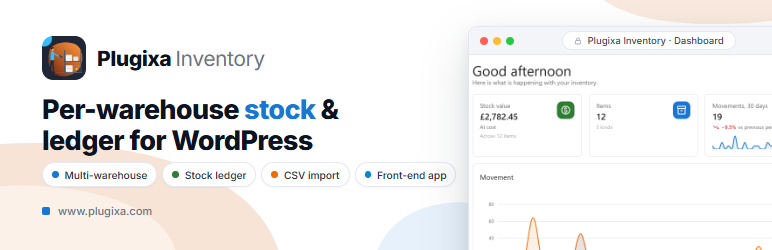
Dashboard – stock value, low stock, a 30-day movement trend and the top movers on one screen

Items – the catalogue, with SKUs, types and on-hand totals per item

Stock movement – a document is drafted first, then finalized to write the ledger

Stock ledger – every change to every quantity, newest first, which nothing can edit or delete

Warehouse overview – stock, low stock and recent activity for one location

Stock health – the reconcile that proves the numbers still follow from the ledger