
Branching Software Chemical Structure Search For WooCommerce Wordpress Plugin - Rating, Reviews, Demo & Download

Plugin Description
Your catalog is searchable by name and CAS number, which works right up until
the buyer knows neither. They know the structure. This lets them draw it.
A shopper clicks a button, draws a molecule, and gets back the products in your
catalog that match — either the same substance, or every product containing what
they drew. Draw a benzene ring and you get everything with a benzene ring in it.
Results are rendered with your theme’s own product template, so they look
like the rest of your shop: your prices, your badges, your add-to-cart buttons.
Who it is for
Any WooCommerce store that sells by structure: chemical suppliers and
distributors, reagent and laboratory supply shops, building-block and
screening-compound vendors, custom synthesis and research chemical sellers,
fine chemical and pharmaceutical intermediate catalogs. If your buyers think
in molecules, SMILES strings and CAS numbers, this gives them a search box
that speaks their language: chemical structure search, substructure search,
SMILES search, CAS number lookup and plain product name search, all in one
drawer on your product pages.
What it does
- Exact structure search. Finds the same molecule however it was drawn or
written. Caffeine drawn three different ways finds caffeine all three times —
and does not find theobromine, which is one methyl group away. - Substructure search. Finds every product containing the drawn fragment.
- Similarity search. A checkbox that also returns the products closest to
what was drawn, each scored, so a buyer who cannot find the exact compound
is shown the nearest thing you do stock. - A drawing editor built into your storefront (JSME, by Peter Ertl and
Bruno Bienfait). - Chemistry fields on every product: SMILES, CAS number, molecular formula,
molecular weight — shown on the product page in your theme’s own styling. - Structure images drawn automatically and saved as files.
- CSV import that accepts the column names your supplier already uses.
- A block and a shortcode, so search goes wherever you want it.
It does not slow your site down
The chemistry toolkit is large — around 10 MB between the structure editor and
the chemistry engine — and none of it is downloaded until a shopper actually
clicks to open the drawing editor. A page with the search widget on it costs
about 11 KB of JavaScript. A page without one costs nothing at all: no scripts,
no styles, no requests.
Searching happens in the shopper’s browser against a small index file, so it
puts no load on your database however many people are searching at once.
Accurate chemistry
Matching is done by RDKit, the standard open-source
cheminformatics toolkit, compiled to WebAssembly. The same code canonicalises
your catalog when you build the index and canonicalises what the shopper draws,
so the two are always comparable. Aromaticity, tautomers, salts, stereochemistry
and isotopes are handled by RDKit rather than by string matching — deuterated
solvents stay distinct from their ordinary counterparts.
Pro version
Everything described on this page is in this plugin and stays free. A separate
Pro add-on, sold by Branching Software, adds tools for keeping a catalog’s
structures complete and for seeing what shoppers want:
- CAS to structure enrichment — products with a CAS number and no structure
are looked up on PubChem in the background, and you approve each suggestion
before it is saved. - SDF import — upload a supplier’s SDF, map its fields to SKU or CAS,
preview exactly what will change, then import. - Search demand report — the full report over the searches this plugin
already records: every structure and query, filters, a daily trend, CSV
export and a retention setting.
The add-on installs as a second plugin and adds its tabs to this plugin’s
screen. See https://branchingsoftware.com/chemical-structure-search/.
Third-party libraries
This plugin bundles two open-source libraries, both redistributed under their own
terms with their licence files included:
- RDKit (
assets/vendor/rdkit), the cheminformatics toolkit that performs
all structure matching, compiled to WebAssembly.
BSD 3-Clause. https://www.rdkit.org/ — source:
https://github.com/rdkit/rdkit-js - JSME Molecule Editor (
assets/vendor/jsme), the structure drawing editor,
by Peter Ertl and Bruno Bienfait.
BSD 3-Clause. https://jsme-editor.github.io/ — source:
https://github.com/jsme-editor/jsme-editor.github.io
Neither library contacts any external service. Both run entirely in the
visitor’s browser, and this plugin makes no outbound requests of its own.
Screenshots
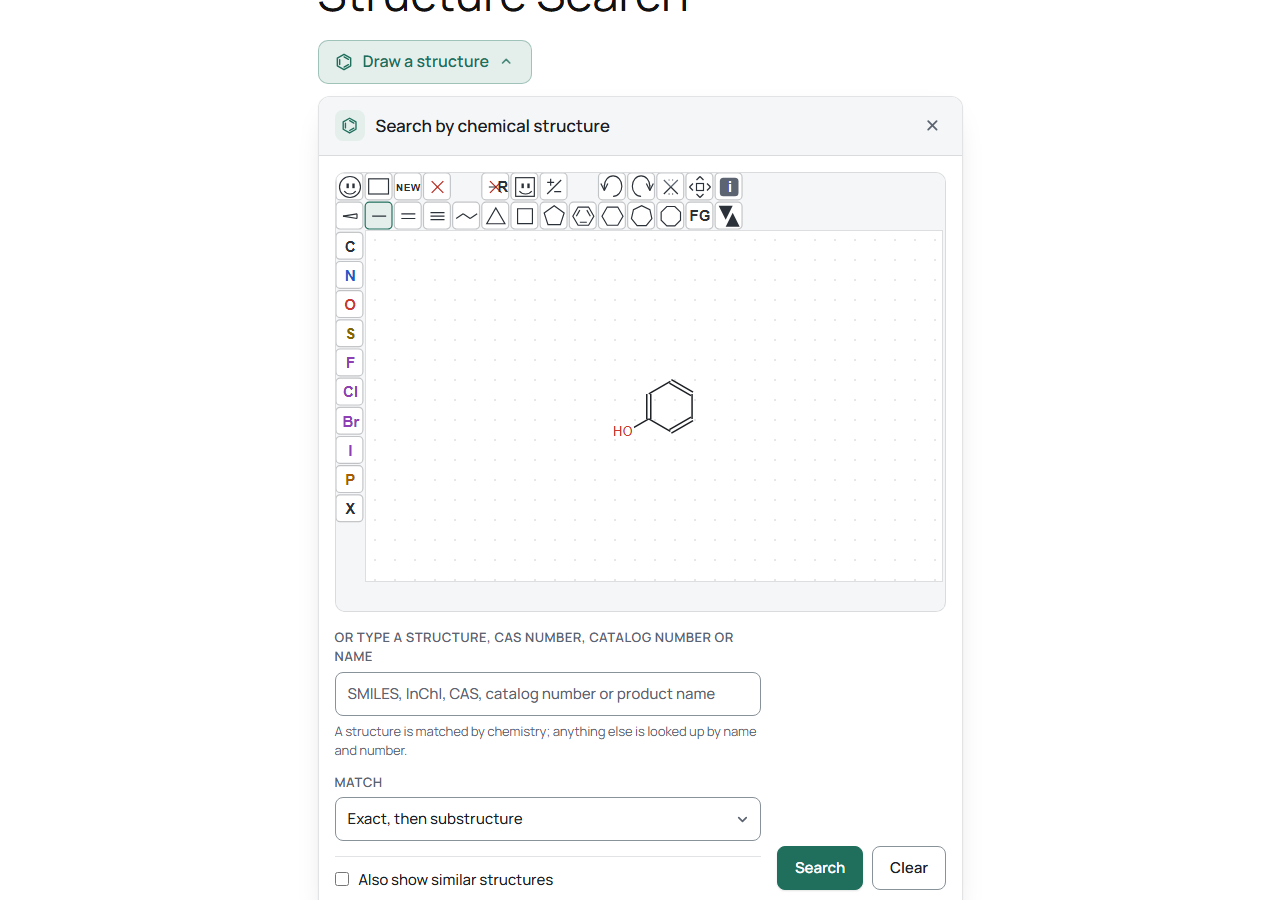
Storefront – the search drawer: draw a structure, or type a SMILES, InChI, CAS number, catalog number or product name.
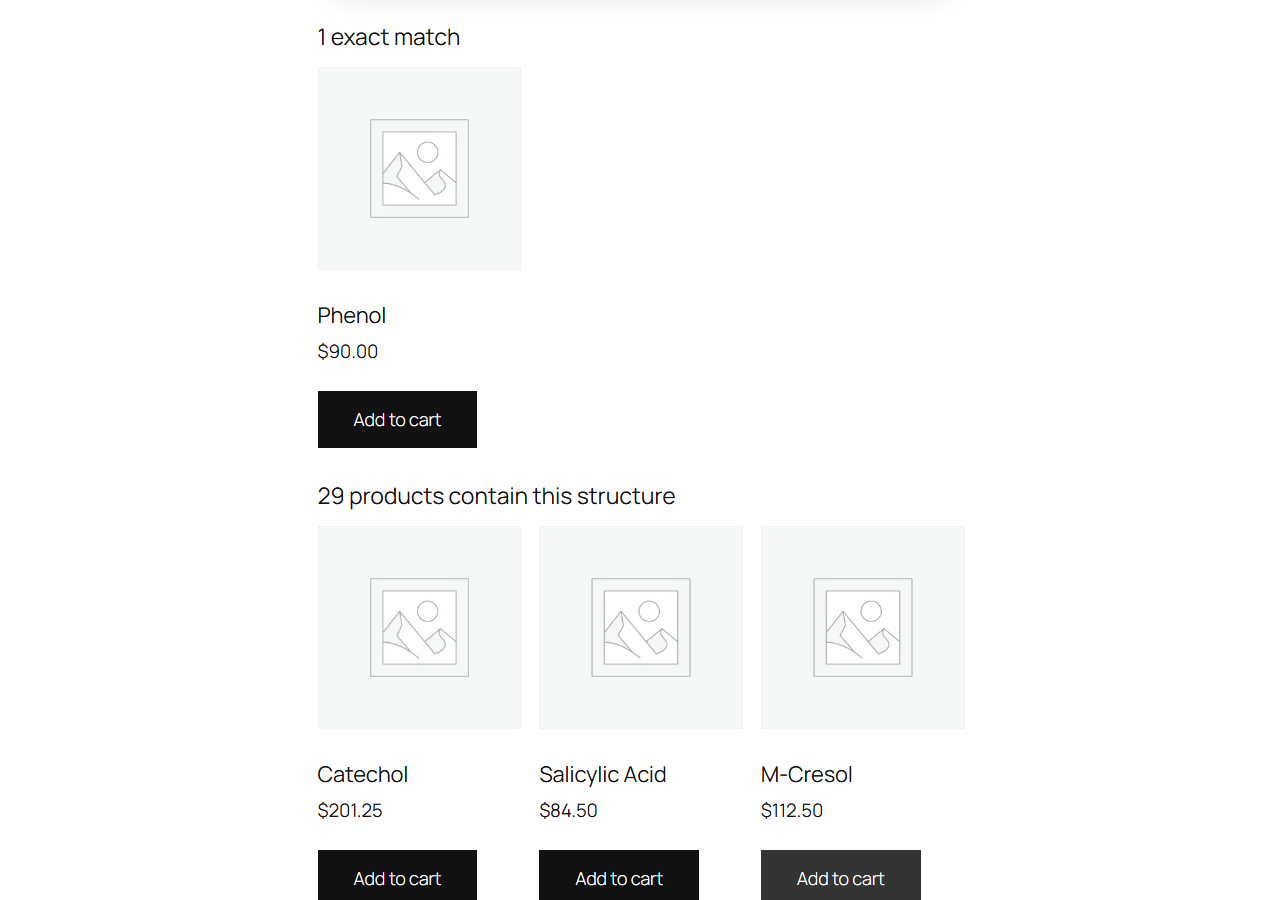
Storefront – results: matching products rendered by the store’s own theme, exact matches first, then everything containing the drawn structure.
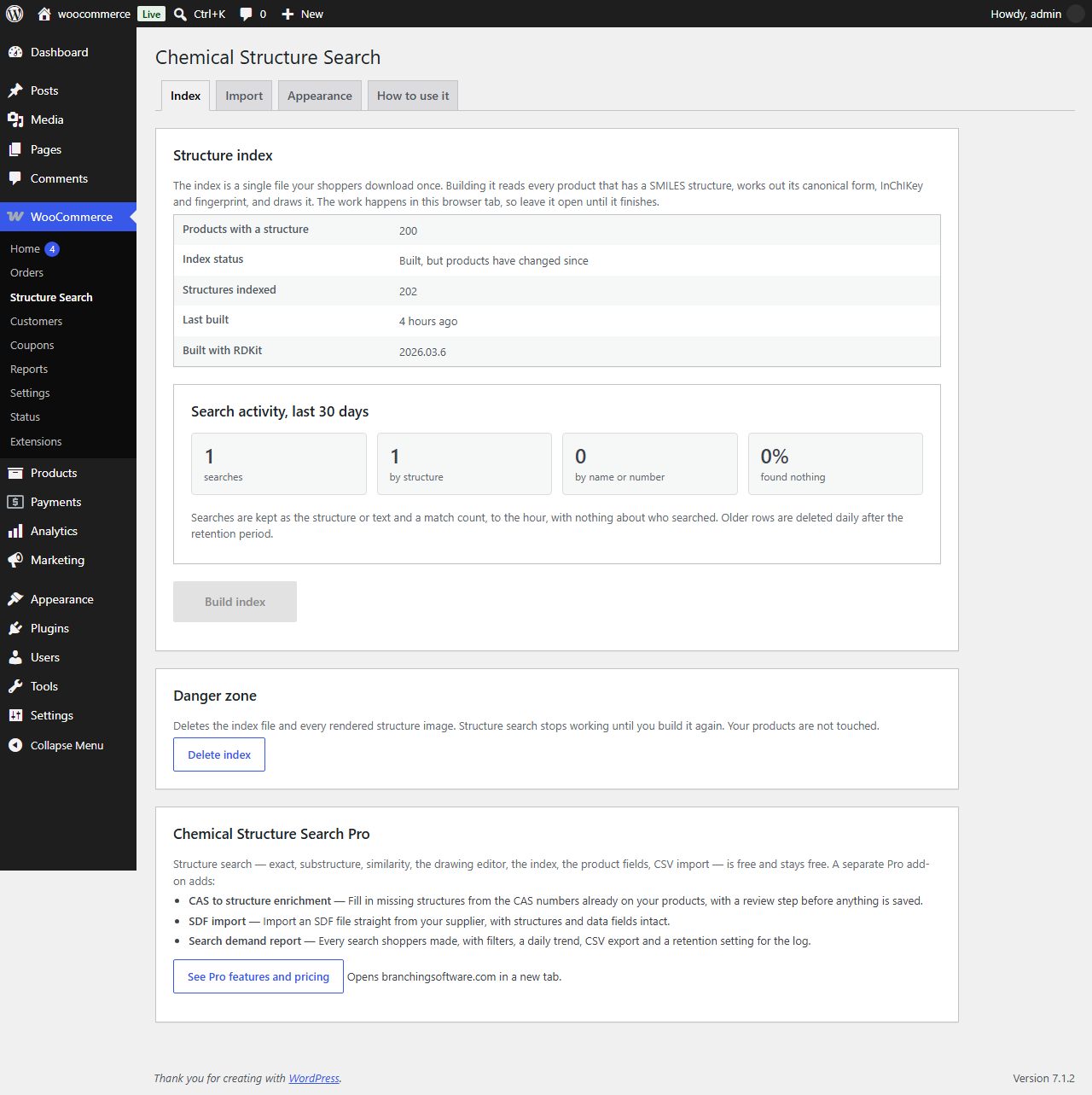
WooCommerce → Structure Search – Index tab: build the structure index in the browser and see the last 30 days of search activity.
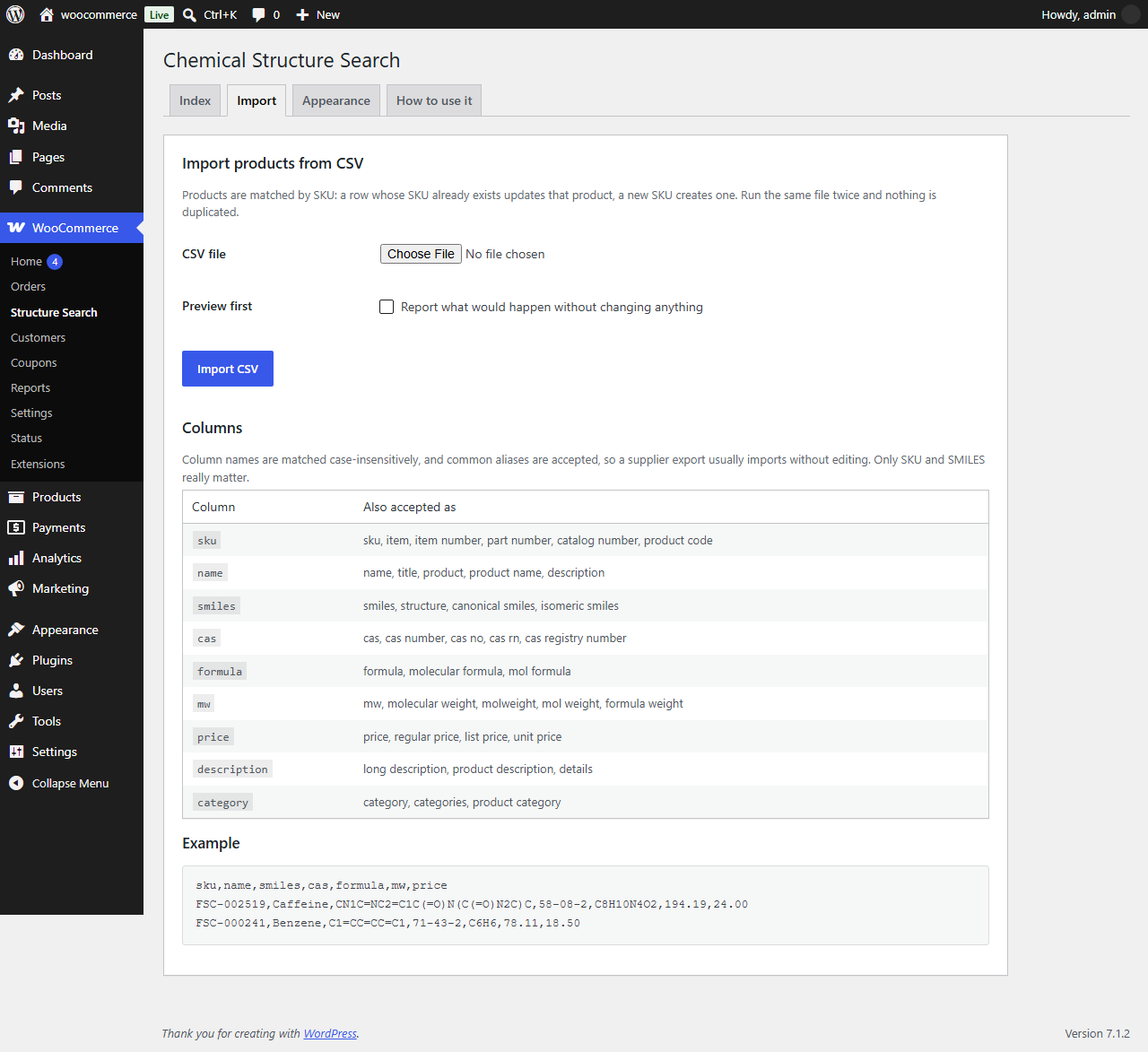
WooCommerce → Structure Search – Import tab: CSV import that accepts the column names suppliers already use.
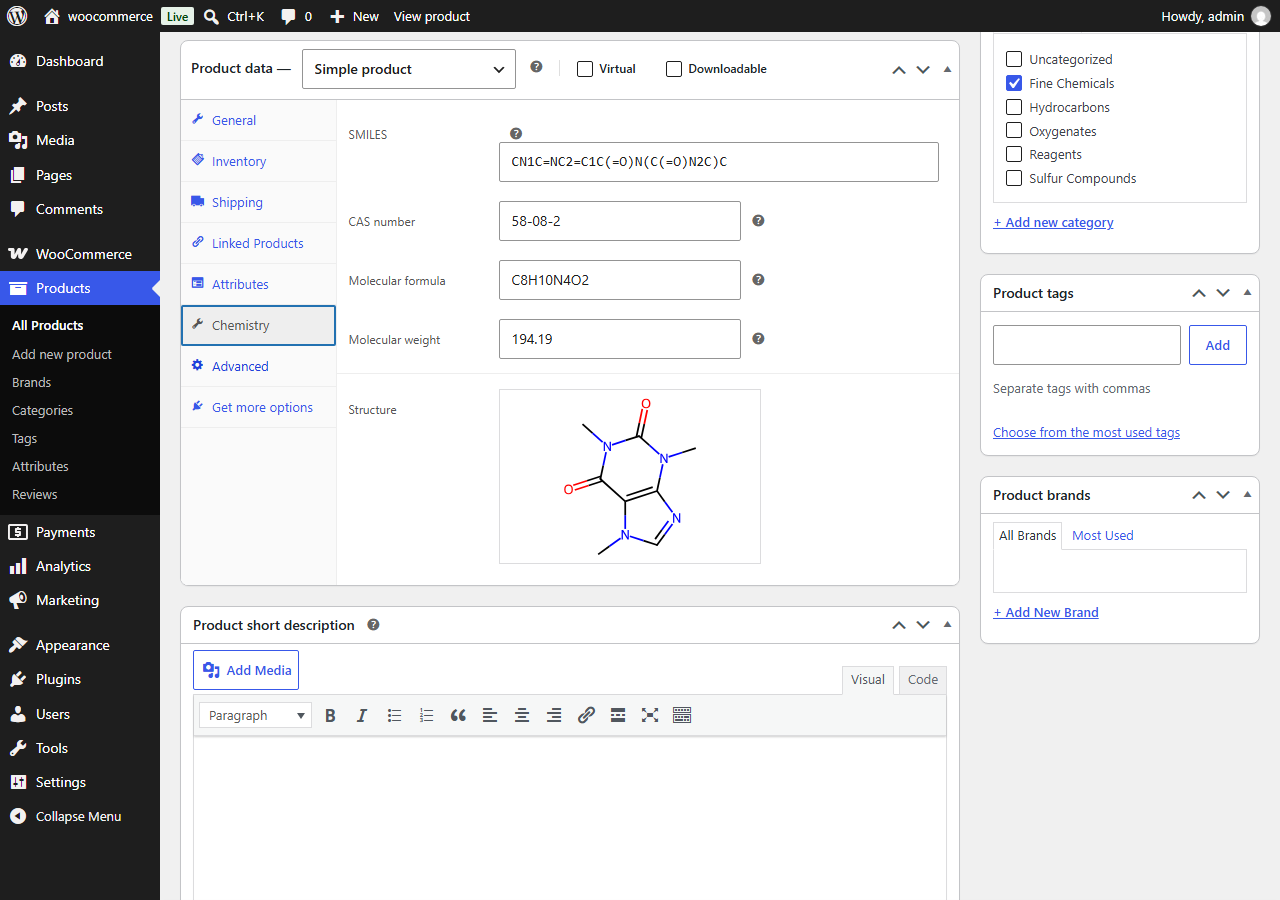
Product edit screen – Chemistry tab: SMILES, CAS number, molecular formula and molecular weight on every product.
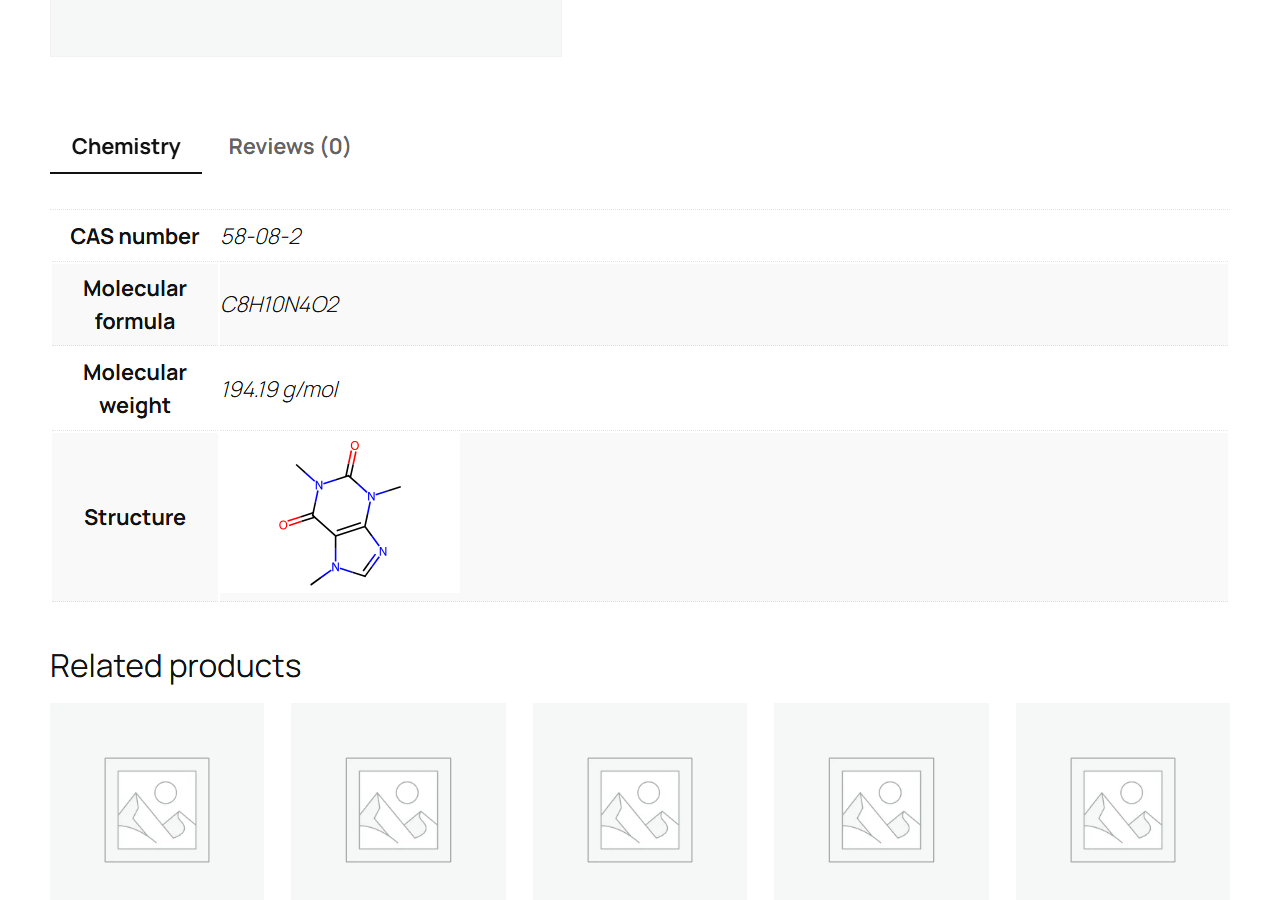
Product page – the structure drawing and identifiers, shown in the theme’s own styling.


