
DeepBOM: Bill Of Materials Wordpress Plugin - Rating, Reviews, Demo & Download
Plugin Description
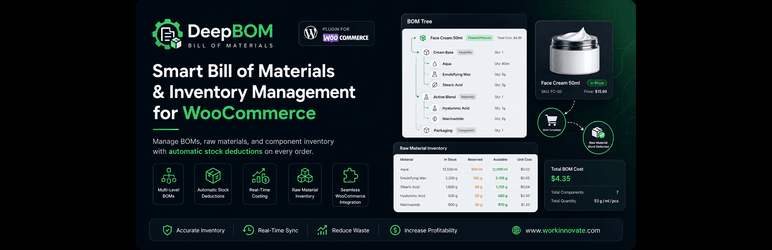
DeepBOM: Bill of Materials brings manufacturing-focused inventory management to WooCommerce, without the complexity of enterprise ERP software.
Whether you manufacture products, assemble components, or package product kits, DeepBOM keeps your raw material inventory accurate by automatically tracking component usage whenever orders are completed.
Core Features
- Create unlimited Bills of Materials (BOM)
- Build multi-level BOMs with assemblies and sub-assemblies
- Automatic stock deduction: raw materials are deducted when a WooCommerce order is completed
- Track raw materials and components separately from finished products
- Real-time BOM cost calculations
- Visual BOM tree for understanding product structure at a glance
- Link raw materials to simple products and to individual variations of variable products
- Add, edit, update, and delete raw materials directly from the Edit Product screen
- Search your existing database to add raw materials quickly
- Quick popup to set the quantity of each raw material needed to make the final product
- Native WooCommerce integration with no third-party dependencies
- Lightweight, fast, and easy to configure
Perfect For
- Manufacturers and assemblers
- Cosmetics and skincare brands
- Food and beverage producers
- Apparel and textile makers
- Furniture and woodworking shops
- Electronics assembly
- Handmade and artisan products
- Subscription boxes and product kits
How It Works
- Add your raw materials and components.
- Link them to a product or to a product variation, and set the quantity needed to make one unit.
- When a WooCommerce order is marked as Completed, DeepBOM deducts the required quantities from your raw material stock.
DeepBOM Pro
An optional Pro version is available for stores that need more advanced manufacturing tools, such as reusable Recipes, advanced inventory management, enhanced manufacturing workflows, and additional reporting and automation. The free version is fully functional on its own.
Screenshots

BOM settings screen.

Product variations of a variable product.

Raw materials linked to a product or to a product variation.

Quick shortcut to view linked raw materials from the product variation popup.

View, add, update, and delete raw materials from the Edit Product screen.

Add a raw material by searching your existing database.

Popup to set the quantity of raw material needed to make the final product.


