Cubixsol AI Voice & Chat Assistant Wordpress Plugin - Rating, Reviews, Demo & Download
Plugin Description
Cubixsol AI Voice & Chat Assistant adds an interactive voice & text AI sales representative and 24/7 customer support assistant to WordPress and WooCommerce.
Using Retrieval-Augmented Generation (RAG) with vector embeddings, the agent indexes your WooCommerce products, posts, pages, custom post types, navigation menus and business profile, then answers visitor questions grounded in that content instead of general internet knowledge.
Visitors tap the mic button to speak in their language or type into the chat box. The agent replies with free browser speech synthesis or, optionally, ElevenLabs studio voices.
Why Choose Cubixsol AI Voice & Chat Assistant?
- Boost Store Conversions: Instant product recommendations, prices, stock details and store policies through natural conversation, with product cards and page links shown in the chat.
- Grounded Answers (RAG): Answers are built from your indexed website content, and the agent is instructed not to invent prices, discounts or policies.
- Multi-Engine AI: Choose Google Gemini (Gemini 3.5 Flash recommended), OpenAI (GPT-4o mini, GPT-5.x) or Anthropic Claude (Claude Haiku 4.5, Sonnet), or enter any custom model ID.
- Natural Speech Output: Free, instant browser speech synthesis, or ElevenLabs for studio-grade human-like voices.
- 50+ Languages: Choose which languages visitors can pick (English, Spanish, French, German, Italian, Portuguese, Arabic, Urdu, Hindi, Bengali, Turkish, Chinese, Japanese, Korean and many more), set a default language, match the visitor’s browser language automatically, or hide the selector completely. Right-to-left languages are displayed correctly.
- Modern Admin Dashboard: Knowledge base scanner with live log, database inspector, path exclusions and persona templates.
Key Features
- Multi-Engine AI Integration: Switch between Google Gemini, OpenAI and Anthropic Claude.
- Live WooCommerce Catalog Search: Visitors can ask “show me all products”, “anything between 100 and 300?”, “do you have cufflinks?” or “what categories do you have?”. The agent reads the answer straight from your WooCommerce catalog (categories, price ranges, product names, SKUs, stock), so new products work the moment you publish them and prices are always current.
- Smart Product Answers: Visitors can ask “which product is most popular?”, “what are your top rated items?”, “anything on sale?”, “what’s new?”, “what do customers say about X?”. Answers use real sales (best-seller ranking, without revealing sales numbers), customer ratings and recent reviews, sale prices and discounts, stock (following your WooCommerce stock display setting), attributes, tags, featured products, weight and dimensions.
- RAG Vector Knowledge Base: Built-in scanning & indexing for WooCommerce products, pages, posts, custom post types, menus and your business profile.
- Automatic Sync: Content is re-indexed in the background when you publish or update it, removed when it is unpublished or deleted, and a daily background sync catches anything missed.
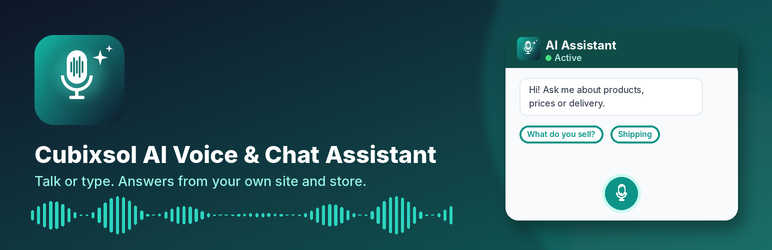
- Quick Reply Buttons: Tappable suggestion buttons under the greeting (“What do you sell?”, “Shipping & delivery”, “Browse Cuff Links”…) so visitors know what to ask. After shopping answers, smart follow-ups appear (cheapest option, other categories, show all products). Fully editable in Settings > Widget.
- Visitor Language Options: Settings > Widget > Visitor Languages lets you enable any of 54 languages, pick the default, and decide whether visitors see the language selector.
- Voice & Text Input: Real-time speech recognition (Web Speech API) plus keyboard chat.
- Text-to-Speech: Browser speech synthesis or ElevenLabs, with an audio cache to save API credits.
- Granular Exclusions & Rules: Exclude URL paths (e.g.
/checkout,/my-account), choose which content types are indexed, and toggle menus, FAQs, contact details and policies. - Database Inspector: View, search and delete indexed content chunks from the admin dashboard.
- Persona Templates & Custom Instructions: Start from built-in persona templates or write your own guidelines.
- Widget Controls: Launcher style, position, texts, and which pages show the widget.
- Built-in Protection: The public chat endpoint is nonce-protected and rate-limited per visitor, to protect your API credits.
Privacy
Password-protected, private and draft content is never indexed. Protected (underscore) post meta and meta fields that look like personal or secret data are skipped. Conversations are not stored on your website. The plugin adds suggested text to Settings > Privacy describing what is sent to the AI services. Fonts are bundled locally; no requests are made to third-party font servers.
Trademarks
Cubixsol AI Voice & Chat Assistant is an independent plugin. It is not affiliated with, endorsed by or sponsored by WordPress, WooCommerce, Google, OpenAI, Anthropic or ElevenLabs. All product names, logos and trademarks are the property of their respective owners and are used only to describe compatibility.
External Services
This plugin connects to third-party APIs to generate answers, create vector embeddings and synthesize speech. Nothing is sent until you add the relevant API key.
Google Gemini API (Google LLC) — required for indexing.
Used to create vector embeddings of your website content (always), to embed visitor questions for search, and to generate answers when Gemini is the selected engine.
Data sent: chunks of your published website content when indexing; the visitor’s question, recent conversation turns and matching website content when answering.
Terms of Service: https://ai.google.dev/terms
Privacy Policy: https://policies.google.com/privacy
OpenAI API (OpenAI) — optional.
Used to generate answers when OpenAI is the selected engine.
Data sent: the visitor’s question, recent conversation turns and matching website content.
Terms of Use: https://openai.com/policies/terms-of-use/
Privacy Policy: https://openai.com/policies/privacy-policy/
Anthropic API (Anthropic PBC) — optional.
Used to generate answers when Claude is the selected engine.
Data sent: the visitor’s question, recent conversation turns and matching website content.
Commercial Terms: https://www.anthropic.com/legal/commercial-terms
Privacy Policy: https://www.anthropic.com/legal/privacy
ElevenLabs API (ElevenLabs Inc.) — optional.
Used to turn the assistant’s answer into speech when ElevenLabs voice is enabled.
Data sent: the text of the assistant’s answer.
Terms of Service: https://elevenlabs.io/terms
Privacy Policy: https://elevenlabs.io/privacy
Browser speech services — Speech recognition and browser speech synthesis use the Web Speech API built into the visitor’s browser. Depending on the browser, the browser vendor may process the audio under its own privacy policy.
Screenshots

Business Profile settings: add your company details, opening hours, policies, FAQs and choose how the assistant should behave.

AI Engines settings: pick Gemini, OpenAI or Claude, add your API keys and models, and set up ElevenLabs voices.

Content Selection settings: choose which post types the assistant learns from and exclude private pages or paths.

Widget Customization settings: launcher style, position, labels, greeting, visitor languages, quick reply buttons and visibility rules.

Dashboard: knowledge chunks, scanner status, API connection, active engine and system status at a glance.

Knowledge Scanner live monitor showing your content being indexed.

Database Inspector for checking what the assistant has learned.

“AI Voice Index” box on the product and post edit screen to index or re-index a single item.

The chat widget on the front end with greeting, quick reply buttons, microphone and language selector.