SmartUpWorld Clinic Appointments Wordpress Plugin - Rating, Reviews, Demo & Download
Plugin Description
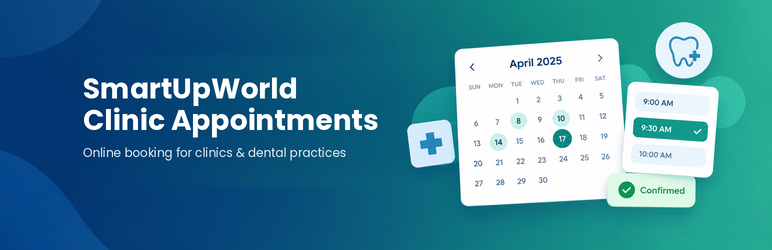
SmartUpWorld Clinic Appointments lets patients pick a free date and time on your website. Your team confirms, moves or declines each request from the dashboard, and the patient is emailed at every step.
For patients
- Choose a treatment, see which days are free in a calendar, and pick a time.
- Fully booked days are marked, and the form offers the next free day in one click.
- Email when the request is received, when it is confirmed (with the time to arrive and a calendar invitation), moved, declined or cancelled.
- Automatic reminder before the appointment.
- A private link in every email to view, cancel or pick a new time (until a deadline you set).
For the practice
- Overview: requests waiting for a reply, today’s schedule, past visits to mark, no-shows and a two-week capacity view.
- One-click Confirm, “Confirm next free time” (moves a request to the next free slot and confirms it), Decline with a reason, Cancel, Completed and No-show.
- Month calendar of all appointments.
- Add phone and walk-in bookings; optional double-booking override.
- Opening hours with breaks, closed dates and blocked hours, slot length, chairs (patients at the same time), maximum appointments per day, per-treatment daily limits (e.g. 2 emergency visits a day), gap between appointments, minimum notice, how far ahead patients can book and extra time for new patients.
- Instant booking mode, or requests that staff confirm.
- Editable email texts with placeholders, test emails and a history log per appointment.
- Search, filters and CSV export.
- “Front Desk” user role that can manage appointments without access to the rest of the site.
- Dashboard widget with today’s appointments.
Privacy
- Stores only name, email, phone, treatment, date/time, new or existing patient and an optional message. The form asks patients not to write medical details.
- Works with WordPress’s personal data export and erase tools and adds suggested privacy policy text.
- Optional automatic deletion of old appointments.
This plugin is not a HIPAA-compliant system and must not be used to collect health records.
Spam protection
Hidden trap field, speed check and a limit of 5 bookings per hour per visitor. A theme or another plugin can add a CAPTCHA with the suwca_booking_form_fields action and the suwca_validate_booking filter.
No external services
The plugin does not load anything from, or send anything to, outside servers. All data stays in your WordPress database.
Screenshots

The booking form: patients choose a treatment, then a free day and time in a live availability calendar.

Overview: answer requests in one click, mark today’s visits and see how full the next two weeks are.

Month calendar of all appointments, colour-coded by status.

An appointment: change the time, confirm or decline with a note, and see the full history.

Booking rules: opening hours, breaks, slot length, daily limit, chairs, notice and booking window.

The patient’s private page to view, change or cancel an appointment (mobile).