
Hera Referral Coupon Reports For WooCommerce Wordpress Plugin - Rating, Reviews, Demo & Download
Plugin Description
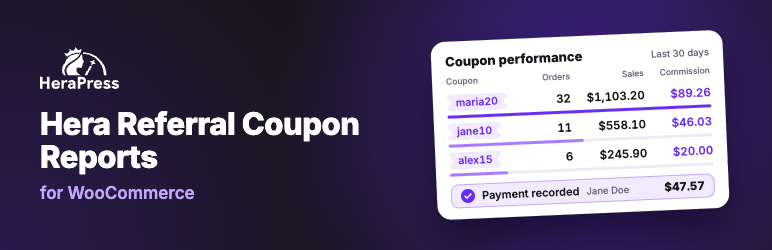
Hera Referral Coupon Reports for WooCommerce turns the coupons you already hand out into an affiliate program. Put a name on a coupon, and every order placed with it is recorded against that person: how many orders, how much they sold, how much discount they gave away, how many of those orders were cancelled or refunded, and, if you switch it on, the commission they earned and what you have paid them so far.
This is an independent plugin, not affiliated with, endorsed by, or sponsored by WooCommerce or Automattic. WooCommerce is a trademark of Automattic Inc.
It is built for stores that give each influencer, brand ambassador, creator, podcast host, partner, reseller or sales rep their own coupon code, which some stores call a promo code, discount code or voucher code. Attribution comes from the code the customer types, so there are no referral links, no tracking cookies and no affiliate logins. The plugin never moves money either: you pay affiliates your usual way and record each payment, and the plugin keeps the balance.
Features
- An “Affiliate” tab on the WooCommerce coupon editor. A name is enough. Add an email address to group several coupons under one person and to send them emails, and an optional commission rate if this affiliate does not get the store default.
- Orders sorted into what actually happened to them: confirmed, pending, cancelled, never paid and refunded. You choose which statuses confirm an order, and cash on delivery orders stay pending until they are completed.
- A cancellation rate worked out on finished orders only, so orders still in progress, abandoned checkouts and declined cards do not distort it.
- A dashboard for the selected period: orders, confirmed, pending, cancelled, cancellation rate, sales, total discount, and commission earned and pending when commission tracking is on, each compared with the period immediately before it.
- Charts drawn as plain SVG on the server: orders over time, the order outcome split, and top affiliates by order count.
- Affiliates and Coupons reports, both sortable. A coupon and its affiliate are listed from the moment you assign them, before their first order. Every row shows orders, cancellations, cancellation rate and sales, plus the discount given and the commission earned, each as an amount and as a share of that row’s sales.
- An Orders report listing every order that used a coupon, with its outcome, refunds and commission, linked back to the order edit screen.
- Optional commission: a store wide percentage or fixed amount per order that any coupon can override. Percentages are worked out on product totals after discounts, with shipping, fees and tax added only if you choose, and partial refunds are taken off.
- A Payouts screen: what each affiliate has earned, been paid and is owed, a statement for any date, a record of every payment, and an optional email that tells the affiliate which orders a payment covers.
- CSV export for every report, statement and payment, and print layouts for saving as PDF.
- An optional email to the affiliate when a new order uses their coupon. Both emails are edited under WooCommerce > Settings > Emails like any other store email.
- An “Affiliate” column on both the WooCommerce Orders list and the Coupons list.
- Works with WooCommerce High-Performance Order Storage (HPOS) and with legacy order storage.
How PDF export works
The “Export PDF” and “Print” buttons open a print-formatted copy and call your browser’s own print dialog, where you pick “Save as PDF” as the destination. No PDF library is bundled with the plugin, and nothing is uploaded anywhere to produce the file.
No external connections
The plugin makes no external connections. It sends no data to any third party, loads no remote script, font or stylesheet, and bundles no third-party library. Everything on screen is computed from your own store’s orders and coupons.
Documentation
The user guide, with a page for every feature, is at herapress.com/docs.
Support
Use the support forum on this plugin’s WordPress.org page. Please say which report screen the problem appears on, and include your WordPress and WooCommerce versions.
Screenshots

The dashboard: figures for the selected period, orders over time, the order outcome split, and top affiliates.

The Affiliates report, with commission and discount shown against each affiliate’s sales.

The Coupons report, showing each code, its affiliate, and how it performed.

The Orders report, with its own figures and charts above the list of orders.

The “Affiliate” tab on the WooCommerce coupon editor.

An affiliate’s statement on the Payouts screen, with the form that records a payment.

