
WPInterface Checkout With Paddle For WooCommerce Wordpress Plugin - Rating, Reviews, Demo & Download
Plugin Description
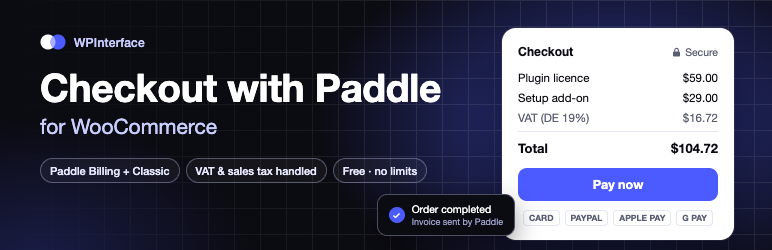
Paddle is a merchant of record: it sells your products on your behalf and takes care of payments, sales tax and VAT, invoices and compliance in every country. This plugin adds Paddle as a payment method to WooCommerce, so buyers pay in a Paddle popup on your own checkout page.
Works with both Paddle accounts
- Paddle Billing (accounts created after August 2023): API key and client-side token.
- Paddle Classic (older accounts): Vendor ID, API Auth Code and public key.
Checkout
- Works with the Checkout block and the classic (shortcode) checkout, and on the “Pay for order” page.
- Paddle’s secure checkout opens as an overlay on your checkout page. Buyers never leave your site.
- Cards, PayPal, Apple Pay and Google Pay, as enabled in your Paddle account.
- No product setup in Paddle: every order is sent with its own lines and prices, so coupons, fees, shipping, variations and multi-item carts just work.
- Light or dark theme, checkout language (automatic or fixed), optional payment icons, your own title and description.
Reliable and safe
- Every webhook is signature-verified; nothing else can mark an order paid.
- One click sets up the webhook in Paddle Billing and stores its secret.
- Duplicate and simultaneous webhooks are handled, so an order is never paid or refunded twice.
- Several stores can share one Paddle account; each store only acts on its own orders.
- Payments are confirmed directly with Paddle while the buyer waits (Billing), so a slow webhook doesn’t hold anyone up.
- Underpaid, wrong-currency or outdated-checkout payments are flagged instead of marking the order paid.
- Compatible with High-Performance Order Storage (HPOS).
- Test connection button, clear admin warnings and logging to the WooCommerce logs.
Refunds
- Refunds made in Paddle (full or partial, down to the order line on Billing) are recorded in WooCommerce automatically.
- A refund recorded in WooCommerce first (“Refund manually”) is matched to the Paddle refund that follows, so it is never recorded twice.
- Chargebacks and disputes put the order on hold automatically, so you can review it.
Order screen
- A Paddle box on every Paddle order: the transaction and customer (linked to your Paddle dashboard), the Paddle total, tax and your earnings, and the Paddle receipt (Classic).
- A “Check payment with Paddle” button for unpaid orders.
No limits. There are no order, revenue or product limits.
Pro
WPInterface Checkout with Paddle for WooCommerce Pro adds:
- Subscriptions with WooCommerce Subscriptions: free trials, sign-up fees, renewals, failed payments and cancellations kept in sync with Paddle.
- Refunds from the WooCommerce order screen sent to Paddle, down to a single product.
- Inline checkout embedded in your checkout page.
- Paddle invoices for customers on order pages, in My Account and in order emails.
- Priority support.
External services
This plugin connects to Paddle (paddle.com), the payment provider and merchant of record, to take payments. Nothing is sent until you configure the plugin and enable the payment method.
- Paddle.js is loaded from
cdn.paddle.comon the checkout and “Pay for order” pages so the buyer can pay in Paddle’s secure checkout. Paddle receives the buyer’s payment details and email address directly. - Paddle API (
api.paddle.comandsandbox-api.paddle.comfor Paddle Billing;vendors.paddle.comandsandbox-vendors.paddle.comfor Paddle Classic) is called from your server when an order is placed (order lines, prices, currency, buyer email and billing country, the WooCommerce order number and a site identifier), when the payment is confirmed, and when you click Test connection or Set up webhook (your webhook URL). - Webhooks are sent by Paddle to your site to report payments and refunds.
Paddle’s Terms and Privacy Policy.
Screenshots

Paddle settings: account type, credentials and webhook setup.

Paddle’s overlay checkout on the WooCommerce Checkout block.

The Paddle box on the WooCommerce order screen: transaction, customer, Paddle total, tax and your earnings.

WooCommerce → Paddle: setup checklist, last 30 days of Paddle sales and quick links.

WooCommerce → Paddle → Help & support: documentation, FAQ and copyable system info.


