
Oriva For WooCommerce Wordpress Plugin - Rating, Reviews, Demo & Download
Plugin Description
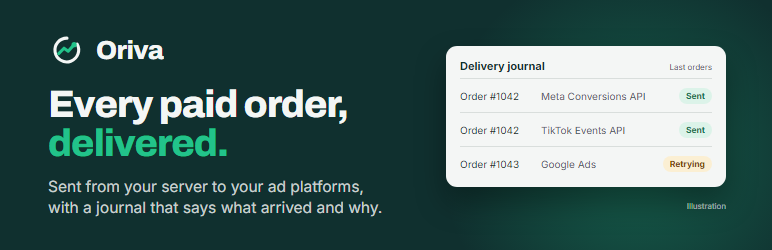
Oriva for WooCommerce connects your shop to your Oriva account. Oriva is a conversion-tracking service: it receives your sales and passes them on to the advertising platforms you connect, and keeps a journal of every delivery so you can see what arrived and why something did not.
The plugin is free. Oriva is a paid service, after a 14-day free trial that asks for a card. You need an Oriva account to use the plugin: without one it does nothing.
What it does
- Sends each paid order from your server, not from the thank-you page. A buyer who never comes back from the bank’s page, a payment confirmed later by the gateway, a reloaded confirmation page: the sale is still sent, once.
- Puts Oriva’s browser tracker on your pages, on a sub-domain of your own site, so that it is first-party.
- Follows your visitors’ consent. A sale is sent to the advertising platforms, with its buyer data (a hashed email and phone number, the IP address and browser), only for visitors who accepted advertising cookies through your cookie banner. Without their consent the sale is still counted in your Oriva account, but it is not sent to the platforms and nothing that identifies the person is sent at all.
- Never slows or breaks your checkout. Nothing is sent while the order is being placed: the order is only flagged, and a background task does the sending, retrying on its own if Oriva cannot be reached.
- Works with the classic and the block checkout, and with High-Performance Order Storage.
Your cookie banner
The plugin understands banners that follow WordPress’s WP Consent API (Complianz, CookieYes, Cookiebot and others). With another banner, you wire it to Oriva with two lines of code that your Oriva account explains. With no banner, no sale is sent to the advertising platforms, which is the safe default: the sales are still counted in your Oriva account. A setting lets you declare consent for everyone: only use it if that is true for your site.
What you need
- An Oriva account, a domain added in it, and a DNS record for
t.your-domainthat Oriva shows you (the browser tracker needs it). - WooCommerce 8.0 or later.
External services
This plugin is a client of Oriva, a conversion-tracking service operated by Oriva (https://www.orivaforge.com). It does nothing, and contacts nobody, until an administrator connects the site to an Oriva account. It sends the following, to the following places, at the following times.
1. Oriva, https://www.orivaforge.com
- When an administrator clicks “Connect to Oriva”: the address of the site, the address of the plugin’s own admin page, a random value and the hash of another random value (to make the connection safe), and the versions of the plugin, WordPress and WooCommerce. Then, to finish the connection, a one-time code and the random value it belongs to. What comes back is the keys of your Oriva domain.
- For every paid WooCommerce order, from your server: the order number, the amount and the currency. Only for a visitor who accepted advertising cookies: a visitor identifier, the buyer’s email address and phone number (each hashed with SHA-256 by the plugin before it is sent), the IP address and the browser of the buyer as recorded on the order, and the address of the shop.
Why: to count the sale, and to let Oriva pass it on to the advertising platforms you connect in your Oriva account (Meta, TikTok, Google Ads, ChatGPT Ads). The plugin never contacts those platforms itself.
2. Your tracking address, https://t.your-domain
A sub-domain of your own site that you point, with a DNS record, to Oriva’s collector. After the connection, your visitors’ browsers send it the pages they view and the events your pages raise. The plugin reads your cookie banner’s marketing choice (the wp_consent_marketing cookie) and passes it on. Oriva’s collector sets a first-party visitor cookie (or_vid) on your domain only for visitors who accepted advertising cookies; the plugin sets a session cookie (oriva_ads) that records the visitor’s last choice so that the server can honour it when an order is created.
The tracker’s code is included in the plugin (the assets folder) in readable form; nothing is loaded from another site.
Terms and privacy
- Terms of service: https://www.orivaforge.com/en/terms
- Privacy policy: https://www.orivaforge.com/en/privacy
Screenshots

Connecting a site to your Oriva account: one button, and nothing is sent to Oriva before you click it.

A connected site: the domain, the secret key (masked), the tracking address, and the two settings.


