
ProofCanvas Wordpress Plugin - Rating, Reviews, Demo & Download
Plugin Description
ProofCanvas turns your WordPress site into a private proofing portal. Every client gets their own password-protected page with their proofs. They zoom in to check the details, then press Approve or write exactly what to change. You get an email, and every request is saved with the proof it belongs to.
No accounts for your clients, no third-party portal, and no per-client fees. It all runs on your own site.
Built for designers who send a lot of proofs
- Unlimited clients and proofs. Create a client page in one step: type a name and ProofCanvas makes the page and a password, ready to share.
- Share card. Copy the private link and password, or a ready-to-send invite message.
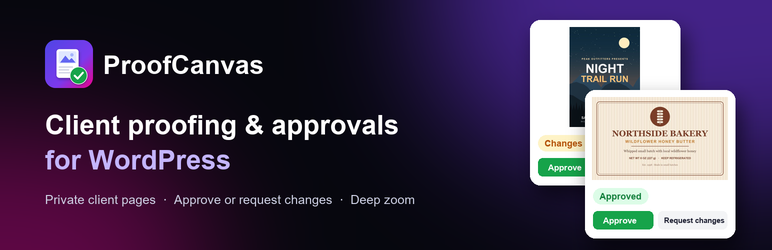
- Approve or request changes on every proof. Each proof shows a clear status: Awaiting review, Changes requested, Revised or Approved.
- Revision notes. Tell the client what changed in this round, right on the proof.
- Deep zoom. A full-screen viewer with scroll, pinch and drag zoom, so clients can check fine print and barcodes before they sign off.
- Email alerts when a client approves or asks for changes, and a Requests screen that lists everything still open.
- Works on phones and tablets.
- Page layouts. Full width with your header and footer, distraction-free full screen, or your theme’s own layout. Works with classic and block themes.
Private by default
- One unguessable private link per client, with an optional password.
- Passwords are stored as secure hashes. Sessions use signed, HttpOnly cookies.
- Lockout after repeated wrong passwords, plus an access log of every attempt.
- Client pages are never cached and are hidden from search engines and sitemaps.
ProofCanvas Pro
ProofCanvas Pro adds:
- 3D models: GLB, glTF, OBJ and STL in an interactive viewer with true-to-design colors.
- Box from Dieline (beta): upload a flat box dieline and ProofCanvas folds it into a 3D box your client can spin. Tuck-end cartons, lid and tray boxes, label sets, plus tubes and cylinders from the same sheet.
- Branding: your logo and accent color on every client page.
- Private file storage: proof files are moved out of the public uploads folder and only served to the right client.
Try the client view in the live demo.
External services
ProofCanvas uses the Freemius SDK to handle the optional opt-in, license activation and updates for ProofCanvas Pro.
- When: only if you click “Allow & Continue” on the opt-in screen, or activate a Pro license. If you skip the opt-in, no data is sent.
- What: your site URL, WordPress and PHP versions, plugin version, site language and title, and your admin name and email. With your consent it can also include the list of active plugins and themes.
- Why: to send security and feature updates, manage licenses, and (with your consent) improve the plugin.
- Freemius Terms of Service and Privacy Policy.
ProofCanvas itself does not send your clients’ data or proof files anywhere. Everything stays on your site.
Developer hooks
proofcanvas_capability: capability needed to manage proofs (defaultedit_posts).proofcanvas_notify_email: change who receives a request notification.proofcanvas_client_ip: return the real visitor IP behind a proxy.
Third-party libraries
- Freemius WordPress SDK (GPLv3), https://github.com/Freemius/wordpress-sdk, in
vendor/freemius/. - ProofCanvas Pro also bundles three.js r170 (MIT License), https://threejs.org, for the 3D viewers.
- ProofCanvas Pro also bundles the DejaVu Sans Bold font (Bitstream Vera license, DejaVu changes in the public domain), https://dejavu-fonts.github.io, for text watermarks. Its license is in assets/vendor/fonts/LICENSE-DejaVu.txt.
Screenshots

Your client’s proofing page: every proof with its status and Approve / Request changes buttons.

The full-screen zoom viewer for checking fine print.

Requesting changes: the client writes exactly what to change.

Your admin: all proofs with their status and new requests.

Creating a client page with a password and a ready-to-share link.


