
BytCrush Image Compression Wordpress Plugin - Rating, Reviews, Demo & Download
Plugin Description
BytCrush is Warcal’s own image-compression engine, built into a WordPress plugin. It runs entirely on your own server, with no API keys, no monthly quotas and no images leaving your site.
- One click, whole library. Press “Optimize all images” and watch it work, with a live progress ring, savings counter and activity log. Pause and resume any time.
- Originals are never lost. Every file is backed up byte-for-byte before it is touched. Restore one image or your entire library with a click.
- Every size, not just the original. Thumbnails and every size WordPress or your theme generates are optimized too.
- WebP and AVIF, served automatically. Via
<picture>tags that work on any host and CDN, or via server rewrite rules on Apache/LiteSpeed. - Tuned for quality. EXIF rotation is applied before metadata is removed, colour profiles are preserved, JPEG quality is never raised above the source’s own, and a file is never replaced by a bigger one.
- Automatic. New uploads are optimized as soon as WordPress creates their sizes.
Best-practice defaults
- Balanced compression: JPEG 82 progressive with 4:2:0 chroma, lossless-max PNG, WebP 80 (the BytCrush engine’s recommended setting)
- Metadata stripped, colour profile kept
- Originals over 2560px scaled down
- WebP generated and served with picture tags
- Backups on, auto-optimize on
- Background optimization: click once and close the tab, and the whole library keeps optimizing on your server
BytCrush Pro (separate add-on)
Everything above is free and fully functional. BytCrush Pro is a separate paid plugin from Warcal that adds:
- Page speed audit: opens any page on a phone and a laptop, scores its images, explains every problem (late main image, oversized files, layout shift, missing WebP) and fixes it in one click, with no API keys
- Ultra compression level (palette PNGs)
- Smart target file size (100 / 200 / 500 KB presets), the BytCrush Auto-Compress algorithm
External services
Image optimization runs entirely on your own server. Your images are never uploaded anywhere.
This plugin uses Freemius for opt-in usage data, license activation and Pro upgrades. It connects to Freemius only when you:
- opt in on the welcome screen, which sends your site URL, WordPress and PHP versions, plugin version, and your name and email address;
- activate a license key or start the Pro trial, which sends the license key and your site URL;
- open the upgrade or pricing page, which loads the Freemius checkout.
If you skip the opt-in, nothing is sent until you choose to activate a license or upgrade. Freemius terms of service and privacy policy.
Screenshots

One-click dashboard: live progress, savings, and every original kept safe.
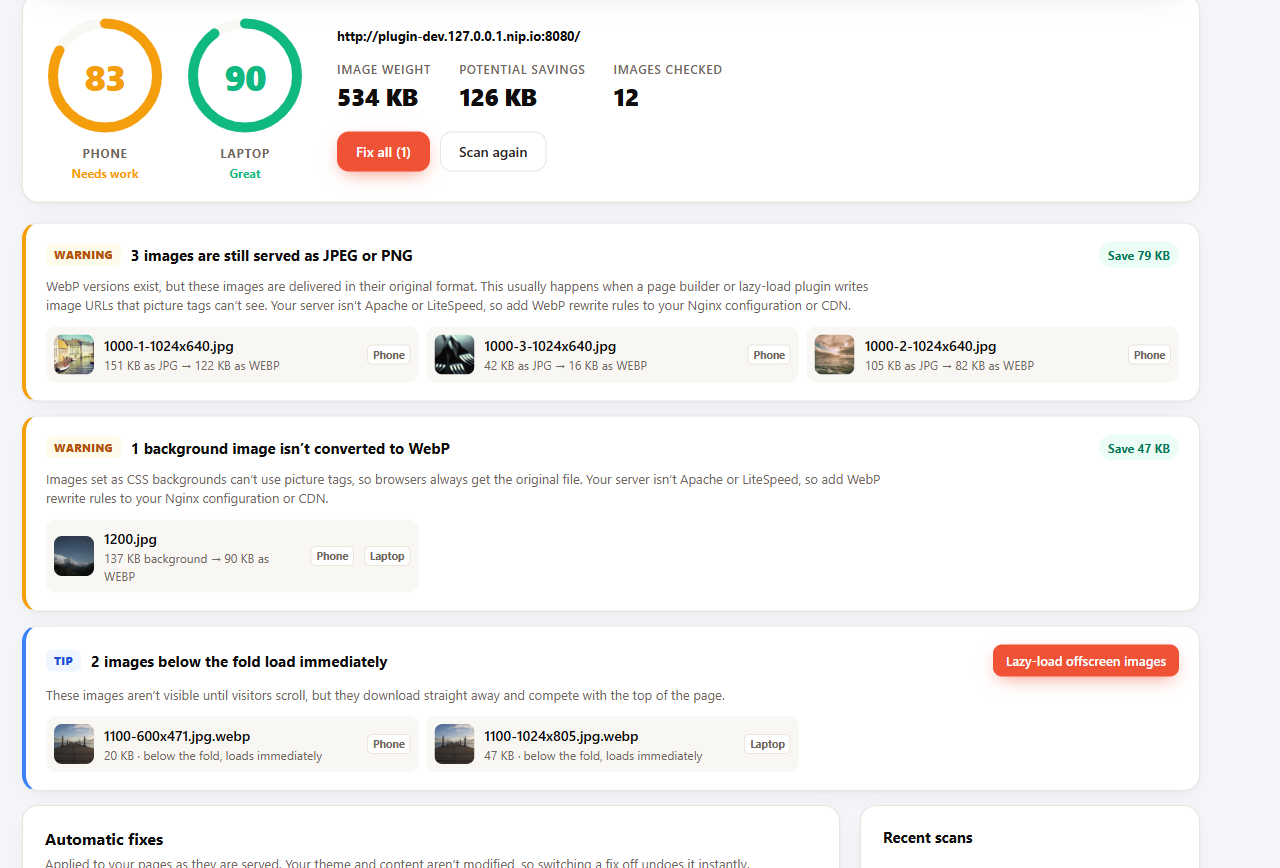
Page speed audit (BytCrush Pro add-on): phone and laptop scores, every image problem explained, fixed in one click.
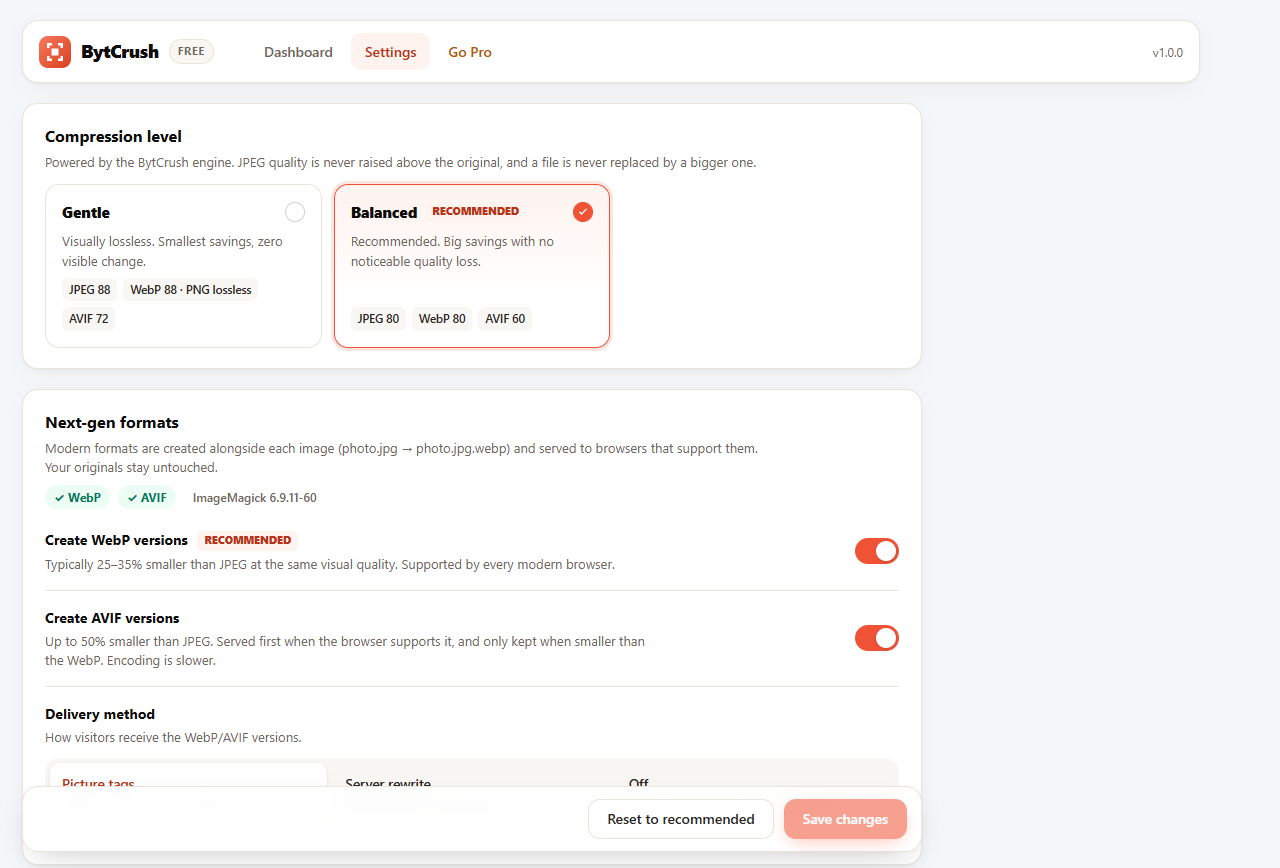
Settings with tuned, best-practice defaults.
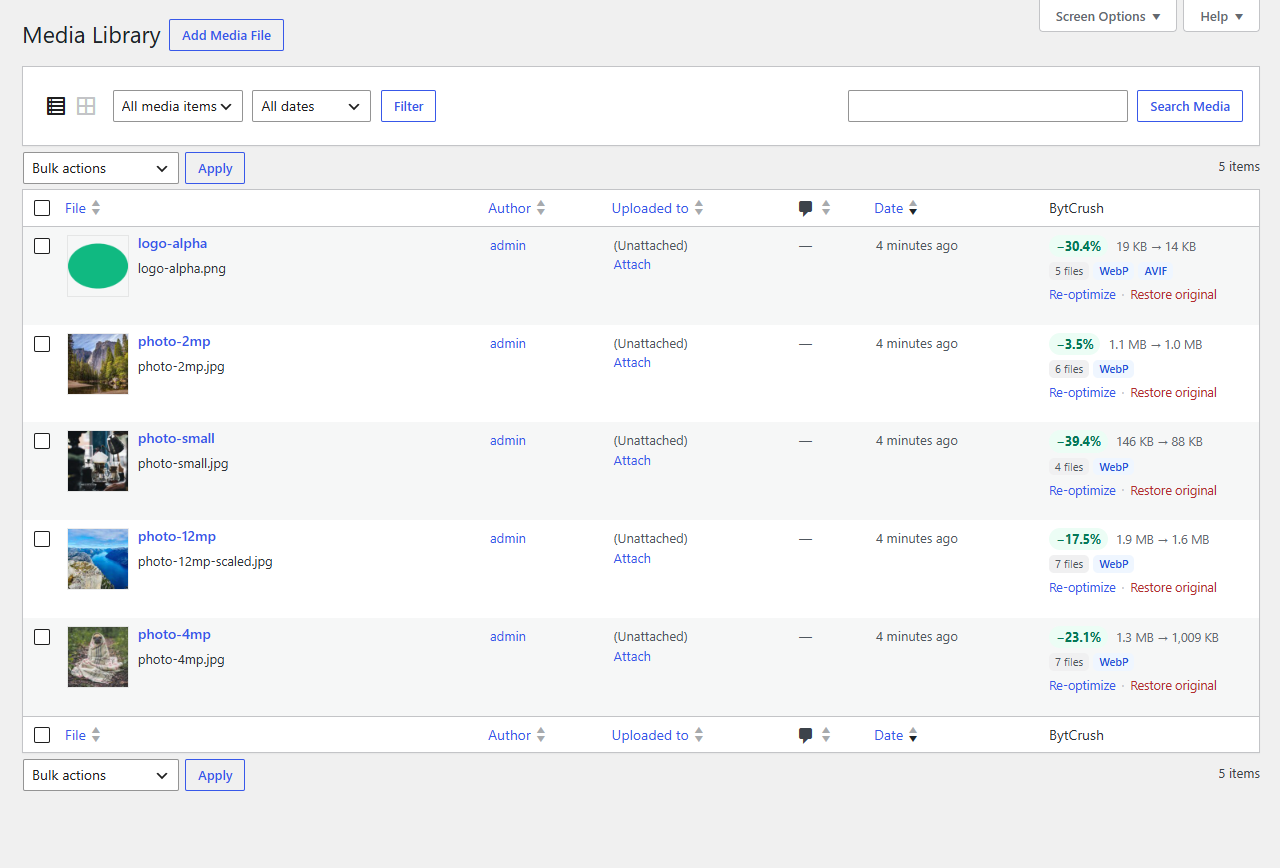
Per-image savings and one-click restore right in the Media Library.


