
SScribe Export Site Pages Wordpress Plugin - Rating, Reviews, Demo & Download
Plugin Description
SScribe Export Site Pages turns your WordPress pages and posts into documents you can edit, print, archive, or hand over. Pick the content, choose the formats, and download one ZIP with a file for every page.
Use it for client handovers, content audits, translation work, compliance records, and offline copies of a site.
Four formats in one export
- Word (DOCX) with a cover page, page details, headings, lists, tables, and images. Opens in Microsoft Word, Google Docs, and LibreOffice.
- PDF in A4, Letter, Legal, or A3, with images, tables, and page numbers.
- HTML as one styled page per item, with meta description, canonical, and robots tags.
- Markdown with YAML front matter for documentation sites and static site generators.
Built for real sites
- Export pages, posts, and public custom post types, filtered by status and language.
- WPML, Polylang, and TranslatePress: export one language or all of them.
- Right-to-left output for Arabic, Persian, Urdu, and other Arabic-script languages.
- SEO titles and descriptions from Yoast SEO, Rank Math, All in One SEO, SEOPress, and The SEO Framework.
- See the page count, estimated time, and file size before you start.
- Large exports run in small batches and continue after a page reload.
- Export history with download, log, and bulk actions.
Private by design
- Archives and logs are kept in a protected folder and served only through single-use download links.
- Capability, ownership, and nonce checks on every request.
- Archives expire after 72 hours and are cleaned up automatically.
- Exported content never leaves your server. See External services below.
Requirements
- WordPress 6.2 or newer
- PHP 8.2 or newer
- PHP extensions: cURL, DOM, GD, XML, and ZIP
- Session encryption: Sodium, or OpenSSL with AES-256-GCM support
- 256 MB of PHP memory is recommended for large PDF exports
External services
SScribe does not connect to Simplix Innovations or any third-party service, and it does not send exported content anywhere. During an export it may issue HTTP GET requests for images only, through the WordPress safe HTTP API. By default the request goes only to your own site host so that a Media Library file that cannot be read from disk can still be embedded; other hosts are blocked. A developer can add approved hosts with the sscribe_allowed_image_hosts filter. Those requests send standard HTTP request metadata, such as your server’s IP address, to the fetched host, so review the terms and privacy policy of any host you add.
Privacy
SScribe stores short-lived export sessions, page queues, and security audit records in the WordPress database, and archives and operational logs in a protected folder inside the uploads directory. Archives expire after 72 hours by default; sessions and logs are cleaned on a schedule. The plugin registers WordPress personal-data exporter and eraser callbacks for user-linked records. Exported page content is not transmitted to Simplix Innovations.
Operational security records can include an HMAC-protected representation of the request IP address, user ID, action, timestamp, and result. They are used to enforce rate limits and investigate export activity.
License
SScribe is free software licensed under GPL-2.0-or-later.
The bundled PhpOffice/PhpWord library uses LGPL-3.0-only. Its notice is included at vendor-prefixed/phpoffice/phpword/COPYING.LESSER.txt.
The bundled TCPDF 7.0.11 and its Tecnick tc-lib runtime dependencies use LGPL-3.0-or-later. Its license notice and the required notices for all bundled dependencies remain alongside their source in the plugin package.
The bundled PhpOffice/Math and PSR Container libraries, and the Phosphor icon subset in assets/fonts/, use the MIT license. The DejaVu fonts use the Bitstream Vera license. Each notice ships beside its files.
Bundled LGPL-3.0 code is GPL-compatible under the GPLv3 option of SScribe’s GPL-2.0-or-later license.
Development
Canonical source repository: https://github.com/SimplixInnovations/sscribe-export-site-pages
The tagged source of each WordPress.org release is accessible to reviewers.
Required tools: PHP 8.2+, Composer 2.x, Node.js 24+, and Git.
Build from a clean checkout:
composer install
composer vendor:prefix
composer release
Build transformations are documented in docs/BUILD_TRANSFORMATIONS.md.
Screenshots
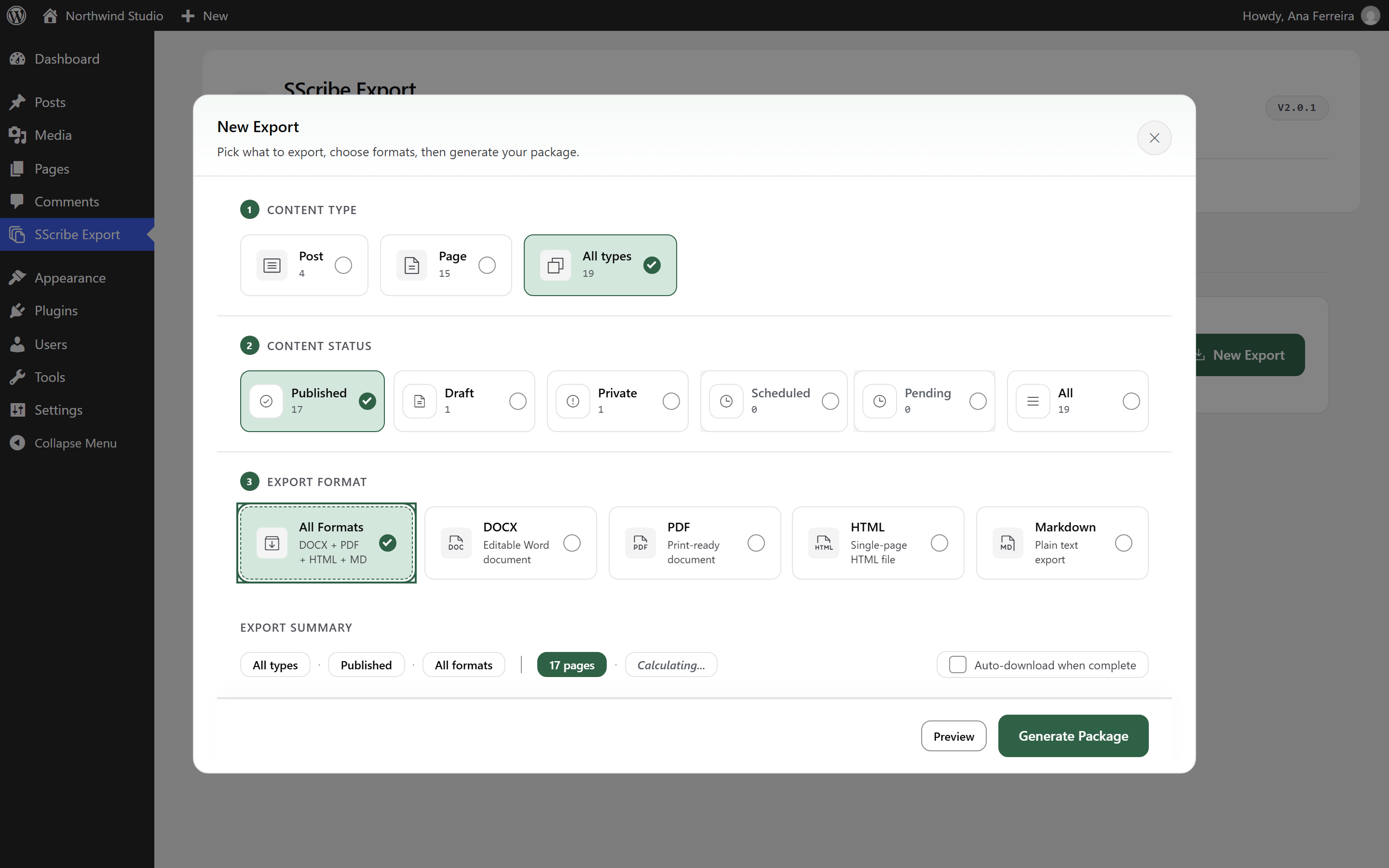
Choose the content type, status, and formats in one export dialog.
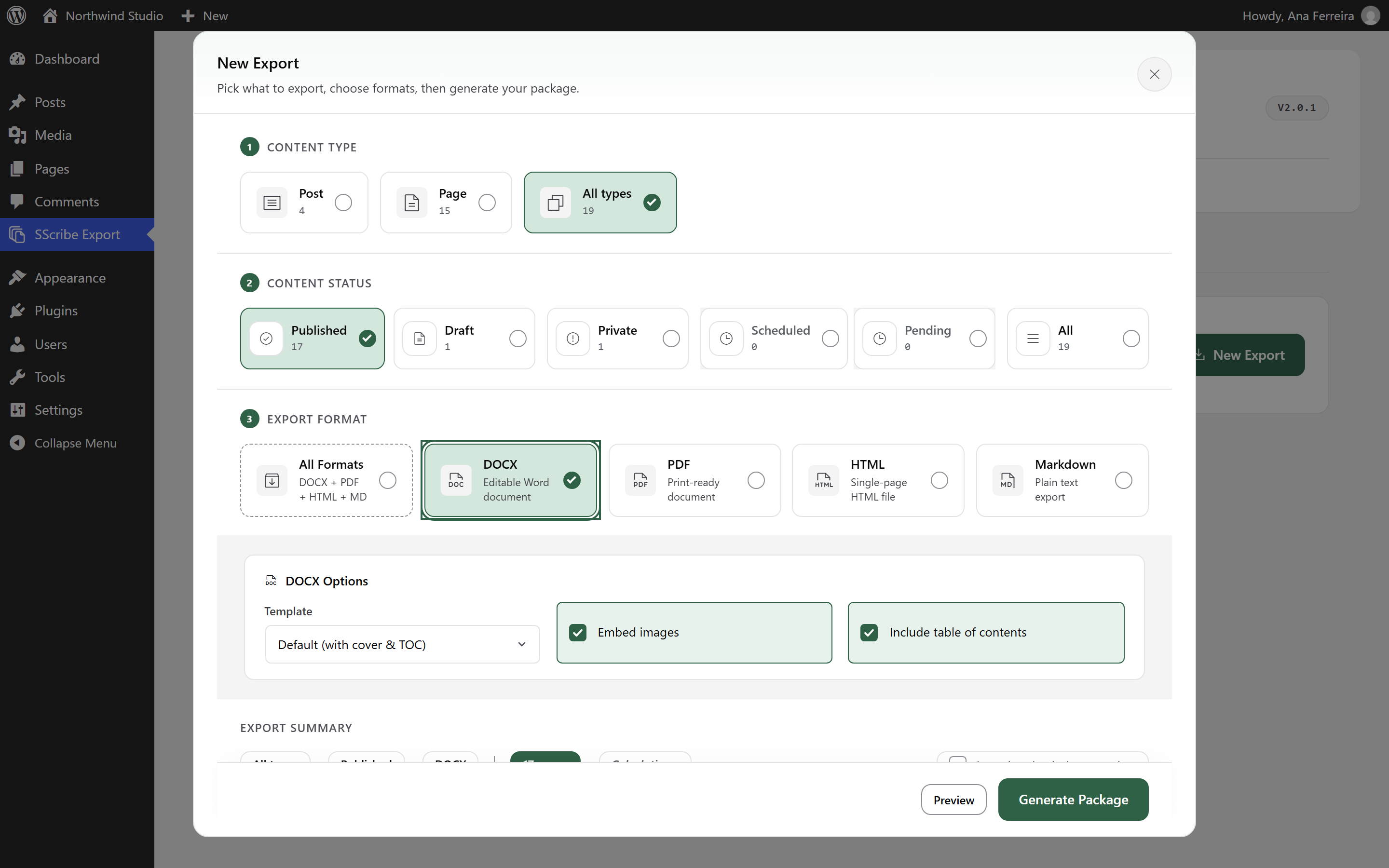
Word options: a template with cover page and table of contents, and embedded images.
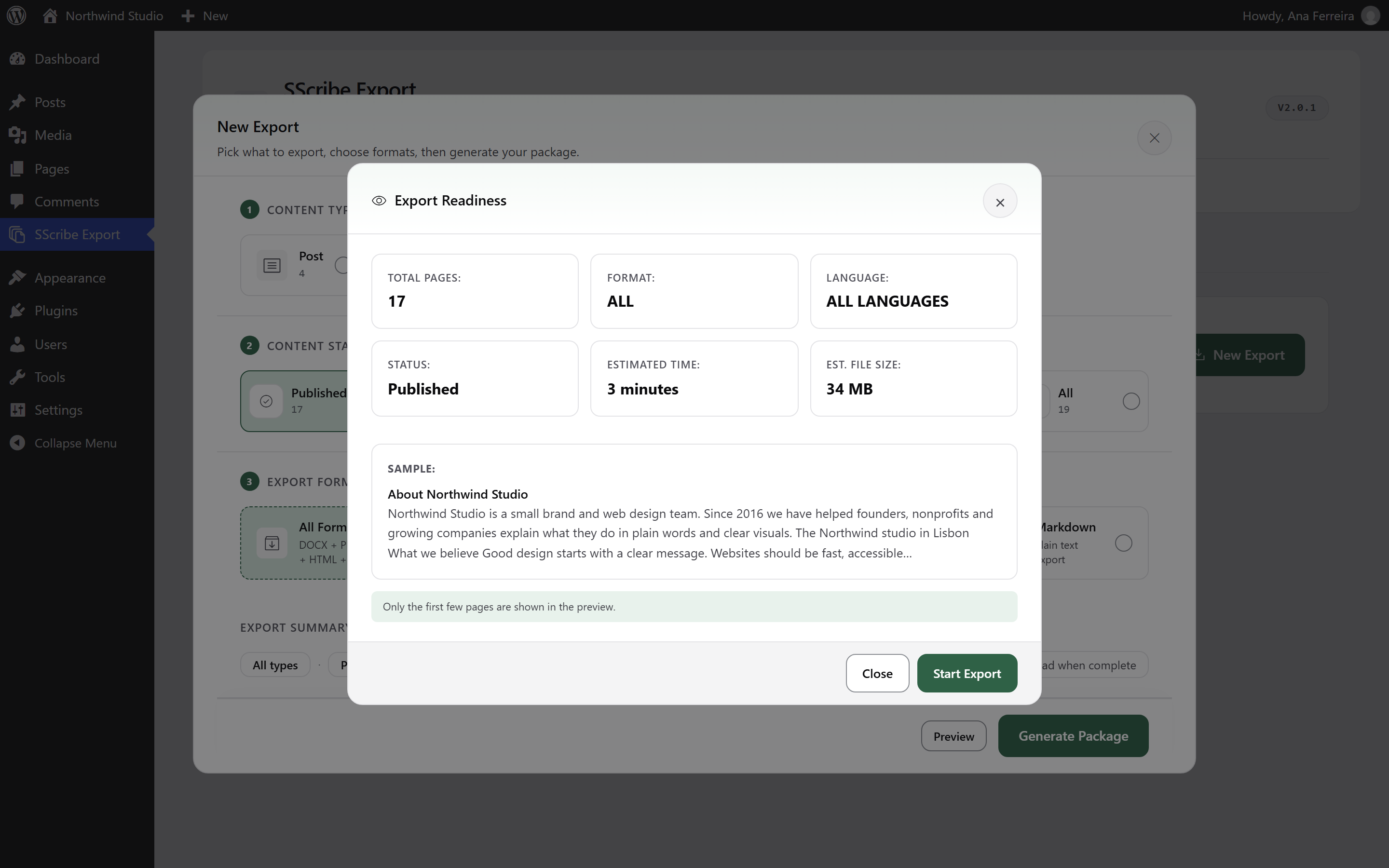
Check the page count, estimated time, and file size before you export.
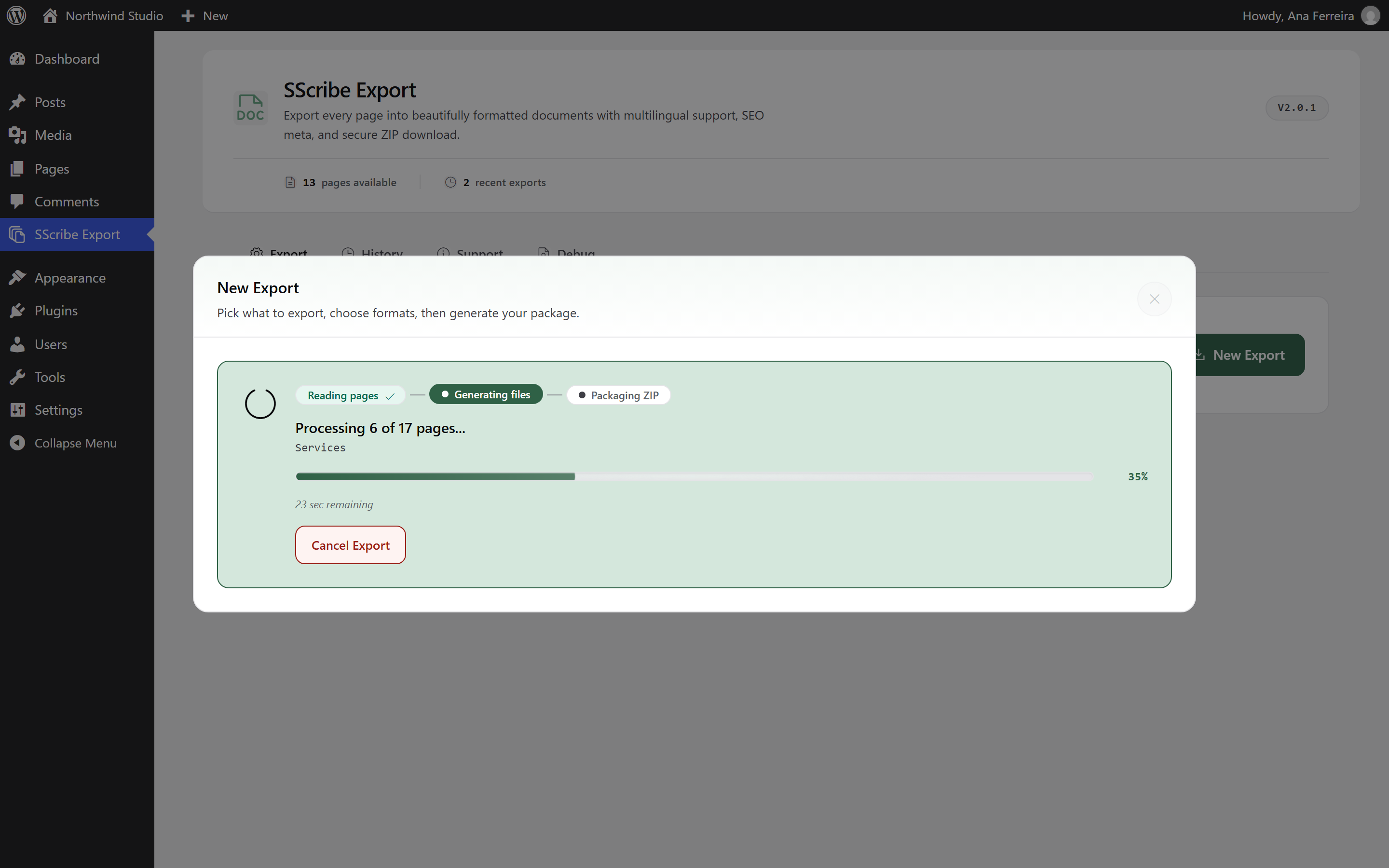
Follow the export page by page.
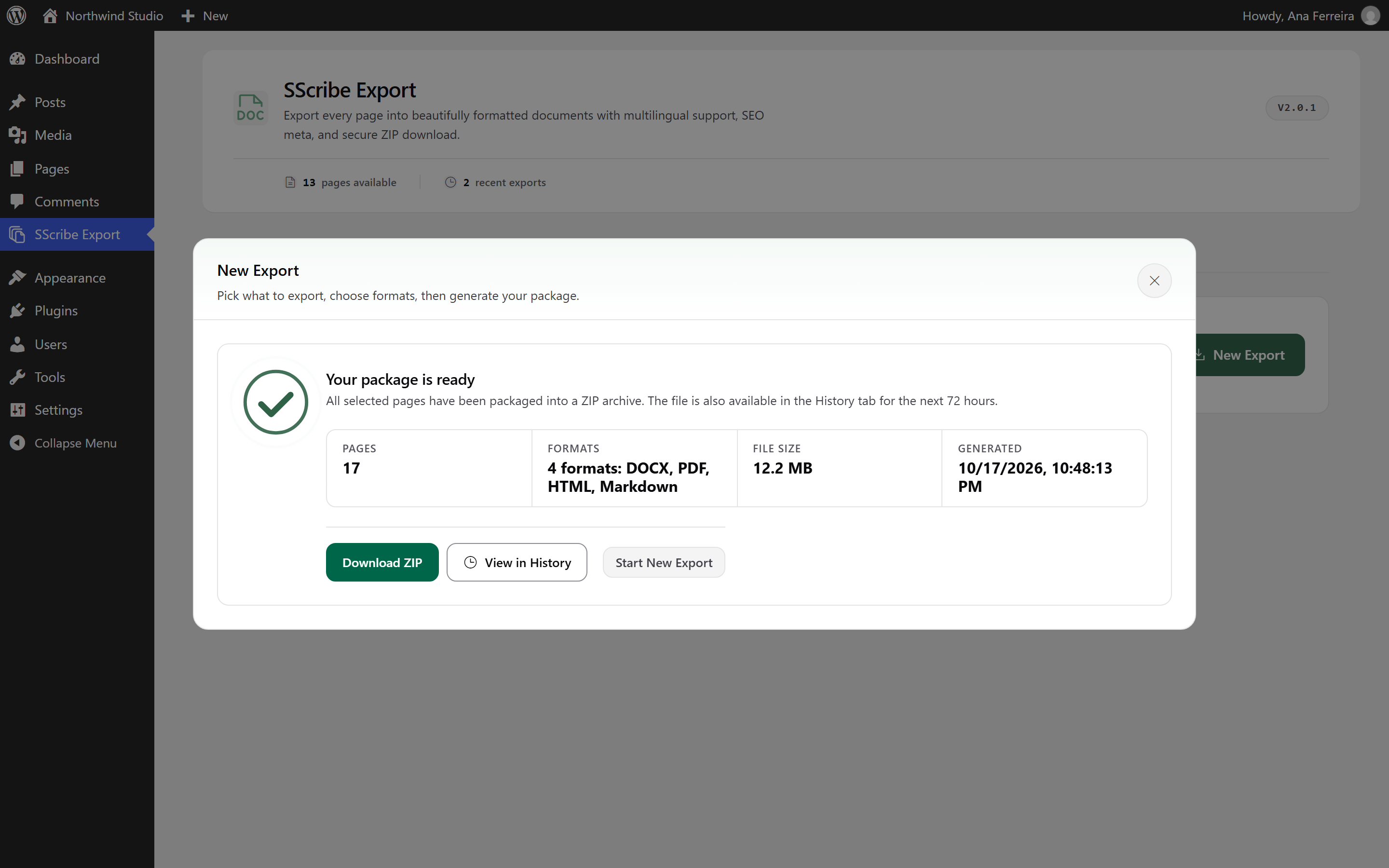
Download the finished ZIP. It also stays in History for 72 hours.
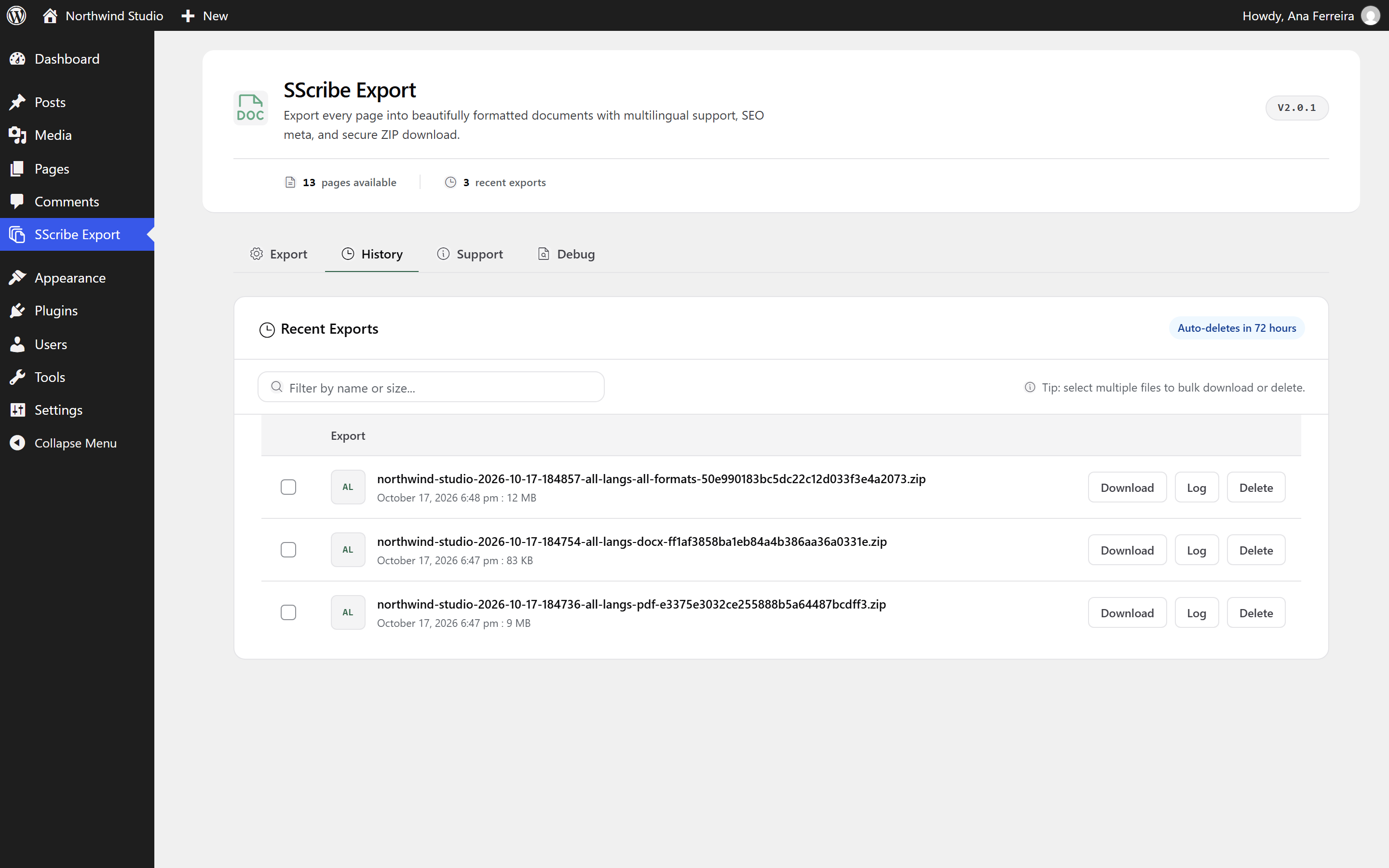
Export history with download, log, and bulk actions.
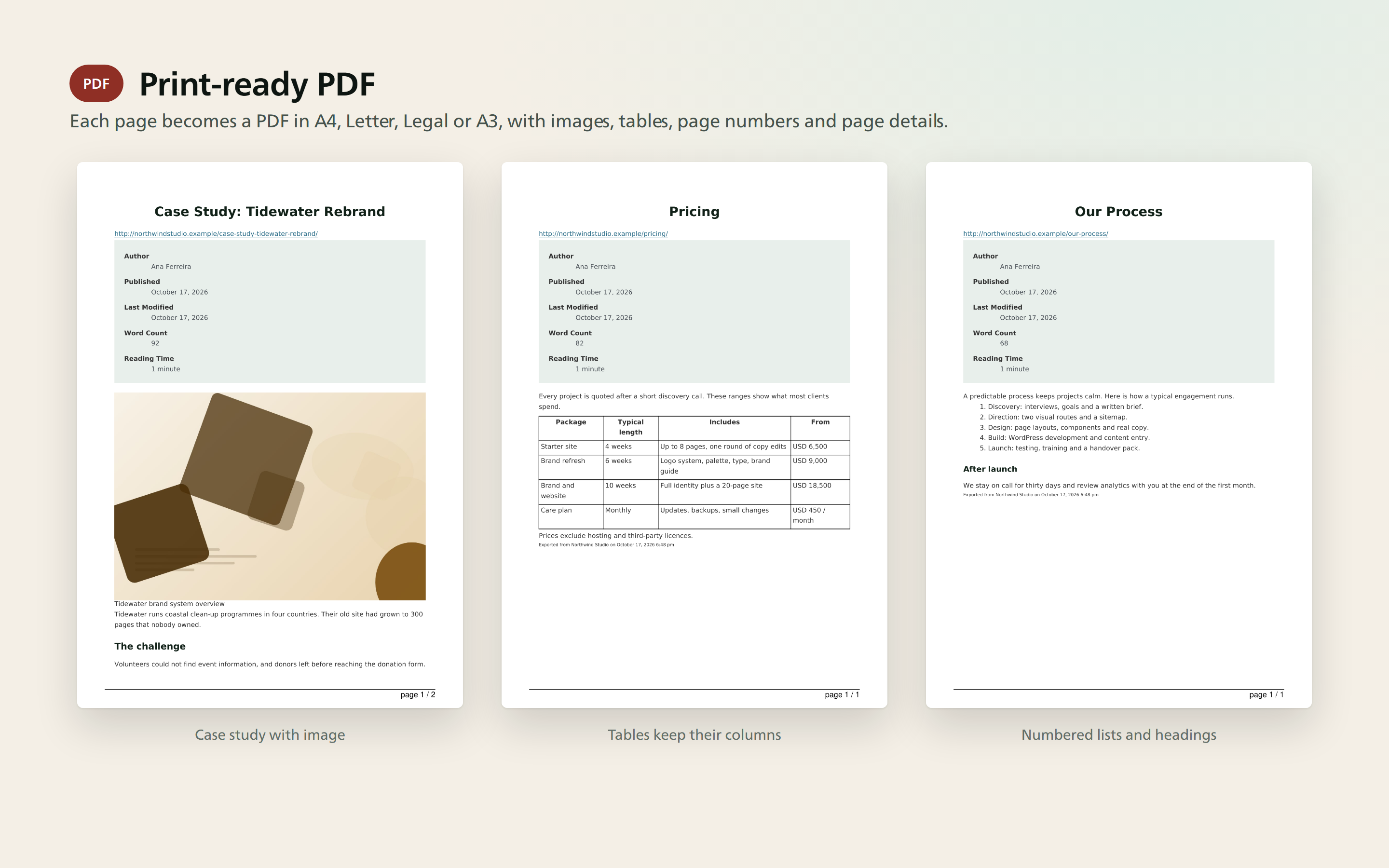
PDF output with images, tables, and lists.
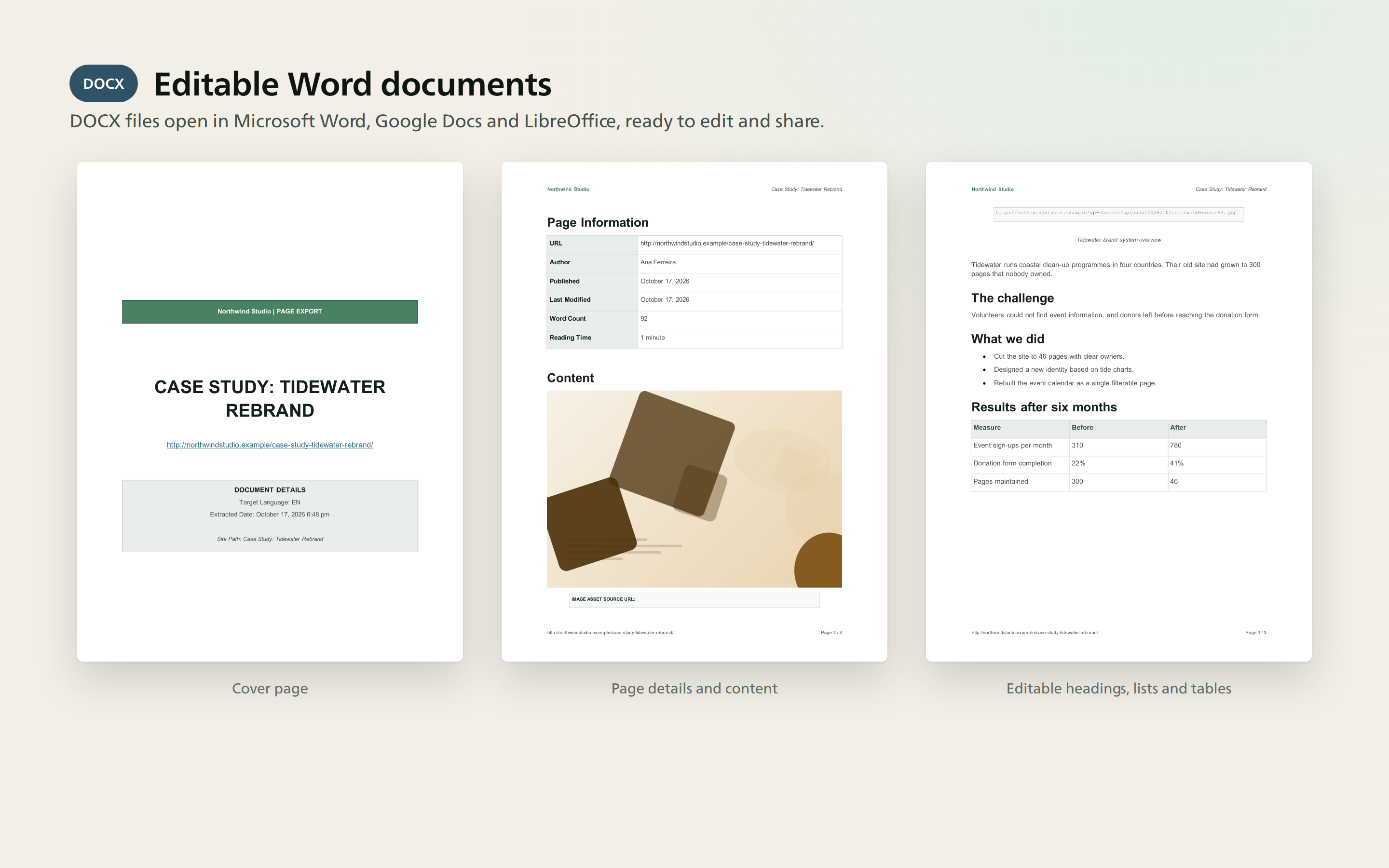
Word output with a cover page, page details, and editable content.
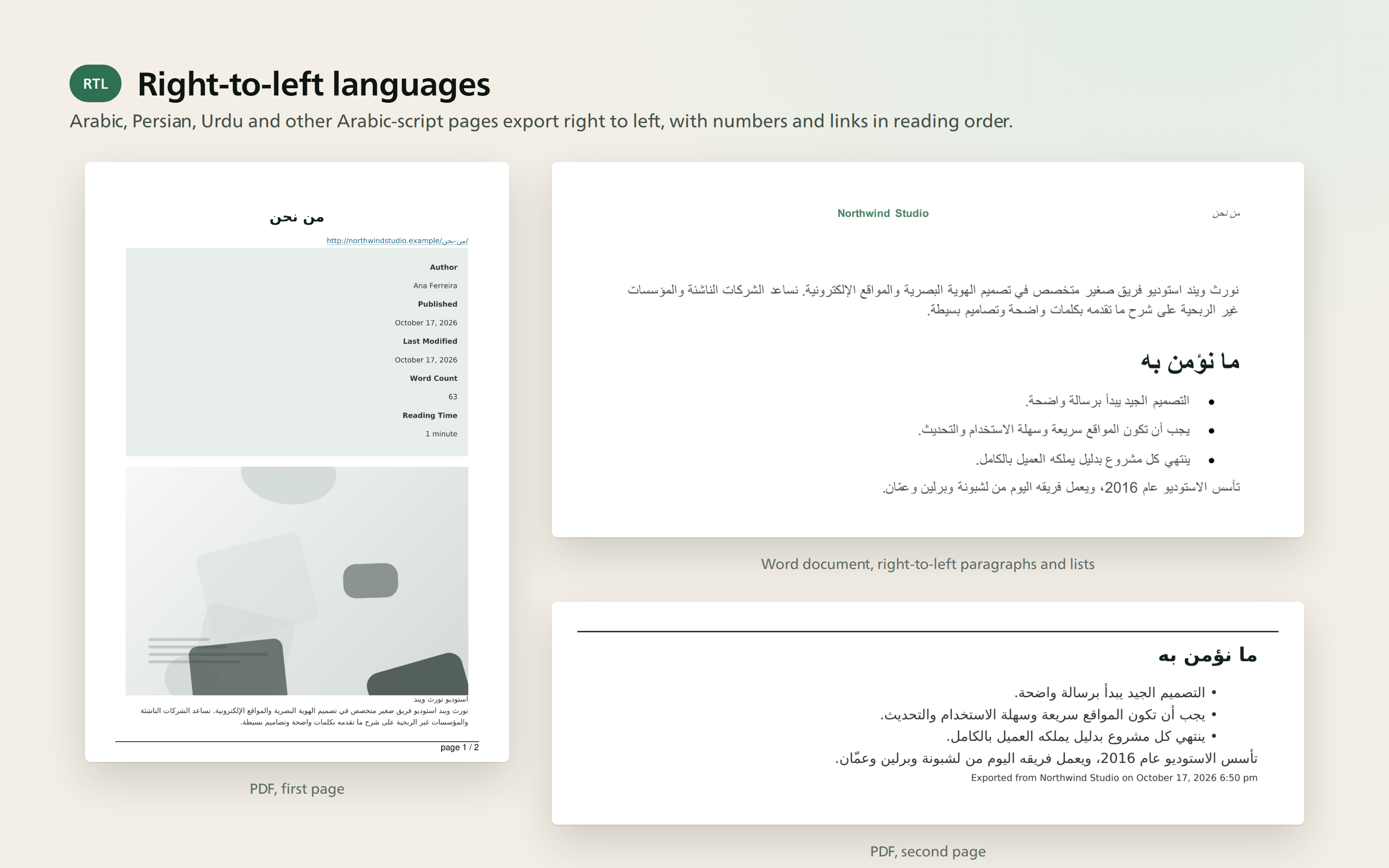
Right-to-left output in PDF and Word.
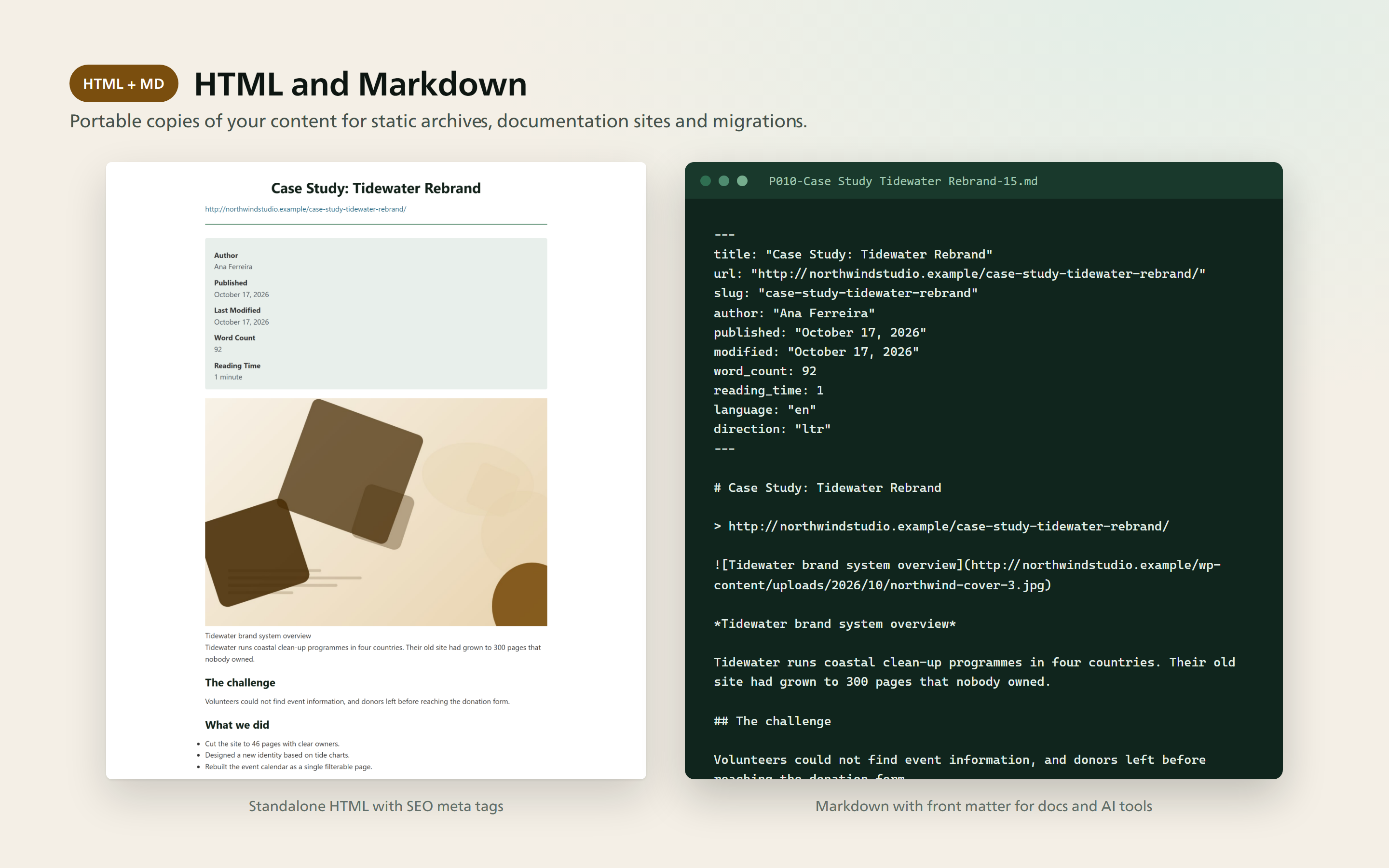
HTML and Markdown output.
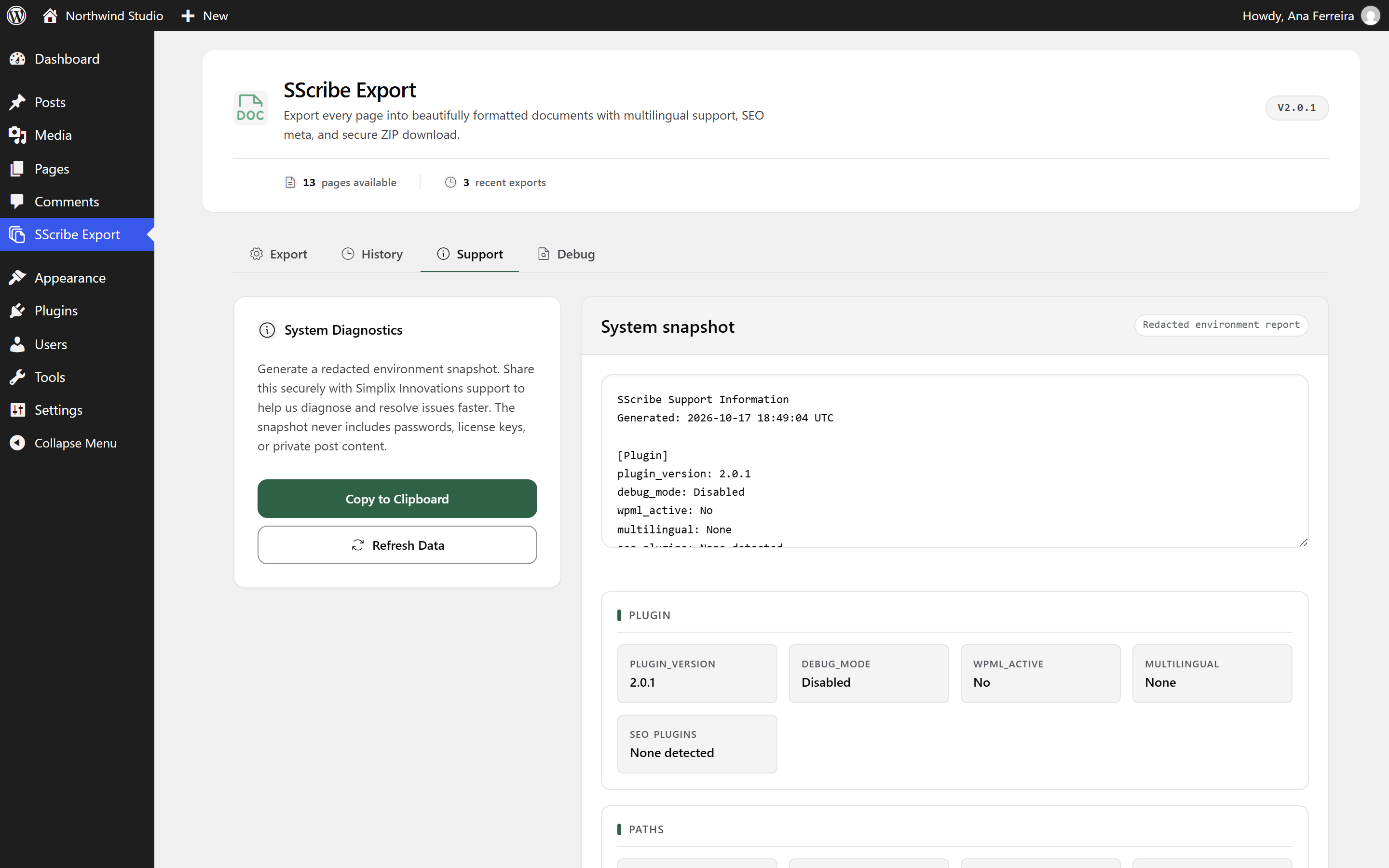
A redacted system snapshot to share with support.


