BirchToad – Accessibility Toolbar Wordpress Plugin - Rating, Reviews, Demo & Download

Plugin Description
BirchToad adds a small button to your site. A visitor who clicks it gets a panel where they can
change how your pages look and behave, to suit how they read: bigger text, more line spacing, a
readable font, stronger contrast, a dark or light theme, less saturation, highlighted links and
headings, a reading guide, a big cursor, animations stopped, images hidden.
Their choices are remembered in their own browser, and the toolbar sends nothing anywhere.
What BirchToad is, and what it is not
BirchToad helps real people use your site, and it supports the accessibility work you do. It does
not make a website accessible, compliant or conformant with WCAG, the ADA or the European
Accessibility Act, and no toolbar can. Missing alternative text, an unclear heading order,
unlabelled form fields and keyboard traps all have to be fixed in the site itself. We would rather
tell you that plainly than sell you a badge.
Built for right to left sites
The panel lays out right to left whenever your site does, and that works even before any
translation exists, because direction is read from the site and not from a language file. Hebrew
and Arabic were in the first release rather than added later.
Nothing loads from anyone else’s server
Every stylesheet, script and icon the toolbar uses is served from your own server. Your visitors are
never sent to a CDN, and nothing about them is collected or sent anywhere. That is a privacy and
performance difference from the hosted overlay services, not a detail.
About the Freemius library
The plugin does include Freemius, which is how the paid version is licensed and updated. It asks you
once whether to connect, you can skip that screen and keep using the plugin, and it never touches the
front end your visitors see. Everything it would send is listed under External services below.
What visitors can change
- Content scaling, font size, line height, letter spacing and word spacing, each with a reset
to default - A readable font
- Highlighted links and highlighted headings
- Text alignment
- Light, dark and high contrast
- Saturation: high, low or monochrome
- A big black or white cursor
- Highlighted focus and highlighted hover
- A reading guide
- Animations stopped
- Images hidden
In the Pro version
- Six profiles: seizure safe, vision impaired, ADHD friendly, cognitive disability, keyboard
navigation and screen reader support - Custom text, heading and background colors
- Text magnifier, reading mask and read mode
- Mute sound and a useful links jump menu
- Page structure: a jump menu of every heading and region on the page
- Read aloud, using the browser’s own speech, with nothing sent to a service
- An accessibility statement generator
- An on-page accessibility check that lists what the toolbar cannot fix
- Your own logo and name in the panel header
- Per-page visibility rules
External services
The toolbar your visitors use makes no external requests at all. Nothing on this list runs on the
front end, and none of it involves your visitors.
Freemius (freemius.com)
Purpose: Freemius is the licensing and software updates engine behind the paid version of
BirchToad. It handles the upgrade, account and license screens inside your WordPress admin.
Data sent: nothing at all unless you connect. On activation the plugin shows a Freemius screen that
asks for permission and lists exactly what it would read; you can skip it, and the plugin keeps
working with every free feature. If you do connect, Freemius receives your homepage address and
title, your WordPress, PHP and plugin versions, your site language, whether the plugin is active or
uninstalled, and the first name, last name and email address on your WordPress user account. Two
further items, the list of your installed plugins and themes and a newsletter subscription, are
marked optional on that screen and are yours to switch off. Nothing about your visitors is ever
included.
When: on activation if you accept, and afterwards when you open the plugin’s upgrade, account or
license screens, or when a license or update is checked.
Can be disabled: skip the connection screen when it appears, or disconnect later from the
BirchToad account screen in your admin.
Terms: https://freemius.com/terms/ | Privacy: https://freemius.com/privacy/
Screenshots
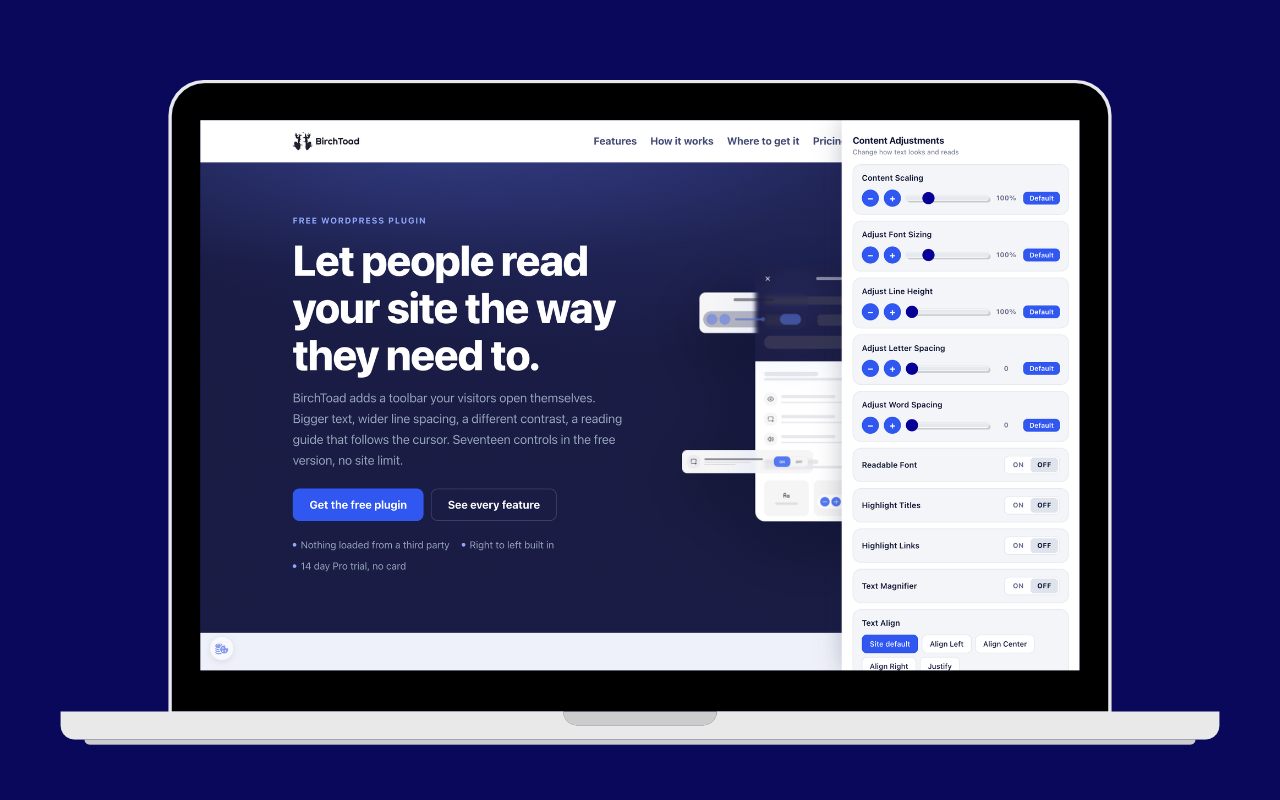
The toolbar panel as a visitor sees it.
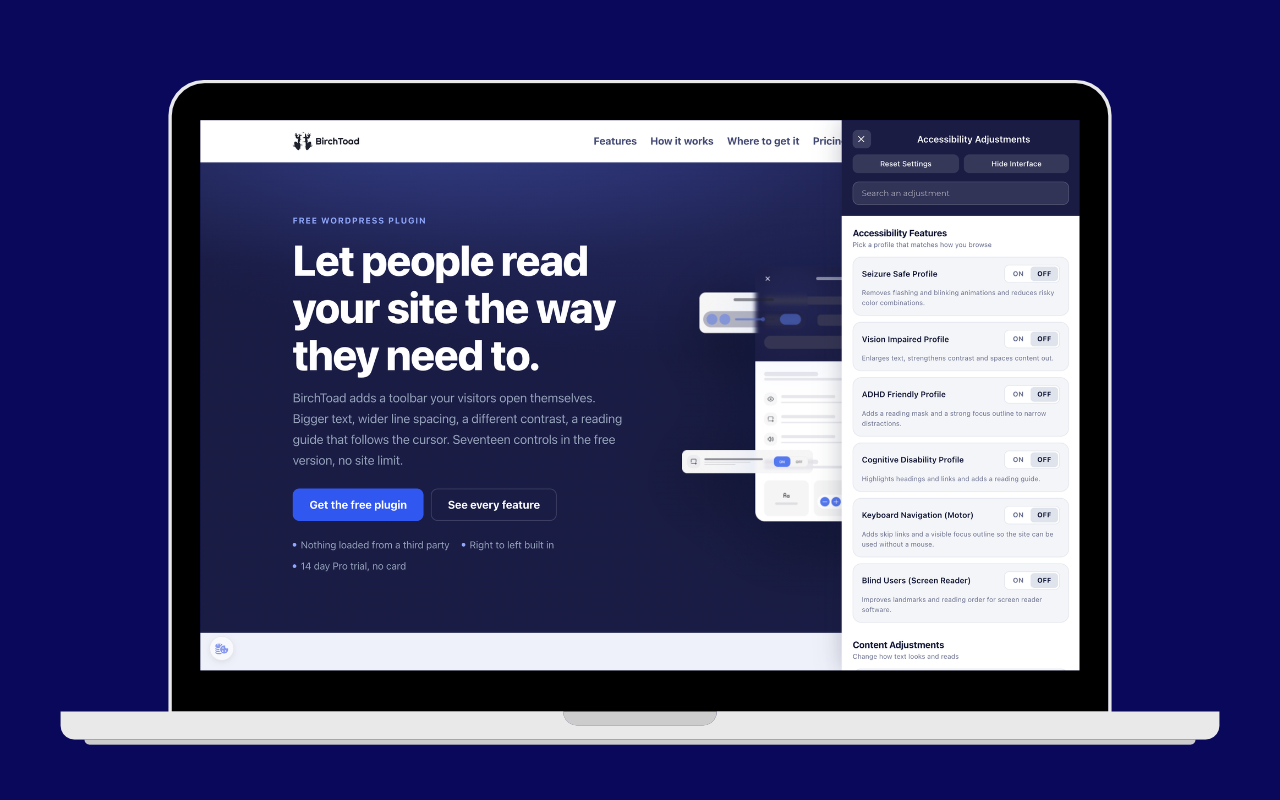
Content adjustments, with every control resettable to the site default.
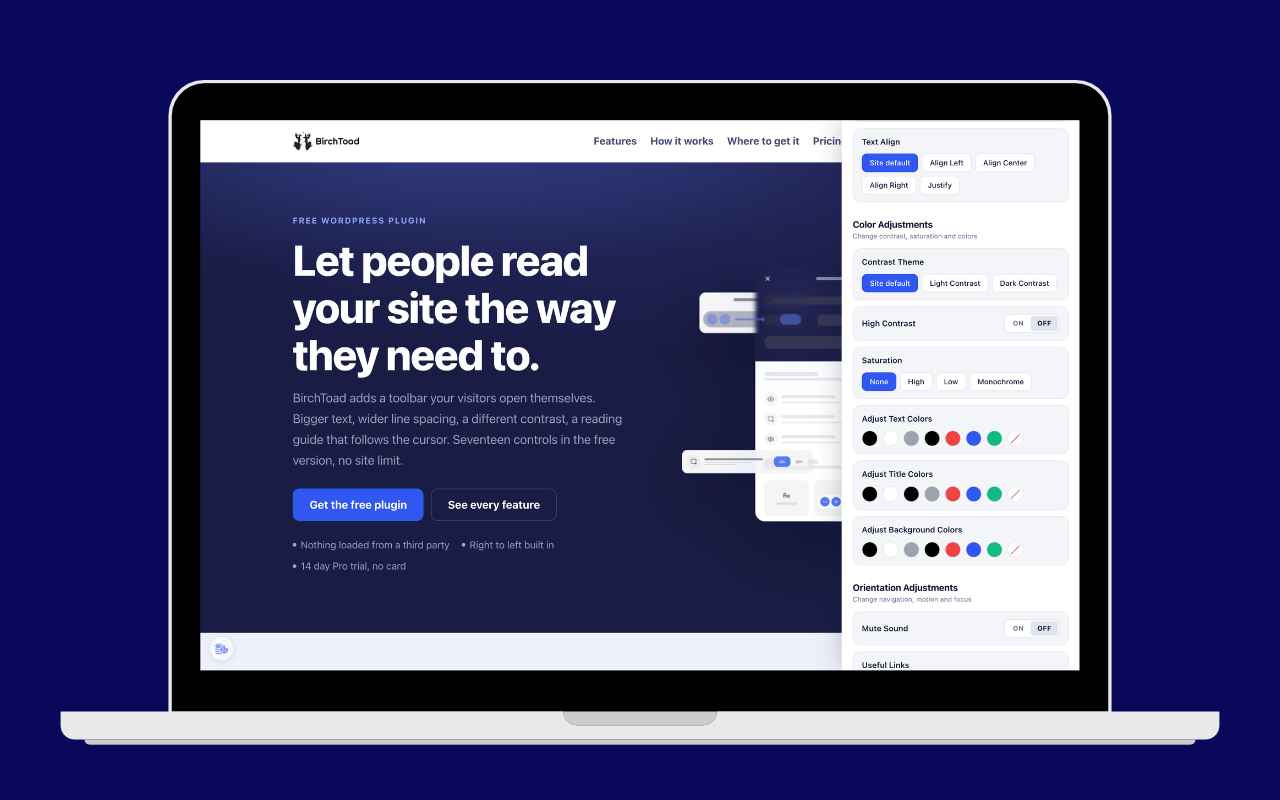
Color adjustments.
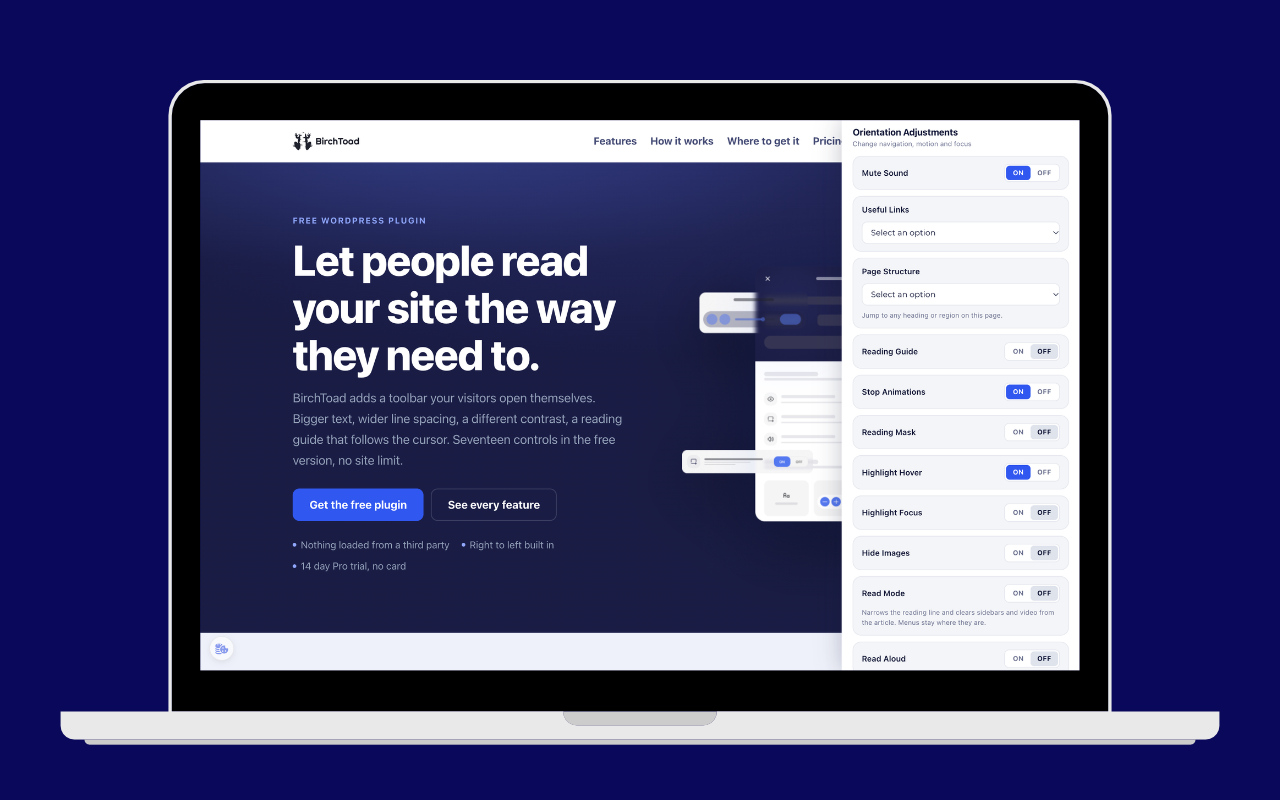
Orientation adjustments.
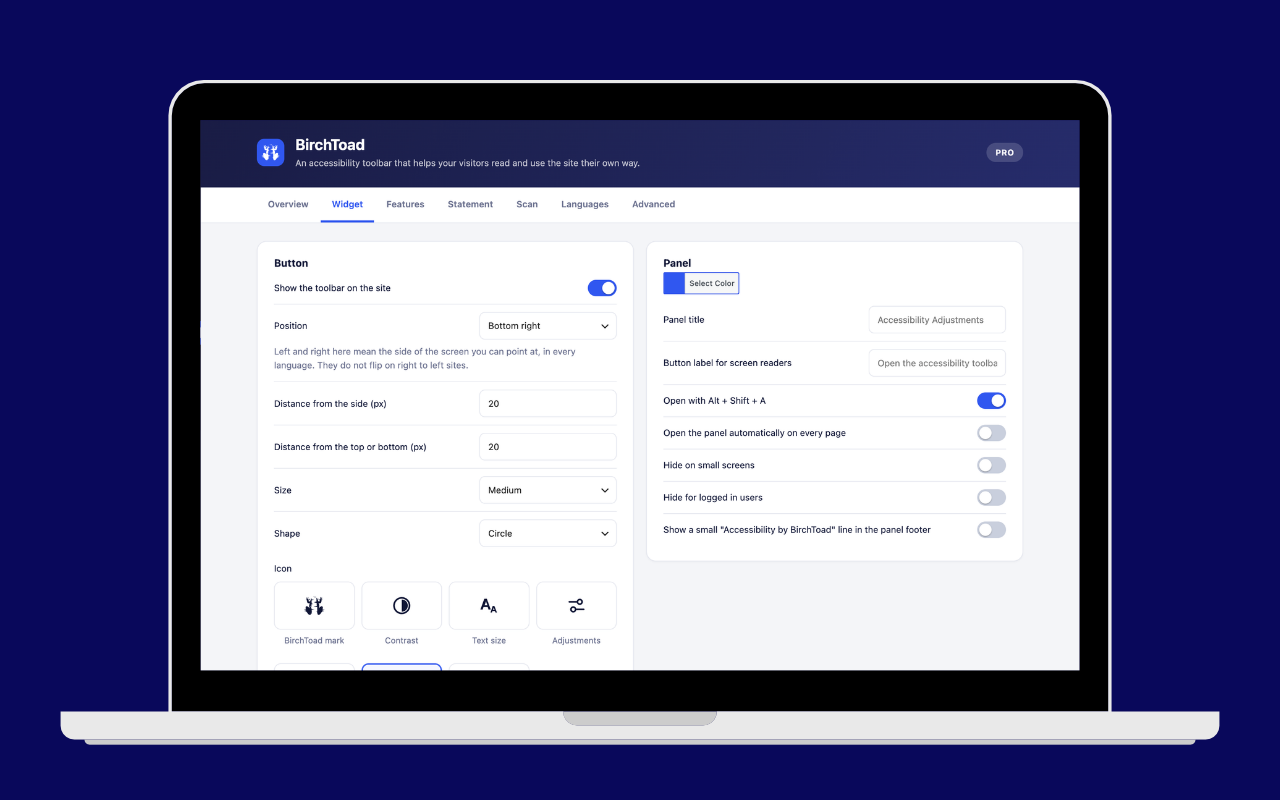
The admin Widget tab.
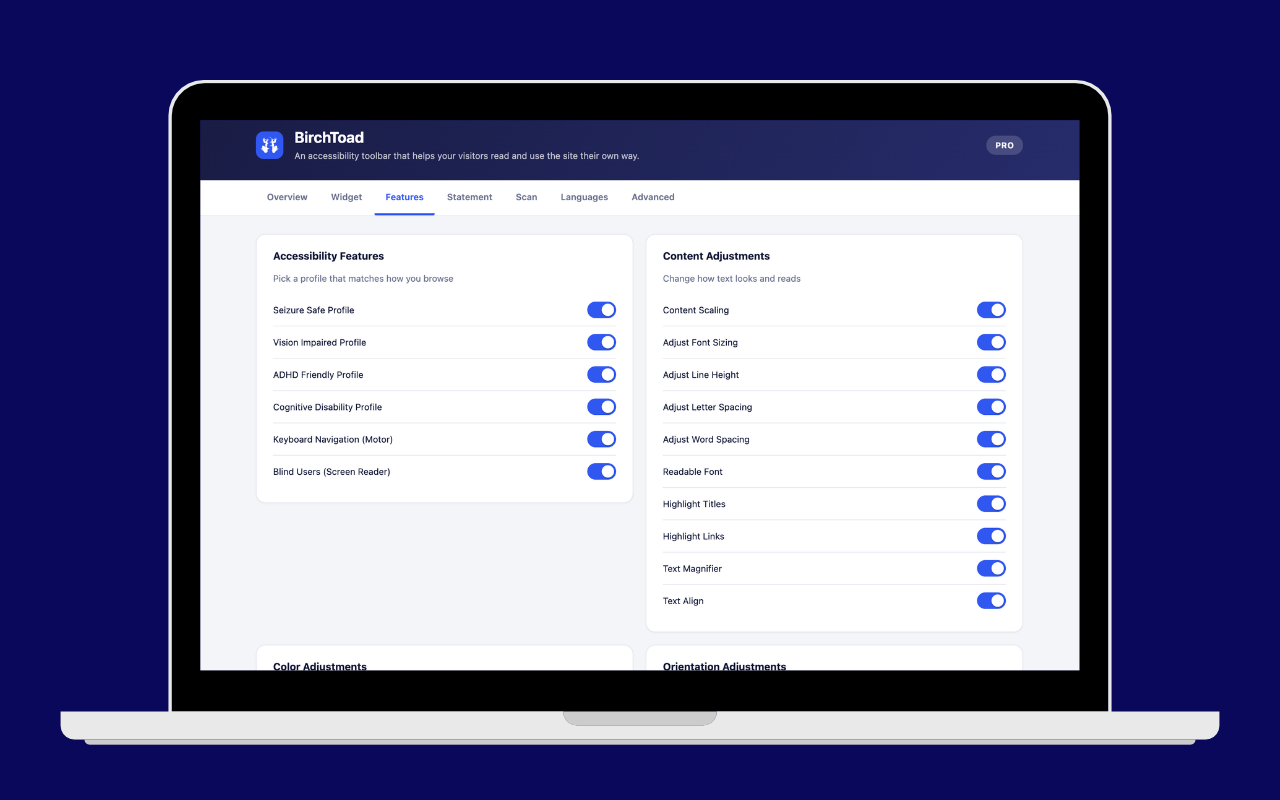
The admin Features tab.