
Mapfield Spots Wordpress Plugin - Rating, Reviews, Demo & Download
Plugin Description
Mapfield Spots lets you create a “map” — a full custom post type with a predefined set of fields (Photo, Description, Category) and its own set of pinned locations. Locations are set from the post editor using an interactive map (drag the marker, search an address, or click the map directly), backed by MapLibre GL JS and the current Mapbox Geocoding API (v6).
Display a map anywhere with the [mapfield_spots_map type="your-map-slug"] shortcode, or the matching Gutenberg block — drop it into any post, page, or template as many times as needed.
Video walkthrough
Your own Mapbox account
Mapfield Spots is a client for the Mapbox API — it is not a Mapbox reseller. You need your own free Mapbox account and access token (see Mapfield Spots Settings); your usage is billed directly between you and Mapbox, under Mapbox’s own Terms of Service.
Free vs. PRO
This plugin never disables or locks functionality behind a paywall inside this package — everything you see here works fully, with no trial or nag screens, and you can create as many Map Types as you like. A separate, dedicated PRO plugin adds extra features on top: Zones, ACF fields, custom markers and rating icons, scheduled backups, Import/Export, multi-stop circuits with travel times, combining several maps into one embed, and a dark/light interface theme.
External services
This plugin connects to the following third-party services:
Mapbox — used to render the interactive map (tiles/styles) and, when you search an address while placing a Spot, to resolve it to coordinates via the Mapbox Geocoding API. Requires your own free Mapbox account and access token (Mapfield Spots Settings); your usage is billed directly between you and Mapbox. Every map view and address search is sent to Mapbox. See Mapbox’s Terms of Service and Mapbox’s Privacy Policy.
YouTube — the plugin’s dashboard widget embeds a short tutorial video via a privacy-enhanced (youtube-nocookie.com) iframe. The video only loads when you view the “Mapfield Spots” dashboard widget. See YouTube’s Terms of Service and Google’s Privacy Policy.
Screenshots
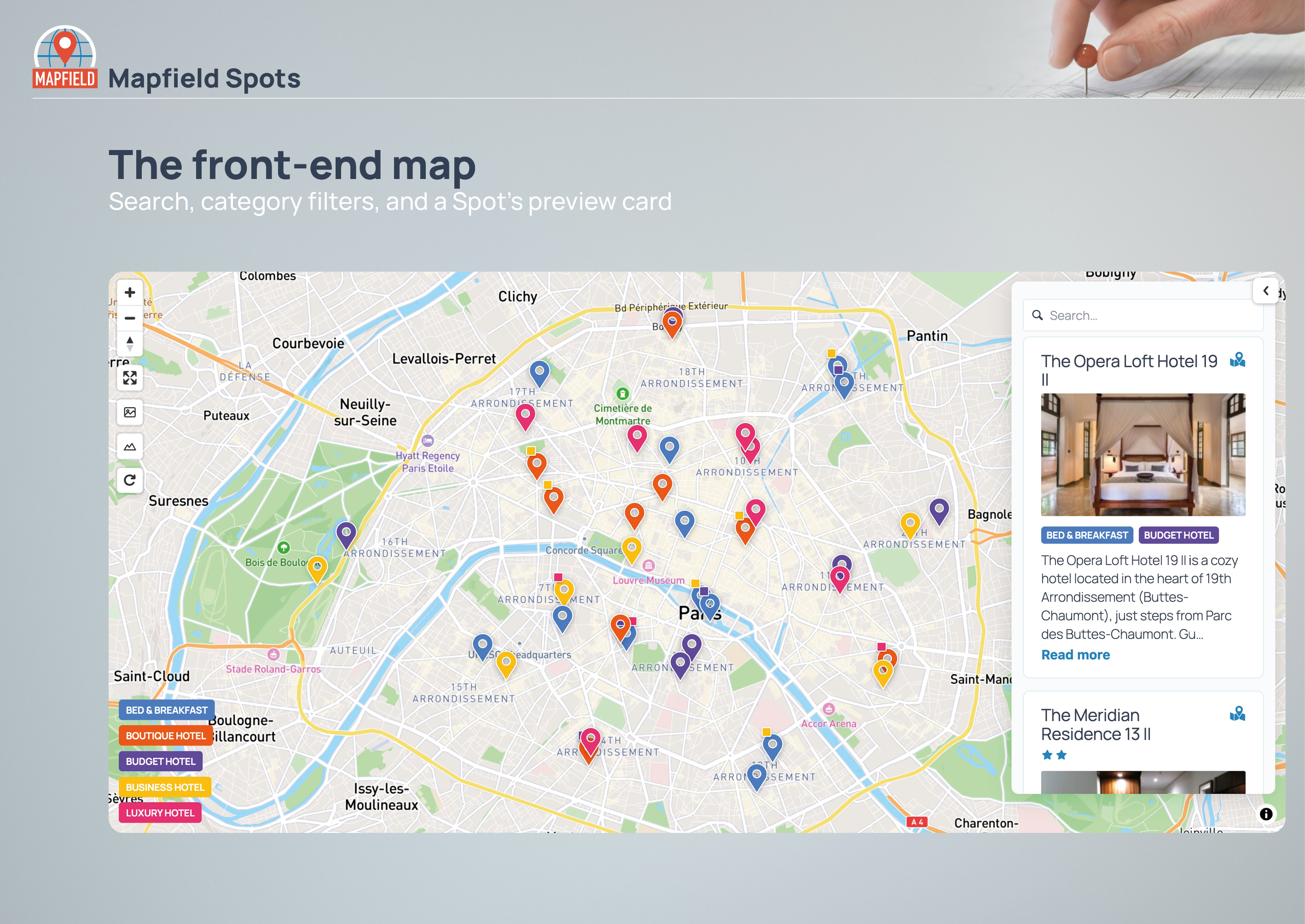
The front-end map: search, category filters, and a Spot’s preview card.
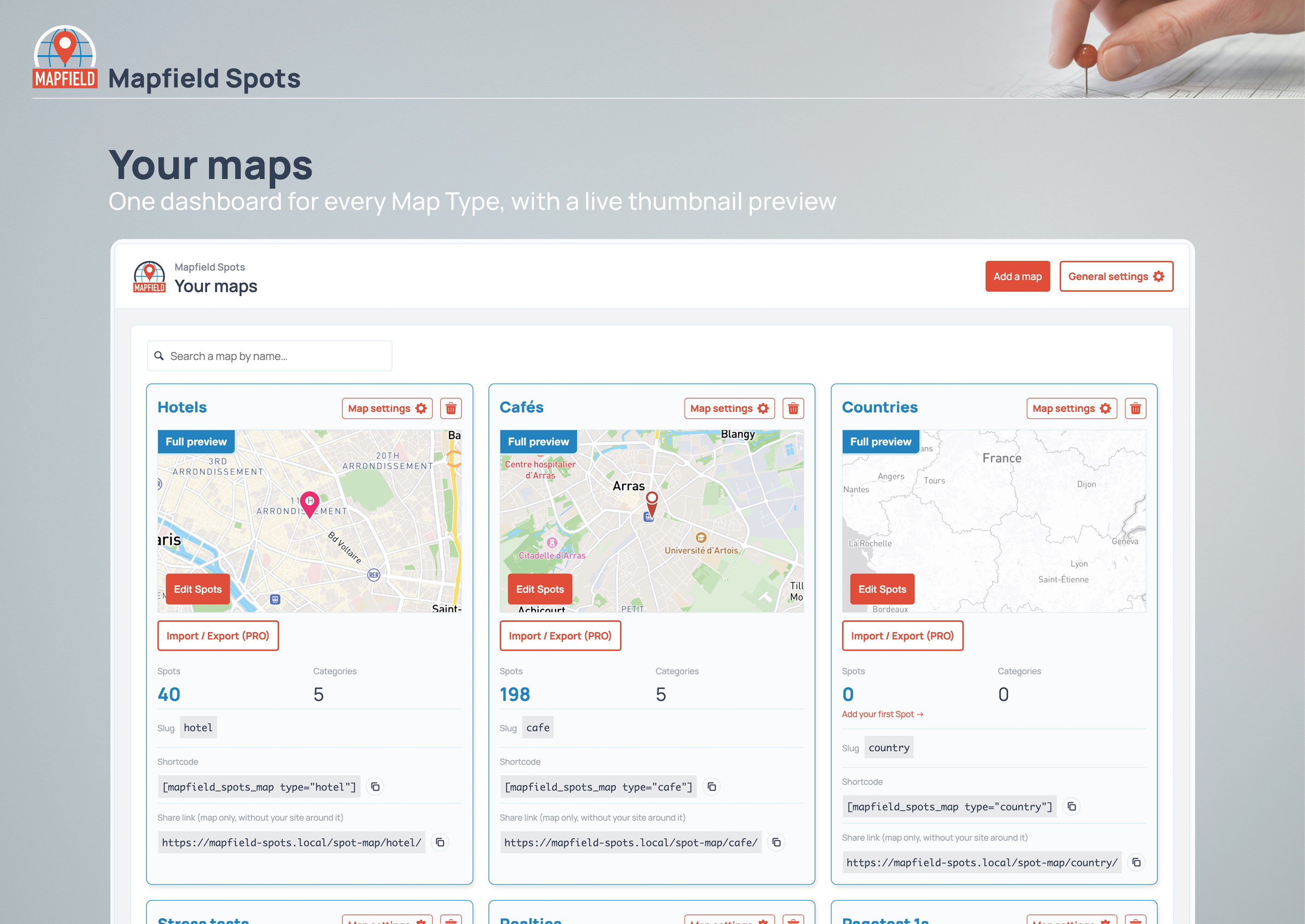
Your maps — one dashboard for every Map Type, with a live thumbnail preview.
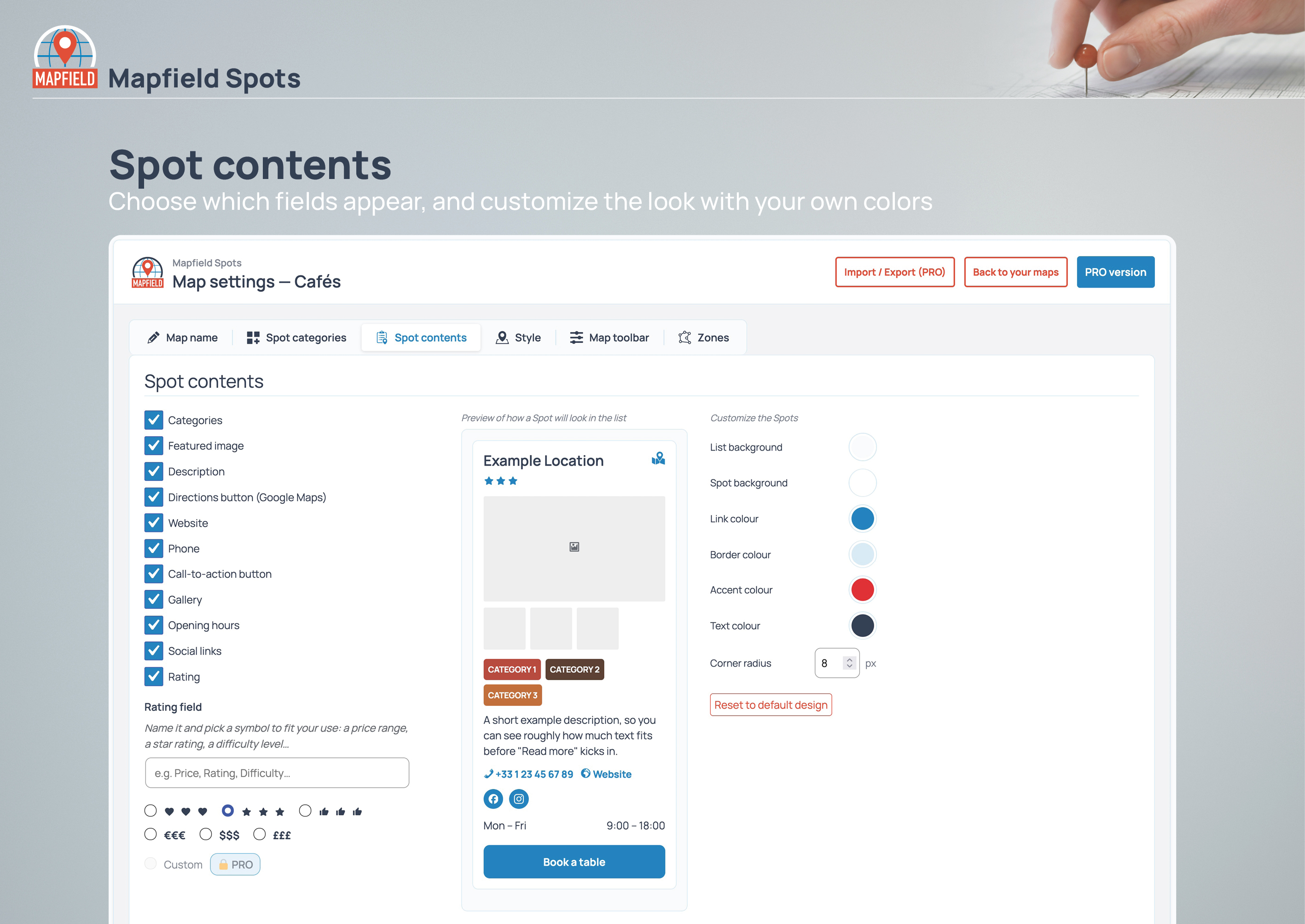
Spot contents: choose which fields appear, and customize the look with your own colors.
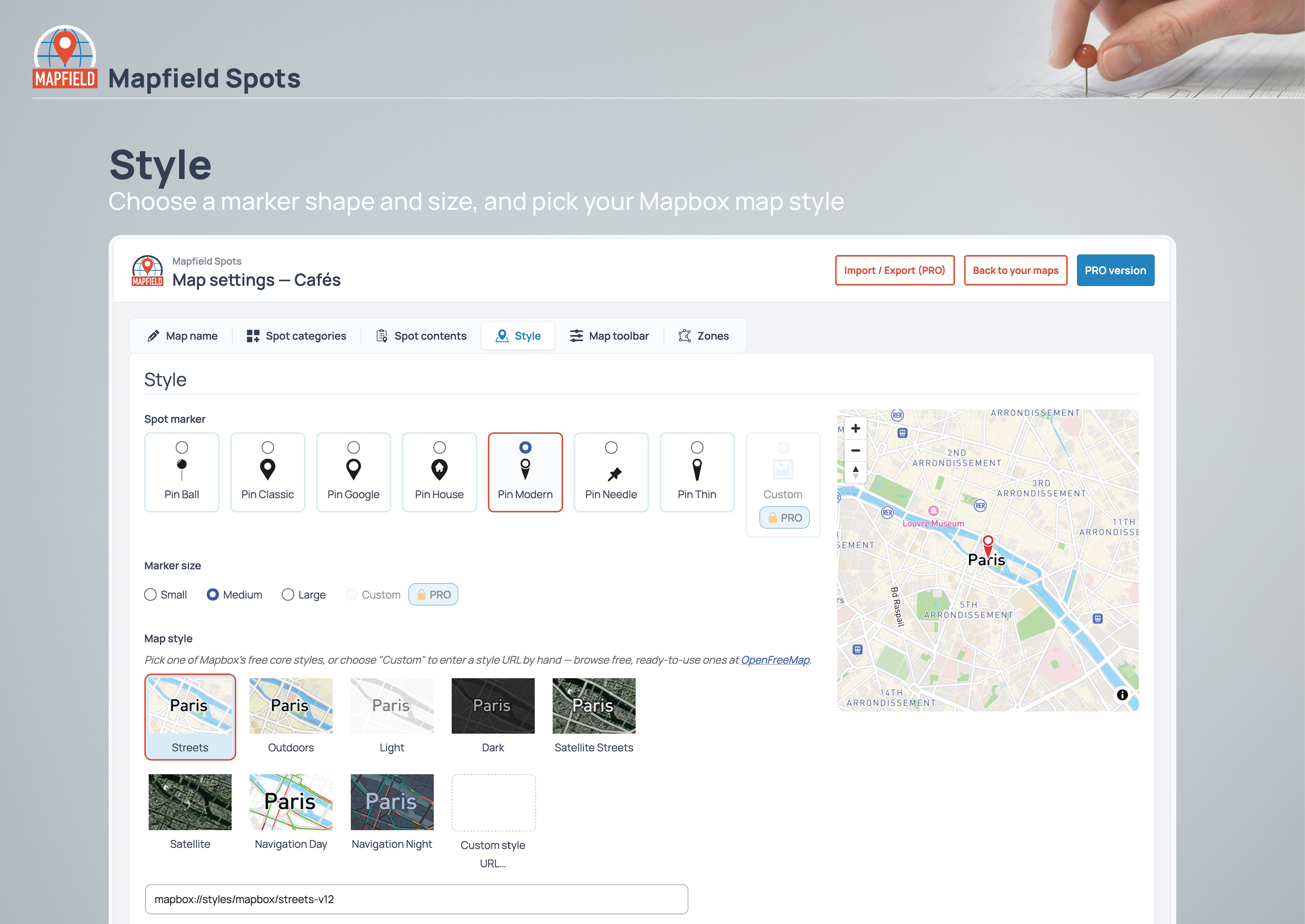
Style: choose a marker shape and size, and pick your Mapbox map style.
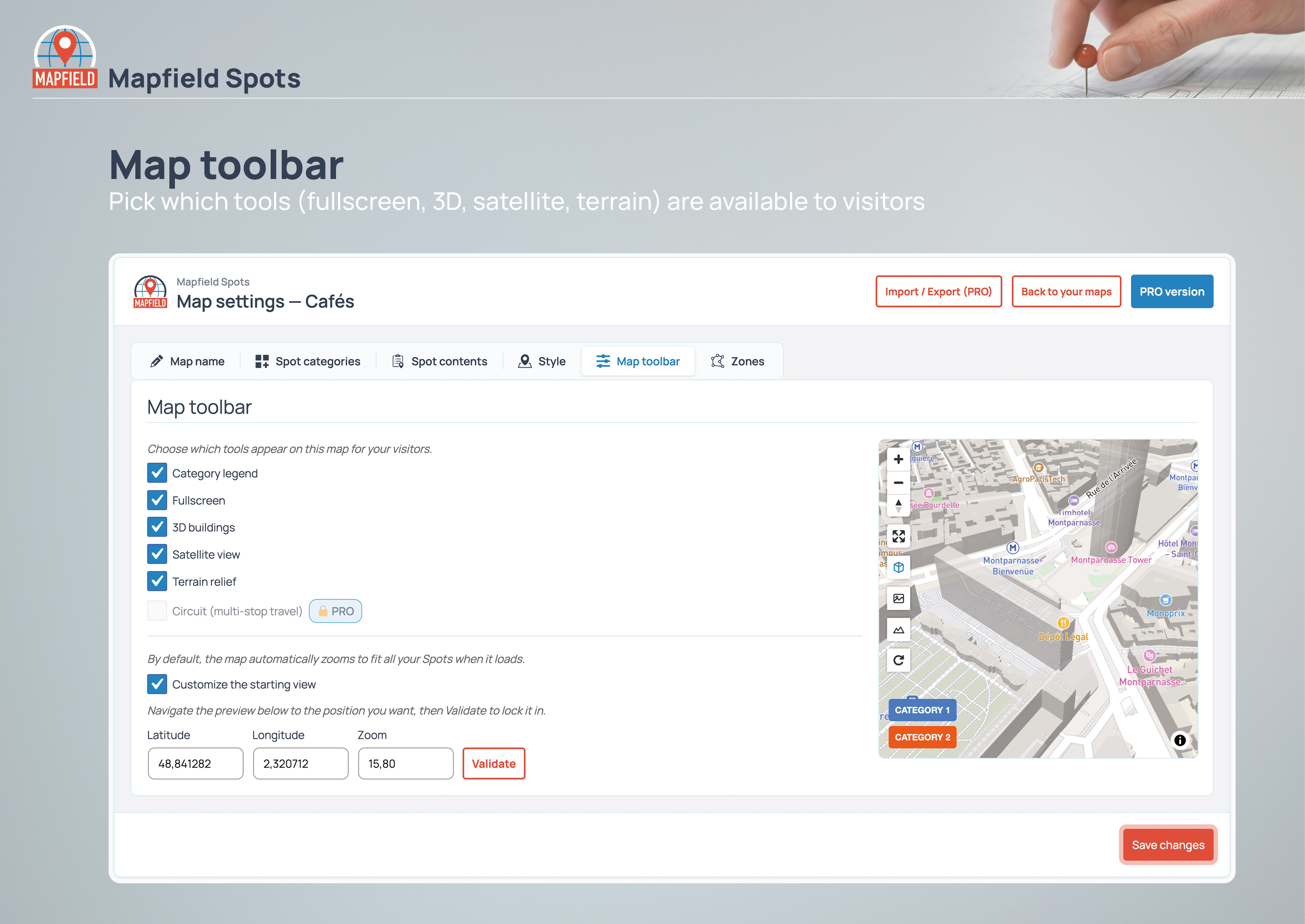
Map toolbar: pick which tools (fullscreen, 3D, satellite, terrain) are available to visitors.
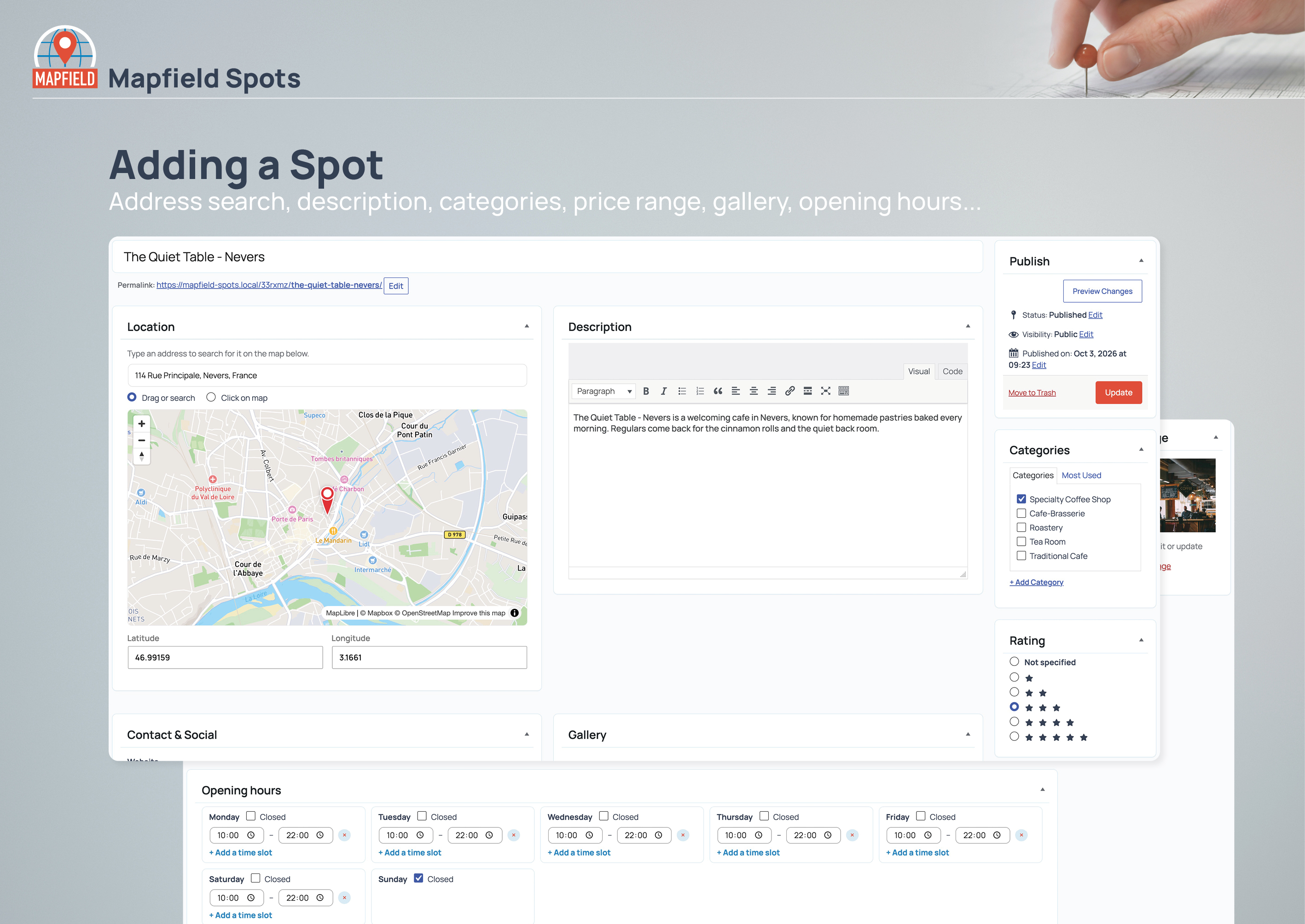
Adding a Spot: address search, description, categories, price range, gallery, and opening hours — all from the post editor.
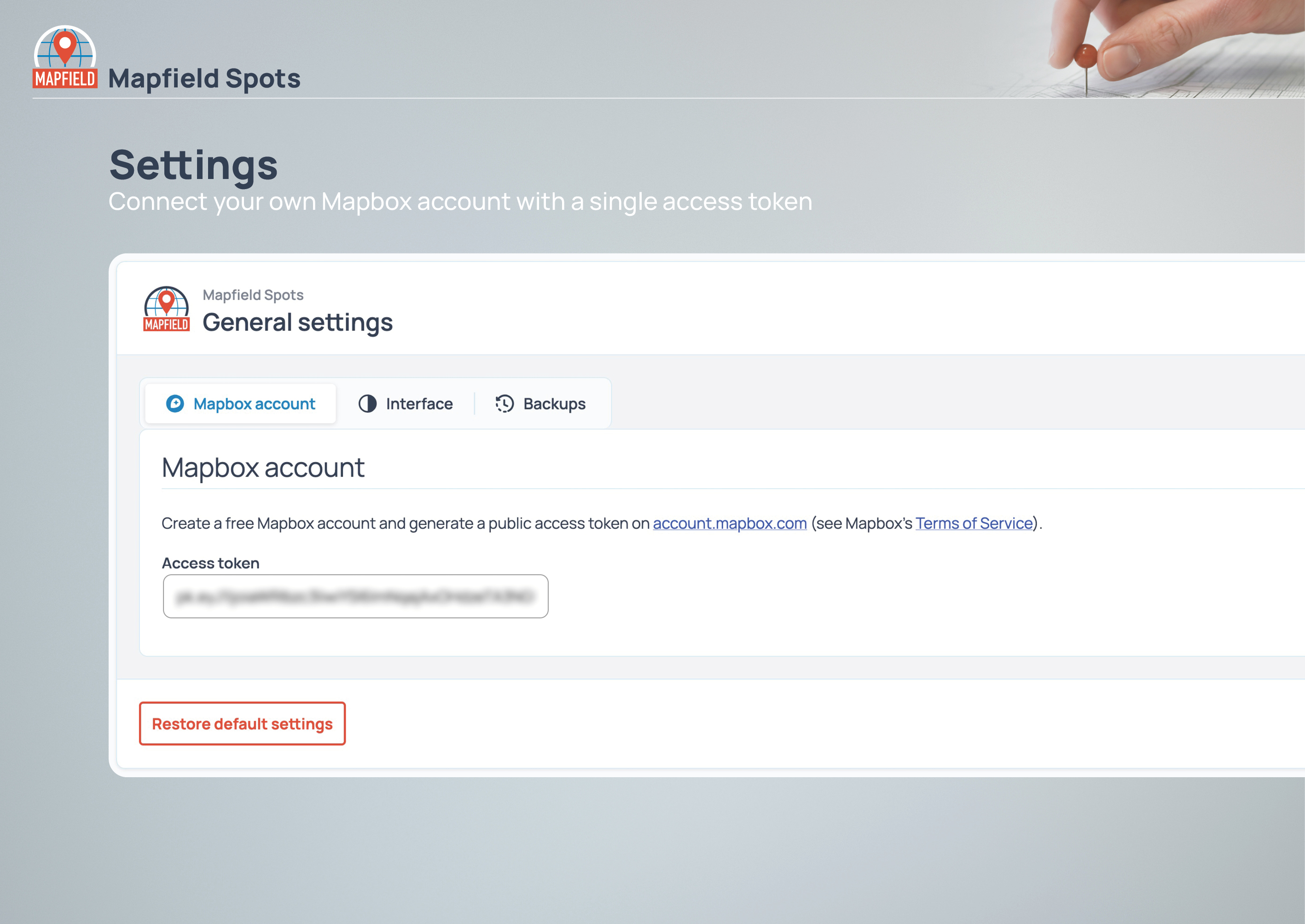
Settings: connect your own Mapbox account with a single access token.
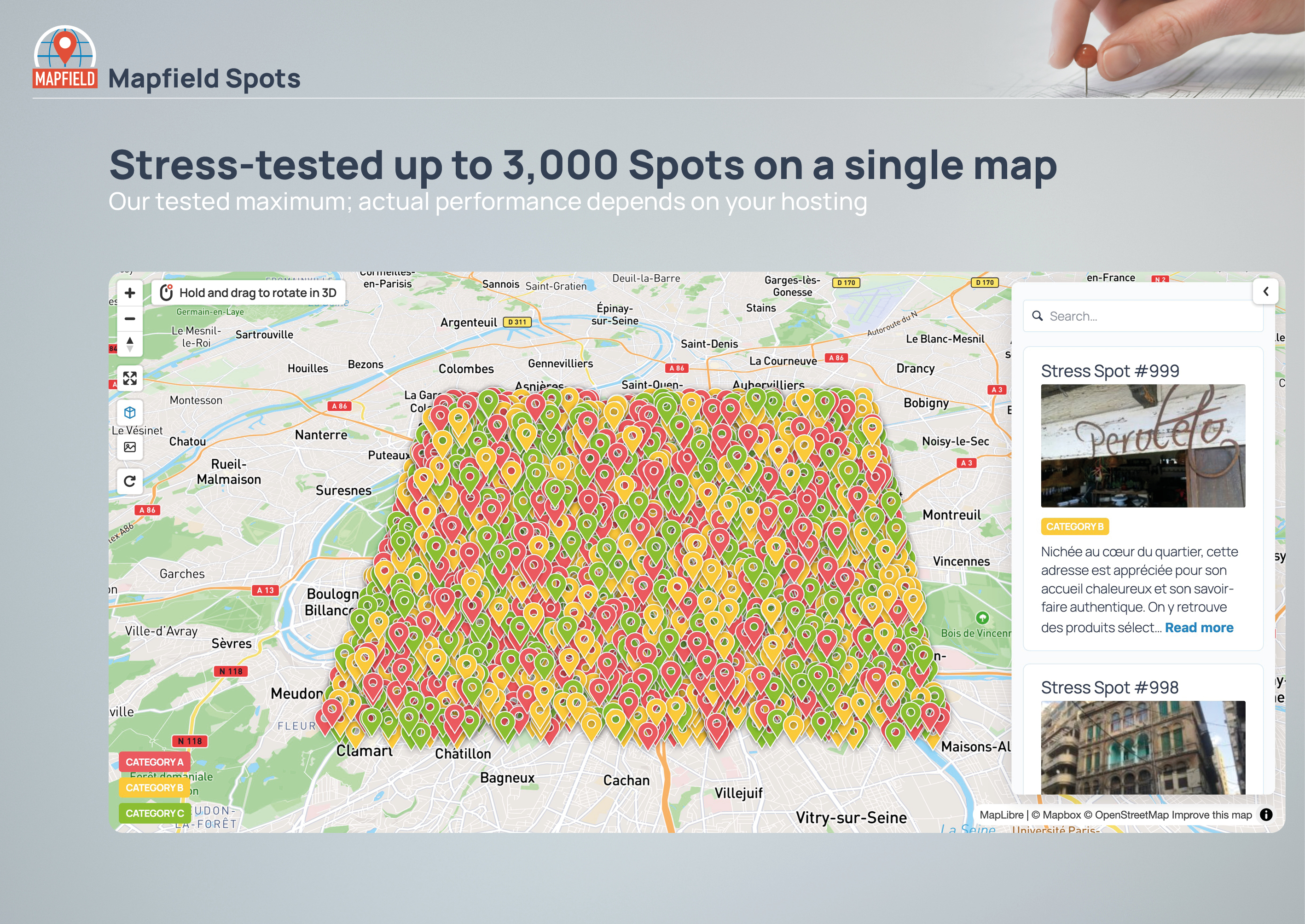
Stress-tested up to 3,000 Spots on a single map — our tested maximum; actual performance depends on your hosting.

