
Gestero Chat Wordpress Plugin - Rating, Reviews, Demo & Download

Plugin Description
Gestero Chat connects your WordPress website to the hosted Gestero Chat service. Visitors can contact your team through a chat widget, and you manage conversations in the Gestero dashboard.
A Gestero account with access to the Chat module is required. The plugin is free to download; access to the hosted service may require a paid subscription. Plan limits and optional Gestor AI credits are managed by Gestero. Installing the plugin does not include a service subscription.
Features:
- Connect using the embed code or public widget URL from your Gestero account.
- Check the widget configuration and website permission before saving a connection.
- Load the widget asynchronously on visitor-facing pages.
- Pause the widget on this site, verify and resume it, or remove the connection.
- Choose the bottom-right or bottom-left corner and a bottom offset from 0 to 500 pixels.
- Connect without storing your Gestero password or a private API key in WordPress.
- Add suggested service disclosure text to the WordPress privacy policy guide.
Chat messages, team replies, the welcome message, appearance and optional Gestor responses are managed in Gestero. This version does not synchronize products or orders and does not include a WooCommerce integration. The plugin settings interface is currently in Turkish; strings use the WordPress translation system.
Requirements:
- WordPress 6.3 or later and PHP 7.4 or later.
- An HTTPS WordPress site and a theme that runs the standard WordPress script and footer hooks.
- An active Gestero Chat widget and permission for your website origin in the Gestero dashboard.
Supported service hosts are https://gestero.com and https://panel.gestero.com. Custom service hosts are not supported in this version.
External services
This plugin integrates with the Gestero Chat service at https://gestero.com. The hosted service provides the chat interface, conversation storage, team inbox and optional Gestor responses.
When the service is contacted
Installing or activating this plugin does not contact Gestero. When an administrator explicitly connects or resumes the widget, WordPress sends a configuration request to the selected Gestero service host at /api/public/web-chat/{public-widget-key}/config. The site’s origin is sent in the Origin header to verify website permission. The service also receives the server’s network connection information. This request does not send WordPress user lists, posts, orders or the Gestero account password.
When the widget is enabled, a local JavaScript file bundled with this plugin loads the hosted chat iframe at /web-chat-widget/{public-widget-key}. The iframe and chat API are part of the Gestero service. They receive the visitor’s network connection information, including IP address and browser request information. Messages and contact details voluntarily submitted by the visitor are processed and stored by Gestero. The local bridge sends chat requests directly from the visitor’s browser to /api/public/web-chat/{public-widget-key}/... so Gestero can validate the website origin.
Local storage and saved settings
The visitor’s browser stores the chat session ID and session token in localStorage to resume the conversation. WordPress stores only the public widget connection, enabled state, verified site origin and last successful verification time. Administrator notices use user-specific transients that expire after 60 seconds. The plugin does not store chat messages in the WordPress database.
Consent and policies
The administrator explicitly authorizes the connection by selecting the connect or resume action. This does not replace any visitor consent process required for the website. The plugin does not provide a visitor consent management system. Site administrators should review their privacy notice and any applicable consent configuration before enabling the widget. Suggested privacy policy text is available in WordPress.
Screenshots
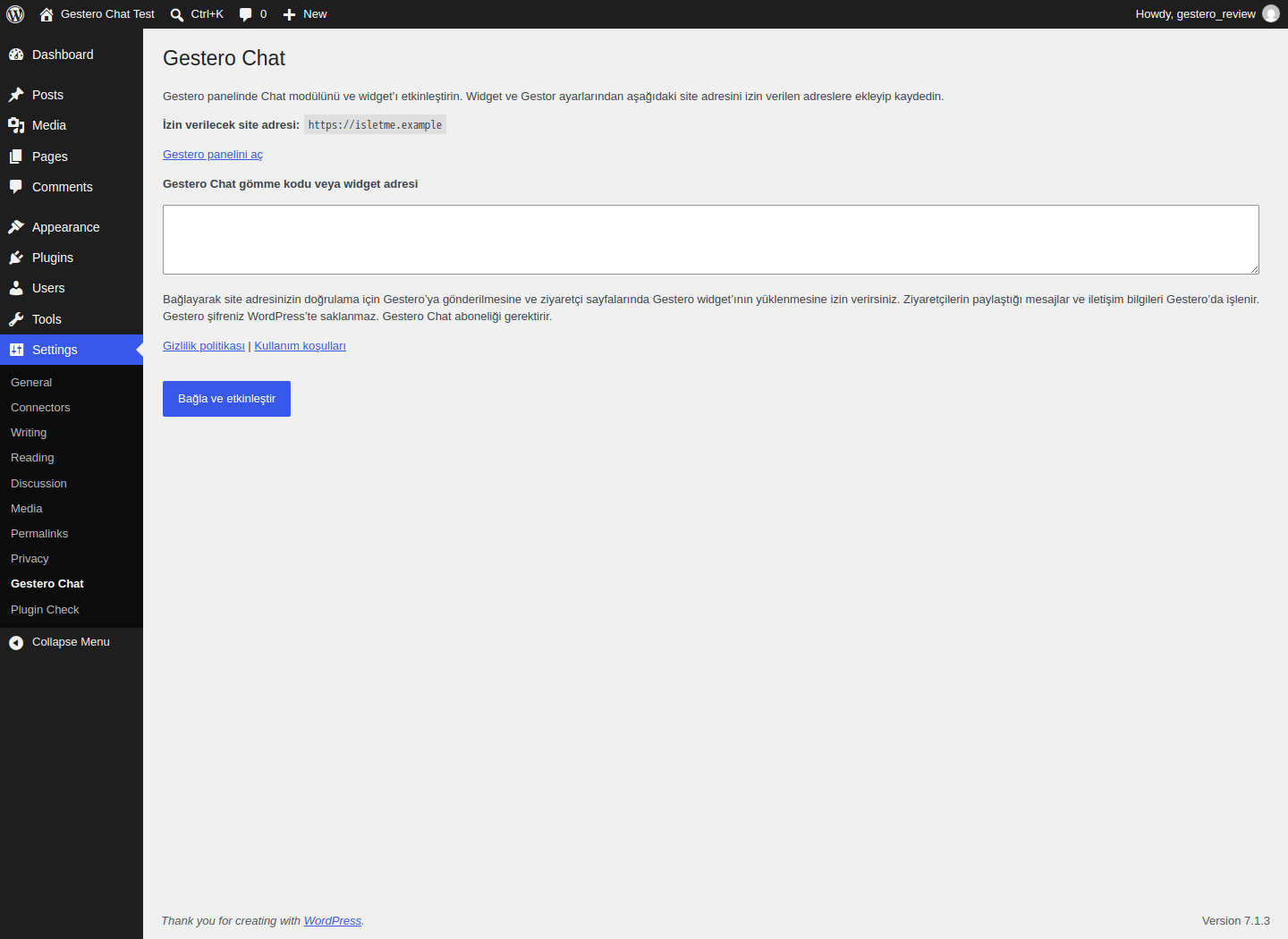
Connection settings with the website origin, embed code field and external service disclosure. The current settings interface is in Turkish.
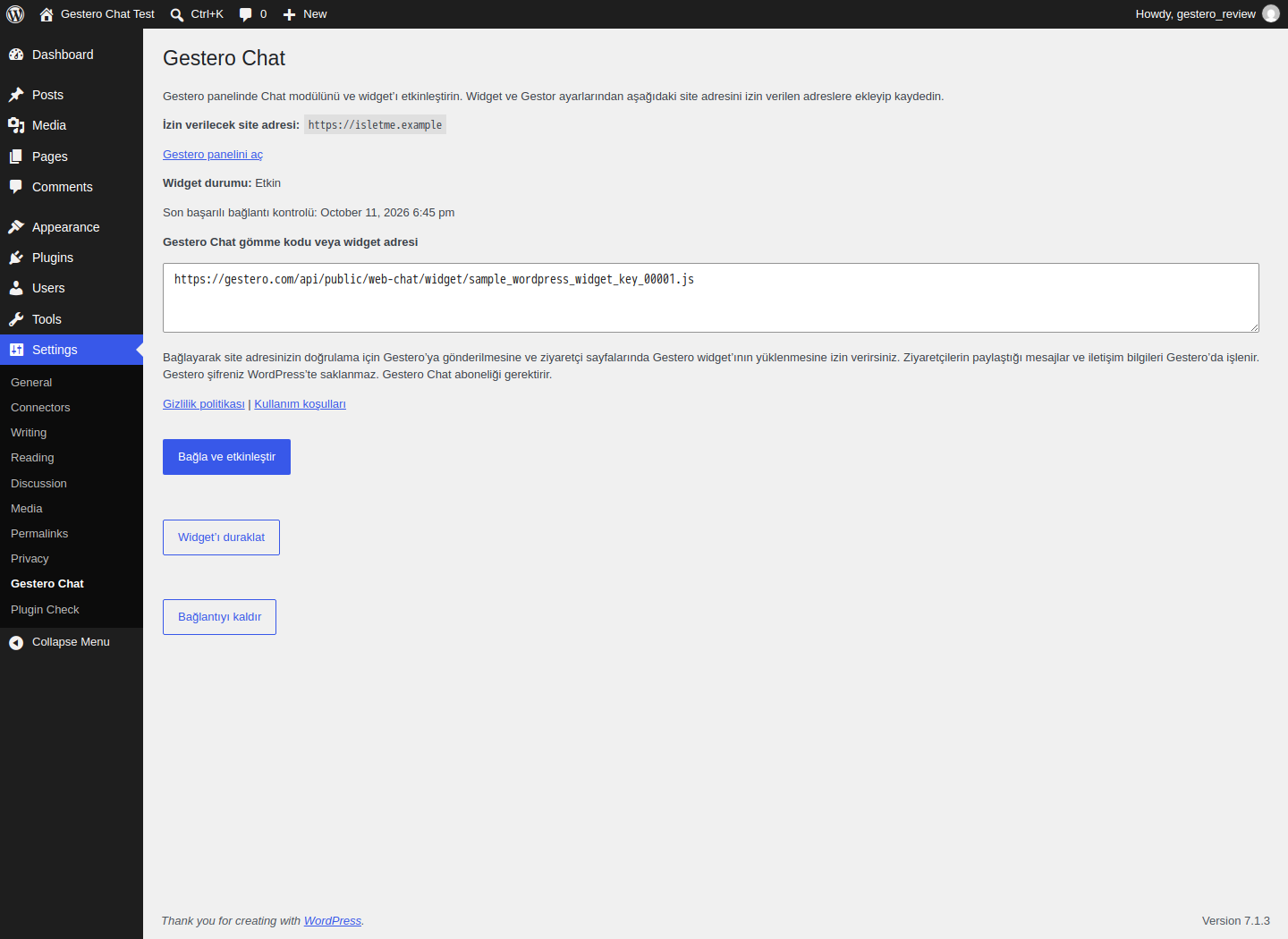
A verified connection with the last check time, pause action and disconnect action. This screenshot uses sample business data.


