
Live Admin Cursors Wordpress Plugin - Rating, Reviews, Demo & Download

Plugin Description
Live Admin Cursors shows you everyone else who is on the same wp-admin screen as you, as a live cursor with their name. You see them move, hover links, click and type, so two people working on the same settings page or the same post never step on each other’s toes.
Each cursor is placed on the same element on your screen as on theirs. It still lines up when one of you is on a big monitor and the other on a laptop, tablet or phone.
What you see
- An arrow in the person’s colour while they move around.
- A hand when they hover something clickable: links, buttons, tabs, checkboxes.
- An I-beam with typing dots while they type. The field they’re typing in gets a ring in their colour.
- A burst when they click or tap.
- A faded cursor when they’ve been still for 30 seconds or their mouse has left their window.
- A name tag pinned to the top or bottom edge when they’re on a part of the page you’ve scrolled away from. Click it to scroll to them.
Every person gets their own bright colour, worked out from their username. It’s the same on every screen.
Toolbar menu
The people icon in the toolbar shows the faces of everyone on your screen and a count of everyone in wp-admin. Its menu lists who’s on this page (click to scroll to them), who’s elsewhere in wp-admin and on which screen (click to go there), and two toggles: Hide my cursor and Hide other cursors.
Choose who takes part
In Settings > Live Admin Cursors you tick, for each role:
- Has a cursor: people with this role show up for others.
- Sees cursors: people with this role see everyone else’s cursors and get the toolbar menu.
Viewers can always hide other people’s cursors. They can hide their own only if their role has one. People who can’t see cursors get no menu and no toggles. By default only administrators take part, both ways.
Works on phones and tablets
Taps, drags and typing on a touch screen are shared just like a mouse.
Privacy
- Keystrokes are never sent, only the fact that someone is typing and where their text caret is.
- The field someone is in is shared by its HTML ID or name, never its contents.
- Names, avatars and the current screen are only shown to roles allowed to see cursors.
How live is it?
WordPress has no WebSockets, so the plugin uses a small REST endpoint. While someone is moving and someone else is watching, updates go out about every 90 milliseconds, and the paths are replayed smoothly on the other side. When everyone is still, updates slow right down. How live it feels depends on how fast your site answers a request. A site with many heavy plugins answers more slowly.
Screenshots
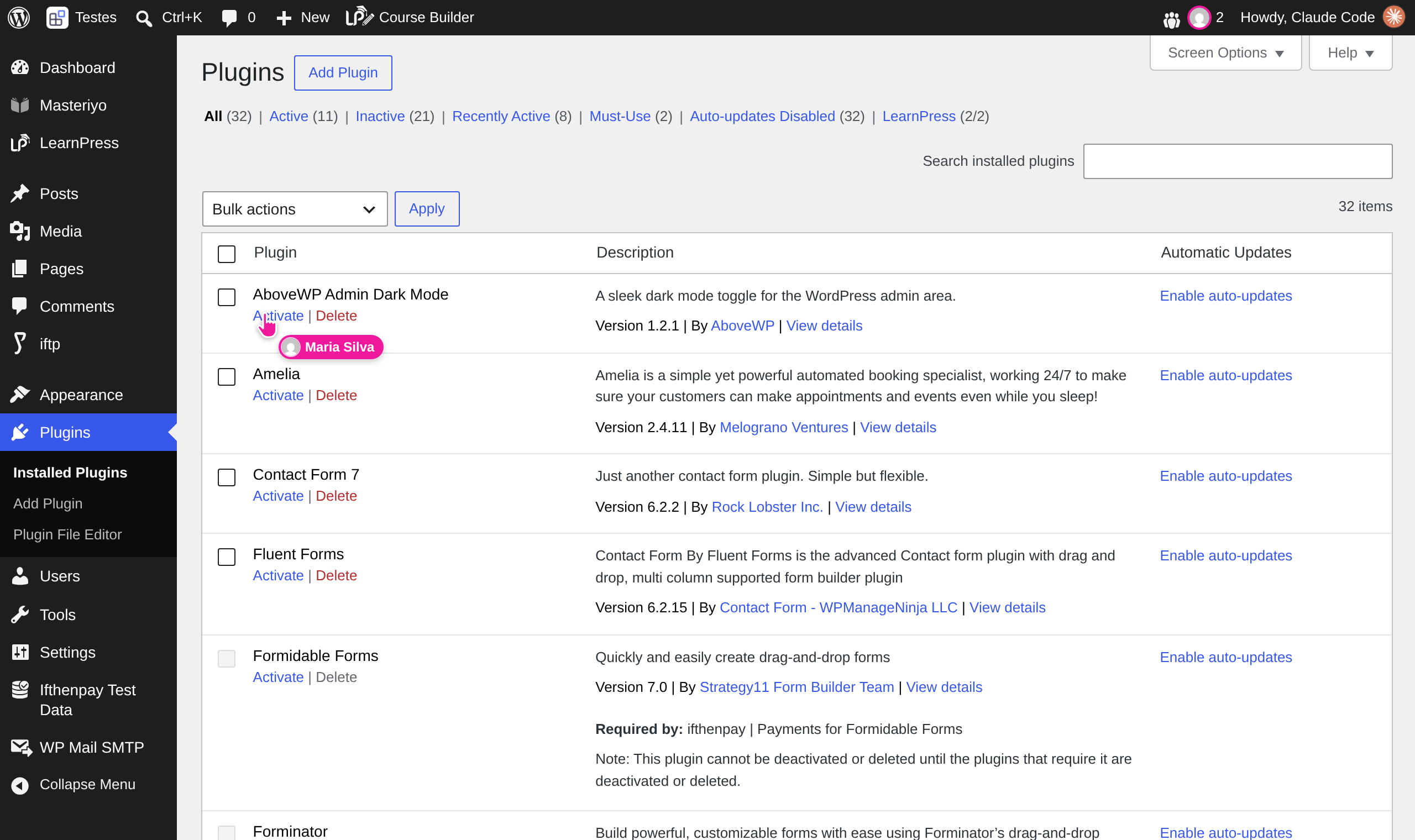
Another administrator’s cursor, as you see it, while they hover a link on the Plugins screen.
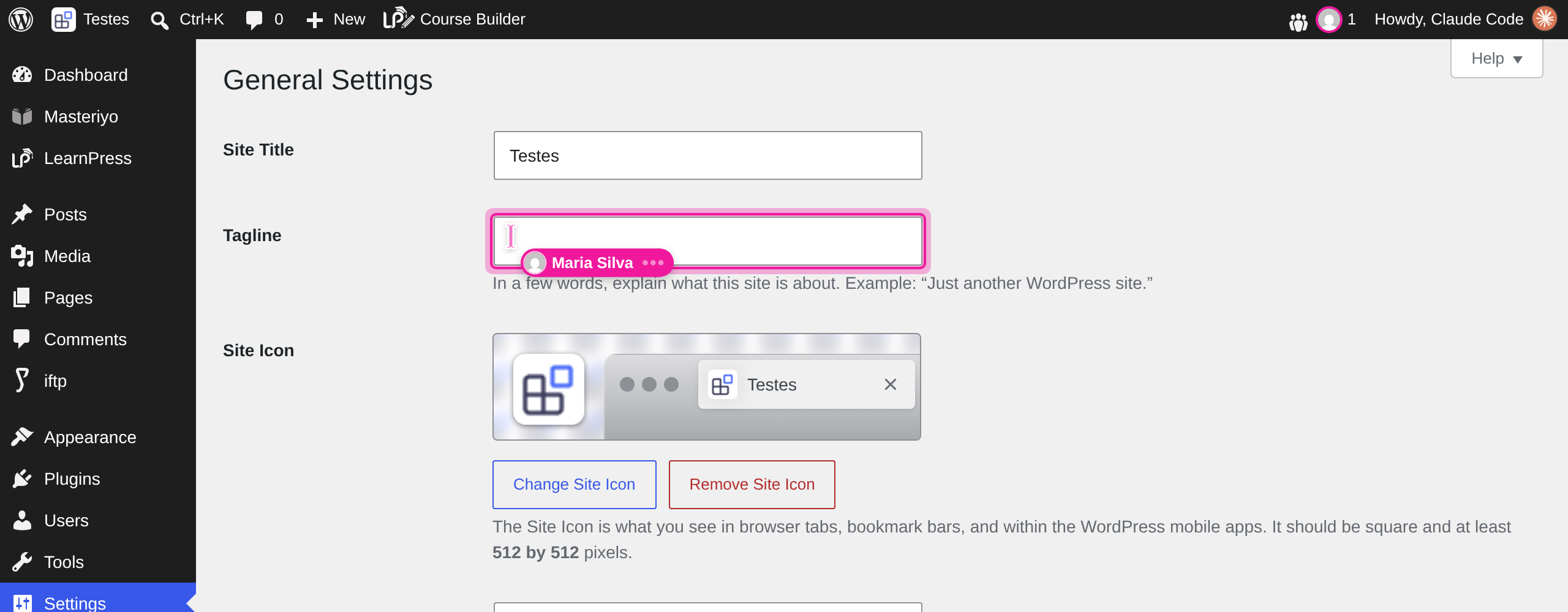
Someone typing in a field: their cursor turns into an I-beam with typing dots and the field is ringed in their colour.
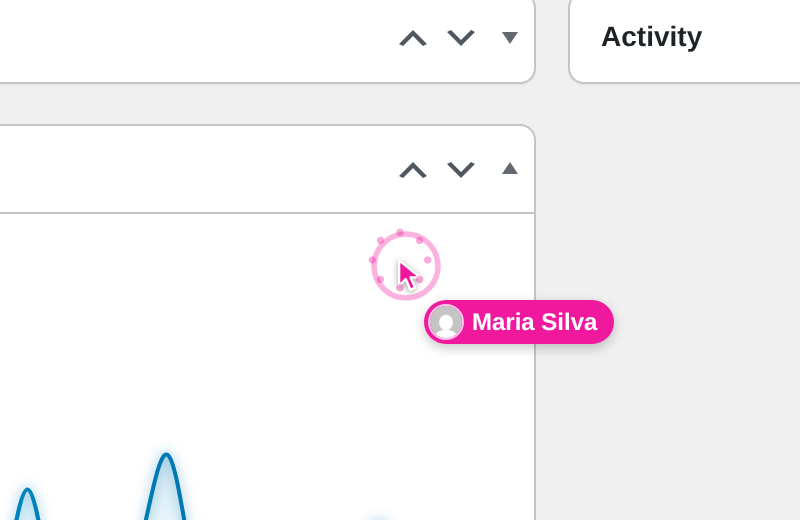
A click shows up as a burst in the person’s colour.
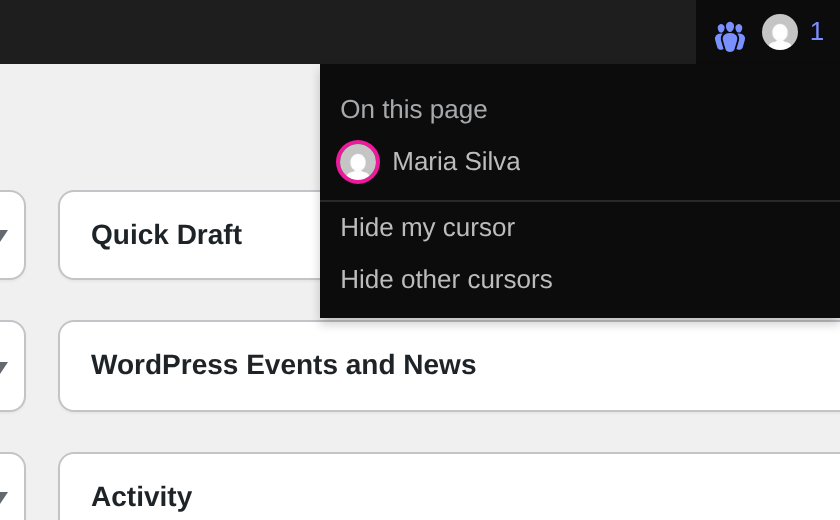
The toolbar menu: who’s on this page, who’s elsewhere, and the two toggles.
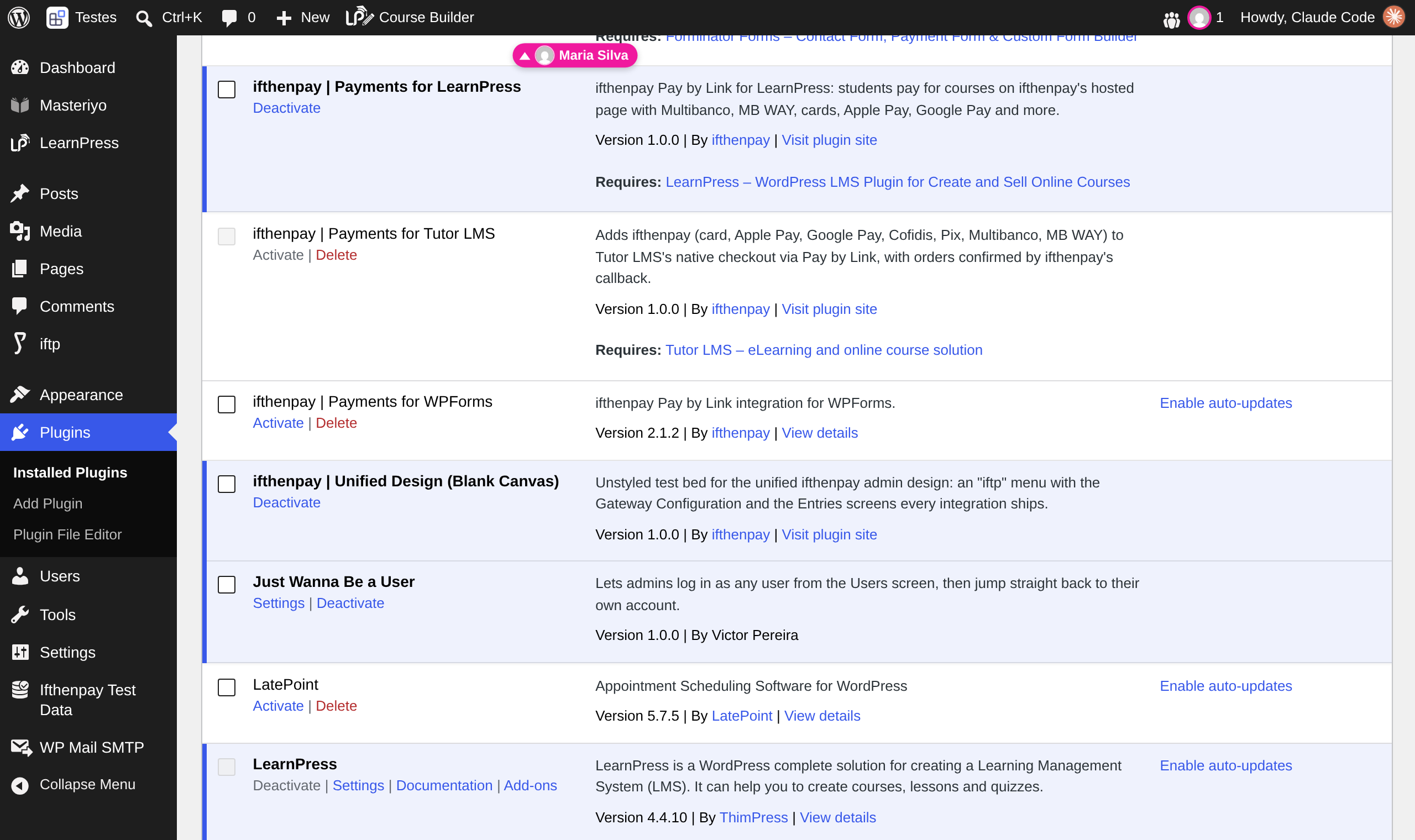
When someone is on a part of the page you’ve scrolled away from, their name tag is pinned to the edge of the screen.
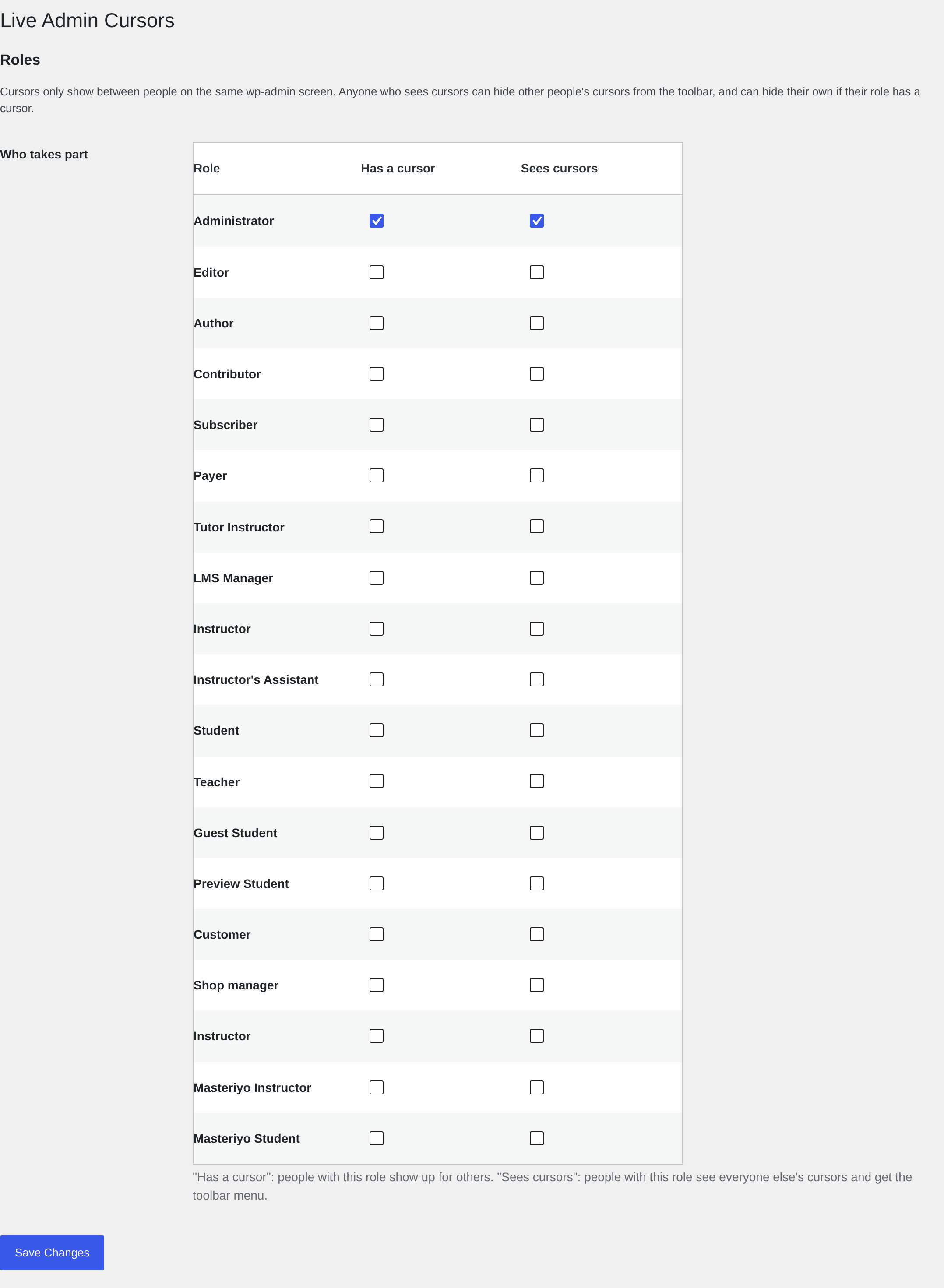
Settings > Live Admin Cursors: which roles have a cursor and which roles see them.


