Underpixel Sales Popup For WooCommerce Wordpress Plugin - Rating, Reviews, Demo & Download
Plugin Description
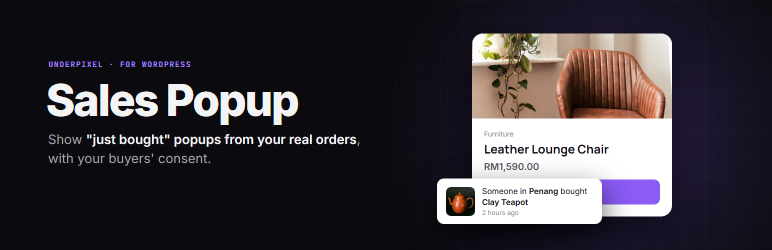
Sales Popup shows a small popup such as “Someone in Shah Alam bought Office Chair, 2 hours ago”. Every popup comes from a real, paid order in your shop. Sales Popup has no setting to invent orders, buyers, reviews or numbers, and never will.
You decide how much of the buyer is shown. By default no name is shown (“Someone”), and the buyer can untick a box at checkout to keep their purchase out of the popup.
Only orders with status Processing or Completed are shown. Refunded, cancelled, failed, pending and on-hold orders never appear. If there are no orders in the time window, nothing is shown: no empty box, no sample.
Free version (this plugin)
- Popup with real paid orders: product photo, product name, location and “2 hours ago”.
- Orders from the last 7 days.
- Position bottom-left or bottom-right. Option to hide on mobile.
- Name display: no name (default), half name (Ai***) or first name.
- Location detail: city (default), state, or none.
- Checkout box “Show my purchase in the store’s recent sales popup”, on the classic checkout and on the Block checkout. You choose if it starts ticked (opt-out) or unticked (opt-in, for shops selling to Europe).
- A first-run question: “Do you sell to customers in Europe?” sets that default for you.
- The visitor never sees their own order.
- Works with page caching.
- Takes the fonts and colours of your theme.
Pro version (paid upgrade, sold separately)
The Pro code is not included in this version, and nothing in this plugin is locked or time-limited. Pro costs US$4.99 per month or US$39 per year and adds:
- Your own time window, 1 to 90 days (for slower shops).
- “5 people bought this in the last 24 hours” on the product page (shown from 2 orders up, each paid order counted once).
- Choose the pages where the popup shows: home, shop, product, cart, checkout and other pages.
- Exclude products, categories or single orders (by order ID). Excluded orders are also left out of the counter and the best-seller badge.
- Colours, size and animation.
- Sales report: popup views, clicks, and orders after a click.
- Real review popup, from approved 4 and 5 star WooCommerce reviews, with the same name and location privacy settings.
- Real “Only 3 left” line, from your actual stock count (needs stock management on).
- “Best seller this week” badge, from your real orders.
- Your own wording, in any language.
Privacy
Sales Popup shows data from orders on your own site to your visitors, as described above. It saves your settings, and one flag on an order when the buyer unticks the checkout box (_salepop_hide). Sales Popup Free stores nothing in the visitor’s browser except session flags that keep the popup from repeating (salepop_seen, salepop_closed, salepop_own, in session storage). The Pro report stores only daily counts of popup views and clicks, plus a flag (_salepop_click) on an order placed within 7 days after a popup click in the same browser (this uses one first-party cookie, salepop_click, set at checkout for up to 7 days, and the browser’s local storage, both only in the Pro version); it stores no IP address, no visitor profile and no personal data. Uninstall cleanup is for a single site, not a multisite network. Uninstalling removes the settings, the counts table and the banner preference. Order flags are kept, because they are the buyer’s choice.
Screenshots
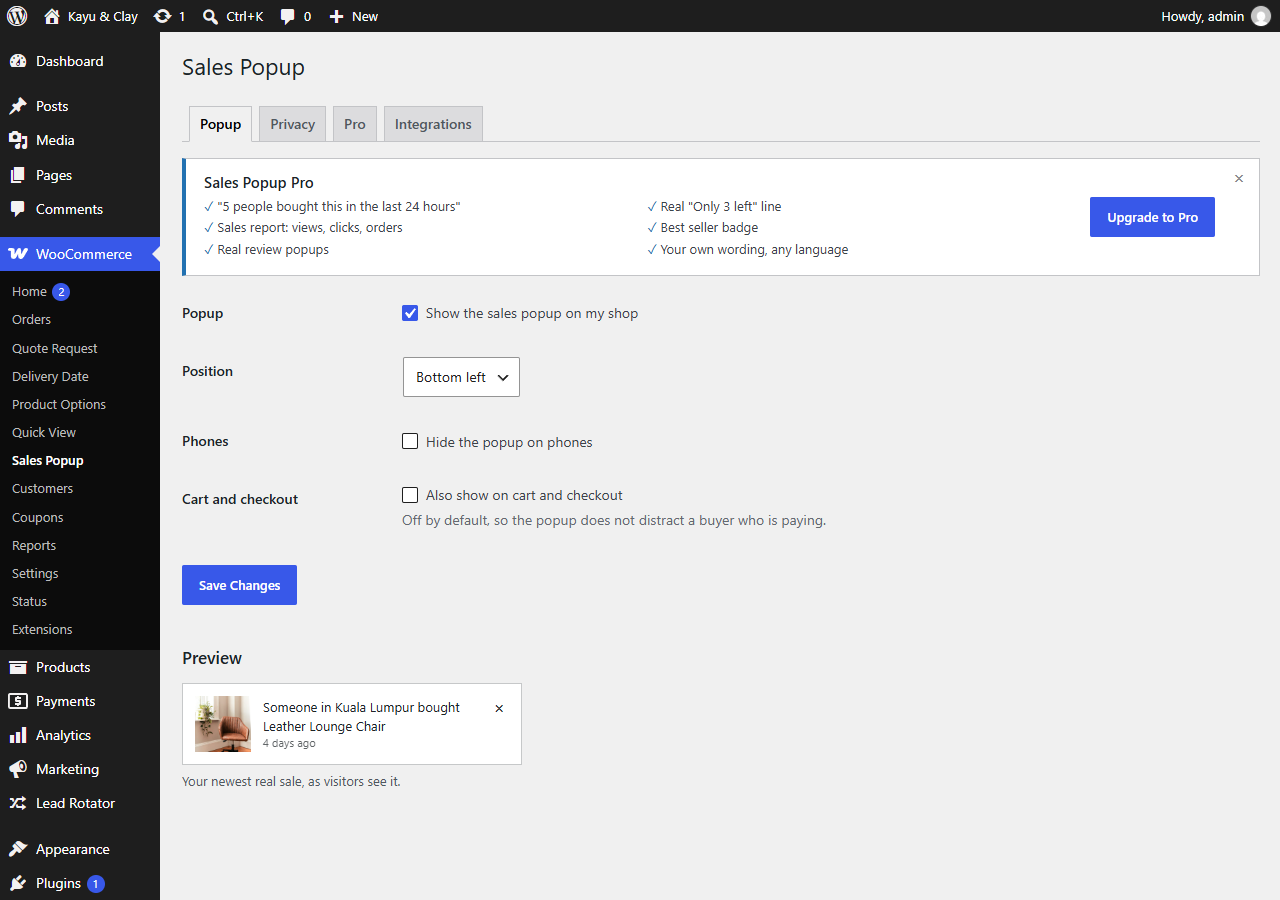
Popup tab with a live preview of your newest real sale.
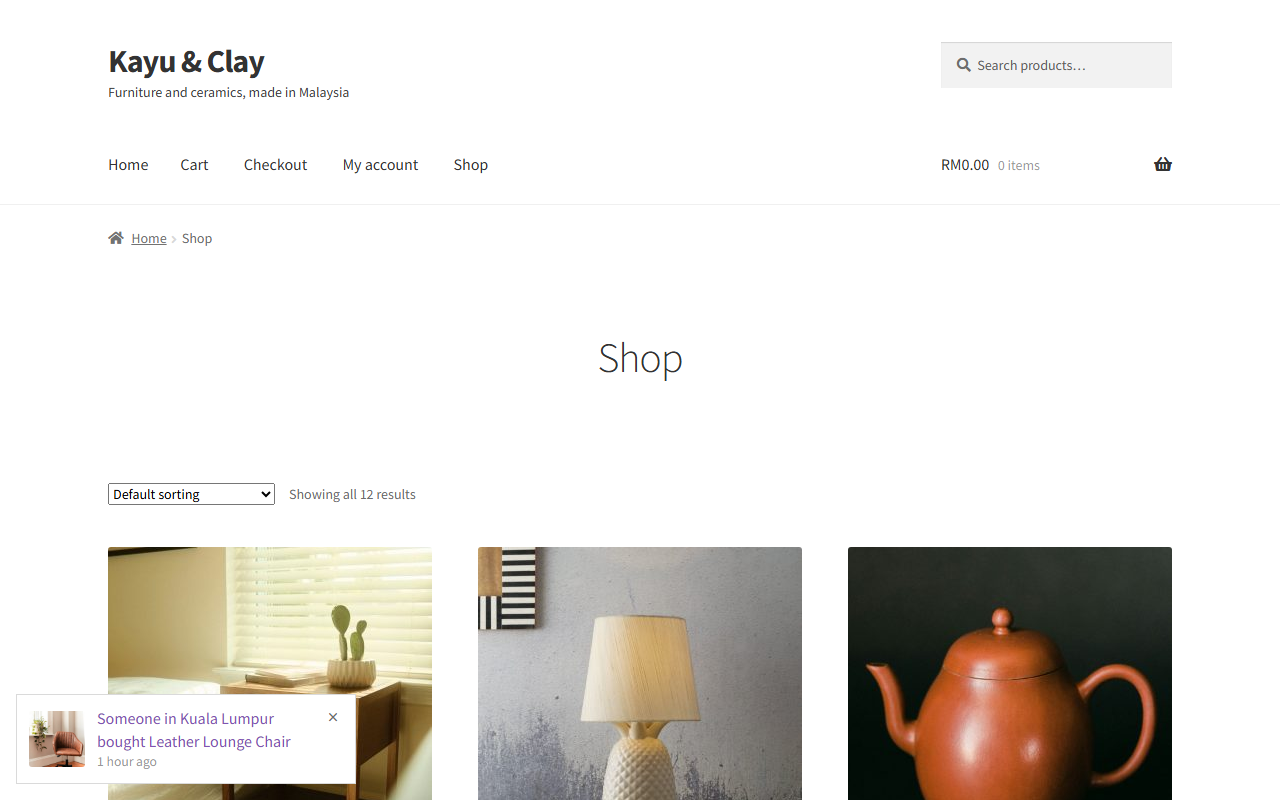
The popup on the shop page (Storefront): “Someone in Kuala Lumpur bought…”.
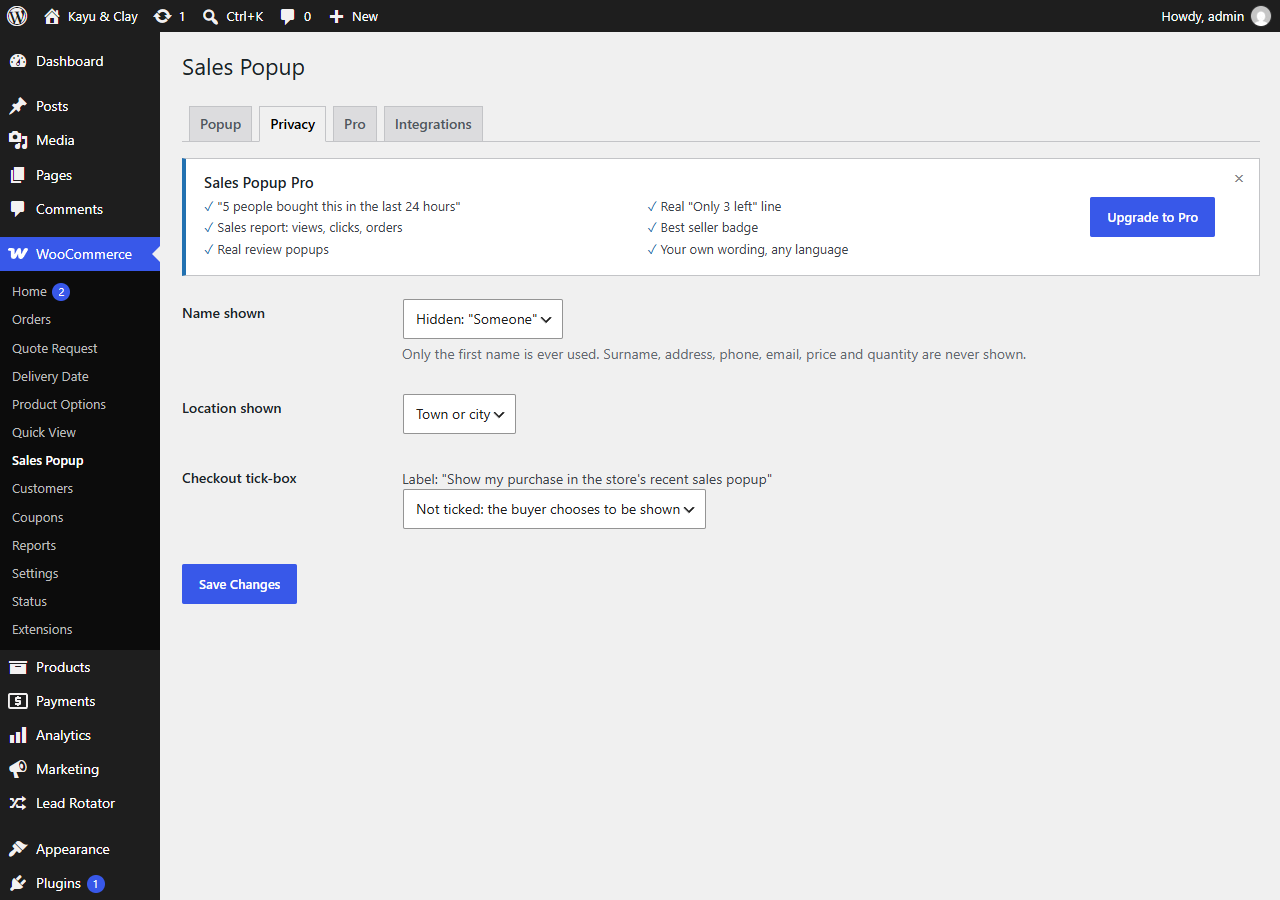
Privacy tab: how much of the buyer to show.
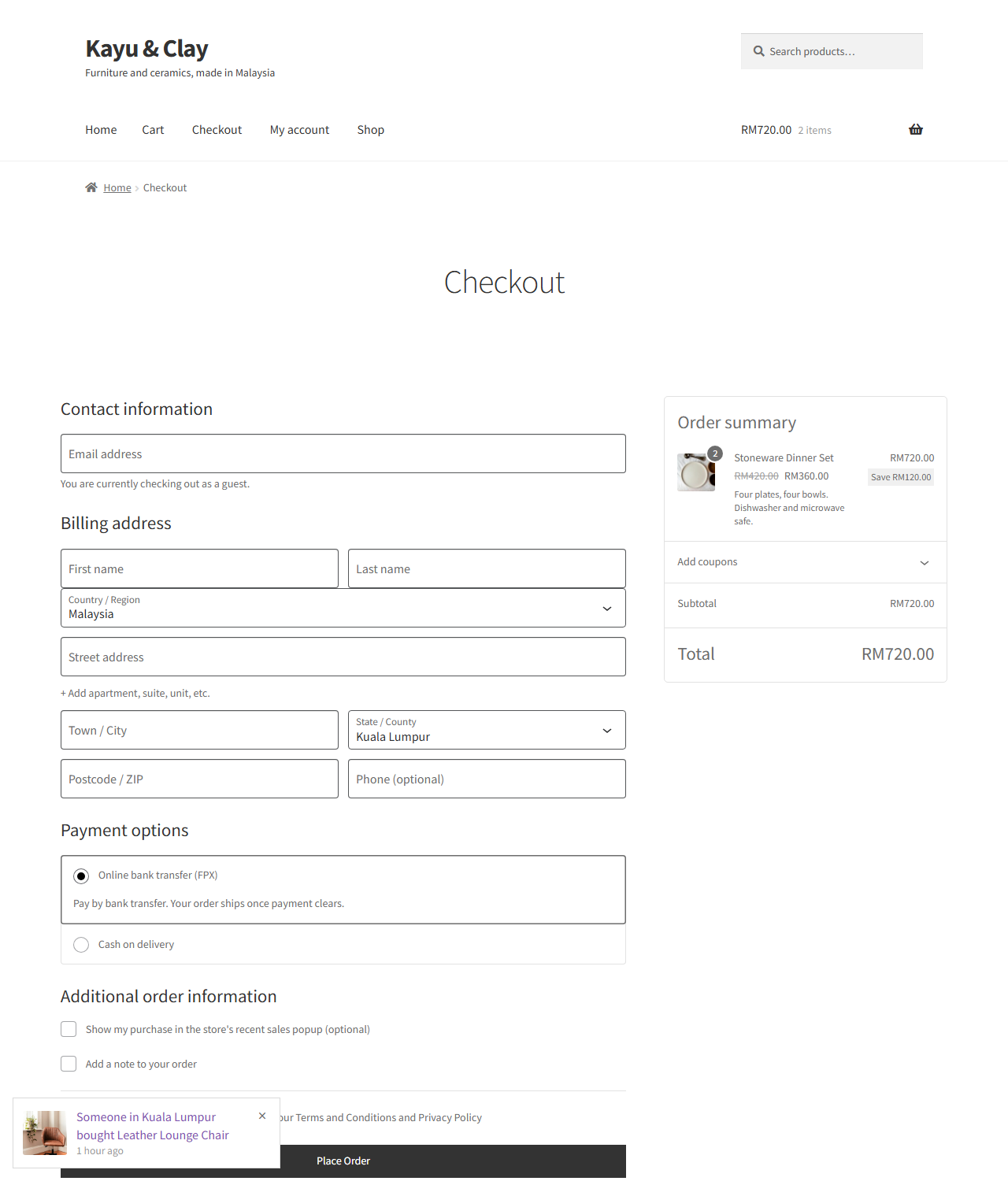
Checkout tick-box: buyers choose to appear in the popup.
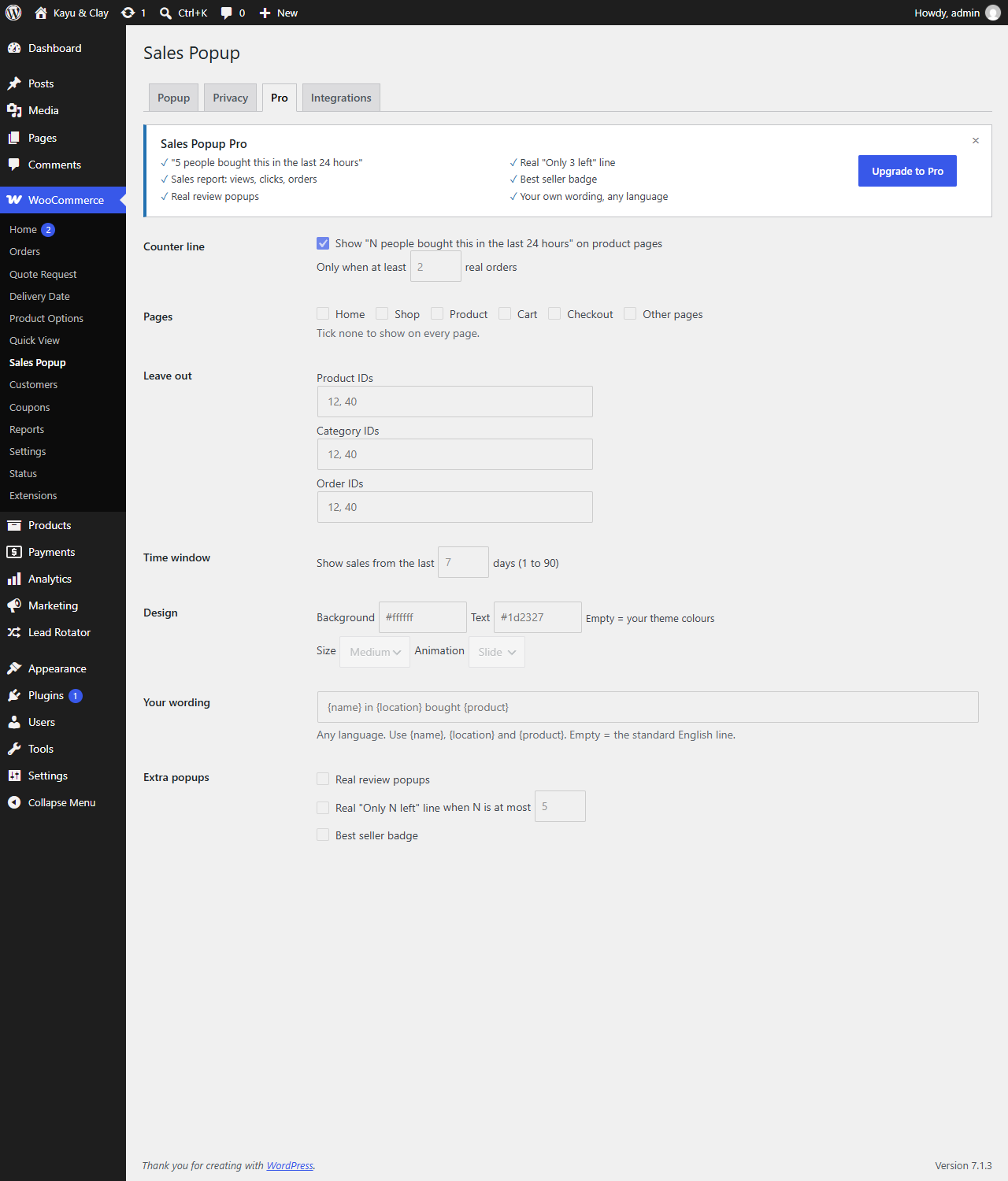
Pro tab, with the Pro options shown under one Pro banner.