
ImproveAB: A/B Testing Wordpress Plugin - Rating, Reviews, Demo & Download
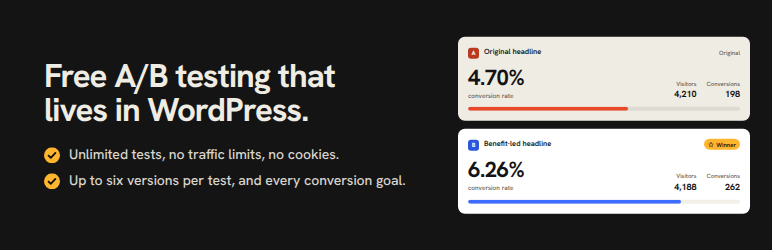
Plugin Description
ImproveAB is a free A/B testing and split testing plugin for WordPress that works with any page builder or theme – Elementor, Bricks, Etch, the block editor (Gutenberg), Beaver Builder, Divi, Oxygen, Breakdance, Kadence, GeneratePress, Astra, or a classic theme. Test which headline, button, layout, or landing page converts best, then ship the winner with confidence – all from your WordPress dashboard, with unlimited tests, no traffic limits, no cookies, and no third-party cloud.
Stop guessing. Show two versions of a page or element to real visitors at the same time, measure which one wins on a goal you choose, and make data-driven decisions that lift your conversion rate.
Free means free
No limits and nothing held back: unlimited tests running at once, unlimited pageviews and visitors, up to six variants per test, and every goal type, WooCommerce add-to-cart and purchase with revenue included. Nothing in this plugin is locked or limited.
It works with any builder, has no visitor limits and keeps your visitors’ data on your own site. Variants are matched with a simple CSS class, so it works everywhere; everything runs on your own site, so there are no pageview fees; and assignment happens in the browser, so it’s compatible with caching and CDNs and sets no cookies.
Self-hosted A/B testing
ImproveAB runs inside your site instead of a separate cloud dashboard, and it never meters your traffic. If you used Google Optimize before it shut down in 2023, the workflow will feel familiar: create a test, choose a goal, and read the results without leaving your dashboard.
Built for any page builder
Element tests target a CSS class, and every major builder has a field for one, so the same plugin works on every site you build, whichever builder or theme it uses. No lock-in.
What the free plugin does
- Element and section tests – A/B test a headline, button, hero section, call to action, pricing table, image, or whole layout on a page using a simple CSS class.
- Ship the winner instantly – once you declare a winner, keep showing it to every visitor with one click until you have updated the page itself. No tracking, no flicker, works for element, point-and-click and full-page tests.
- Goals that match how sites convert – page visit (thank-you page), element click, link click, form submission (Contact Form 7, WPForms, Gravity Forms, Fluent Forms, Ninja Forms, Formidable, Forminator, or any plain form), and WooCommerce add-to-cart.
- Point-and-click test creation – while logged in, click “A/B Tests” in the admin toolbar on any page, click the headline or button you want to improve, type the new wording, and start the test. No builder, block editor, or code involved. A section opens as one field per text and image, with its layout kept as it is, and any field or the whole element can be edited as HTML. If you pick a big or interactive block (a form, a product grid, more than 30 elements), the panel says so and offers to pick a smaller part or keep the block.
- Full-page split (URL) tests – split traffic between two page URLs with an automatic, SEO-safe redirect. Ideal for comparing entire landing-page designs – including a variant on a second WordPress site at a subdomain such as new.yoursite.com, with the free plugin installed on both.
- A/B and A/B/n testing – the original against one new version, or up to six variants in one test.
- As many tests as you like – no limit on how many run at once.
- Conversion goals – page visit (e.g. reaching a thank-you page), element click, link click, form submission, WooCommerce add-to-cart and purchase (with revenue), scroll depth, time on page and active time.
- Page targeting – an element test runs on every page where its classes are found, so a header button or nav link is tested site-wide; a point-and-click test starts on the page you picked it on. Either can run only on paths matching a pattern (/blog/*), everywhere except those, or on every page where its element exists; with plain permalinks a pattern names a page by its query (/?page_id=12).
- Clear results – impressions, conversions, and conversion rate per variant, with the leading variant highlighted, a device breakdown, a day-by-day chart and CSV export.
- Traffic split warning – the plugin checks that visitors are divided between your versions the way the test planned. When the gap is too big to be chance, the results page says so first, with the likely causes and the fix, and the test is tagged “Split off” in the tests list, the admin-bar menu and the dashboard widget, so you never act on a broken test.
- Flicker-free – visitors never see the wrong version flash before the right one loads.
- Cookieless and cache-friendly – assignment happens in the browser, so it works behind page caching and CDNs and sets no cookies.
- No traffic limits – no view caps and no visitor limits, ever.
- Sample-size and duration calculator – estimate how many visitors and days you’ll need before you start, with plain-language guidance, right inside the guide.
- Edit tests safely – names, notes and labels any time; the goal and pages with a clear confirmation on live tests, so collected data is never mixed by accident.
- Notes and shareable summaries – keep your hypothesis and learnings with each test, and download a plain-text results summary or email it to yourself.
- A dashboard you can actually scan – status filters, pagination, bulk pause/stop/delete, visitors and conversion rate at a glance, and a wp-admin dashboard widget of your running tests.
- SEO handling, your way – while a URL test runs, variant pages canonical to the original (Google’s recommendation), get a noindex, or are left entirely to your SEO plugin – your choice; the original page is never touched.
- Built-in guide and intro tour – a plain-English guide to planning, running, and reading tests, plus a one-minute replayable intro tour.
- Your data stays yours – deleting the plugin keeps your tests, results and settings by default, with an optional clean-delete setting.
- Private by design – no account required, and nothing is ever sent to us or to any third party.
Who it’s for
- Bloggers and content sites testing headlines and calls to action to grow signups.
- WooCommerce stores testing product copy, buttons, and layouts, with purchase and revenue goals.
- Marketers and landing-page builders comparing whole page designs without a monthly SaaS bill.
- Freelancers and agencies who want one tool that works on every client site, on any builder.
At a glance
- Where it runs: on your own server.
- Pricing: free, with no pageview meter.
- Data: stays in your WordPress database. No test data is sent to us or any third party.
- Builders: any builder or theme.
- Performance: no flicker, and fully compatible with caching and CDNs.
- Code: GPLv2 and open – read it, audit it, adapt it.
ImproveAB Pro
ImproveAB Pro is a separate, complete version of this plugin that adds statistics, automation, audience targeting, uneven traffic splits, custom CSS, webhooks, a settings screen for role access and AI tools. You download it when you buy it and upload it yourself in this plugin’s place; it keeps every test, result and setting. This plugin never downloads or installs anything, and never needs Pro. Learn more.
On the roadmap for this plugin: exporting and importing tests between sites (next release), then a learnings archive of completed tests, test templates and WP-CLI commands. Multivariate testing is being researched.
Privacy
ImproveAB is built privacy-first. It sets no cookies and requires no visitor account. To keep a visitor on the same variant, a random, pseudonymous identifier is stored in their browser’s local storage. Your own database keeps a row when a visitor first sees a test, and one more if they convert, with that identifier, the version they saw, their device type (desktop, tablet or mobile), when it happened and, for a conversion, the path of the page it happened on (never its query string, and for a purchase without the order’s number) and, for a purchase, the order total less any refund; never a name, an email address or an IP address. A WooCommerce order it counts also gets a note on the order itself: that identifier, the test, the version, the device type and when the purchase was counted, so each order counts once and a refund or a cancellation comes off the right result (an order still waiting for payment carries the same note until it is paid). An order holds its buyer’s details, so in your store’s own database the identifier is then linked to that order; the note goes when the order is deleted, and when you remove the plugin with “Delete all data when the plugin is removed” switched on. Once a test has ended, its rows are compacted into daily totals after the retention period (90 days by default, adjustable in Settings). No test data is sent to us or any third party. To limit abuse, the event endpoint counts requests per address and minute under a salted, one-way hash; the counts are deleted by the plugin’s nightly clean-up at the latest, and nothing else is kept about the address. This makes it easier to run tests in a privacy-respecting, GDPR- and CCPA-conscious way.
This plugin contacts no external service: it loads nothing from other servers, sends nothing to us or to any third party, and needs no account.
A test’s name is not private. Its short form names an element test’s CSS classes and the key a visitor’s browser keeps for the test, so it is in your pages’ source, where anyone can read it: an element test’s from the moment it is saved (drafts and paused tests too, whose other versions a rule in the page keeps hidden), any other test’s while it runs or keeps showing its winner. Choose names you are happy for visitors to see.
Credits
The admin screens and the point-and-click panel use the Hanken Grotesk typeface (Copyright 2021 The Hanken Grotesk Project Authors), bundled with the plugin under the SIL Open Font License 1.1; the license is in assets/fonts/OFL.txt. Nothing is loaded from a font service.
To tell this site’s own pages from another customer’s on a shared name (co.uk, web.id, github.io), the plugin bundles the Public Suffix List (https://publicsuffix.org/, Copyright Mozilla Foundation and contributors) as includes/data/public-suffix-list.php, under the Mozilla Public License 2.0; its notice is in the file’s header. The list is read from that file; nothing is fetched.
Two icons in the Settings screen, the bell and the webhook hook, are from Lucide (Copyright Lucide Contributors 2022, portions Copyright Cole Bemis 2013-2022 as part of Feather), used under the ISC License; the notice is beside them in assets/js/admin.js.
Screenshots
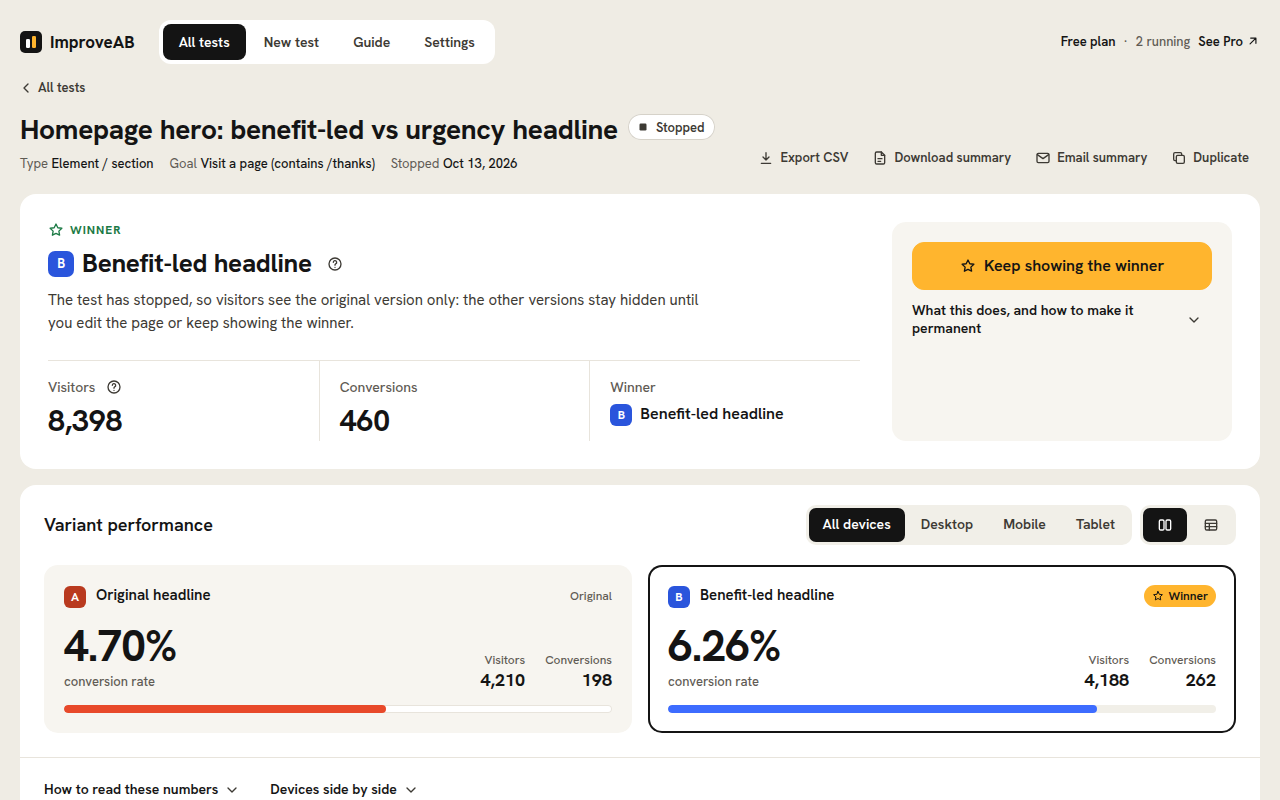
A/B test results on the free plan: the conversion rate, visitors and conversions of each version, the winner, and a breakdown by device. Export to CSV or download a summary.
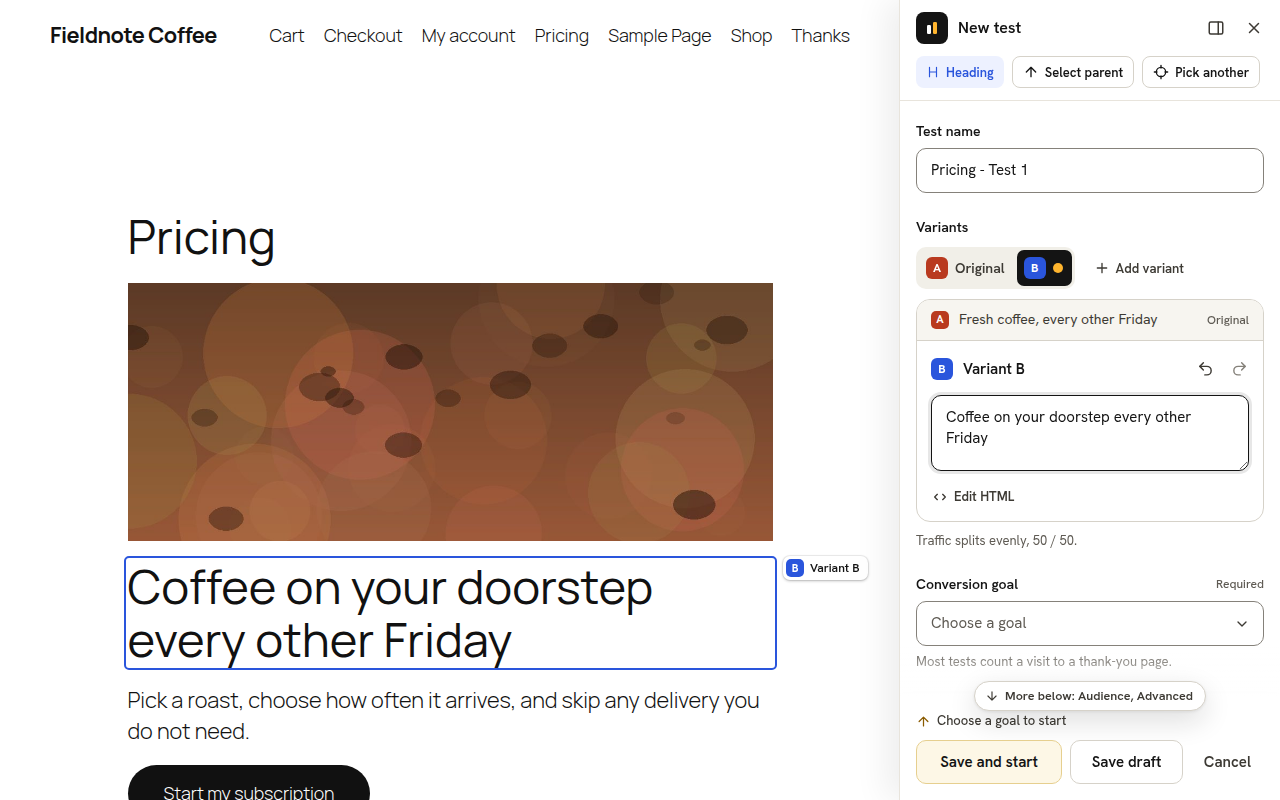
Point-and-click A/B testing: pick a headline or button on your page, type the new version, choose a goal and start the test from the front end. No page builder needed.
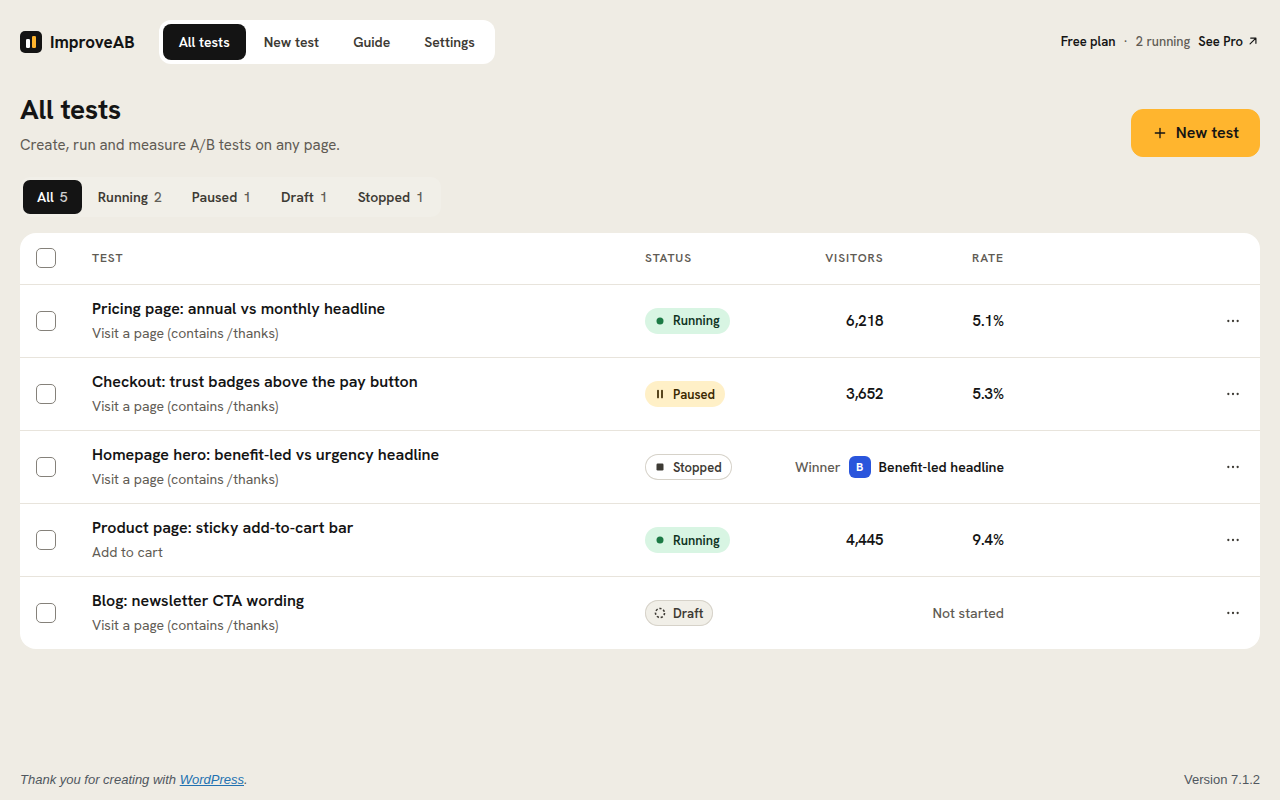
All your tests at a glance: status, visitors and conversion rate for each, and the winner of a stopped test. Run as many tests at once as you like.
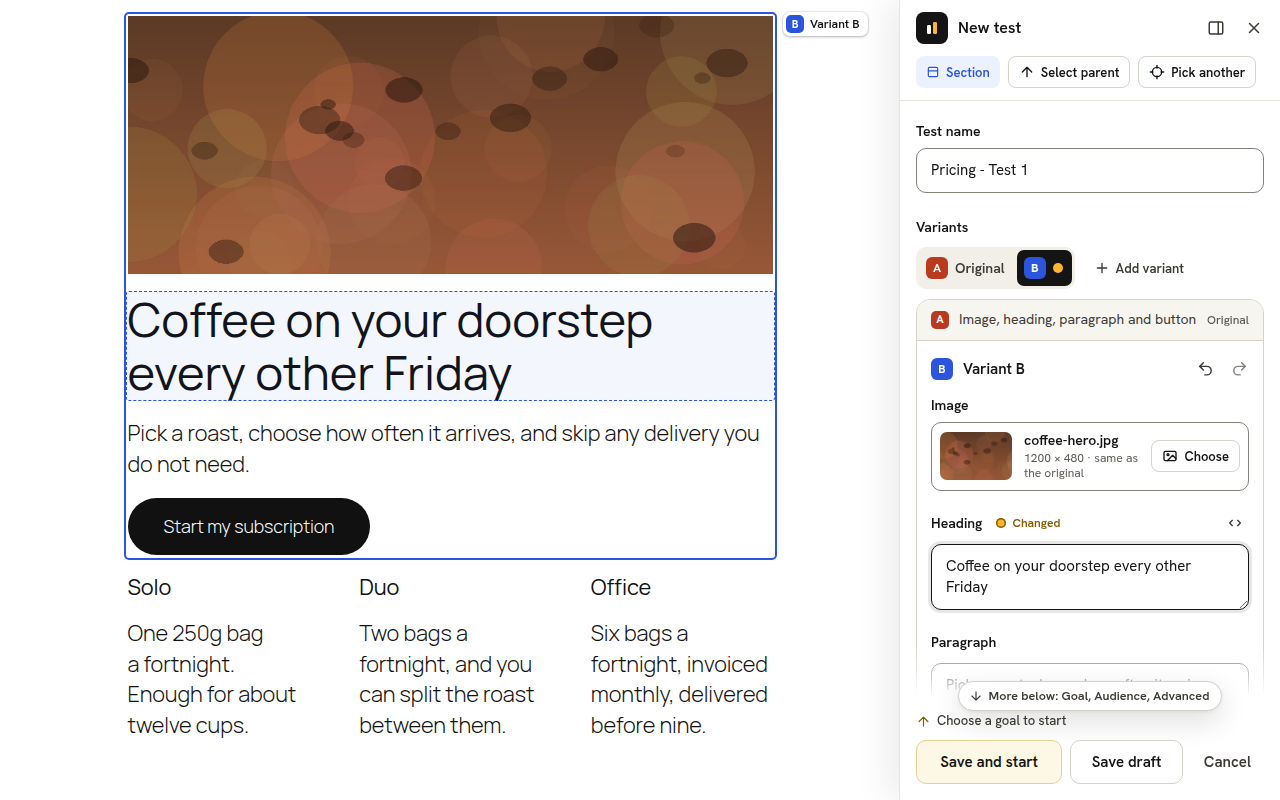
Pick a whole section and every text and image is its own field: swap images from the Media Library, see which fields changed, and undo any step.
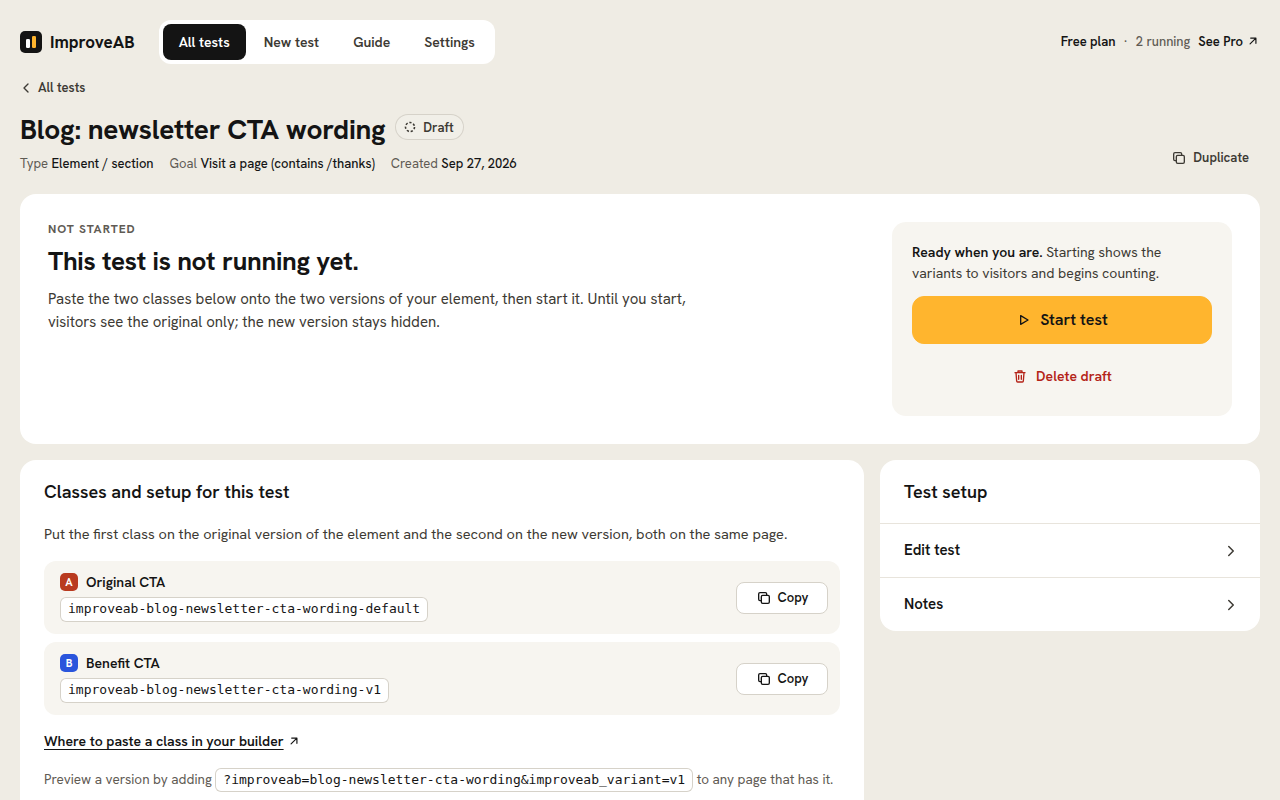
Element tests for any builder: copy the CSS class for each version into Elementor, Bricks, the block editor or any other builder, then start the test.
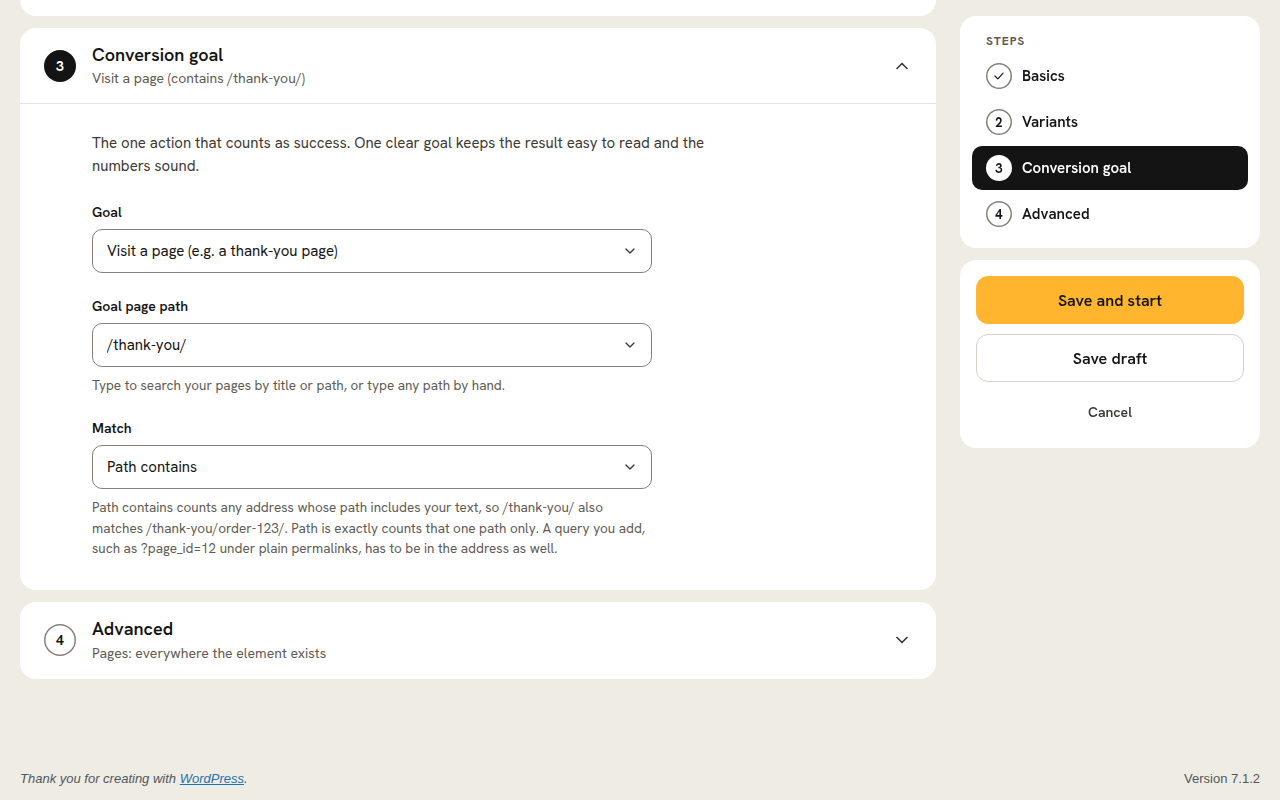
Choosing a conversion goal, here a visit to a thank-you page. Clicks, form submissions, WooCommerce add to cart and purchases with revenue, scroll depth and time on page are all free too.
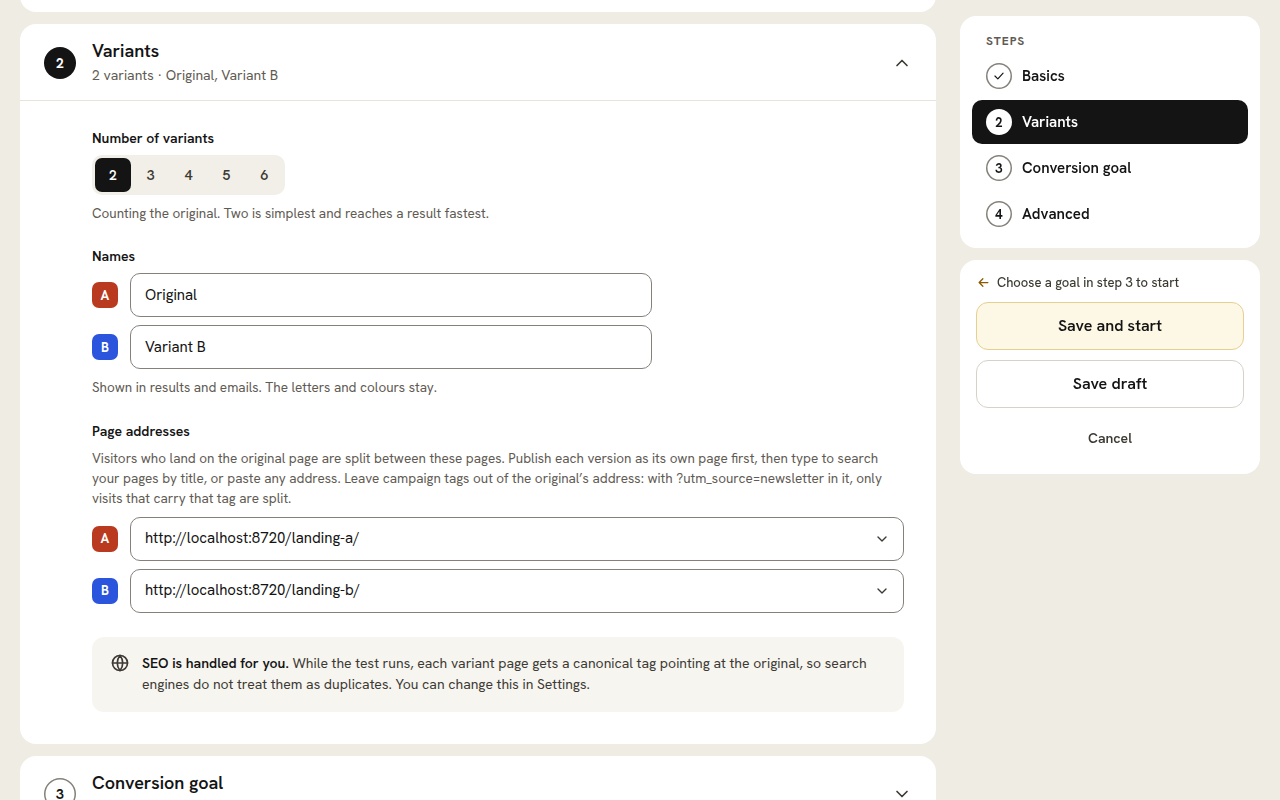
A full-page split URL test with automatic, SEO-safe canonical handling.
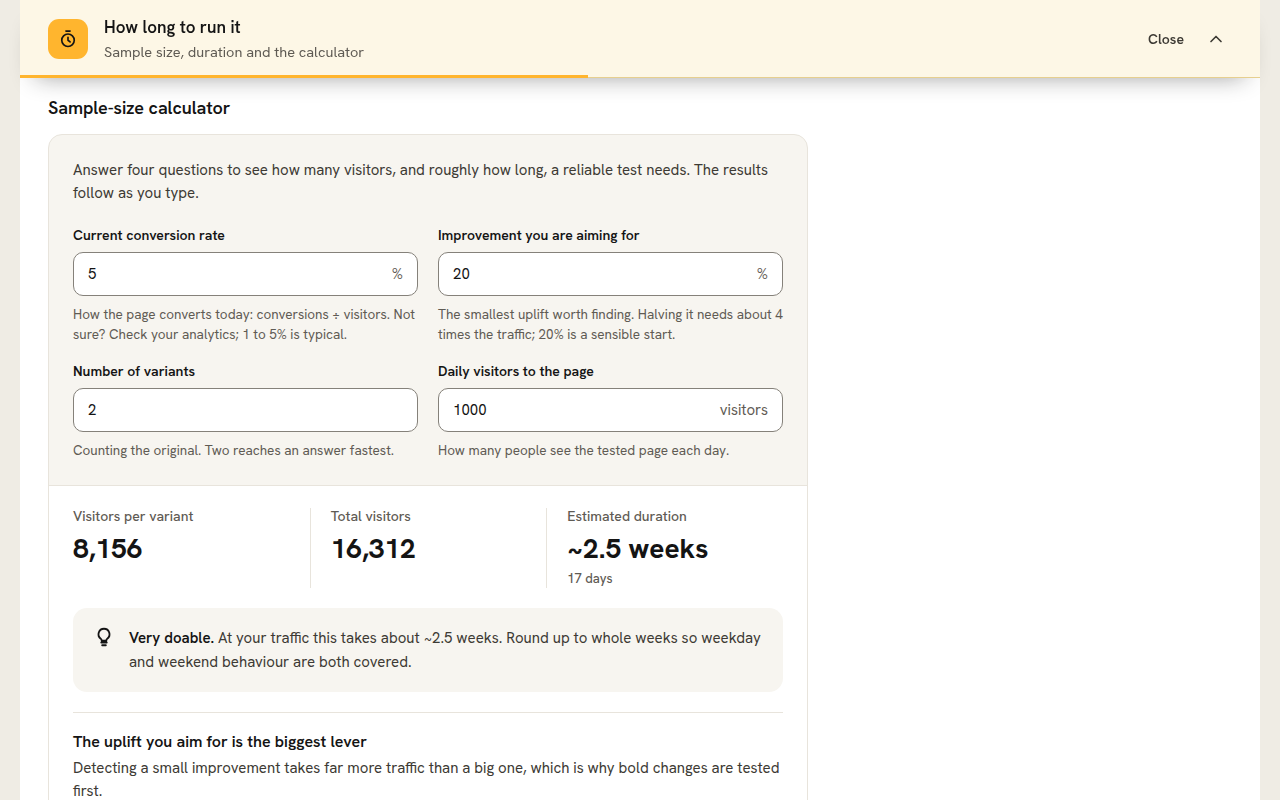
The built-in sample size and test duration calculator.
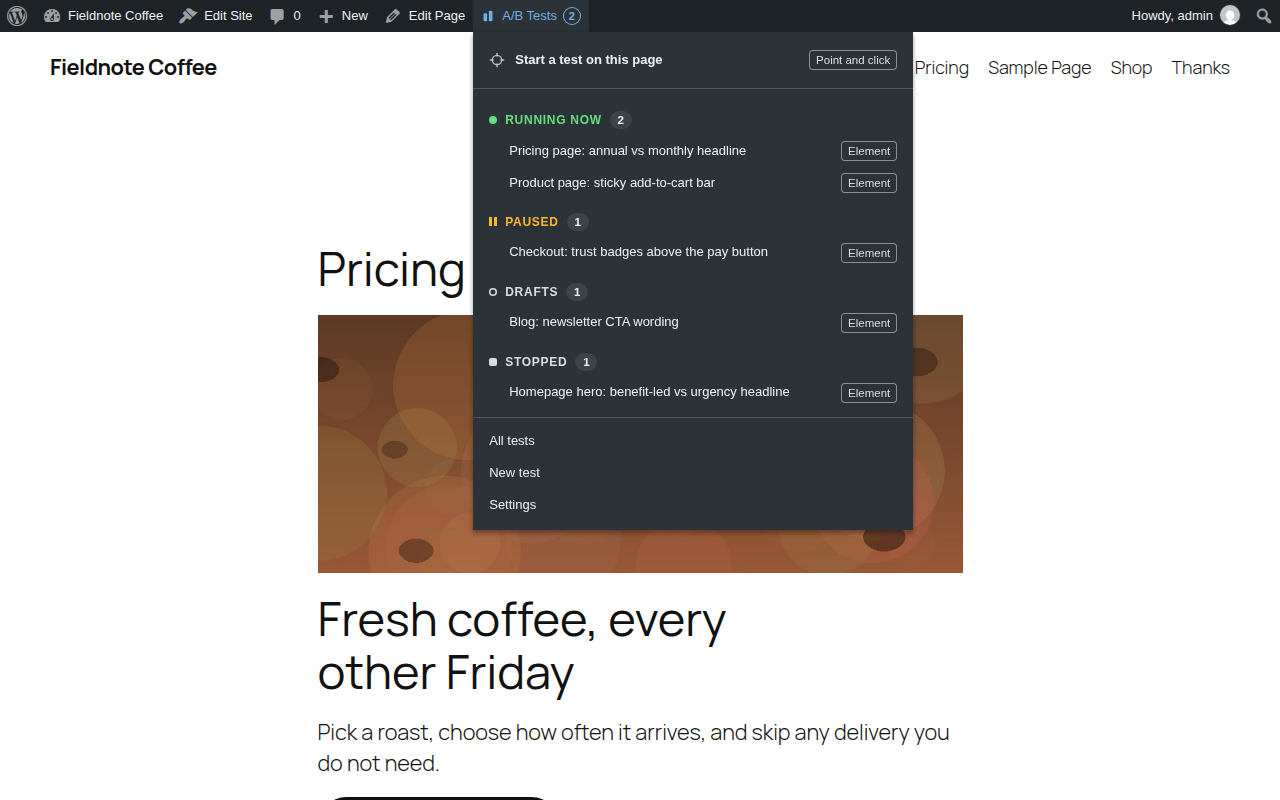
The A/B Tests menu in the admin bar: start a test on the page you are looking at, and see your tests grouped by state.
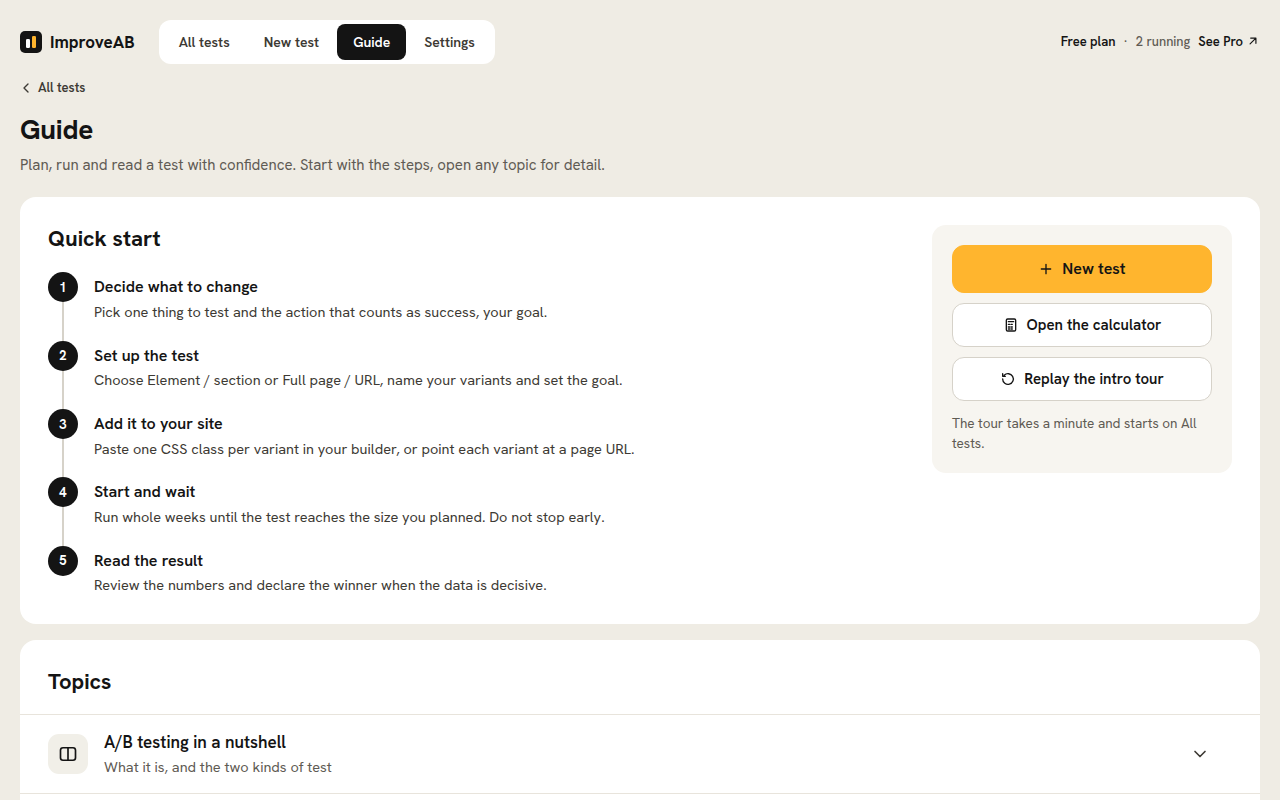
The plain-English guide built into the plugin.


