
Maps By DeltaBreen Wordpress Plugin - Rating, Reviews, Demo & Download
Plugin Description
Put a map on your site in a few minutes: one place on a contact page, all your shops with a list beside them, or a store locator that finds the nearest one. Maps by DeltaBreen draws clear, fast OpenStreetMap maps from servers in the EU, and it is free to start: no card, and no API key to copy.
Three steps to your first map
- Install the plugin and press Connect: sign in or create a free account, and your site gets its own map key. Nothing to copy or paste.
- Say what the map is for (a contact page, a store locator, all your places, delivery areas, an event or a trail) and a ready-made page opens in the editor.
- Type your address, check the map, publish.
Maps with pins
- The Map block: type an address to add a pin, or click the map in the editor. Give each pin a title, a line of text, a link, a photo, a colour and a button of your own (“Book a table”); your places under Map locations bring their phone number and opening hours too.
- Up to 5,000 pins on a map, grouped neatly when they are close together, with category buttons to show one kind at a time.
- Symbols in the pins on every plan: a shop, a coffee cup, parking and 59 more. Your own pin icons on Lite and above.
- Directions your way: the visitor’s own maps app, always Google Maps, always Apple Maps, or none.
- Lines and areas: draw a route, a delivery zone or a park on the map, or bring in a GPX, KML or GeoJSON file, with a trail’s climb and height profile.
A store locator people can use
- Visitors search by town, postcode or address, or tap Use my location, and see your places nearest first, with the distance.
- Each place shows today’s hours, an Open now badge, a phone link, your website and directions.
- A radius, category buttons and an Open now filter narrow the list. On a phone the list sits under the map and a place opens as a sheet from the bottom.
Your places in one list
- Map locations in the admin: the address (found for you), phone, website, notes, a photo, a button and a category with its own colour and symbol.
- Opening hours done properly: day by day with breaks, special days and holidays, and “Closed until 1 November” for a temporary closure.
- Import a spreadsheet (CSV) and export it any time.
- A page for each location if you like, with its map, hours and contact details, and the data search engines read for local businesses.
Looks right on your site
- Six map looks (light, dark, vintage and more), or a style you design yourself.
- Your theme’s colour for buttons and lists, and light or dark to match each visitor’s device.
- Zoom and full-screen buttons, and scrolling that leaves the page alone: two fingers or Ctrl move the map.
- A list beside any map, a search box, and directions drawn on the page.
- Labels in 41 languages, or each visitor’s own.
Privacy and cookie banners
- Servers in the EU, and no cookies set by the maps.
- Ask before loading: a “Show map” button stands in each map’s place, and nothing loads until the visitor agrees.
- Works with Complianz, Borlabs Cookie, CookieYes and Real Cookie Banner.
Move over in a minute
Already using another map plugin? Copy your places from WP Store Locator, WP Go Maps, MapPress or Agile Store Locator, with their categories and opening hours, or import a Google My Maps export (KML or KMZ). The other plugin’s data is never changed.
Fair, flat pricing
- Free for 20,000 map loads a month, with no card. A map load is one page view that shows a map.
- Maps start only when a visitor scrolls near them, so a map nobody scrolls to costs nothing.
- Never an overage bill. Go past your plan and we email you; paid maps keep running while we talk. On the free plan each map shows a small “Maps by DeltaBreen” credit beside the OpenStreetMap one.
Also included
- Elementor Map and Store locator widgets, and shortcodes for every other page builder.
- Maps made in your Maps by DeltaBreen dashboard (by hand, from a spreadsheet or kept live from a Google Sheet) show through the Map block on your site’s own key.
- Places on your own posts: events, products or listings get a place on the map, from a place box or an ACF map field.
- For developers: filters for pins, locations and map attributes, an optional public list of your locations, WPML and Polylang support, and Site Health checks.
- Light: the map script loads only on pages with a map, after the page itself.
See the six looks on a live map at maps.deltabreen.eu.
External services
This plugin shows maps from Maps by DeltaBreen (https://maps.deltabreen.eu), a map service run by DeltaBreen Limited, Ireland. It is needed for the maps to appear at all.
The service’s servers are in the EU (Germany and Finland). Every request to tiles.deltabreen.eu and maps.deltabreen.eu passes through Cloudflare (https://www.cloudflare.com), which handles the secure connection, filters attacks and keeps copies of map tiles near your visitors. Cloudflare’s privacy policy: https://www.cloudflare.com/privacypolicy/
When a visitor opens a page that shows a map, their browser:
- loads the map script from tiles.deltabreen.eu;
- asks maps.deltabreen.eu for a short-lived map token, sending your publishable key and the address of the page;
- loads map tiles, fonts and icons from tiles.deltabreen.eu or, on the Free plan, from tiles-direct.deltabreen.eu, which is our own server in Germany and does not pass through Cloudflare;
- for a map made in your dashboard, reads its pins and settings from maps.deltabreen.eu.
On the Free plan the map shows a small “Maps by DeltaBreen” link to maps.deltabreen.eu beside the OpenStreetMap credit; paid plans show only the OpenStreetMap credit.
When a visitor searches in a store locator or a map’s search box, their browser sends what they typed, and the map’s position, to maps.deltabreen.eu to find the place. When a map draws directions on the page, the visitor’s browser sends the start they chose (their location or an address) and the place to maps.deltabreen.eu to find the route. “Use my location” works out the distances in the visitor’s browser and sends no search; the map then shows their area, as it would if they had moved the map there.
In the admin, the plugin sends an address to maps.deltabreen.eu, with your publishable key, only when you ask it to find a place: for a pin, on a location, or for spreadsheet rows without coordinates. “Preview map” in the editor loads a map as a page would.
When you press Connect, your site registers itself with maps.deltabreen.eu (its name and the admin address to return to), your browser goes to maps.deltabreen.eu to sign in and approve, and your site then asks the service for a map key for its own domain. The sign-in ends as soon as the key is saved; the plugin keeps only the key. Check my key sends the key and your site’s address from your browser; it counts nothing. The dashboard widget and the Site Health check ask the same question from your server, at most every ten minutes while you open those screens, and are told how far this month’s map loads have gone; they count nothing either.
A map set to “Ask before showing” loads nothing at all from the map service until the visitor presses “Show map”. If you turn on “Locations for other sites and apps”, your site lists your published map locations at /wp-json/deltabreen-maps/v1/locations for anyone who asks; it is off unless you turn it on.
As with any web request, the service receives the visitor’s IP address and browser details; request logs are kept for at most 30 days, and the service sets no cookies. The plugin sends nothing when no map is shown.
Terms of service: https://maps.deltabreen.eu/legal/terms
Privacy policy: https://maps.deltabreen.eu/legal/privacy
Screenshots
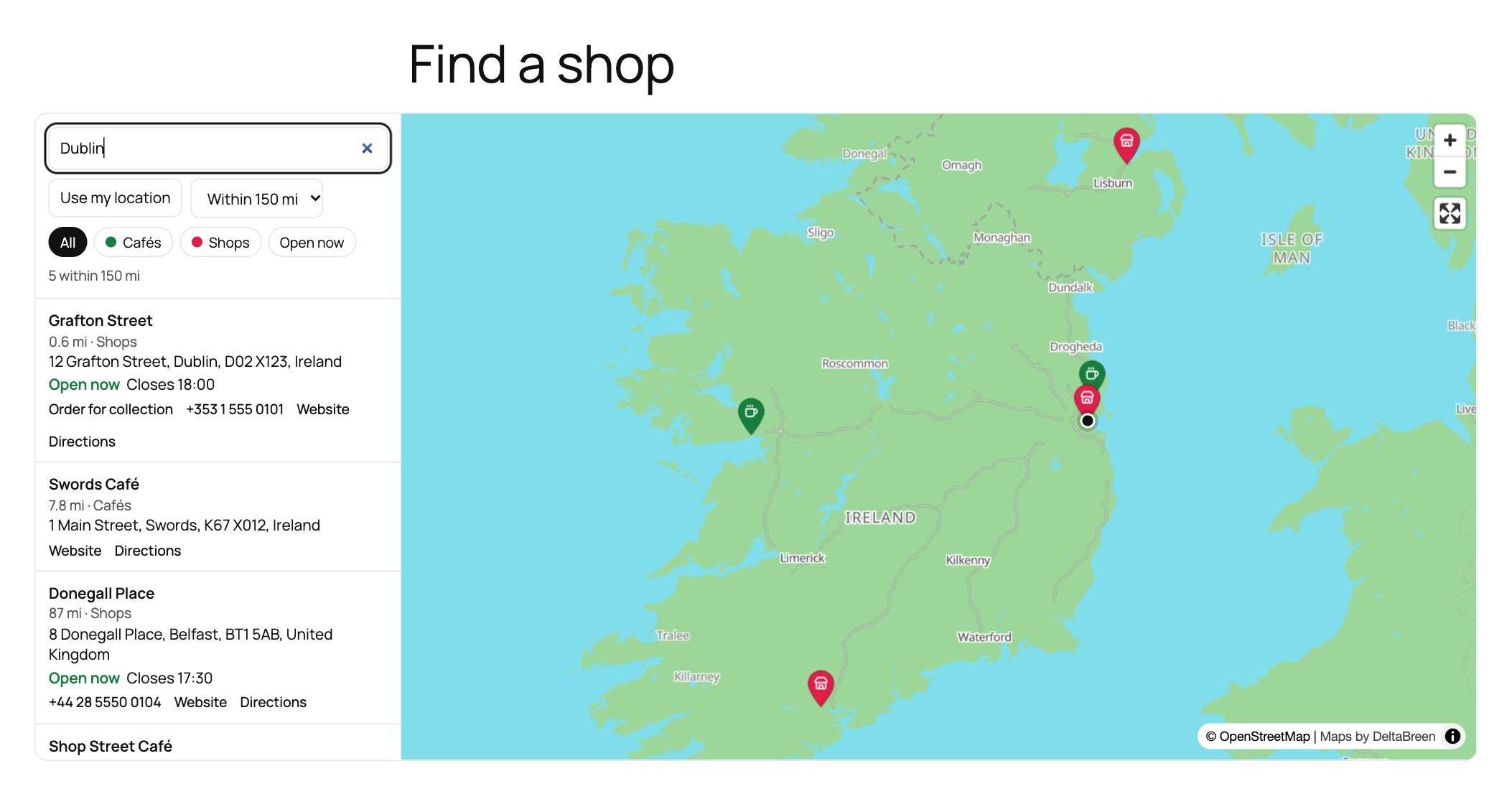
The Store locator block: a visitor searches a town and sees your places nearest first, with the distance, today’s hours, “Open now”, a phone link and directions.
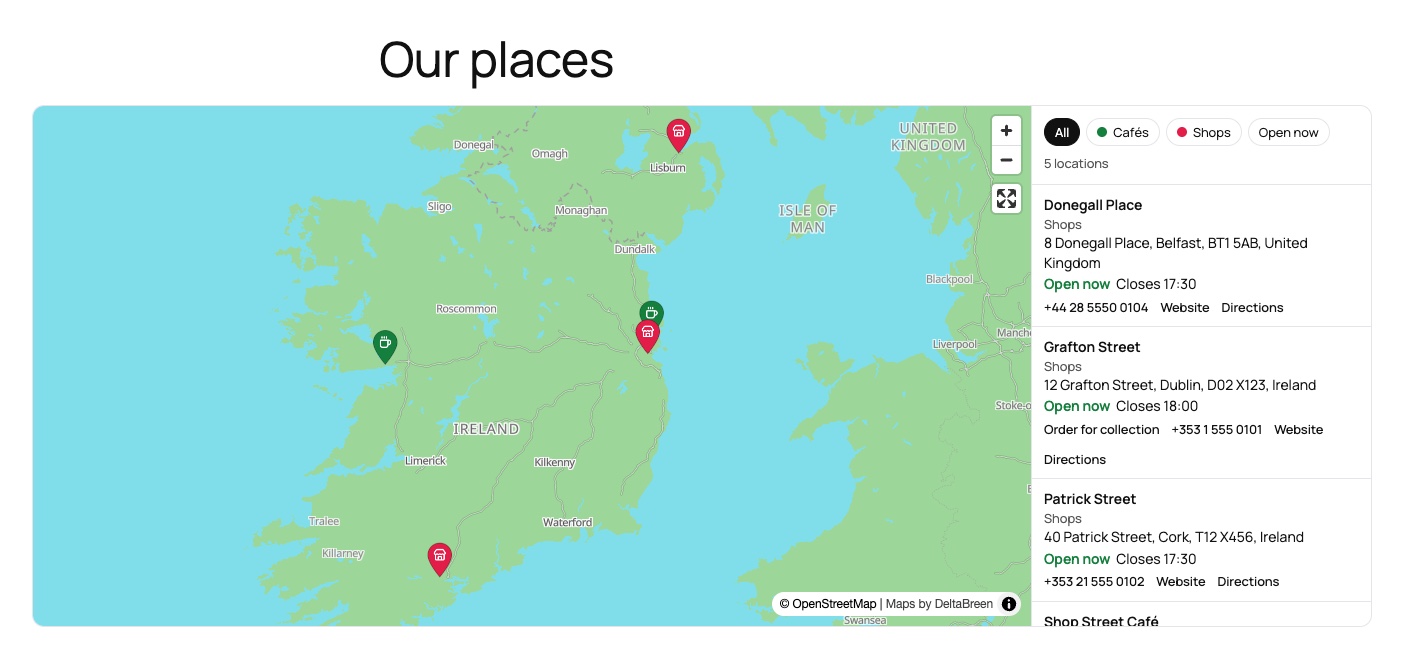
All your places on one map, with a list beside it, category buttons and a symbol in each pin.
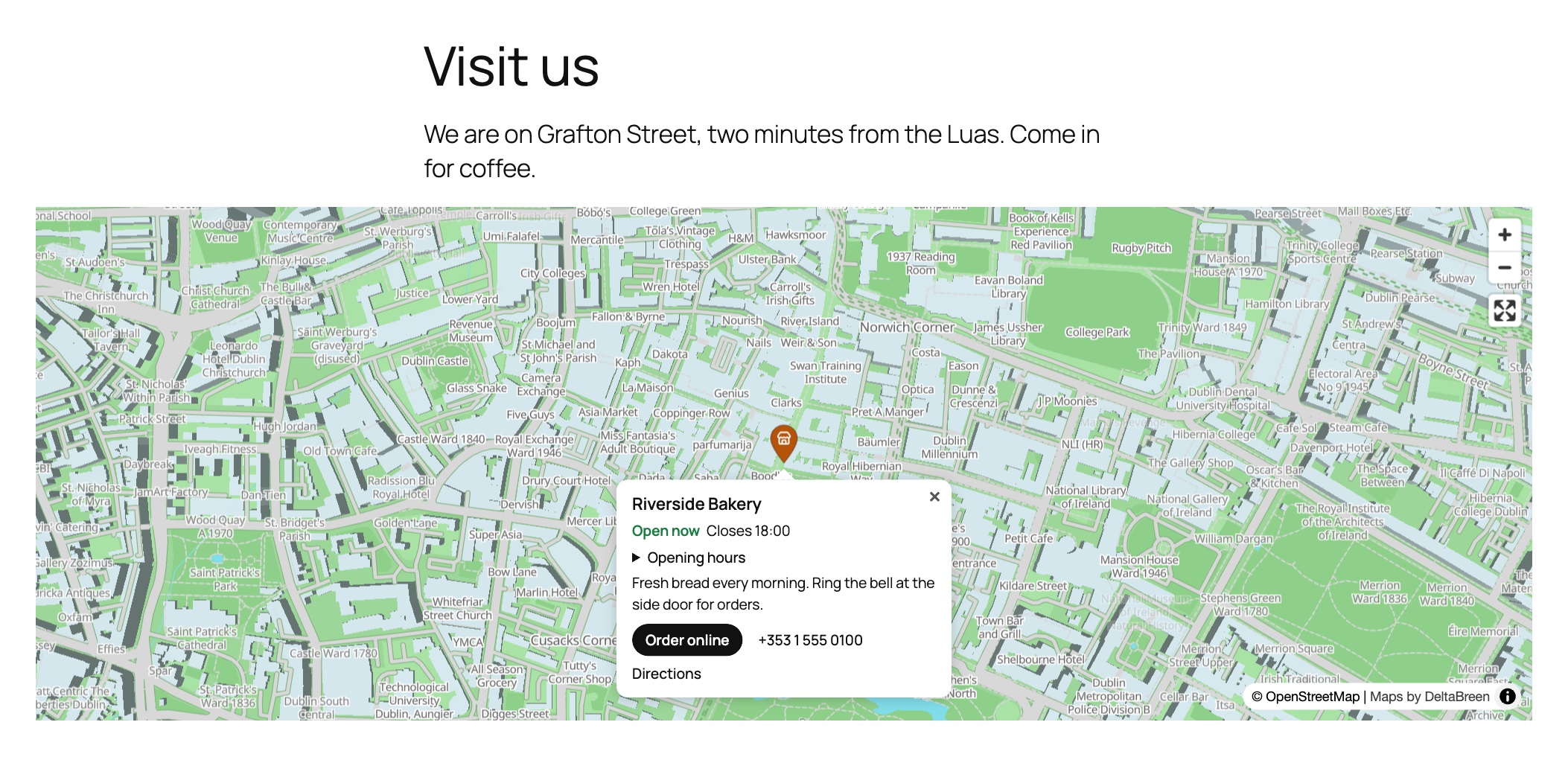
A pin opens with its opening hours, your own words and button, a phone link and directions.
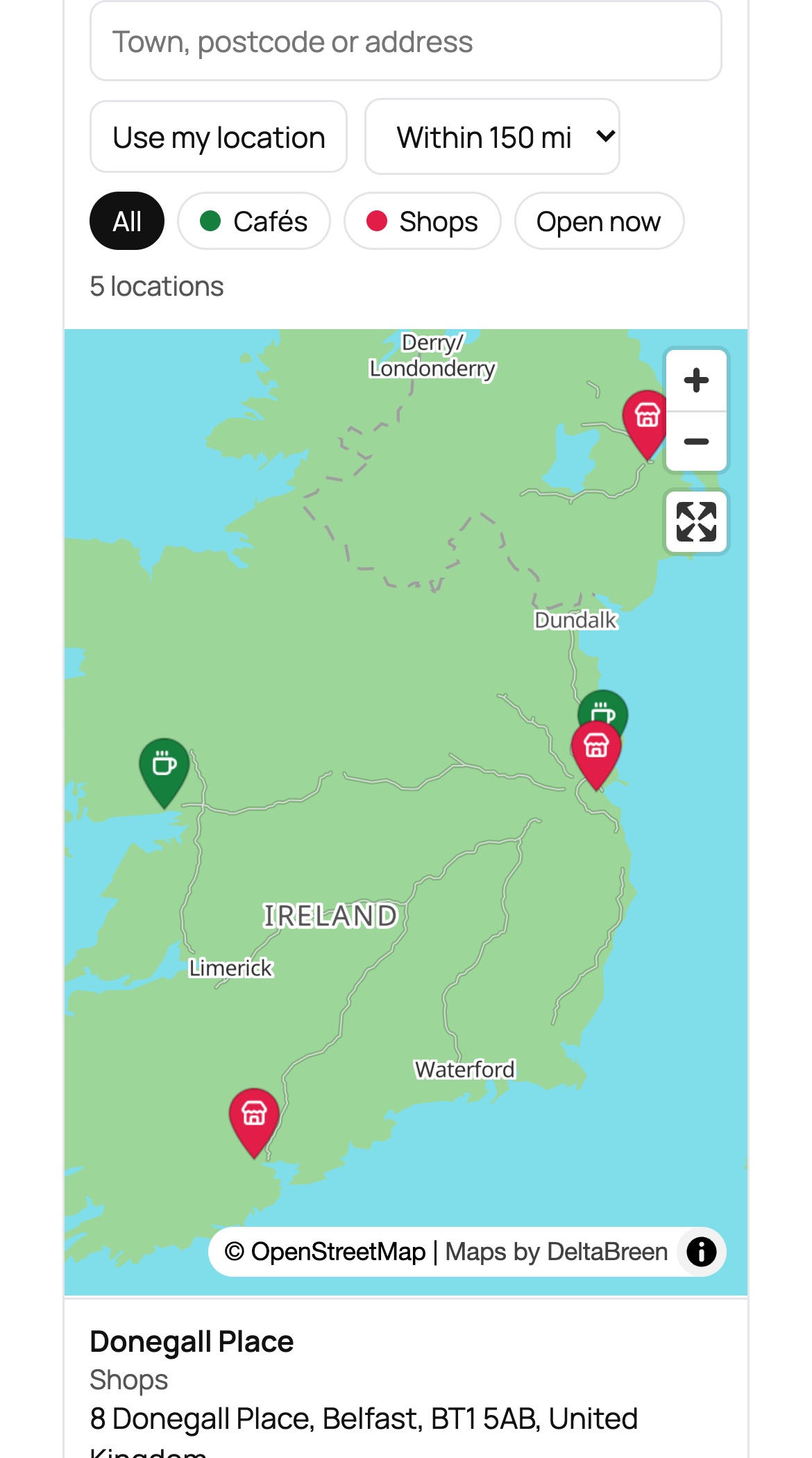
The same store locator on a phone.
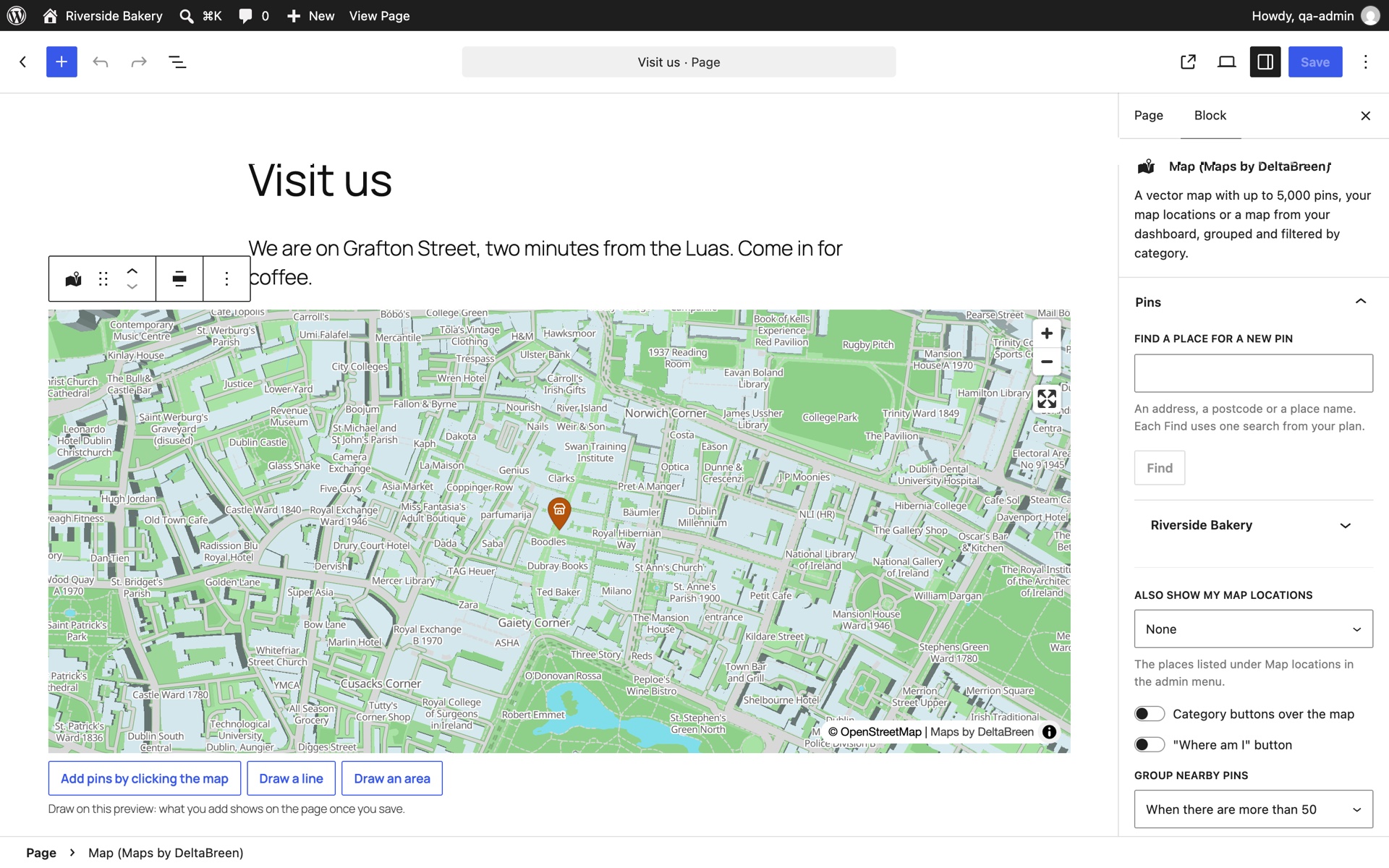
The Map block in the editor: find a place by its address, see the live map, click it to add pins or draw lines and areas.
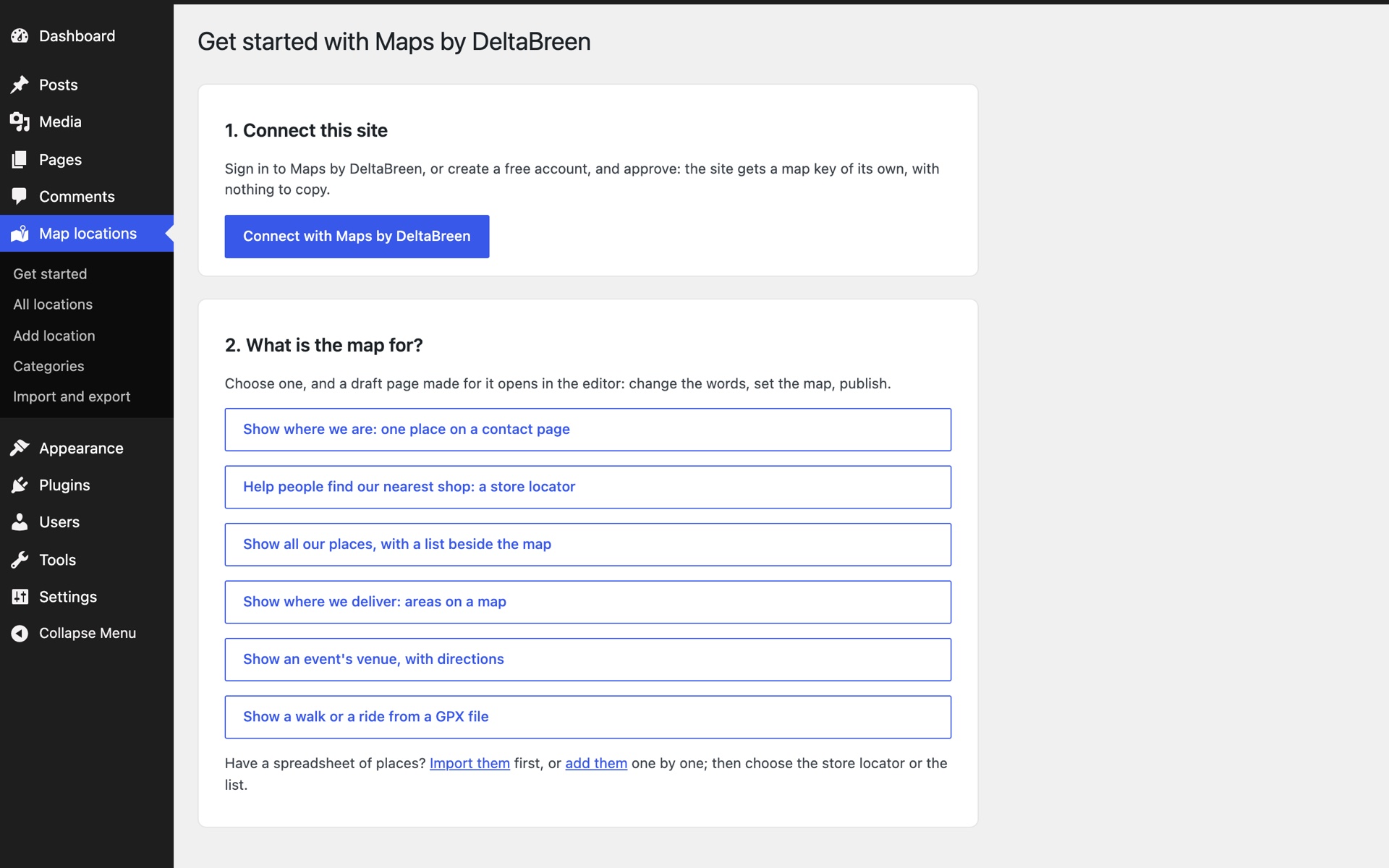
Get started: connect your site in one click, then choose what the map is for and a ready-made page opens.
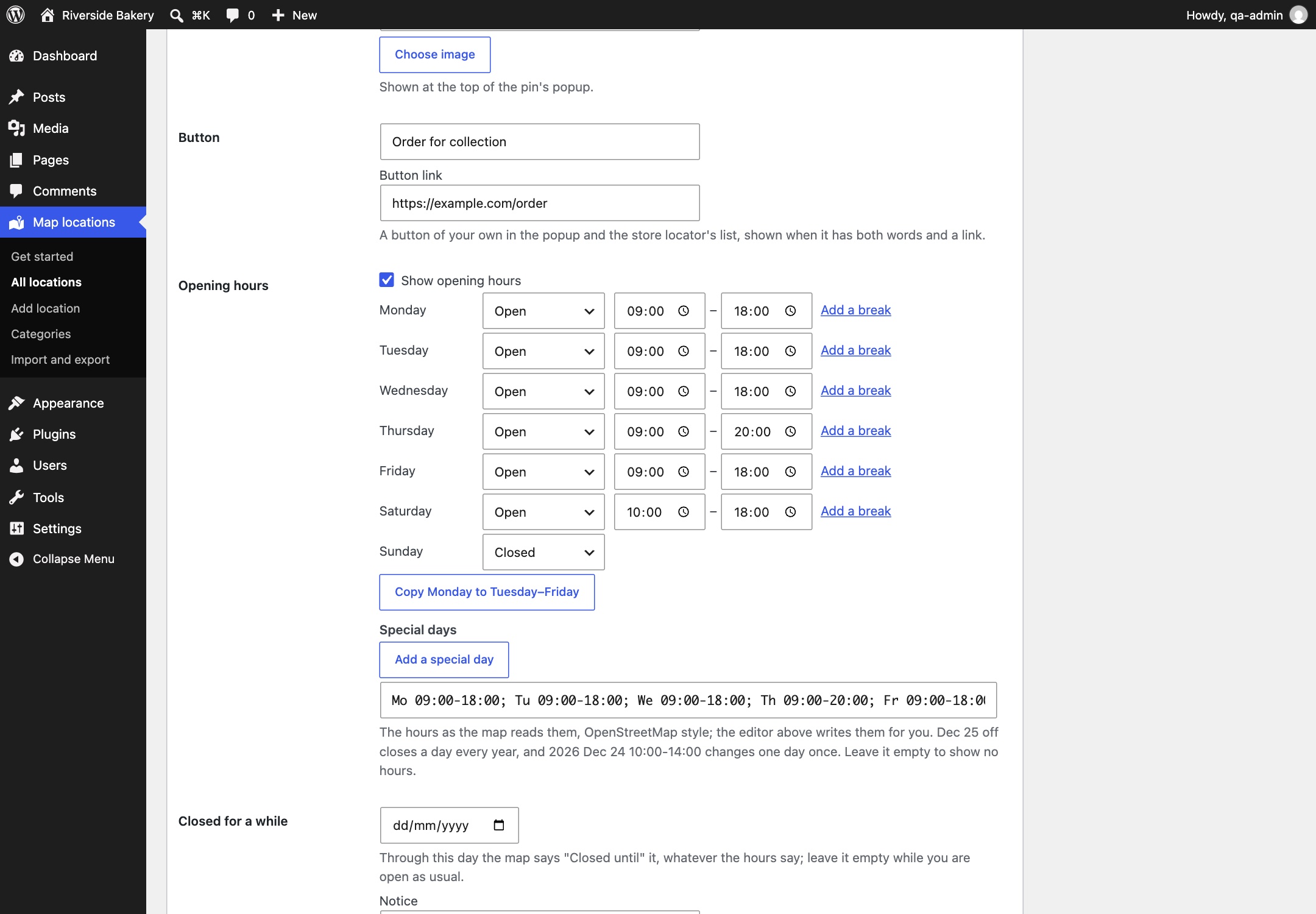
A location’s opening hours, day by day, with breaks, special days and a temporary closure.
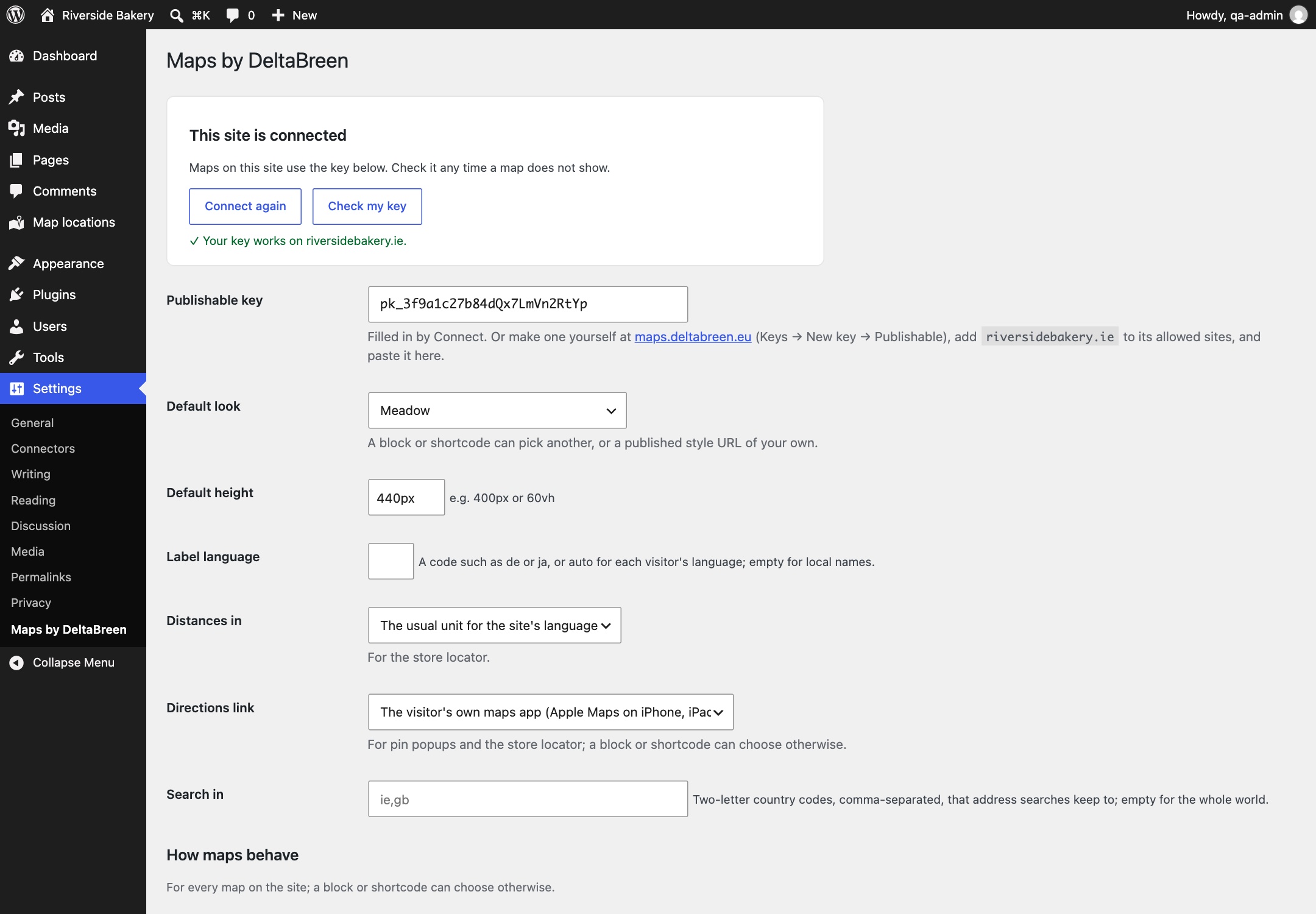
Settings: your site’s key, checked for you, and the defaults for every map.

