
KnowScapes AI Client Wordpress Plugin - Rating, Reviews, Demo & Download
Plugin Description
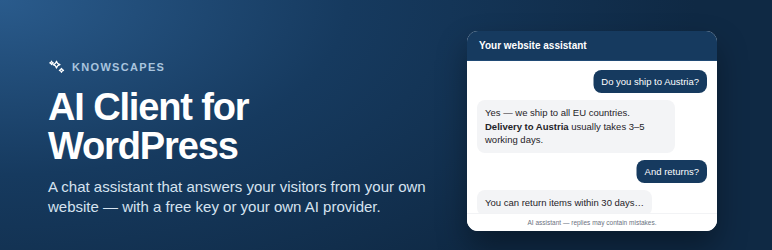
KnowScapes AI Client adds a floating chat assistant to your site. Visitors type a
question, the reply is generated by the AI provider you selected, and the answer
is rendered as formatted text inside the chat panel.
You choose where the answers come from:
- KnowScapes Community (free key) — a retrieval-augmented agent run by xplicator GmbH that answers from your own website. You can request a free key directly from the settings screen, so no account with a commercial AI provider is needed to get started.
- KnowScapes (paid plan) — the same service and the same endpoint, with a key from a paid plan instead of the fair-use allowance. Both entries keep their own key, so you can hold a free key and a paid one side by side and switch between them without pasting a key again.
- OpenAI — with your own API key, billed to your own OpenAI account.
- Anthropic — with your own API key, billed to your own Anthropic account.
- OpenRouter — with your own API key, billed to your own OpenRouter account.
- Any OpenAI-compatible endpoint — for example a self-hosted gateway on your own infrastructure.
Where the chat appears is up to you: a floating launcher on every page, only on
the content types you pick, or nowhere at all — dropped into a post, a page or a
template with the [knowscapes_ai_chat] shortcode instead. Individual entries
can be excluded, the launcher can sit in either bottom corner and can be hidden
on phones, and the whole assistant can be kept for signed-in users only.
Two things make a first message more likely and cost nothing until they are used:
starter questions, shown as buttons in the empty chat, and page context, which
lets the assistant answer about the page the visitor is actually reading. Every
reply carries a copy button.
Every chat shows a short notice that the visitor is talking to an AI and that
replies may contain mistakes. You can reword it — into the language of your site,
for instance — but not switch it off, because the EU AI Act requires that people
can tell when they are talking to an AI.
Every feature of the plugin is available with every provider. Nothing in the
plugin is switched off, time-limited or gated behind a payment: which provider you
use, and what that provider charges you, is entirely your decision.
The KnowScapes Community plan
The Community plan is KnowScapes’ free plan. On the KnowScapes side it covers one
website as the knowledge source plus one additional document, and the free key
answers a limited number of messages per hour and per day for the site it is used
on — at the time of writing 20 per hour and 480 per day, roughly three to six
visitor conversations an hour, which suits a small site. A short burst above the
hourly rate is absorbed rather than refused.
When the allowance is used up, the service declines further messages until the
next period. Nothing about the plugin changes: no feature is switched off, no
countdown starts, and every setting keeps working. Visitors see a short notice
that the assistant is unavailable for now, and you see the reason and the current
allowance on the plugin’s settings screen. The current figures — messages,
pages and document size — are published at https://knowscapes.org/free-key-limits/
and the plans at https://knowscapes.org/pricing/
You are never obliged to use this key. The same plugin works with your own
OpenAI, Anthropic or OpenRouter key, or with your own endpoint, and it behaves
identically either way.
Your API key stays on the server
Visitors never see your key. The browser talks only to a REST route on your own
WordPress site; that route adds the key and forwards the request. The key is
stored in the WordPress options table and is never printed into a page, a script
variable or a response body. The settings screen only ever shows it masked.
Nothing happens until you say so
After activation the plugin is inert. It has no key, no provider endpoint it can
reach, and no widget on your site, and it never contacts anything on its own —
not on activation, not when an admin page loads, not when a visitor views your
site.
Three things can send a request, and each one is something you start:
- Pressing Request free key sends your e-mail address and this site’s URL to
knowscapes.com, and only after you tick the box next to that button. - Entering an API key, or pressing Load available entries, asks the
selected provider which models your key may use. Installing a free key through
the link in its e-mail does this once as well, as part of that same button
press. Opening the settings screen alone never does. - A visitor sending a chat message, which is possible only once you have
supplied a key, chosen a model, confirmed the data transfer and switched the
widget on.
No visitor data of any kind leaves your site before that last step.
Features
- Floating chat launcher with ten icons to pick from
- Light, dark or automatic colour scheme, and a configurable accent colour
- Markdown replies, sanitised before they are inserted into the page
- Optional collapsible reasoning block for reasoning-capable models
- Configurable system prompt, reply length cap and per-visitor rate limit
- Greeting message that costs nothing, because it is never sent to the provider
- AI notice under every chat, rewordable but always shown
- Uninstall routine that removes its options, its counter table and its transients, across every site of a multisite network
External services
This plugin is a client for external AI services. Which service is contacted
depends on the provider you select in its settings. Nothing below happens on a
default installation; each transfer requires the configuration steps described
above.
KnowScapes AI API (xplicator GmbH)
Used when either KnowScapes Community (free key) or KnowScapes (paid plan)
is selected. Both reach the same service at the same address; they differ only in
which key is sent, and therefore in the allowance that applies to it.
- What is sent: the text of the visitor’s current message, the earlier messages of that same conversation (at most the last 20, each truncated to 4,000 characters), your configured system prompt, and the agent identifier. If you switch page context on, your system prompt can also carry the title, address and text of the published page the visitor is reading, up to the character limit you set. The API key is sent as an authorisation header.
- When: each time a visitor submits a message in the chat.
- Endpoints:
https://knowscapes.com/api/v1/chat/completionsand, when you press the button to load the agent list,https://knowscapes.com/api/v1/models. - Terms of use: https://xplicator.com/legal-terms-of-use/
- Privacy policy: https://xplicator.com/legal-service-privacy/
- Service description (processing location, retention, sub-processors): https://xplicator.com/legal-service-knowscapes/
KnowScapes free key service (xplicator GmbH)
Used only when you fill in the request form on the settings screen, tick the
consent box and press the button. It is never called automatically.
- What is sent: the e-mail address you entered; the URL and the name of this site; and the address of this plugin’s own settings page inside your WordPress admin area. The settings-page address is what allows the confirmation e-mail to carry a button that offers to install the key on this site.
- When: once, on that button press.
- Endpoint:
https://knowscapes.com/api/trial-keys— the path is the service’s own name for its route; the key it issues is a free one with a fair-use allowance, not a time-limited trial. - What comes back: a confirmation that the key was sent. The key itself arrives by e-mail and is never contained in the response.
- Stored locally: only a flag that expires after 60 seconds, which stops the button being pressed repeatedly. Neither your e-mail address nor the key is kept.
- Note on the install link: the link in that e-mail carries the key as part of its address, so it can appear in your server’s access log, and anyone holding the link could offer the key to any site. Opening it stores nothing — it shows a confirmation screen naming the key, and only your confirmation stores it. Confirm only a key you requested yourself, or ignore the link and paste the key from the e-mail into the API key field by hand.
- Terms of use: https://xplicator.com/legal-terms-of-use/
- Privacy policy: https://xplicator.com/legal-service-privacy/
OpenAI
Used when the provider OpenAI is selected, with your own key.
- What is sent: the conversation and system prompt as described above — including the page context, if you switched it on — plus the model name, authorised with your key.
- When: each time a visitor submits a message, and when you load the model list.
- Endpoints:
https://api.openai.com/v1/chat/completions,https://api.openai.com/v1/models - Terms of use: https://openai.com/policies/terms-of-use/
- Privacy policy: https://openai.com/policies/privacy-policy/
Anthropic
Used when the provider Anthropic is selected, with your own key.
- What is sent: the conversation and system prompt as described above, plus the model name, authorised with your key.
- When: each time a visitor submits a message, and when you load the model list.
- Endpoints:
https://api.anthropic.com/v1/messages,https://api.anthropic.com/v1/models - Terms of use: https://www.anthropic.com/legal/commercial-terms
- Privacy policy: https://www.anthropic.com/legal/privacy
OpenRouter
Used when the provider OpenRouter is selected, with your own key.
- What is sent: the conversation and system prompt as described above, plus the model name, authorised with your key.
- When: each time a visitor submits a message, and when you load the model list.
- Endpoints:
https://openrouter.ai/api/v1/chat/completions,https://openrouter.ai/api/v1/models - Terms of use: https://openrouter.ai/terms
- Privacy policy: https://openrouter.ai/privacy
Custom endpoint
When you select the custom provider, requests go to the HTTPS base URL you
entered and to no one else. You are responsible for the terms that apply there.
Screenshots
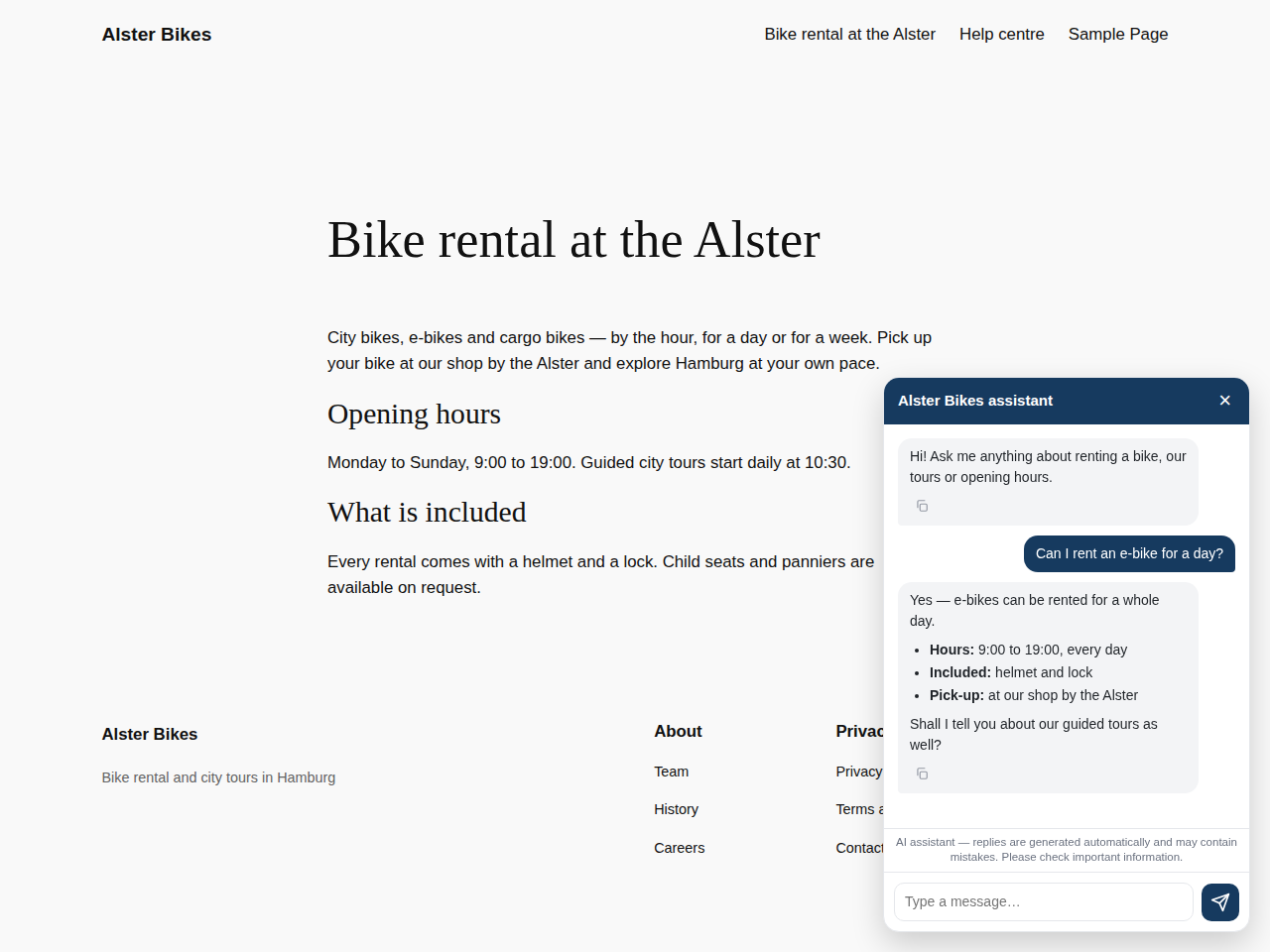
The chat panel on the front end, opened from the floating launcher.
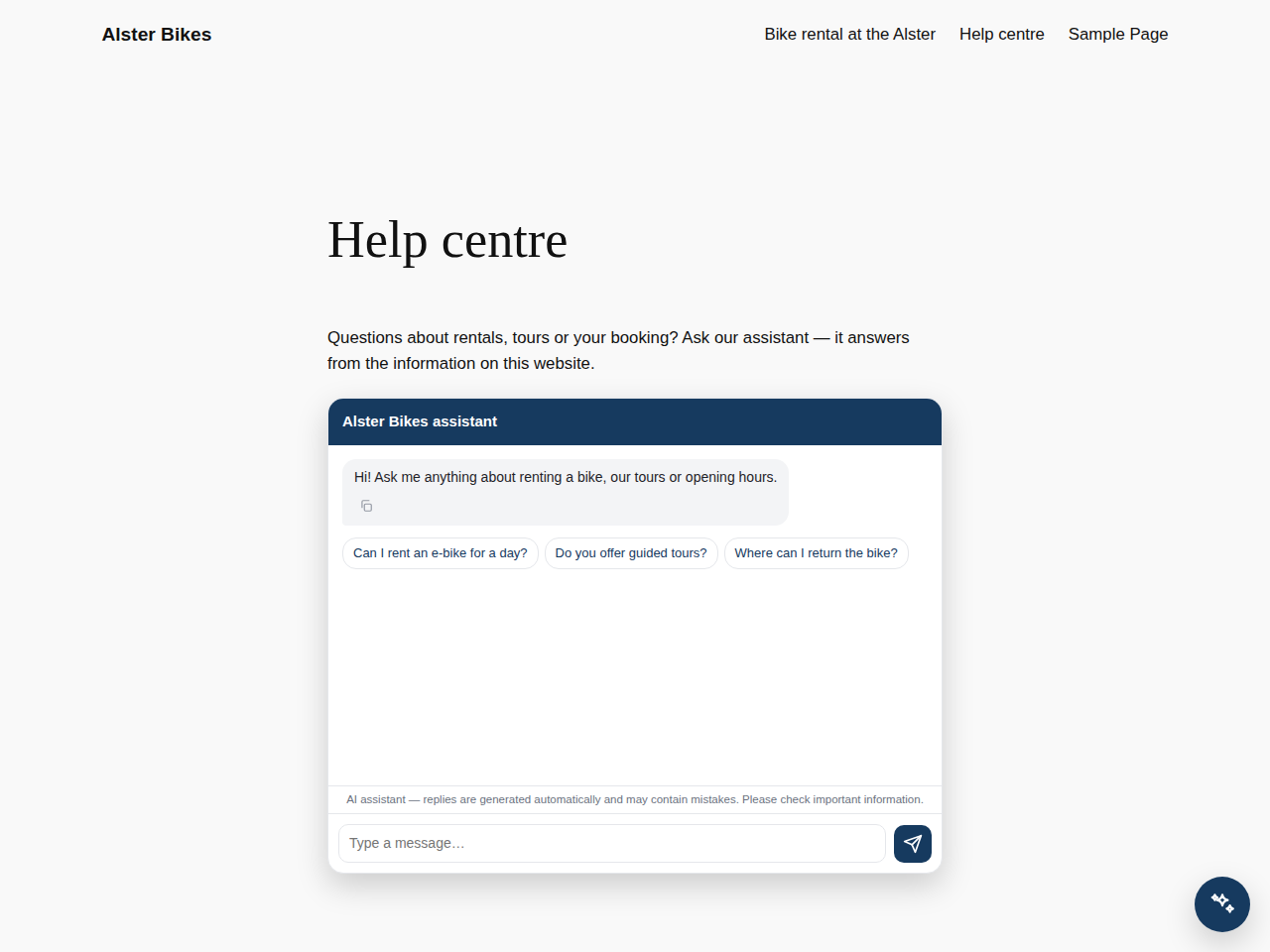
The same assistant placed inline on a page with the shortcode.


