
SpeedX Database Cleaner Wordpress Plugin - Rating, Reviews, Demo & Download

Plugin Description
SpeedX Database Cleaner keeps database cleanup simple. It does one job: helps you inspect and manually remove selected unwanted records from your WordPress database.
No complicated dashboard. No caching, image optimization, minification, marketing features or background cleanup jobs. The interface is intentionally minimal, practical and focused on the task at hand. The code is designed to stay small and straightforward, without unnecessary dependencies or system overhead.
The plugin does not create its own database tables or persist its settings. Cleanup is initiated manually by an administrator; nothing is scheduled to run automatically.
Before making changes, you can see how many records are eligible for each cleanup operation and an approximate size of the selected data. These estimates are not a guarantee of disk space recovered, because database storage and table allocation work differently.
Important: This plugin does not back up your database. Cleanup permanently deletes data. Always make a verified database backup before running it. Some WordPress deletion operations also remove related records through the standard WordPress APIs.
Languages: English and Czech (cs_CZ). The interface follows your WordPress site language where the translation is available.
Features
- Revision cleanup: Keep a configurable number of the latest regular revisions per post (default: 5); autosaves are excluded.
- Old auto-drafts: Remove automatic drafts older than seven days, leaving recent drafts untouched.
- Spam comments: Permanently delete comments marked as spam.
- Trashed comments: Permanently delete comments in the trash.
- Unapproved comments: Optionally remove comments awaiting approval.
- Expired transients: Remove expired regular WordPress transients.
- Trashed posts and pages: Optionally delete standard posts and pages in the trash. Attachments and custom post types are excluded from direct selection.
- Clear statistics: Display eligible record counts and approximate data sizes before cleanup.
- Refresh button: Recalculate statistics after changing the number of revisions to keep, without starting cleanup.
- Manual control: Choose the cleanup categories and explicitly confirm that you have made a backup.
- On-screen results: See a summary after cleanup, with optional logging to the WordPress debug log when enabled.
Screenshots
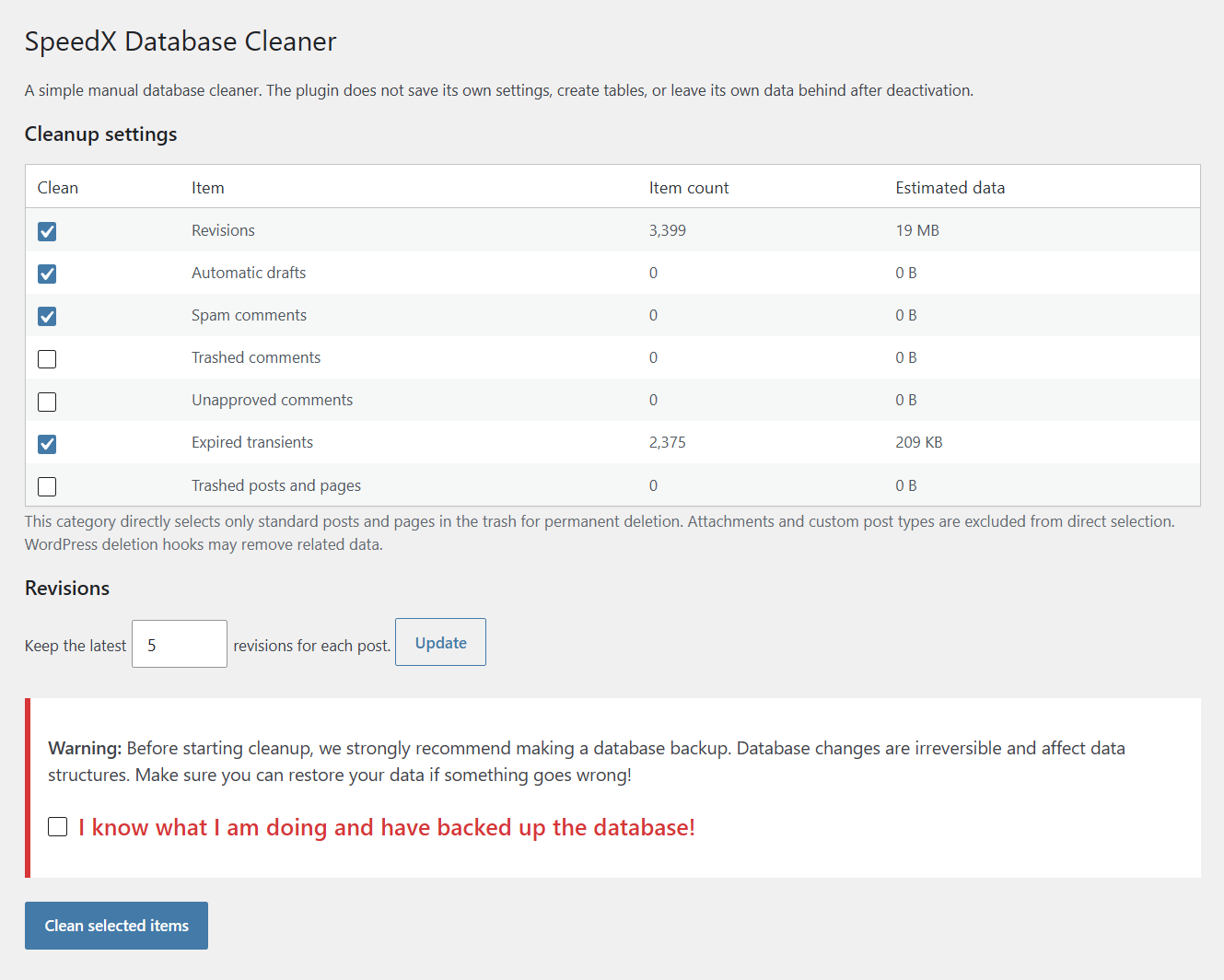
The minimal database cleanup screen, showing eligible record counts, estimated data sizes, revision retention and manual cleanup controls.


